You hit submit. The spinner hangs. Maybe it says uploaded, maybe it freezes, maybe the PDF opens on your end but looks weird. And instantly your brain goes where every applicant brain goes: great, I'm done, a computer just erased my season.
I get it. This is exactly the kind of tiny technical mess that feels catastrophic because residency applications already run on thin margins, opaque rules, and applicant paranoia. But here's the reassuring truth: an ERAS upload glitch usually doesn't mean your application is dead. It means your file may be incomplete, unreadable, or unevaluable right now. That's bad. But it's also often fixable if you move fast and stop guessing.
This article is about the part nobody explains well enough, why upload issues can trigger screening, what "screened out" really means, and the exact recovery steps to take in the first hours and days after you notice a problem.
What "Screened Out" Really Means (and Why It Feels Final)
"Screened out" sounds like a verdict. Like somebody looked at your application and decided you weren't good enough. That's why people panic. But in a lot of upload-glitch cases, that's not what happened at all.
Programs often use screening rules before a human being seriously reads your file. Some of those rules are about eligibility. Some are about completeness. If your application looks incomplete because a document is missing, blank, corrupted, or mislabeled, the system may treat you like you're not ready for review. That's the key distinction. Not ready for review is not the same thing as rejected on merit.
I've seen this happen with blank PDFs that looked normal at upload, letters of recommendation assigned incorrectly, medical school transcripts that were technically attached but unreadable, and CV files that opened as image garbage on one browser and fine on another. Dumb? Yes. Fair? Not really. Common? More than applicants realize.
What the program may see is brutally simple: incomplete packet. And once that appears, one of two things usually happens. Either an automatic rule filters the application out, or a coordinator/reviewer flags it and moves on because they have 4,000 other files to handle. That's why it feels final. Not because someone made a deep judgment about you, but because broken files create friction and programs don't chase every applicant down.
So no, "screened out" in this context does not automatically mean "you're weak." It often means "we couldn't evaluate this file as submitted." That's still a problem. But it's a repair problem, not a worth problem.
Common ERAS Upload Glitches That Trigger Incomplete or Unreadable Files
The most maddening part is how small these failures can be. On your screen, everything can look "submitted." On the backend, it can still be a mess.
The usual offenders are predictable. Blank PDFs. Password-protected files. Scanned image PDFs that are technically there but won't load correctly. Partial uploads. Wrong document type selected. File conversion glitches. Weird formatting after exporting from Pages or Google Docs. A filename mismatch that makes you think you assigned the right thing when you didn't. And yes, sometimes the document opens, but key content is missing because the export cut off pages or embedded fonts failed.
Letters of recommendation are especially anxiety-inducing because applicants often can't directly control every part of the letter workflow. If a letter is assigned to the wrong program, uploaded late, categorized incorrectly, or simply not visible yet, the application can read as incomplete. Same for transcripts. Same for personal statements if the wrong version is assigned. Same for your CV if dates are malformed or sections don't render properly.
Programs may interpret the following as "missing," even if you swear you uploaded something:
- A PDF that opens to a blank page
- A file that requires a password
- A letter or transcript that isn't actually assigned where it needs to be
- The wrong personal statement attached to the wrong program
- Scans that are too blurry or rotated into oblivion
- Missing dates or odd formatting that make a CV look broken
- A document category mismatch that makes the item hard to identify
That's the ugly truth: appears submitted does not always mean content accessible. And if it's not accessible, it might as well not exist.

The Timeline: How Fast You Need to Act (Hours vs. Days vs. Weeks)
This is where anxious people like me need structure. Not vibes. Structure.
If you discover the glitch immediately or within the first 24 hours, you're in the best recovery window. That's when you can often re-upload, verify the fix, collect proof, and send one clear communication before your application gets buried under the avalanche. Early action matters because some programs review in waves, and some auto-screens hit early.
Within 24 to 48 hours, it's still very salvageable. You may have missed an initial pass at a few places, but many programs continue downloading, sorting, and reviewing. A corrected application can still get seen, especially if the issue was technical and quickly fixed.
At 3 to 7 days, I won't lie to you, the odds get worse. Not hopeless. Worse. If a program had a rigid first-pass filter for completeness, you may have missed that first gate. But programs aren't one synchronized robot. Review happens over time, coordinators revisit files, and some faculty open applications much later than you think.
Right now, check three things before you spiral any further: your ERAS status pages, whether the document is actually visible and readable when reopened, and any confirmation emails or timestamps showing what happened and when.
What to Do Immediately After Discovering the Glitch (Step-by-Step)
First, figure out exactly what failed. Not "something looked off." Be specific. Which document? Which program assignments? What date and time did you upload it? What does ERAS show now? Does the file open fully? Is it the right version? If you can't name the exact failure, you'll send vague, panicked messages, and vague messages are useless.
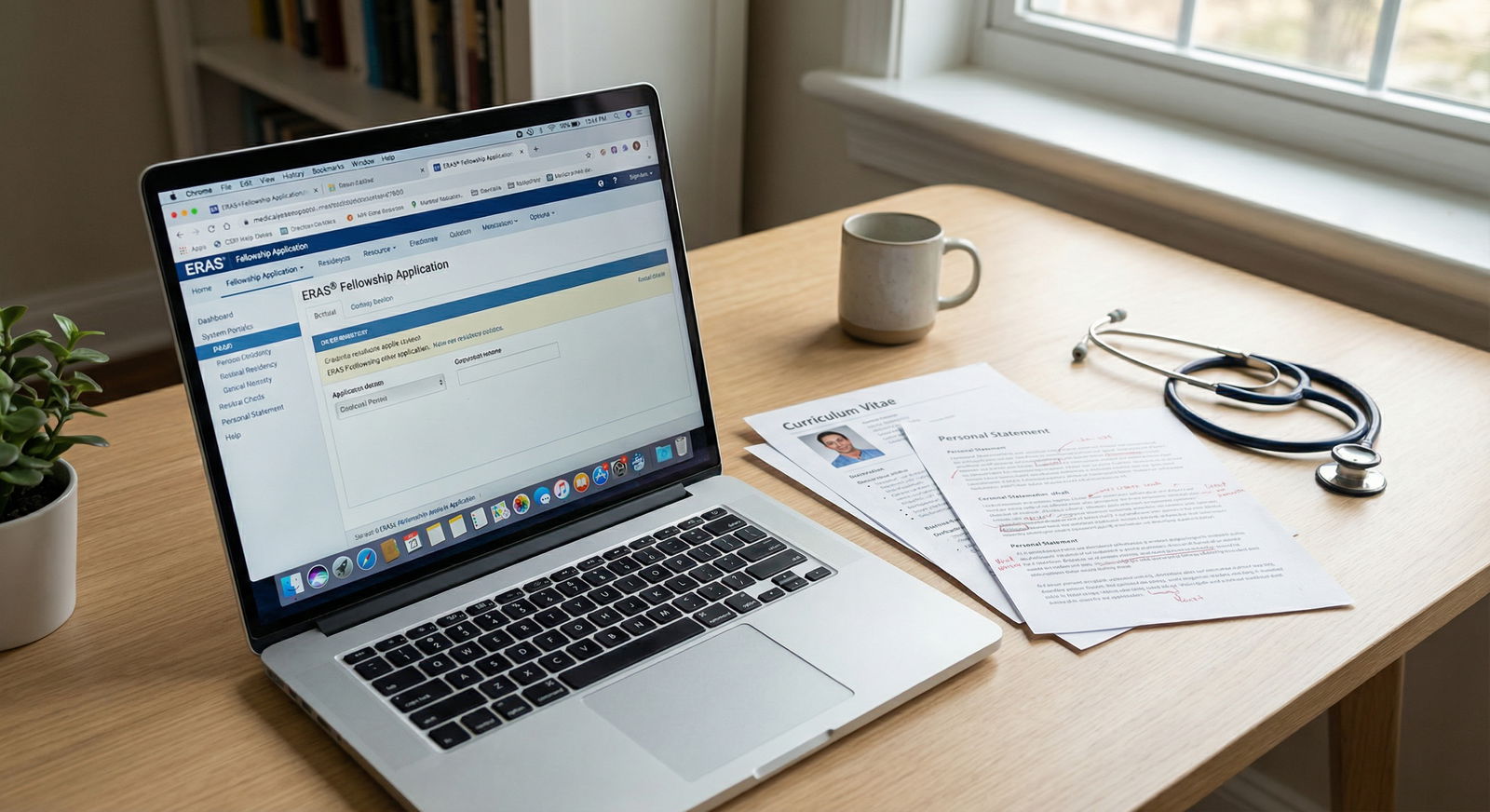
Second, re-upload correctly. Don't just smash the upload button again and hope. Open the file on your own device first. Then open it on a second device if possible. Make sure it's a standard PDF, not password-protected, not enormous, not sideways, not blurred, not cut off. If it's a scan, make sure it's actually readable and not some cursed gray fog that looked fine on your phone. If the file came from Word, export it cleanly again. If it came from another platform, don't assume the conversion behaved.
Third, verify assignment and visibility. This is where applicants make avoidable mistakes. A corrected document sitting in your account doesn't help if it isn't assigned properly to the intended programs. Double-check document type, version, and destination. Especially for personal statements and letters. One wrong click here can create a whole second disaster.
Fourth, save proof. Screenshots matter. Save the upload confirmation, the document view, the date, the time, and any email confirming processing. If support later asks what happened, or if you need to explain yourself to a program, receipts beat emotion every time.
Fifth, contact the right support channel. If this is a true platform issue, contact ERAS support. If it involves a letter service, dean's office, transcript office, or school document release process, contact them too. Keep it factual. "My transcript uploaded as unreadable and was reassigned at 2:14 PM ET today; can you confirm visibility?" That's a real message. "I'm terrified my future is over" is not. Save that part for your group chat.
Sixth, if timing matters for active review windows, notify programs once the issue is fixed. Not before. Don't email saying there might possibly maybe have been an issue. That just creates confusion. Email after you've corrected the problem and can say exactly what happened, what was fixed, and what you're asking them to confirm.
My preferred sequence is simple:
- Identify the broken item.
- Correct it.
- Reopen and verify it.
- Screenshot everything.
- Contact support if needed.
- Notify programs once, clearly.
That order matters. Applicants get into trouble when they reverse it and email ten programs before they even know what failed.
How to Reach Out to Programs Without Sounding Panicked
The goal of your message is not to perform distress. The goal is to make your file easy to rescue.
You want the program to understand three things fast: there was a technical issue, you corrected it promptly, and your application should now be complete and viewable. That's it. No melodrama. No overexplaining. No six-paragraph apology tour.
Include the exact document name, the approximate date of the original upload, a one-line description of the issue, the date of correction, and a polite request for confirmation if appropriate. Be brief because coordinators are drowning. Help them help you.
A good structure looks like this:
Subject: Application document corrected in ERAS
Dear Program Coordinator, I'm writing to let you know I identified a technical issue affecting my [document name] in ERAS. The file appears to have uploaded incorrectly/unreadably on [date], and I corrected and re-uploaded the document on [date]. My application should now reflect the updated, readable version. If helpful, I'd be grateful if you could confirm the document is visible and my file is complete for review. Thank you, [Name], AAMC ID
That works because it's calm and specific. What doesn't work? "I'm so sorry, I think I ruined my application, please please please still consider me." That kind of email forces the reader to deal with your panic instead of your file. Harsh, but true.
Also: don't spam. One message after correction is professional. Three follow-ups in one day is how you become memorable for the wrong reason.
Will Your Application Be Forever Hurt? Likelihoods and Realistic Outcomes
Probably not forever. That's the answer anxious applicants need, even if our brains refuse to accept it.
A corrected application can absolutely be reviewed after an initial screening problem. Programs revisit files. Coordinators update statuses. Faculty review later than applicants imagine. A glitch can delay you, and yes, delays can matter. I'm not going to pretend timing never hurts. It can. Especially at places with rigid early filters.
But the realistic outcomes are usually one of these: your file was auto-screened for incompleteness and becomes reviewable after correction; your file was flagged and held until the document issue cleared; or your file simply entered the queue later than you hoped. None of those automatically means your season is over.
My advice is boring because boring works: fix the issue, communicate once, then monitor. Watch for interview invitations, portal updates, or requests for clarification. Don't keep poking the program every 12 hours because your anxiety wants a pulse check.
Anxiety-Safe Coping: Worst-Case Thinking vs. Action
Let me be blunt. The panic is real, but it's also not a strategy.
Upload glitches hit applicants so hard because they trigger the ugliest feeling in this process: loss of control. One tiny spinning wheel and suddenly you're imagining SOAP. That spiral is familiar. I've seen it. I've lived versions of it. It's miserable.
So use an action ladder. One rung at a time. Check the file. Correct it. Verify it. Save proof. Send one clean message. Then stop.
If your mind keeps racing, do a quick reset: step away from the screen for ten minutes, drink water, write the checklist on paper, and time-box the task. Thirty focused minutes beats three hours of doom-refreshing. You do not need seventeen tabs open and five friends decoding your screenshot like it's a crime scene.
Do the next right thing. Then let the system move.
Residency application season is full of fake finality. Every glitch feels permanent. Most aren't. Fast, clean correction beats panic almost every time. If this happened to you, you're not ridiculous for freaking out. But you're also not powerless. Fix what's fixable. Document it. Communicate clearly. And then give yourself the same grace you'd give any classmate whose upload failed at the worst possible moment.