Cover: Panel Grid Confusion, When Zoom Shows Multiple Faculty
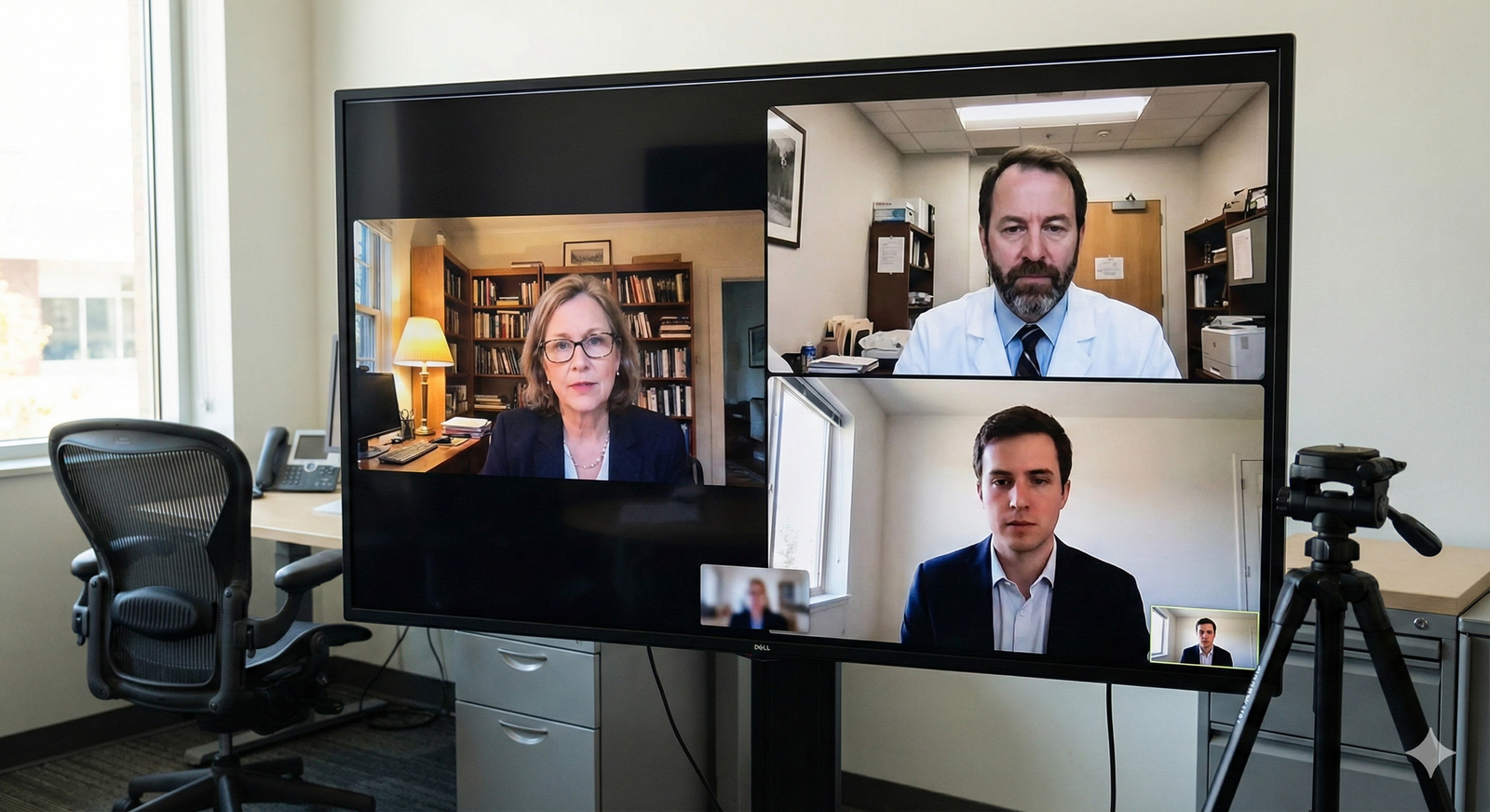
You log into the residency interview. The screen loads. Suddenly, you're staring at a grid of six faces, and you have no idea who is actually in charge.
Here's the expectation: the video grid often does not match who is actually speaking or assessing you. Sometimes the program director is muted in the corner. Sometimes the guy taking up half the screen is just a junior faculty member observing.
The goal is simple. You can still perform exceptionally well by controlling your own behavior and strategy, not the platform. Don't let the pixels dictate your performance.
What's happening: Zoom panel grids vs. real interview roles
Zoom grid confusion is a platform problem, not an interview trap. It happens for a few specific reasons.
First, default "gallery view" shows everyone equally. You see six faces, but they don't have equal roles. Second, "active speaker" highlighting depends on microphone sensitivity. Someone shuffling papers might light up the screen even if the program director is the one asking the question. Third, network latency means the visual cue of who is speaking often lags behind the audio.
You must separate "who is on screen" from "who is evaluating." I've seen applicants panic because they spent five minutes making eye contact with the wrong tile. The Associate Program Director might be dialing in from a car, looking tiny on your screen, while a silent attending in the top right corner holds the actual rubric.
Zoom is democratic. Residency interviews are not. The grid lies about hierarchy. Your job is to ignore the visual democracy of the platform and focus on the actual conversation.

Fast decision framework: What should you do in the first 10 seconds?
When the interview starts and multiple faces stare back at you, don't freeze. Run this 10-second framework.
Rule 1: Listen first. Identify the current questioner by audio. Close your eyes if you need to for a split second. The host will usually introduce the format. Listen for cues like, "Dr. Smith will start us off." Even if Dr. Smith's tile isn't highlighted, Dr. Smith is your target.
Rule 2: Mirror the interview format. If the host asks a question, then looks at a specific person on their end to chime in, that's your cue. You respond to the group while addressing the active questioner.
The biggest mistake applicants make is trying to solve the grid like a math problem. Stop trying to figure out who holds the grading sheet. Just answer the question in front of you. If you hear a voice, talk to that voice. If you see the host turn their head to someone off-screen, wait for that person to speak.
You don't need to see someone to talk to them. You need to hear them. Trust your ears over your eyes.
Tactical fixes you can control: your gaze, tone, and turn-taking
You can't fix their audio setup. You can't force the active speaker box to highlight the right person. But you have total control over your gaze, your tone, and how you manage the conversation.
Gaze Strategy: The Camera is King. Look at the camera when responding. Period. When you look at your laptop camera, every single person on the grid feels like you are making direct eye contact with them. If you stare at a specific tile, you look like you're talking only to that person, and everyone else feels ignored.
If you can clearly tell who is speaking, briefly alternate between the camera and that person's tile. A quick glance acknowledges them. Then snap back to the camera lens. Do not "stare" at a tile waiting for them to nod. It reads as desperate or distracted.
Turn-taking: Own the Pause. When you finish a key point, pause. Do not rush to fill the silence. Do not immediately ask, "Does that answer your question?" to a specific tile. Let the audio breathe.
Often, panel members are muting and unmuting. If you talk over the half-second delay, you create chaos. Finish your thought. Stop. Give them two seconds to unmute and respond.
Tone: Inclusive Language. Use "we" and "the team" when discussing clinical scenarios. It subtly reinforces that you are addressing the whole panel, even if one person asked the question. Don't guess who is evaluating. Don't try to "correct" your eye contact mid-sentence to target someone you suddenly realize is important. It looks erratic. Keep your delivery smooth, structured, and camera-focused.
When you really can't tell: what to say (and what not to say)
Sometimes, the grid is a complete disaster. Three people are talking at once. The host said, "Go ahead," and nobody is speaking. Or the question came from someone whose tile is completely dark.
You need words for these moments.
Good Phrases: If someone asks a vague question and you aren't sure who prompted it, acknowledge the group and ask a targeted clarifying question. Say: "Thank you, great question. Could you clarify what you're most focused on, the diagnostic reasoning or the next management steps?"
If the panel is silent after the host prompts them, bridge the gap. Say: "I can start by addressing the initial presentation, and I'm happy to expand on management." Then pause.
Avoid: Never ask, "Are you all going to score me?" It sounds insecure and breaks the professional illusion. Never ask, "Who am I talking to?" It's aggressive and puts the faculty on the defensive. Never explain your tech issues. Don't say, "My Zoom is messed up, I can't see who is talking." Faculty don't care about your layout. They care about your clinical reasoning.
Use one short, professional clarifying question. Then move forward. Own the silence. The platform's failure is not your failure, unless you let it derail your clinical reasoning.
<chart-data-api config='{"type":"bar","title":"Language Choices: Confidence vs. Confusion","labels":["Appropriate","Time-Neutral","Reduces Anxiety","Doesn't Derail"],"datasets":[{"label":"High-yield phrases","values":[5,4,5,5]},{"label":"Riskier phrases","values":[1,2,1,1]}],"yAxisLabel":"Qualitative Score (1-5)"}'>
Key Takeaways
- You can't control the grid, but you can control your response behavior. Listen for the active questioner, speak to the camera lens, and keep your answers structured.
- Avoid derailing clarifications about who is evaluating you. Use one short, professional clarifying question only if absolutely needed, then move forward. Trust your ears, not the pixels.