
What if the program director is staring at my virtual background… and silently judging me instead of listening to what I’m saying?
Because that’s the fear, right? You’re trying to talk about patient ownership and growth mindset, and all you can think is: “Does that weird glitchy halo around my hair scream unprofessional? Are they screenshotting this and sending it to the whole committee?”
Let me say this bluntly: your virtual background can hurt you, but probably not in the apocalyptic way your brain is imagining. The nightmare scenario where they blacklist you purely because of your Zoom wallpaper? Very rare. But there are ways it can distract, annoy, or quietly lower their impression of you.
Let’s walk through what actually matters, what’s just your anxiety talking, and what you can fix fast.
What PDs Actually Notice vs What You’re Freaking Out About
Here’s the annoying truth: PDs are not tech experts, but they’re absolutely picking up on “vibe.”
They may not think: “This is a 720p webcam with suboptimal bitrate.”
They will think: “This feels chaotic” or “I can’t see this person clearly” or “Why is there a palm tree growing out of their head?”
Most applicants I talk to are worried about the wrong things:
- “My wall is boring.”
- “My virtual background is slightly pixelated.”
- “You can see a tiny corner of the closet.”
That stuff? Mild. Fixable. Usually forgettable.
The things that actually stick out to PDs and faculty:
- Anything that looks chaotic or immature (party-looking backgrounds, gaming setups, neon colors, busy posters)
- Obvious glitching that makes your body or face look “cut out” or disappear
- Distracting motion: kids/roommates walking behind you, a TV flickering, people talking, pets jumping on furniture
- Confusing lighting: dark shadowy face, blown-out background, or looking like you’re in witness protection
Not because they’re superficial monsters. But because it’s harder to connect with you when they’re distracted by floating shoulders or a blurry, flashing background.
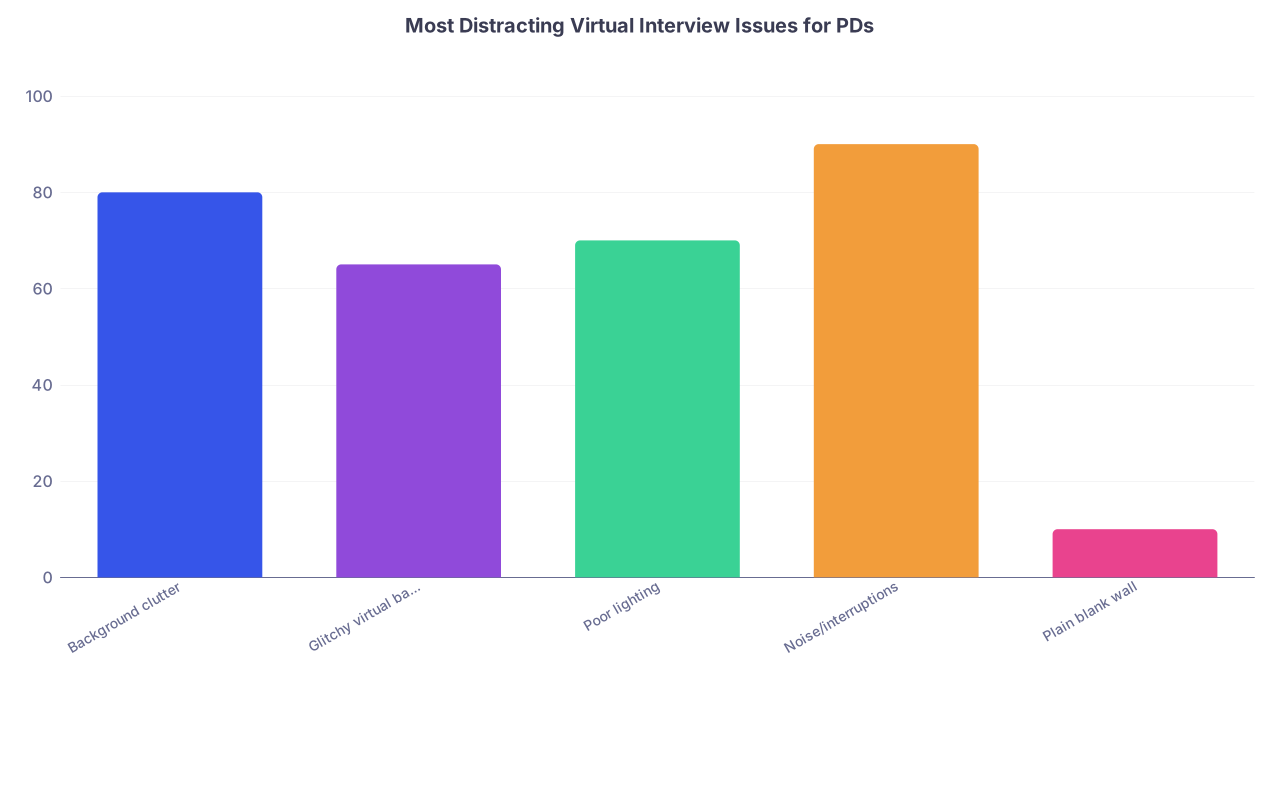
| Category | Value |
|---|---|
| Background clutter | 80 |
| Glitchy virtual background | 65 |
| Poor lighting | 70 |
| Noise/interruptions | 90 |
| Plain blank wall | 10 |
The “plain blank wall” you’re stressed about? Comes off 100x better than a fake boardroom background that keeps cutting your ears off.
If your choice is between:
- A clean-ish real background that’s a bit boring
vs - A virtual background that’s visibly glitchy
Pick boring. Every single time.
When a Virtual Background Actually Becomes a Problem
Let me paint you a few worst-case-ish scenarios I’ve either seen or heard faculty complain about.
The “Corporate Stock Photo” Disaster
Applicant chooses a super sharp, fake boardroom background. They’re sitting in a dimly lit bedroom, so Zoom tries its best and fails. Their hair keeps disappearing. Their shoulder vanishes when they move. Their hands leave trails.
What faculty think (yes, people really say this stuff after Zoom interviews):
- “I felt like I was talking to a cutout.”
- “I couldn’t read their facial expressions well.”
- “Their background was… distracting.”
Do they get rejected just for that? Probably not. But if their interview was “fine” and someone else with similar stats seemed more natural and easy to talk to? That stuff becomes a tiebreaker.
The “Trying Too Hard to Look Fancy” Vibe
This is another one people don’t talk about enough. Over-curated backgrounds can backfire.
Think:
(See also: Day-of Contingency Timeline: Backup Plans for Wi‑Fi and Power Outages for backup options.)
- Fake luxury office
- Glamorous beach scene
- Night cityscape with bright neon lights
- Obvious attempts to look rich, trendy, or “aesthetic”
Faculty might not say it out loud, but the vibe is: “Why are you trying to perform professionalism instead of just being present?” It lands as insecure or out-of-touch.
The “Unintentional Comedy Show”
I once heard about an applicant who had a virtual background with a hospital hallway… where the perspective was wrong. It looked like they were floating mid-air in the corridor. Every time they moved, they drifted.
That became their defining feature in conversation afterward. Not their research. Not their answers. The floating hallway ghost.
You don’t want to be “floating hallway ghost.”
How Bad Is “Unprofessional” Really? Are They Going to Reject Me Over This?
Let’s put some structure to this instead of spiraling.
| Situation | How PDs Usually See It |
|---|---|
| Slightly pixelated but stable virtual bg | Minor annoyance, forgettable |
| Plain real wall, a bit empty | Neutral, totally acceptable |
| Messy room clearly visible (laundry, clutter) | Unprepared, mildly unprofessional |
| Heavy glitching around your head/body | Distracting, negative impression |
| Loud or animated virtual backgrounds | Unprofessional, childish |
If your worst sin is:
- Slight blurring,
- Slight off-color halo,
- Slightly “fake” look,
You’re fine. Seriously. Annoying to you, mostly invisible to them.
If your issues are:
- You disappear when you lean back
- Your hair flickers constantly
- There’s a clear mismatch between lighting on your face vs background
- The background theme looks like a vacation ad or gaming stream
Then yes, that’s starting to hurt you. It signals either poor planning or poor judgment. Not enough to tank an otherwise stellar interview… but enough to be remembered for the wrong reason.
This is how I’d rank it in my own anxious-brain severity scale:
- Level 1: “PD won’t care” – slightly fake, slightly dull, small imperfections
- Level 2: “PD might notice” – occasional flicker, kind of cheesy but not awful
- Level 3: “PD will absolutely notice” – obvious glitching, chaotic background, confusing visuals
If you’re at Level 3, it’s worth fixing before your next interview.
If you’re at Level 1–2, you’re likely catastrophizing more than reality warrants.
What You Can Fix Fast (Without Buying a Whole New Apartment)
You do not need a Pinterest office to look professional. You just need “not distracting” and “I can see your face like a human.”
(See also: What If My Wi‑Fi Drops During a Residency Zoom Interview? for immediate steps.)
Here’s what I’d do if interviews are starting soon and your background is stressing you out.
1. Test Real Background vs Virtual. Don’t Assume.
Most people default to virtual because they’re embarrassed by their actual room. But a half-decent real setup usually looks better than a glitchy fake space.
Pick the least chaotic wall in your place. Move your desk or chair if you have to. Then test:
- Real background with your current lighting
- Real background with one extra lamp aimed at your face
- Virtual background with simple design (no movement, neutral colors)
- Blur background option (on Zoom/Teams/etc.)
Record yourself and look at it like you’re a PD:
- Can I see your eyes clearly?
- Does anything behind you pull my attention away from your face?
- Do you look like a real person in a real space?
I’ve watched people go from “awkward fake office” to “clean real wall” and instantly look more mature and grounded.
2. If You’re Going to Use Virtual, Go Boring
This is where anxious brains struggle. We want to “fix” everything, make it perfect, stand out in the best way.
Don’t stand out with your background. Stand out with your answers.
For virtual:
- Pick a plain, non-distracting image (subtle, neutral colors; no logos).
- Avoid text, logos, or anything that looks like advertising.
- Don’t use hospital backgrounds unless it’s the program’s own, and even then, only if it looks natural.
- Avoid anything that screams “theme” (beach, mountain, city at night).
And match your lighting to it. If your virtual background looks bright daylight and your face is dark like night, it subconsciously looks off.
3. Fix What’s Behind You If You Go Real
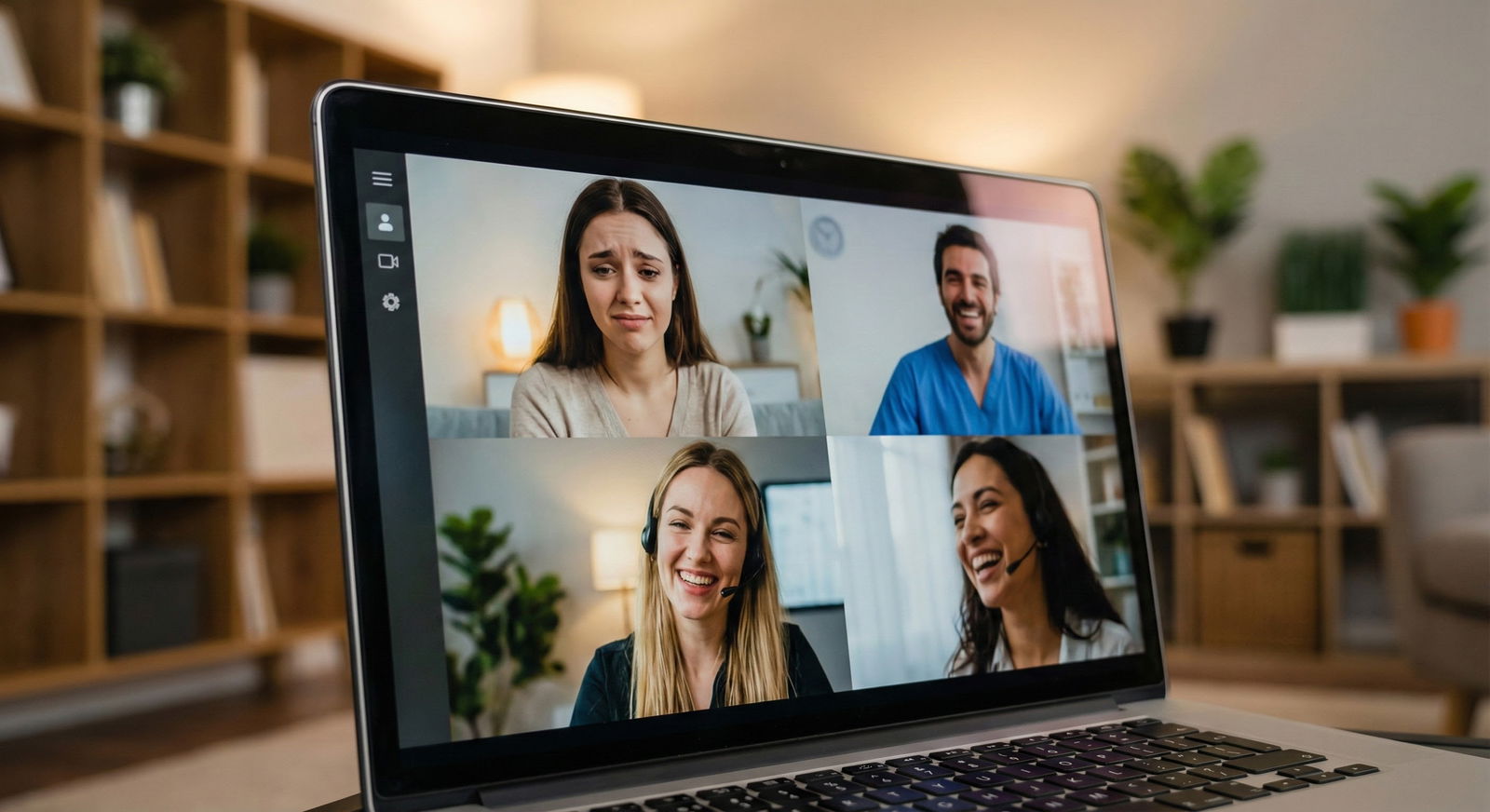
If you use your real room:
- Remove obviously messy items: laundry pile, overflowing trash can, random food containers.
- Take down anything controversial or overly personal: political posters, profanity, edgy memes.
- Try to keep it simple: a bookshelf, a plant, a plain wall, a closed closet door.
Don’t obsess over perfection. If there’s a small stack of books or a simple bed behind you, that’s normal. Everyone knows you’re a human being living in a non–HGTV apartment.
Faculty are more thrown by people who look too staged than people who look normally lived-in.
Will They Think I’m Poor / Disorganized / Not Serious If My Space Isn’t Fancy?
I know this thought. “What if my room makes me look like I’m not put together enough to be a resident?”
Reality check: PDs know applicants are:
- Sharing rooms
- In small apartments
- Living with roommates or family
- Dealing with limited space and resources
They don’t expect mahogany bookshelves and fireplace art.
What they do care about is: Did you make a reasonable effort to create a professional environment with what you had?
A tiny corner of a plain wall with decent lighting and no chaos? That says:
- I plan ahead.
- I respect your time.
- I can adapt under constraints.
That’s actually more “resident energy” than someone who spent hours on a virtual fake office but still glitches through the doorframe.

| Step | Description |
|---|---|
| Step 1 | Is there a real wall you can use? |
| Step 2 | Clear clutter behind you |
| Step 3 | Use virtual or blur |
| Step 4 | Test lighting and camera |
| Step 5 | Choose simple, neutral virtual bg |
| Step 6 | Record test video |
| Step 7 | Use for interview |
| Step 8 | Adjust lighting or switch option |
How to Stop Obsessing Once You’ve Done What You Can
Here’s the part your brain won’t like: at some point, you have to decide “good enough” and move on.
Because if you let it, your anxiety will convince you that:
- Every pixel matters.
- One tiny glitch equals automatic rejection.
- That one faculty member squinting was 100% about your background.
You fix the basics:
- Clear and stable background (real or virtual)
- Decent lighting on your face
- No major distractions or chaos
After that, shifting your focus to content—your answers, your energy, your questions—will do more for your chances than obsessing over the last 5% of visual perfection.
No one got ranked to #1 because their virtual brick wall looked especially high-res.

What If I Already Had One Interview With a Bad Background?
This is the part where the panic hits later: “I already interviewed at X program and my background looked terrible. Did I ruin my chances?”
Here’s the answer: probably not. Especially if:
- Your conversation went well
- You clicked with faculty
- You seemed engaged and thoughtful
Most programs aren’t sitting there ranking you on “background professionalism.” They’re asking:
- Would I want this person on my team at 3 a.m.?
- Do they seem teachable?
- Do they communicate clearly?
- Are they someone the nursing staff would like?
If you know the background was actually bad-bad (like, major glitching or clearly messy room):
- Fix it for future interviews. Learn from it.
- Let that be the end of it. Don’t email them about it. Don’t apologize. That just draws attention to it.
They have dozens, sometimes hundreds of interviews. They’re not zooming in on your one awkward shadow behind the chair and making a committee PowerPoint about it.
FAQ (Exactly the Stuff You’re Still Obsessing About)
1. Is it unprofessional to use a virtual background at all? Should I always use my real room?
No, it’s not inherently unprofessional. Tons of applicants and even faculty use virtual backgrounds or blur. What is unprofessional is using one that looks chaotic or glitchy. If your real space is reasonably clean and neutral, I usually prefer that. If it’s not, a very simple, non-distracting virtual or blurred background is completely fine.
2. What if my lighting doesn’t match my virtual background and it looks fake?
“Fake” is acceptable; “distracting” is not. If the virtual background is clearly a picture but your face is well-lit and stable, nobody cares. If it looks like you’re pasted into a different planet and your outline keeps flickering, that’s when it’s a problem. If you can’t get the lighting to match, lean toward a real background or blur—it clashes less.
3. Can a bad background actually knock me down the rank list?
On its own, rarely. But it can subtly affect how comfortable people felt with you. If two applicants are otherwise similar and one was easy to see and talk to while the other was half-glitching out of frame the whole time, that does influence impressions. Think of background as a tie-breaker factor, not the main reason for rejection.
4. My room is tiny and kind of ugly. Is that going to hurt me?
No. Nobody is ranking your square footage. What matters: Is it tidy enough? Are there no glaringly unprofessional items behind you? Can they see your face clearly? A small, plain, even slightly ugly background that’s clean and quiet beats a fancy-looking but glitchy virtual backdrop every day of the week.
Key points to hold onto:
- “Non-distracting and stable” beats “fancy and glitchy” every single time.
- PDs care far more about your presence and answers than whether your wall looks like a catalog.



