
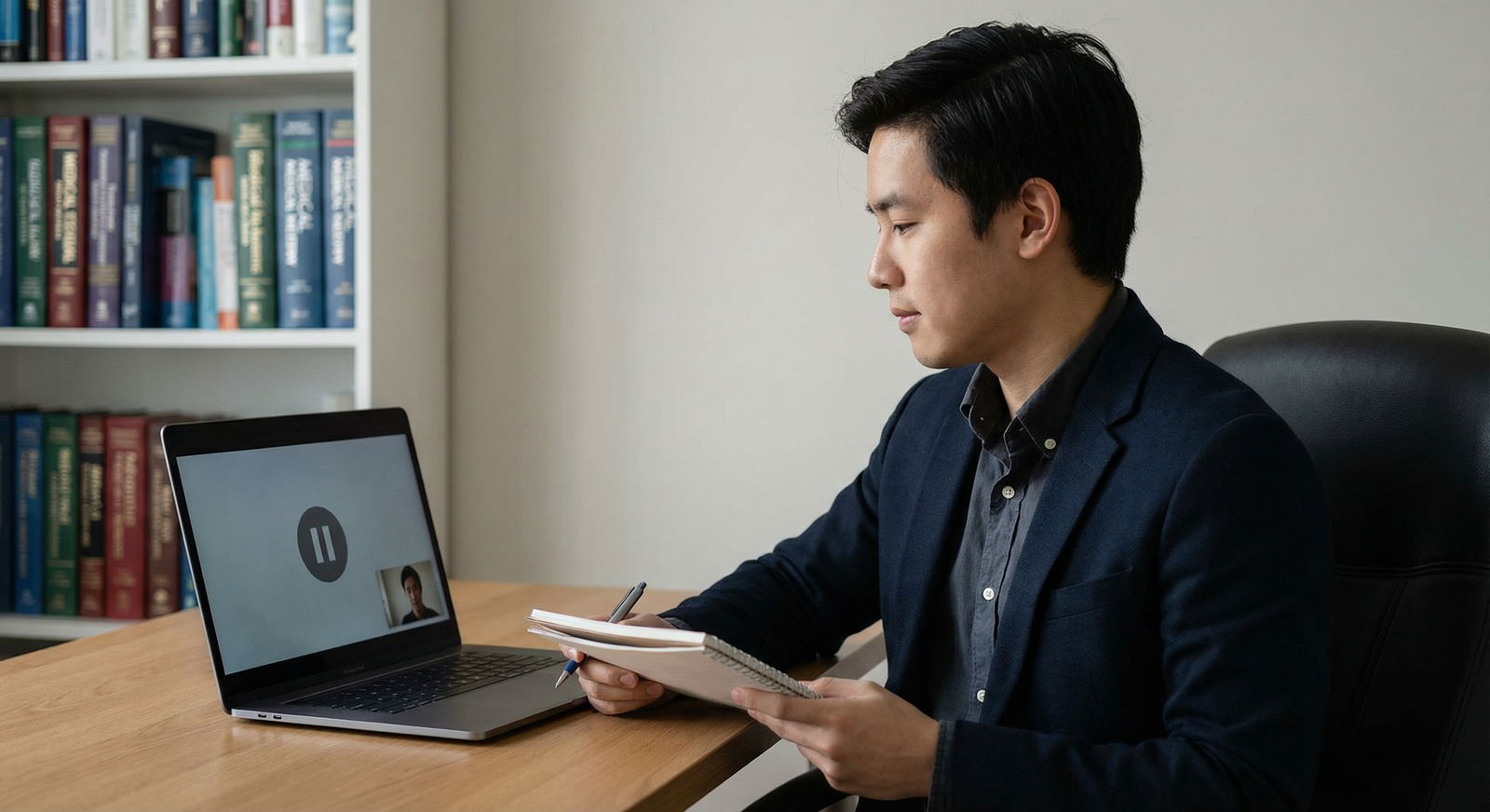
It’s seven days before your first virtual residency interview. Your ERAS portal is open in one tab, your email is full of “We are pleased to invite you…” messages, and your webcam is currently pointed straight at your ceiling fan.
This is the danger zone.
Too early to panic. Too late to wing it.
At this point you should not be “thinking about” practicing. You should be running full mock interviews under real conditions and stress‑testing everything: tech, content, environment, and your own brain.
Here’s your day‑by‑day, sometimes hour‑by‑hour guide for the final week.
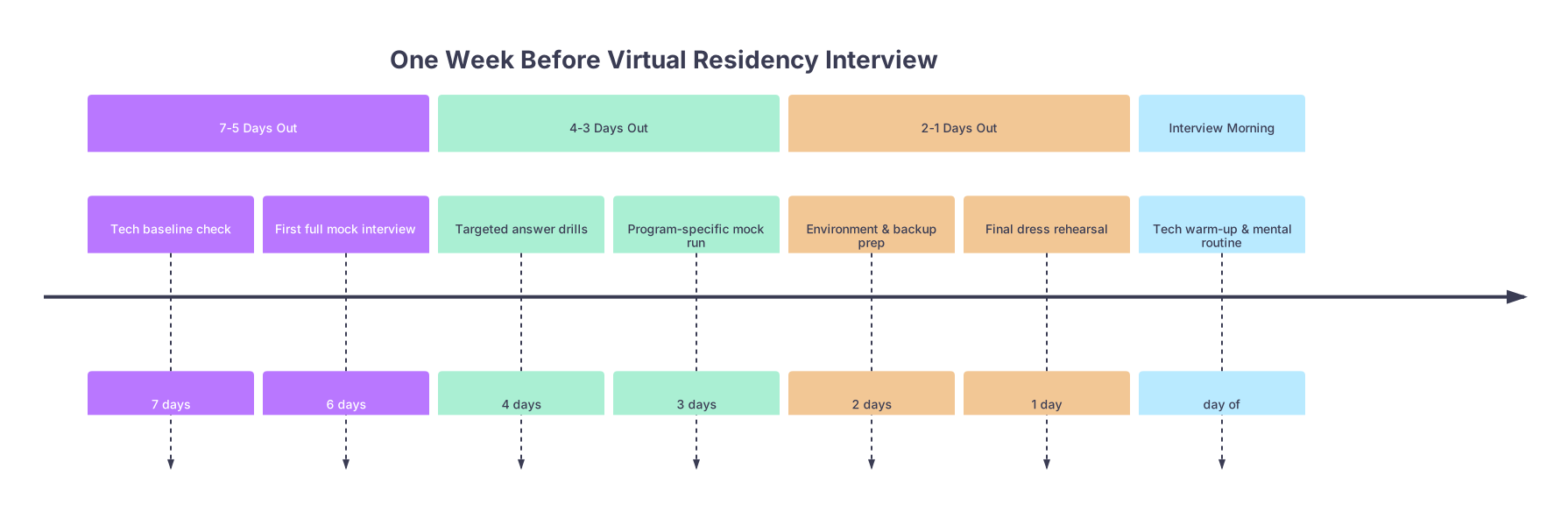
Overview Timeline: Your Final 7 Days
| Period | Event |
|---|---|
| 7-5 Days Out - Tech baseline check | 7 days |
| 7-5 Days Out - First full mock interview | 6 days |
| 4-3 Days Out - Targeted answer drills | 4 days |
| 4-3 Days Out - Program-specific mock run | 3 days |
| 2-1 Days Out - Environment & backup prep | 2 days |
| 2-1 Days Out - Final dress rehearsal | 1 day |
| Interview Morning - Tech warm-up & mental routine | day of |
Day −7: Tech Baseline and First Reality Check
At this point you should stop assuming your setup “should be fine” and actually test it.
1. Core Tech Audit (60–90 minutes)
Do this as if it’s the interview itself.
- Use the same device, location, and internet connection you plan to use on interview day.
- Join a test meeting (Zoom/Teams/Webex/Thalamus/Interview Broker/etc.).
Run this checklist:
Camera
- Is it at eye level? If not, raise the laptop with books or a stand.
- Is the frame tight enough (head and upper torso) without tons of empty space?
- Is the picture sharp or grainy? (Grainy + dim usually means you need better light, not a new camera.)
Audio
- Test with both headphones + mic and device mic, then decide which sounds cleaner and more natural.
- Check for background hum (AC, fridge, traffic). If it’s noticeable in the recording, it’s noticeable to them.
- Say a few sentences at the volume you’d use in the interview and play back.
Internet
- Run a speed test (aim for at least 10 Mbps upload).
- Turn on video, screenshare a random file, talk for 2–3 minutes. Check for lag, audio cutting out, freezes.
If something fails here, you still have time to fix it (different room, ethernet cable, upgraded router, or worst‑case, a backup location like the library or a friend’s place).
2. Lighting and Background (30–45 minutes)
This is where most people look accidentally terrible.
At this point you should:
- Sit down at the exact time your real interview will happen and see what the natural light looks like. Morning sun vs. afternoon gloom are very different.
- Turn off overhead lights; turn on lamps/ring light in front of you, slightly above eye level.
- Check the background:
- No unmade bed, door to a bathroom, posters that say “SEND IT.”
- Aim for: blank wall, bookshelf, simple art, tidy corner.
Take a screenshot of your video preview. If you would hesitate to put that image on LinkedIn, fix something.
Day −6: Full Mock Interview #1 (Uncomfortable on Purpose)
Now you test yourself under “real” conditions.
At this point you should sit for one continuous 45–60 minute mock interview with:
- A mentor, resident, advisor, or brutally honest friend.
- Or, if no one’s available, a structured AI mock or recorded solo session with a strict script and timer.
Structure Your Mock
Tell your mock interviewer:
- Use common residency questions:
- “Tell me about yourself.”
- “Why this specialty?”
- “Why our program?”
- “Biggest weakness?”
- “Tell me about a conflict with a team member.”
- “A time you made a mistake.”
- Ask 6–10 questions in a row.
- Keep a poker face. No over‑reassuring smiles. You need realistic pressure.
Record the whole thing (video + audio).
Immediate Debrief (30 minutes)
After the mock, don’t just feel “that went okay/non‑okay.” That’s useless.
At this point you should:
- Watch the recording on 1.25x speed with a notepad.
- Log three categories:
- Content problems: rambling, vague answers, repeated phrases (“I learned a lot…” x20).
- Delivery problems: monotone, nervous laugh, looking away from camera.
- Environment problems: echo, weird lighting, notifications popping up.
Pick 2–3 specific things you’ll fix before the next mock. Not 10. You won’t fix 10.
Day −5: Fixes, Drills, and Backup Planning
Day 5 is for targeted improvement, not more random practice.
1. Tech and Environment Corrections (30–60 minutes)
Based on yesterday’s issues, at this point you should:
- Adjust your camera height, distance, and framing. Re‑record a 1‑minute “Tell me about yourself” and compare side by side with yesterday.
- If lighting was bad, do a quick test with:
- Ring light on vs. off
- Lamp closer vs. further
- Curtains open vs. closed
- If audio was rough:
- Test a different mic/headset (borrow if needed).
- Move closer to the mic and speak slightly slower.
2. Content Drills: Weak Spots Only (45–60 minutes)
Look at yesterday’s notes. If “weakness” and “conflict” questions were a mess, you focus there.
Do 3–5 rounds per problem question:
- Say the question out loud.
- Answer out loud, no stopping, 60–90 seconds max.
- Immediately re‑answer the same question, tightening it.
You’re not memorizing a script. You’re carving out a shape:
- Clear structure: brief context → your actions → outcome → what changed in how you work now.
- Specifics: rotation names, year, patient details (de‑identified), what exactly you did.
Day −4: Program‑Specific Deep Dive and Mini‑Mock
Now you pivot toward the actual program you’re interviewing with first.
1. Program Research Sprint (45–60 minutes per program)
No, not “skim the website.” At this point you should:
Identify:
- 2–3 faculty whose interests line up with yours.
- 1 resident or alum story you can reference (“I spoke with Dr. X / a current PGY‑2 who mentioned…”).
- 2 concrete program features that genuinely matter to you (not generic “diversity” or “research”).
Translate research into talking points:
- “Why this program?” → connect your previous experience to their specific strengths.
- “What are you looking for in a program?” → subtly describe what they already have.
Write these as bullet points, not scripts.
2. Mini‑Mock: 20–30 Minutes, Program‑Focused
Ask someone (or yourself on camera) to run:
- 2 generic questions: “Tell me about yourself,” “Why this specialty?”
- 3 program‑targeted:
- “Why our program?”
- “What interests you about training in [city]?”
- “What are you looking for in your ideal residency culture?”
Again, record. Watch immediately. If “Why us?” still sounds like “Because you exist and I need a job,” you’ve got work to do.
Day −3: Stress Test and Backup Systems
Three days out, you assume something will go wrong and plan around it.
1. Full Tech Redundancy Check (45 minutes)
At this point you should have Plan A, B, and C.
| Component | Plan A (Primary) | Plan B (Backup) | Plan C (Emergency) |
|---|---|---|---|
| Device | Main laptop | Secondary laptop | Smartphone |
| Internet | Home Wi‑Fi | Phone hotspot | Different location (library/friend) |
| Audio | Wired headset | Built‑in mic | Phone audio dial‑in |
| Video Platform | Desktop app | Browser version | Phone app |
Run a 5–10 minute test on each backup:
- Hotspot on, video call with a friend. Is it stable?
- Phone app for Zoom/Teams installed and logged in.
- Test entering the meeting via browser if app crashes.
Document this in 1–2 sentences for yourself:
“If laptop dies, I will: switch to phone + hotspot, email coordinator from phone, rejoin within 5 minutes.”
2. Environment Lock‑In (30–45 minutes)
You’re done experimenting. Now you standardize.
At this point you should:
- Decide: exact chair, table, room, lighting configuration.
- Mark your laptop/camera position with tape or a sticky note so you can recreate it in 10 seconds.
- Tell roommates/housemates:
- Your interview date and time.
- Absolute quiet rules (no blender, no vacuum, no loud music).
- Bathroom lock plan if needed.
Take one more screenshot of your final setup. That’s your reference.
Day −2: Full Dress Rehearsal
Two days out is your last real chance to run the show end‑to‑end.
1. True Simulation Mock (45–60 minutes)
At this point you should schedule one serious dress rehearsal:
- Dress exactly as you will: full professional outfit, hair/grooming done.
- Use your final tech setup, backup plans ready.
- Start at the same time of day as your real interview.
Have your mock interviewer (ideally a physician or resident) run:
- Intro small talk (60–90 seconds).
- 6–8 questions mixing:
- Behavioral (“Tell me about a time when…”).
- Ethical (“What would you do if…”).
- Stress or curveball (“If not this specialty, then what?”).
End with, “Any questions for us?” and practice asking 2–3 good ones that aren’t pulled from Google’s top 10.
2. Feedback and Final Adjustments (45 minutes)
Ask your mock interviewer:
- “What’s one reason you’d rank me high?”
- “What’s one reason you’d hesitate?”
You want the hesitation. That’s your last fix window.
Based on this, at this point you should adjust:
- One content pattern (e.g., always using the same example story).
- One behavioral tick (e.g., pacing your speech, fewer filler words).
- One environment tweak (e.g., tilt the camera slightly, adjust light intensity).
Day −1: Light Touch, Logistics, and Mental Prep
The day before is not for another full mock. Cramming interviews is as dumb as cramming procedures.
1. Logistics Final Check (20–30 minutes)
You’re preventing game‑day disasters.
At this point you should:
Confirm:
- Platform link and correct time zone.
- Interview schedule (group session, 1:1, how many rooms).
- Contact info for coordinator (email + phone).
Prepare:
- Printed or local PDF copies of:
- Your ERAS application
- Personal statement
- CV
- A one‑page “cheat sheet” with:
- 3 key stories (conflict, mistake, leadership).
- 3 program‑specific highlights.
- 3 questions to ask them.
- Printed or local PDF copies of:
Lay your outfit out completely:
- Shirt/blouse, blazer/jacket, pants/skirt, belt, socks, shoes (yes, wear shoes — it changes posture).
- Do a 30‑second camera check in full outfit to make sure fabric patterns don’t flicker or wash out on camera.
2. Short, Targeted Practice Only (30–40 minutes)
Maximum 40 minutes. You’re keeping your brain sharp, not frying it.
At this point you should:
- Do one more 5‑question rapid drill:
- Tell me about yourself.
- Why this specialty?
- Why our program?
- A time you made a mistake.
- Your biggest weakness.
Record. Watch on 1.5x speed, just checking for:
- Length (under 2 minutes each).
- Clear structure.
- No obvious weird habits (excessive “um,” looking off screen).
Then stop. No more re‑recording spirals.
3. Mental Reset (30–60 minutes)
This is the part everyone pretends is “nice to have” and then regrets skipping.
At this point you should:
- Decide your interview morning routine:
- Wake time.
- Breakfast plan (nothing new or risky).
- 5–10 minutes of breathing or light stretching.
- 5 minutes of reviewing your one‑page cheat sheet.
Set a hard “screens off” time tonight, 60–90 minutes before bed. No last‑minute Googling “top 50 residency interview questions.” That’s just anxiety cosplay.
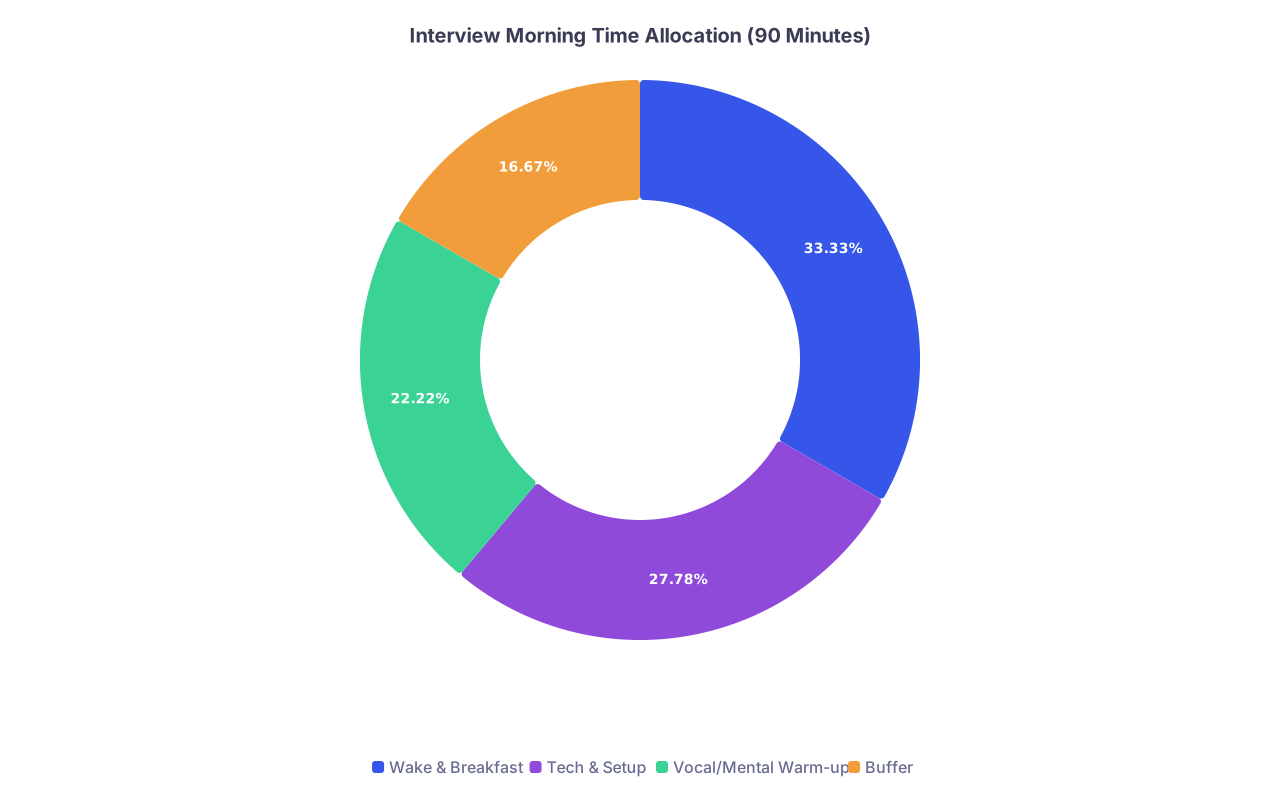
Interview Morning: Final 90‑Minute Countdown
Now it’s game day. You’re not building; you’re executing.
T−90 Minutes: Wake and Warm Up
At this point you should:
- Get up, eat something light, hydrate.
- Do whatever small movement wakes you up: walk around the block, quick bodyweight routine, or just 5–10 minutes of stretching.
T−45 Minutes: Tech and Environment On
This is your last systems check.
- Restart your device (clears random background issues).
- Plug in power. No battery drama.
- Close everything except:
- Browser or app for the interview.
- A notes document or physical notes (offscreen).
At this point you should:
- Join a private test meeting or open your camera app:
- Check framing, lighting, and audio one more time.
- Silence phone; Do Not Disturb on computer.
- Turn off notifications on email, Slack, iMessage, EMR, whatever.
| Category | Value |
|---|---|
| Wake & Breakfast | 30 |
| Tech & Setup | 25 |
| Vocal/Mental Warm-up | 20 |
| Buffer | 15 |
T−20 Minutes: Vocal and Mental Activation
At this point you should:
Do a 2–3 minute vocal warm‑up:
- Read a paragraph from your personal statement out loud, slightly louder than usual.
- Practice smiling while talking — your voice actually sounds warmer.
Skim your one‑pager:
- 3 key stories
- 3 program points
- 3 questions for them
No more than that.
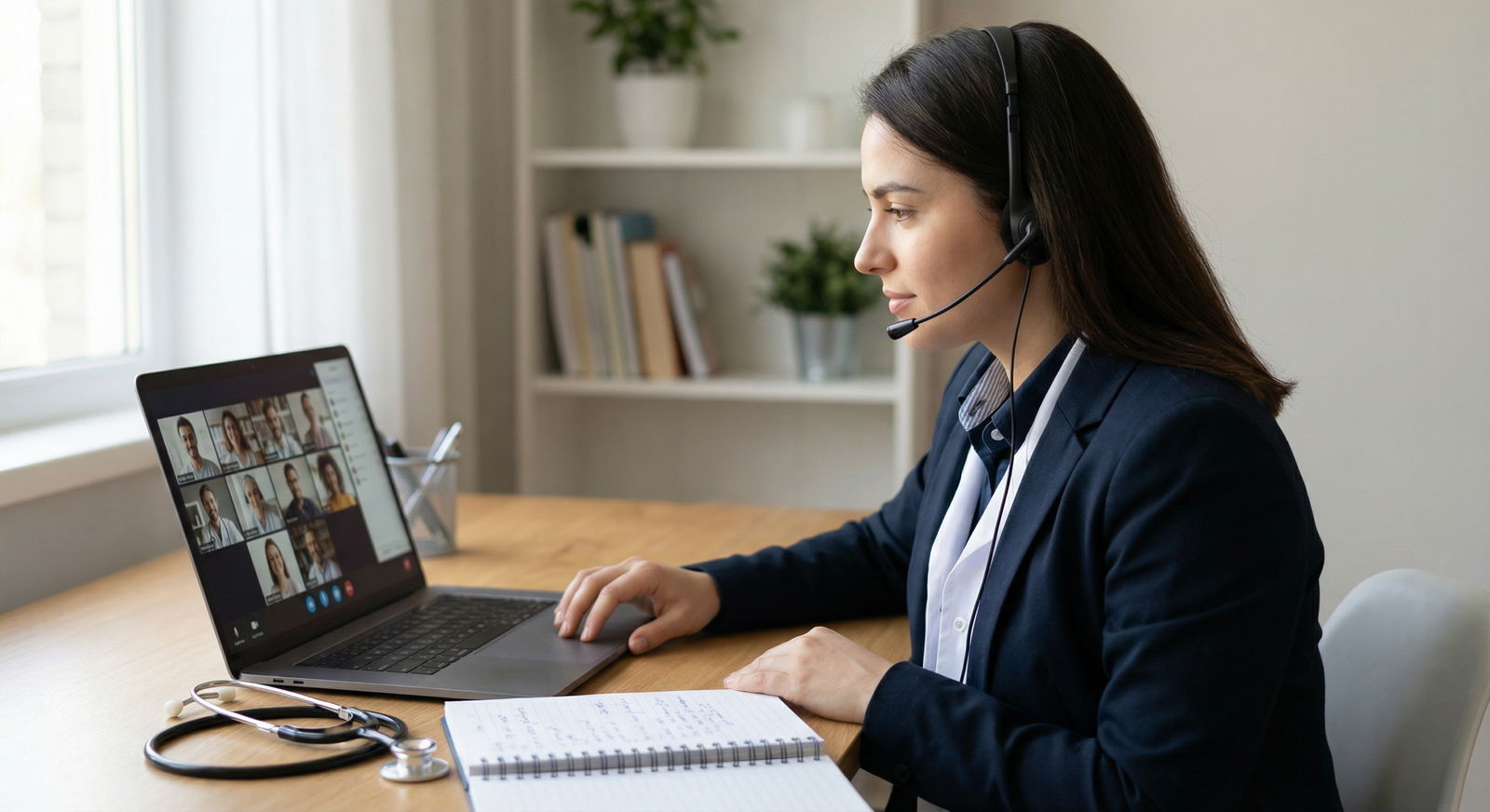
T−10 Minutes: In the Virtual Waiting Room
At this point you should:
Confirm:
- Name displayed correctly (First Last, maybe “MD Candidate”). Not “iPhone (2)” or “Mike’s Laptop.”
- Camera and mic selected correctly.
Sit in your interview posture:
- Both feet on the ground.
- Back supported, not slouched.
- Hands resting lightly on desk, not hidden.
Look at the camera, not yourself, while you wait. It feels weird. It also looks like eye contact.
During the Interview: Small Technical Habits That Matter
This isn’t the full behavioral guide; this is the micro‑stuff specific to virtual.
At this point you should:
- Start each answer by looking directly into the camera for 2–3 seconds, then you can glance at the screen.
- Pause 0.5–1 second after the interviewer finishes speaking before you start. It prevents talking over them with lag.
- If there’s a glitch:
- Say: “I’m sorry, I think your audio cut out for a second — would you mind repeating that?”
- Don’t guess the question.
Have your backup script ready:
If disconnected:
- Rejoin immediately.
- If unable within 2–3 minutes, email coordinator:
- “I’m having unexpected connectivity issues and am actively reconnecting now. I apologize for the disruption and appreciate your patience.”

After the Interview: Quick Debrief While It’s Fresh
You’re still in “timeline” mode. The 30 minutes after are part of interview day.
At this point you should:
Immediately jot down:
- Who you spoke with (names, roles).
- Questions they asked that you want better answers for next time.
- Details about the program you might mention in a thank‑you or in rank list season.
Do a 2–3 minute self‑audit:
- What landed well?
- Where did you ramble?
- Any tech annoyance (slight audio delay, background noise, etc.)?
Adjust your setup and answers today, while it’s fresh, not two weeks from now.
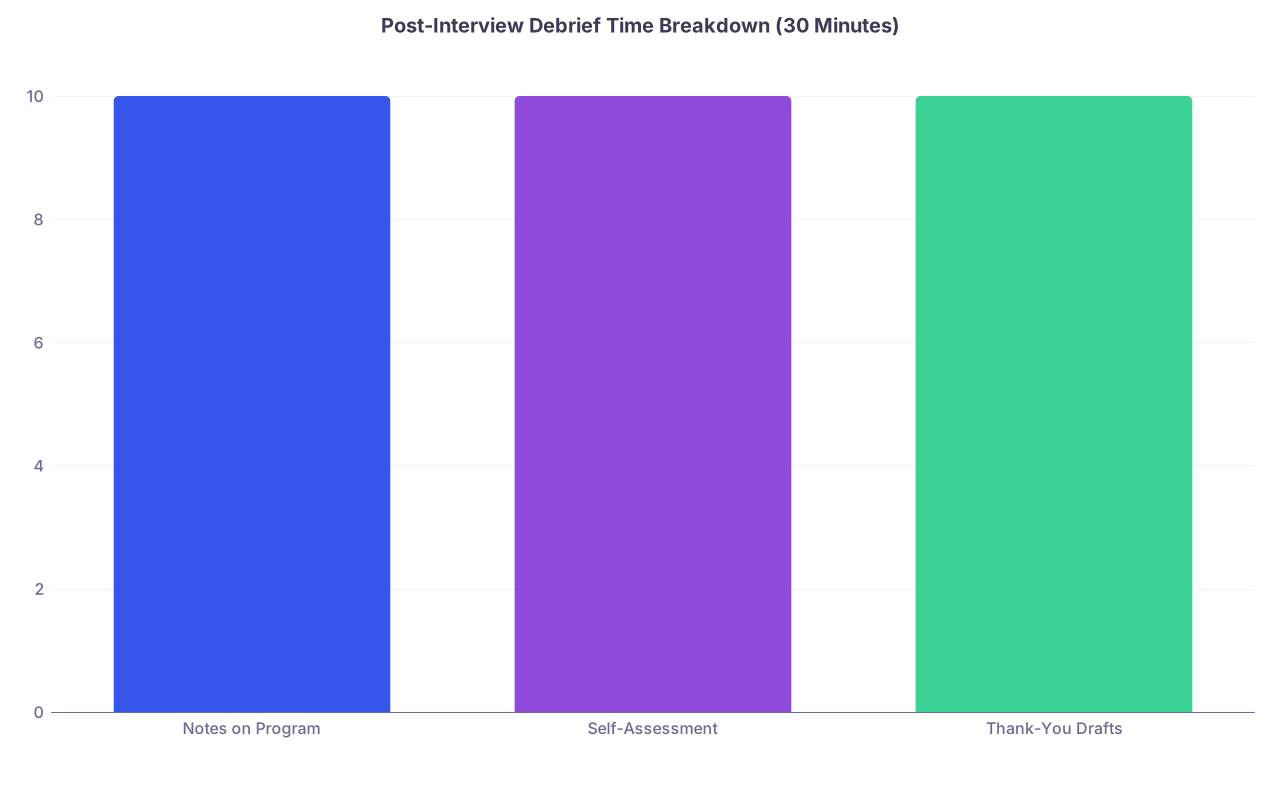
| Category | Value |
|---|---|
| Notes on Program | 10 |
| Self-Assessment | 10 |
| Thank-You Drafts | 10 |
Key Takeaways
- One week out, you should be running full mock interviews under real conditions, not just thinking up answers in your head.
- Your tech, environment, and backup plans need concrete testing and documentation, not vague confidence that “it’ll probably work.”
- The day before and the morning of, your job is light, focused rehearsal plus ruthless logistics, not last‑minute panic practice.



