
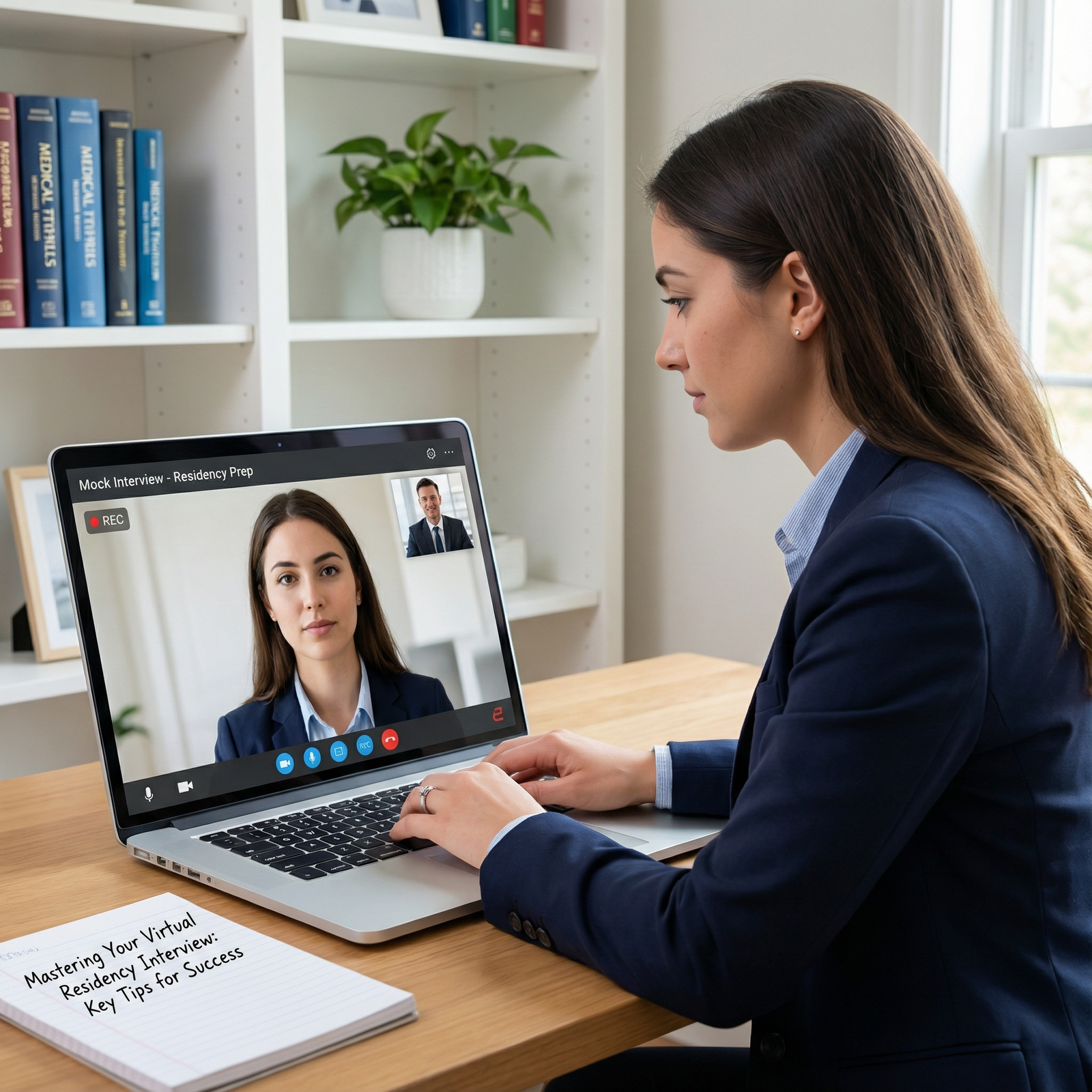
The last 10 minutes before a virtual residency interview will make or break your first impression. Most applicants waste them. You will not.
You’re not “getting ready” at this point. You are doing a precise run-through. Think of it as the pre-flight checklist before takeoff. No improvising. No “I’ll just wing it.”
Below is your minute‑by‑minute guide for the final 10 minutes before you log on.
T‑10 to T‑8 minutes: Lock the Environment
At this point you should stop tweaking your answers and start controlling your physical space.
Step 1: Secure the room (1–2 minutes)
You’ve got 10 minutes. Use the first 2 to make the outside world leave you alone.
Do this:
- Close and lock the door.
- Tell roommates/family: “Interview now. No knocking, no Wi‑Fi-heavy streaming for the next 90 minutes.”
- Put your phone:
- On Do Not Disturb / Focus mode
- Face down, out of reach (but still in the room for backup hotspot)
- Silence:
- Smart speakers (“Alexa, stop listening” / mute button)
- Desk phone / pager if you still have one
- Laptop notification sounds (Teams, Slack, iMessage, WhatsApp)
If you live in a noisy environment, this is when you:
- Close windows.
- Turn off loud fans / AC if they hum on the mic (keep a comfortable temperature, though).
- Let your neighbors know ahead of time if you share thin walls—this is why you do a dry run the day before, not now.
Step 2: Final background check (1 minute)
At this point you should not be moving furniture. Just micro‑adjusting.
Look at your actual video preview, not your imagination.
Check:
- What’s directly behind your head?
- Any:
- Laundry?
- Open closet?
- Unmade bed?
- Political posters?
- Distracting artwork?
In the last 10 minutes, you don’t redesign the room. You:
- Remove 1–2 obvious distractions within arm’s reach.
- Straighten:
- One chair
- One pillow
- One crooked frame
Then stop. Over-tweaking will spike your anxiety.
T‑8 to T‑6 minutes: Camera, Lighting, and Framing
Now that the room is controlled, you fix what they actually see.
Step 3: Frame your shot (1–2 minutes)
Open your interview platform preview (Zoom, Thalamus, Teams, Webex, whatever they specified).
At this point you should:
- Place the camera:
- At or slightly above eye level (stack books under the laptop if needed).
- About an arm’s length away.
- Adjust your position so:
- Your head has a little space above it (small “headroom” gap).
- You’re centered horizontally.
- Your shoulders and upper chest are visible (not just a floating head).
Quick framing test:
- Can you comfortably rest your elbows on the desk without leaving the frame?
- When you sit up straight, do you stay centered, or suddenly crop the top of your head?
If you use an external webcam, check the connection now. I’ve seen cameras slide off monitors mid‑interview because someone bumped the desk.
Step 4: Dial in the lighting (1–2 minutes)
Bad lighting screams “unprepared” before you say a word.
Use this order of preference:
- Natural light from in front of you
- Face the window.
- If the sun is too harsh, close sheer curtains or blinds halfway.
- Ring light or desk lamp behind your camera
- Aim it at your face, not at the ceiling.
- Avoid super warm “orange” light if your walls are already yellow.
In the last 10 minutes, you’re not buying lights on Amazon. You’re doing quick fixes:
- If your face is dark:
- Move the lamp closer.
- Increase brightness one notch.
- If you’re washed out:
- Angle light a bit to the side.
- Reduce brightness.
- If there’s a bright window behind you:
- Close blinds.
- Move so the window is to your side, not directly behind.
Look at your preview and ask: “Would I trust this person with my patient’s life at 3 a.m.?” You want clear, calm, well-lit. Not horror-movie shadows.
T‑6 to T‑4 minutes: Audio and Tech Reality Check
Most disasters I’ve seen in virtual interviews? Audio or internet. Not answers.
Step 5: Microphone sanity check (1–2 minutes)
At this point you should be confirming, not experimenting.
Use your platform’s audio settings:
- Confirm the correct microphone is selected:
- External mic or wired headset if you have one.
- If you’re using AirPods or Bluetooth, make sure:
- They’re fully charged.
- Connected to this device.
- Not auto‑connecting to your phone or tablet.
- Confirm the correct speakers:
- Headphones are safer than built‑in speakers (less echo).
- Volume at a medium level.
Do a 20–30 second test:
- Use the built‑in “Test Mic” / “Test Speaker” if available.
- Speak a real sentence at interview volume:
- “Hi Dr. Smith, thank you for taking the time to speak with me today.”
- Listen to the playback:
- Any crackle? Echo? Loud background hum?
If it’s bad, your backup plan in under 60 seconds:
- Switch from Bluetooth to wired earbuds / built‑in mic.
- Turn off any fan buzzing into the mic.
- Close any apps that might be fighting for the audio device (Spotify, Zoom from earlier, etc.).
Step 6: Internet and platform quick stress test (1–2 minutes)
You don’t run a full speed test now. You run a stability check.
Do this:
- Confirm you’re on:
- Stable Wi‑Fi (ideally near the router), or
- Wired Ethernet (best).
- Turn off:
- Video streaming on other devices in the house.
- Huge downloads / cloud backups.
- If your Wi‑Fi is sketchy, keep:
- Your phone on the desk.
- Personal hotspot ready but not connected yet (only if needed).
Open the actual interview link:
- Join the waiting room if permitted early.
- If early entry isn’t allowed, at least make sure:
- The link opens.
- The correct app launches (desktop client, not weird browser plugin if they instructed otherwise).
- You’re logged into the right account if needed.
If you see a forced update window? Let it run. This is exactly why you never check the link for the first time 1 minute before.
T‑4 to T‑3 minutes: Visual and Personal Final Pass
Now you pivot from hardware to you. How you look. How you move.
Step 7: Appearance once‑over (1 minute)
You’re not changing outfits. You’re tightening the details.
Check in your video preview:
- Clothing
- Collar flat, not flipped.
- Tie straight if you’re wearing one.
- No visible lint/hair on dark fabrics (quick brush with your hand or lint roller).
- Hair
- Nothing falling into your eyes.
- No wild flyaways catching the light.
- Face
- No food on teeth, no lipstick on teeth if you wear it.
- Glasses clean (smudges are more obvious on camera than in real life).
This is a 60‑second mirror/video check. Not a makeover. Do not start experimenting with hair products now.
Step 8: Body position and camera behavior (1 minute)
Most people don’t realize how different they look sitting vs “interview sitting.”
At this point you should:
- Plant your feet flat on the floor.
- Sit 2–3 inches forward from the back of the chair (prevents slouching).
- Rest forearms lightly on the desk or in your lap.
- Take one normal breath, then:
- Look directly at the camera (not the screen) and hold for 3 seconds.
Practice:
- Say your opening line while looking at the camera:
- “Hi Dr. [Name], it’s great to meet you. I’m [Your Name].”
- Then glance to the interviewer’s face on screen when they respond.
- Train yourself: camera for emphasis, screen for reaction.
You’re teaching your brain in 30 seconds what most applicants never fix all season.
T‑3 to T‑2 minutes: Mental Switch and Notes
Now your environment and tech are set. The next 60–90 seconds are for your brain.
Step 9: Shrink your notes, don’t read them (1 minute)
You’re not going to read scripts during the interview. That’s obvious and awkward. But you can have prompts.
At this point you should:
- Have one sheet of paper or one short sticky note with:
- 3 bullet reminders for key stories (e.g., “ICU QI project,” “patient with language barrier,” “conflict on team”).
- 3 program‑specific points you like about this place (so you don’t blank when they ask “Why us?”).
- Place it:
- Flat on the desk just below the camera.
- Large font, minimal text.
Do not have:
- A full personal statement printed out.
- Paragraphs of answers.
- 20 sticky notes on the wall behind your monitor.
You want memory nudges, not a teleprompter.
T‑2 to T‑1 minute: Breathing, Voice, and Micro‑Rehearsal
This is the part almost everyone skips. Then they wonder why they sound shaky or monotone for the first 5 minutes.
Step 10: Physical reset and voice warm‑up (45–60 seconds)
You’ve been staring at a screen, probably scrolling, maybe doom‑thinking. Shake that off—literally.
In under a minute:
- Posture reset (10 seconds)
- Roll shoulders back twice.
- Sit tall but not rigid.
- Breathing (20–25 seconds)
- Inhale through your nose for 4 seconds.
- Hold for 2.
- Exhale slowly through your mouth for 6.
- Do this twice.
- Voice activation (15–20 seconds)
- Read your own name and a simple line out loud at interview volume:
- “Hi, I’m [Name], a fourth‑year at [School] interested in [Specialty].”
- Aim for:
- Slightly slower than your normal speech.
- Clear articulation.
- Natural rising and falling tone, not robotic.
- Read your own name and a simple line out loud at interview volume:
You’re not doing tongue twisters. Just getting your vocal cords online so your first spoken sentence doesn’t sound like you just woke up.
Step 11: One clean run of your first 10 seconds (15–20 seconds)
At this point you should deliver your true “first impression” once off‑camera, so it’s smoother on camera.
Say, in one breath, while looking at the camera:
- “Hi Dr. [Last Name], it’s really nice to meet you. Thank you for taking the time today.”
Or if it’s a panel:
- “Good morning, everyone. I’m [Your Name], a fourth‑year at [School]. Thanks so much for having me.”
No overthinking. You’re just priming your brain for the exact first words you’ll say.
T‑1 minute to Log‑On: Commit and Enter
Last minute. No more fixing. You’re executing.
Step 12: Final micro‑checks (30 seconds)
You don’t touch your hair again. You don’t rewrite answers. You only confirm.
Quick scan:
- Laptop charging cable plugged in, or battery > 60%.
- All nonessential apps are closed:
- Social media
- Messaging apps that can steal focus or throw pop‑up banners.
- Background blur or virtual background (if you’re using it) is:
- Stable, not glitching around your head.
- Professional, not tropical beach or outer space.
Then hands off the setup.
Step 13: Enter the interview space (20–30 seconds before)
At this point you should:
- Click the interview link so that you’re:
- In the waiting room 3–5 minutes before the scheduled time, or
- On the platform’s “ready” screen if they auto‑start exactly on time.
- Once you’re in the “waiting room” or equivalent:
- Look at the camera.
- Gently half‑smile—resting face, not forced grin.
- Keep your gaze soft and forward.
Do not:
- Start checking your phone.
- Open another browser tab “just for a second.”
- Lean back and slump.
Assume the moment you’re in the waiting room, they might see you at any second. Programs vary. I’ve watched applicants pick their teeth on camera, truly believing they were still “off.”
If your heart rate spikes? One shorter breath cycle:
- In for 4.
- Out for 6.
- Slight nod to yourself. You’ve done the work.
Quick 10‑Minute Run‑Through Checklist
Here’s your entire last 10 minutes, compressed. Print this. Tape it next to your screen. Use a pen to tick each box in real time.
| Time Mark | Key Actions |
|---|---|
| T‑10 to T‑8 | Lock door, notify others, silence devices, quiet noise sources |
| T‑8 to T‑6 | Adjust camera height and distance, center yourself, fix lighting |
| T‑6 to T‑4 | Confirm mic and speaker, quick audio test, open link/platform |
| T‑4 to T‑3 | Appearance check: clothes, hair, glasses; adjust posture |
| T‑3 to T‑2 | Place minimal notes, review 3 stories and 3 program points |
| T‑2 to T‑1 | Breathing reset, quick voice warm‑up, practice first greeting line |
| T‑1 to Log‑On | Close extra apps, plug in power, join link, calm focus in waiting room |
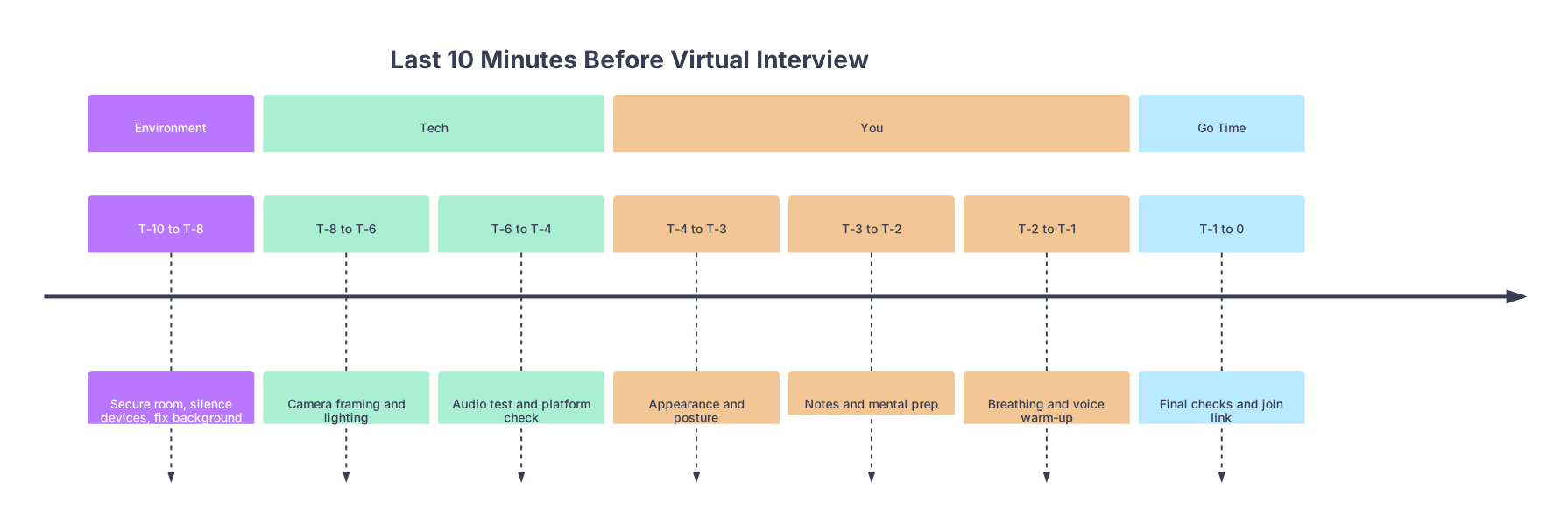
| Period | Event |
|---|---|
| Environment - T-10 to T-8 | Secure room, silence devices, fix background |
| Tech - T-8 to T-6 | Camera framing and lighting |
| Tech - T-6 to T-4 | Audio test and platform check |
| You - T-4 to T-3 | Appearance and posture |
| You - T-3 to T-2 | Notes and mental prep |
| You - T-2 to T-1 | Breathing and voice warm-up |
| Go Time - T-1 to 0 | Final checks and join link |
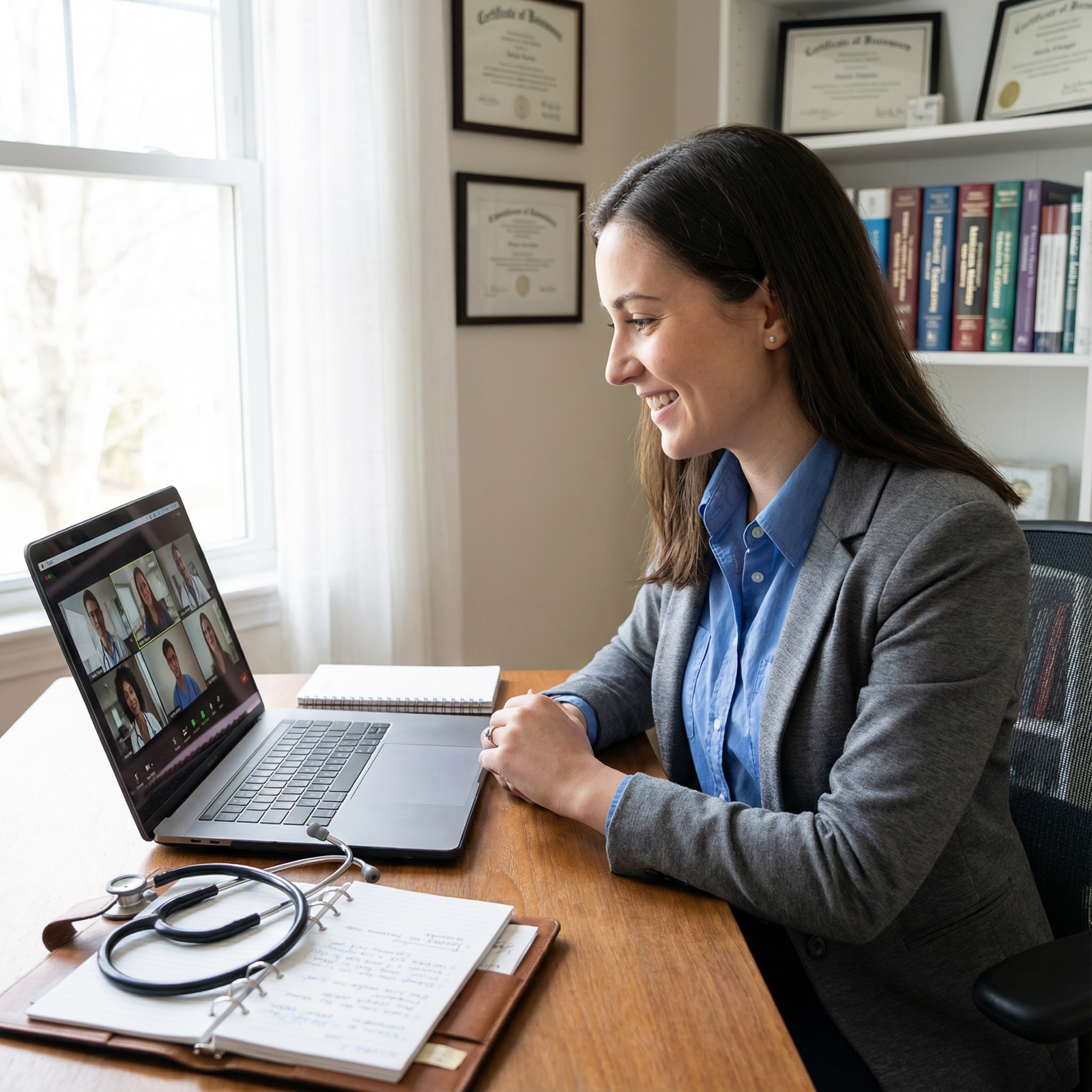
The 30‑Second Emergency Plan (If Something Fails)
Sometimes, despite your prep, tech melts down right as you’re about to log on. Router dies. Bluetooth freaks out. It happens.
At this point you should not panic for 5 minutes and then email them. You should execute a pre‑decided 30‑second plan:
- If your Wi‑Fi drops:
- Turn on your phone hotspot.
- Connect laptop to hotspot.
- Rejoin link.
- If your audio dies:
- Switch to built‑in mic.
- Or quickly plug in wired earbuds.
- If your platform won’t open:
- Check the invite email for backup instructions (phone number, alternative link).
- If nothing is listed, immediately email the coordinator:
- Subject: “Technical Issue Joining [Your Name – Date/Time]”
- One sentence: “I’m having an issue with [platform], attempting to reconnect now; will call the office if needed.”
You prepare this backup in your head before interview day. During the final 10 minutes, you just remind yourself: “If X fails, I do Y.”
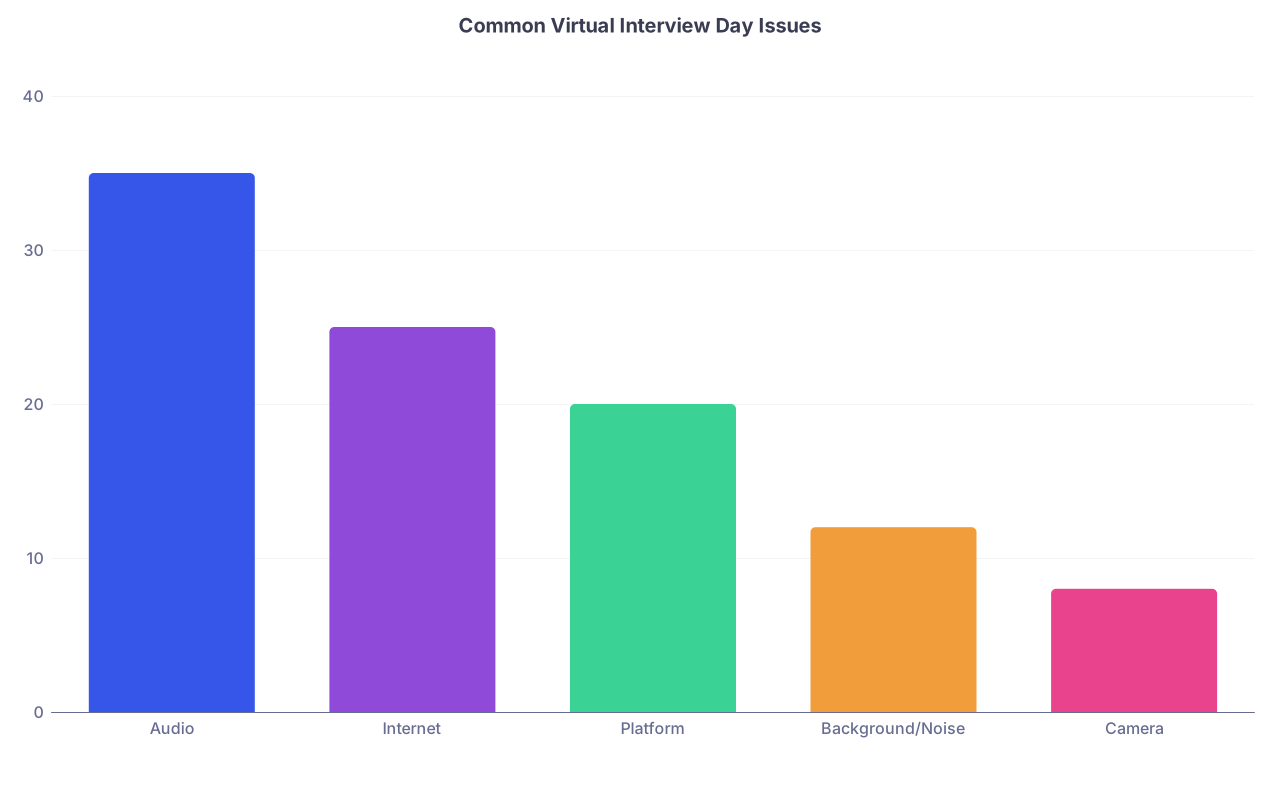
| Category | Value |
|---|---|
| Audio | 35 |
| Internet | 25 |
| Platform | 20 |
| Background/Noise | 12 |
| Camera | 8 |
In the last 10 minutes before logging on, three things matter:
- You stop fiddling with content and lock down environment and tech like a checklist, not a vibe.
- You deliberately prime your body and voice so your first 30 seconds sound like your best self, not your most anxious self.
- You accept tiny imperfections and commit—because a calm, present applicant with a solid setup beats a perfectly lit, over‑scripted robot every time.



