
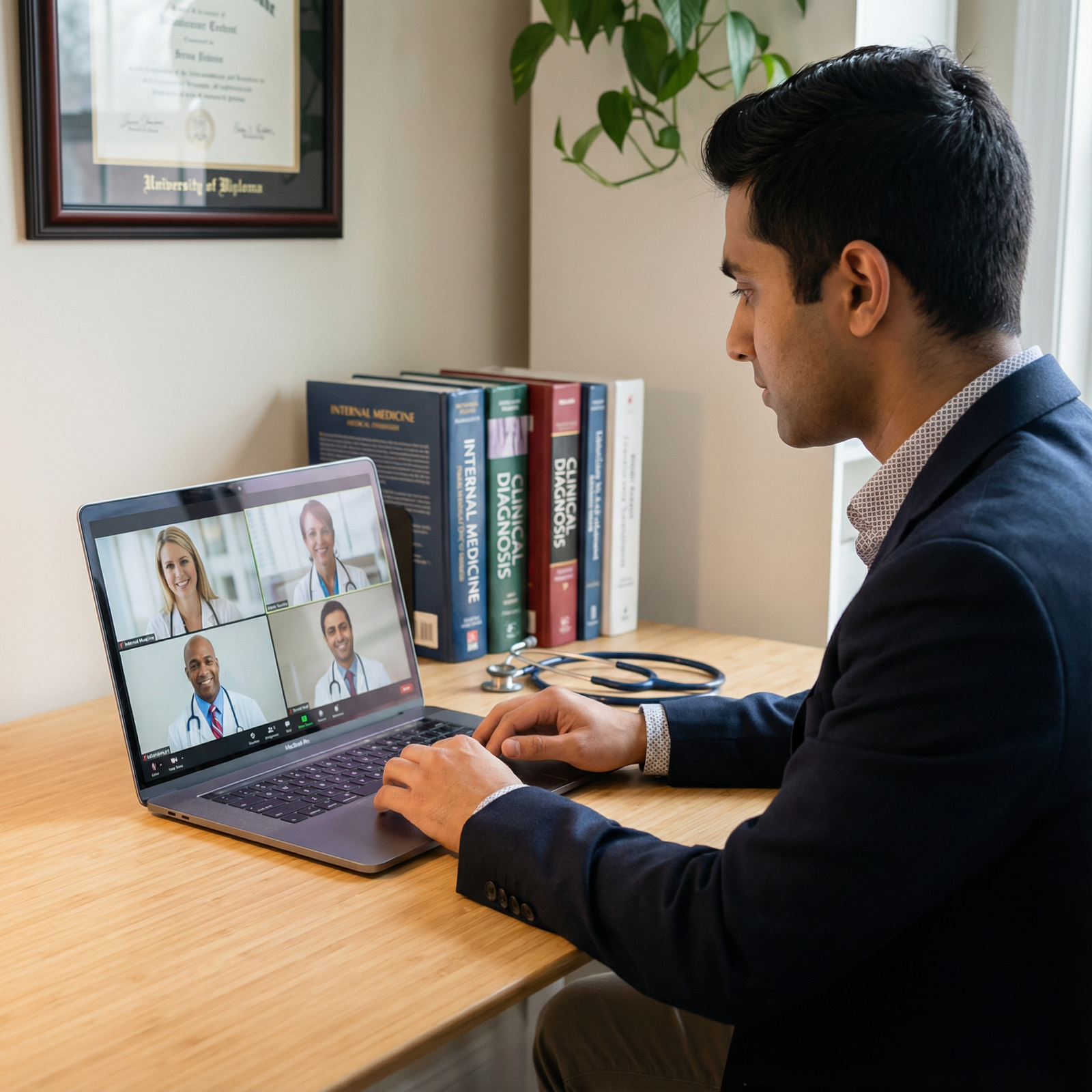
The fastest way to sink an otherwise strong residency application is to treat virtual interviews like a casual Zoom chat. Program directors notice everything.
I have sat in meetings where one applicant’s outstanding scores and glowing letters were dismissed in under 30 seconds because of what the committee saw on screen. Not what they said. How they showed up.
You are competing with people who treat the virtual format like a high‑stakes professional performance. If you treat it like a FaceTime call, you become the cautionary tale.
Let’s walk through the behaviors that make program directors nervous, annoyed, or flat‑out unwilling to rank you. And how to avoid becoming “that applicant” everybody remembers for the wrong reasons.
1. “You Would Not Talk to a Surgeon Like That in Person”
This is the biggest red flag: your on‑screen behavior does not match how you would behave walking into a hospital conference room.
Casual, overly familiar tone
The mistake: Talking to the PD like a classmate. “Hey guys,” “What’s up,” “Cool, cool, that’s awesome,” calling attendings by first name without invitation.
Program directors hear that as:
- Poor judgment about hierarchy
- Immaturity
- Potential problem on the wards
If you would not say it on rounds, do not say it on Zoom. Err formal, then mirror their tone slightly if they relax. But you do not lead with casual.
Arguing or being defensive
Another career‑ending move: debating feedback, defending red flags aggressively, or pushing back on program policies.
Example I watched:
Faculty: “I see there was a leave of absence; can you tell me more?”
Applicant: “Yeah, but that is not really relevant, and it was blown out of proportion.”
Everyone in the debrief: “Hard no.”
You explain. You do not litigate. Calm, concise, accountable: “I took a leave for X, addressed Y, and since then I have done Z to show sustained improvement.” Anything else smells like drama.
Over-sharing or unfiltered vulnerability
You can be human without oversharing. Long emotional monologues about personal crises, detailed relationship drama, or complaining about previous institutions are a red flag.
What PDs think:
“This person might bring chaos into the residency. Boundaries questionable.”
You can mention hardship. Keep it structured, brief, and tied to resilience and growth. Not a therapy session.
2. The Visual Disaster: What Your Screen Is Saying About You
Program directors will not say this during the interview, but they absolutely judge what they see. Sloppy screen → sloppy resident.
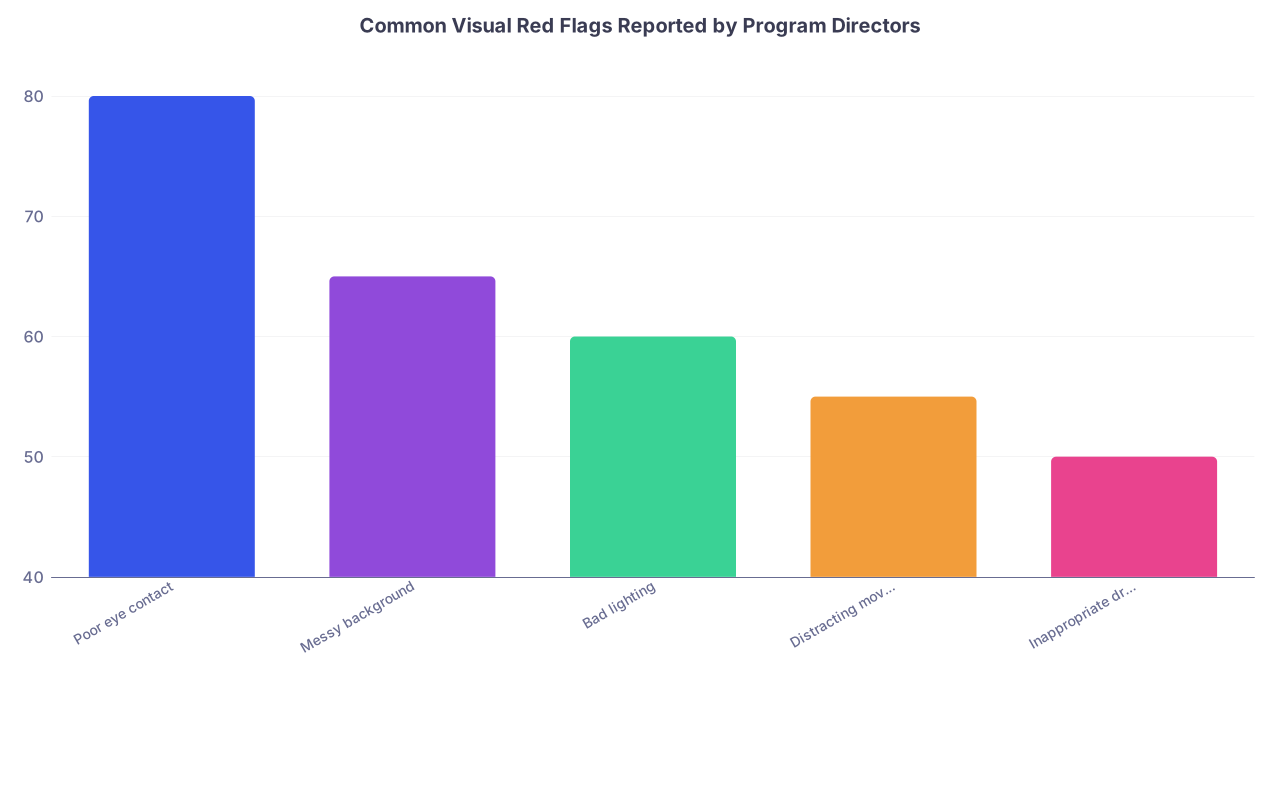
| Category | Value |
|---|---|
| Poor eye contact | 80 |
| Messy background | 65 |
| Bad lighting | 60 |
| Distracting movement | 55 |
| Inappropriate dress | 50 |
These are the killers.
Inappropriate or sloppy attire
Yes, it is “just Zoom.” No, you cannot wear:
- Hoodies
- T‑shirts
- Scrubs (unless clearly post‑call and this has been communicated)
- Tank tops, low‑cut tops, or athleisure
One applicant I remember: blazer on top, clearly gym shorts when he got up mid‑interview to adjust something. Everyone saw. That became his entire post‑interview discussion.
Wear what you would wear to an in‑person interview, at least from the waist up:
- Solid‑color shirt or blouse
- Conservative neckline and fit
- Jacket or blazer preferred
- Neutral colors; avoid loud patterns
And yes, your hair, grooming, and facial hair are part of this. “I did not have time” is not what they want to associate with someone covering nights in the ICU.
Chaotic or inappropriate background
Red flag backgrounds:
- Unmade bed, piles of laundry, open closet
- Posters that scream politics, profanity, or edgy humor
- Visible alcohol bottles, party decor
- Other people walking in and out
This is not about being rich. A small apartment is fine. A neutral wall, a tidy corner, a cheap room divider—perfect. What PDs are looking for: basic judgment and respect for the process.
Do a ruthless sweep:
- Clear surfaces in the camera frame
- Neutral wall or simple bookshelf
- No half‑open doors to bathrooms or bedrooms
If in doubt: plain wall > anything questionable.
Lighting and camera angle that make you look checked out
You do not want to look like a shadowy figure or a teenager FaceTiming from bed.
Common mistakes:
- Sitting with a bright window behind you → you appear as a silhouette
- Camera below your face → “nostril cam” and weirdly dominant angle
- Laptop actually on your lap → shaky frame, casual vibe
Fix it:
- Light source in front of you (window or lamp behind laptop)
- Camera at eye level (stack books under laptop if needed)
- Sit 2–3 feet away, frame from mid‑chest up
If the PD struggles to see your face clearly, they will subconsciously struggle to connect with you.
3. Sound Problems That Make You Seem Unprepared
Bad audio does not just annoy them. It makes you look like you did not care enough to test your setup.
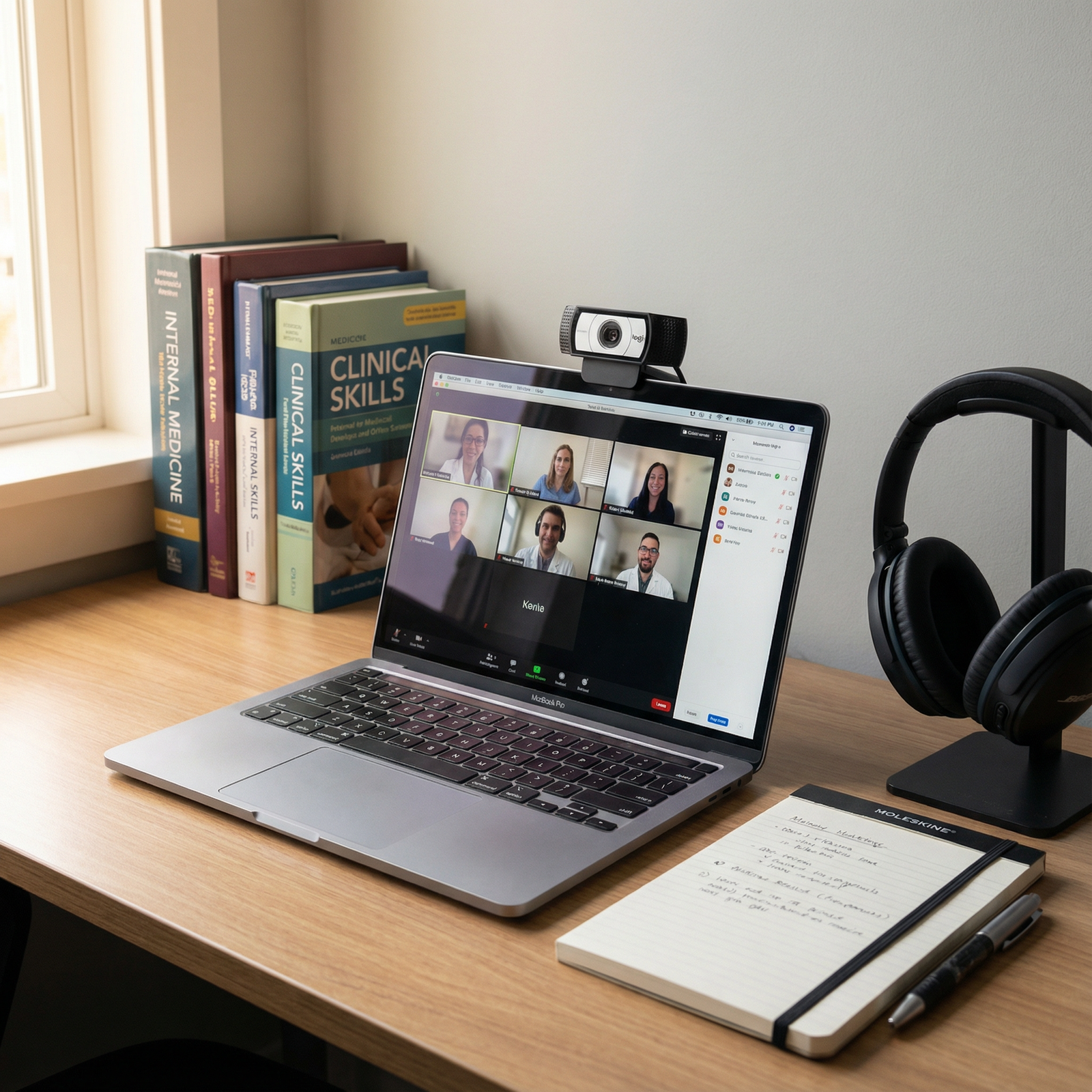
Echoes, background noise, and the “busy household”
Backgrounds I have seen during interviews:
- Barking dogs every 30 seconds
- Roommate cooking and clanging dishes
- Family conversation clearly audible in the next room
- Car horns and traffic from doing the interview in a parked car
Yes, some applicants actually do interviews in cars. Committees remember them. Not positively.
To programs, this reads as:
- Poor planning
- Weak boundaries
- Potential reliability issues
Do everything possible to be in:
- A closed, quiet room
- With phone silenced and notifications off
- Other people informed and doors closed
If home is truly impossible, reserve a study room at school, a library room, or ask your institution for space. Many deans’ offices will help if you ask early.
Using unreliable audio equipment
AirPods cutting out. Bluetooth dropping. Laptop mic picking up the AC unit more than your voice.
This is preventable.
Use:
- Wired headphones if possible
- External USB mic or decent laptop mic tested in advance
- Stable Wi‑Fi or, better, wired Ethernet if you can manage it
Do a full test call with a friend or your school’s advising office. Not five minutes before your first interview. Days before. With the exact setup you plan to use.
4. Body Language That Screams “I Am Not Actually Here”
You may think you are being subtle. You are not. Program directors have done enough Zoom meetings to spot distraction instantly.
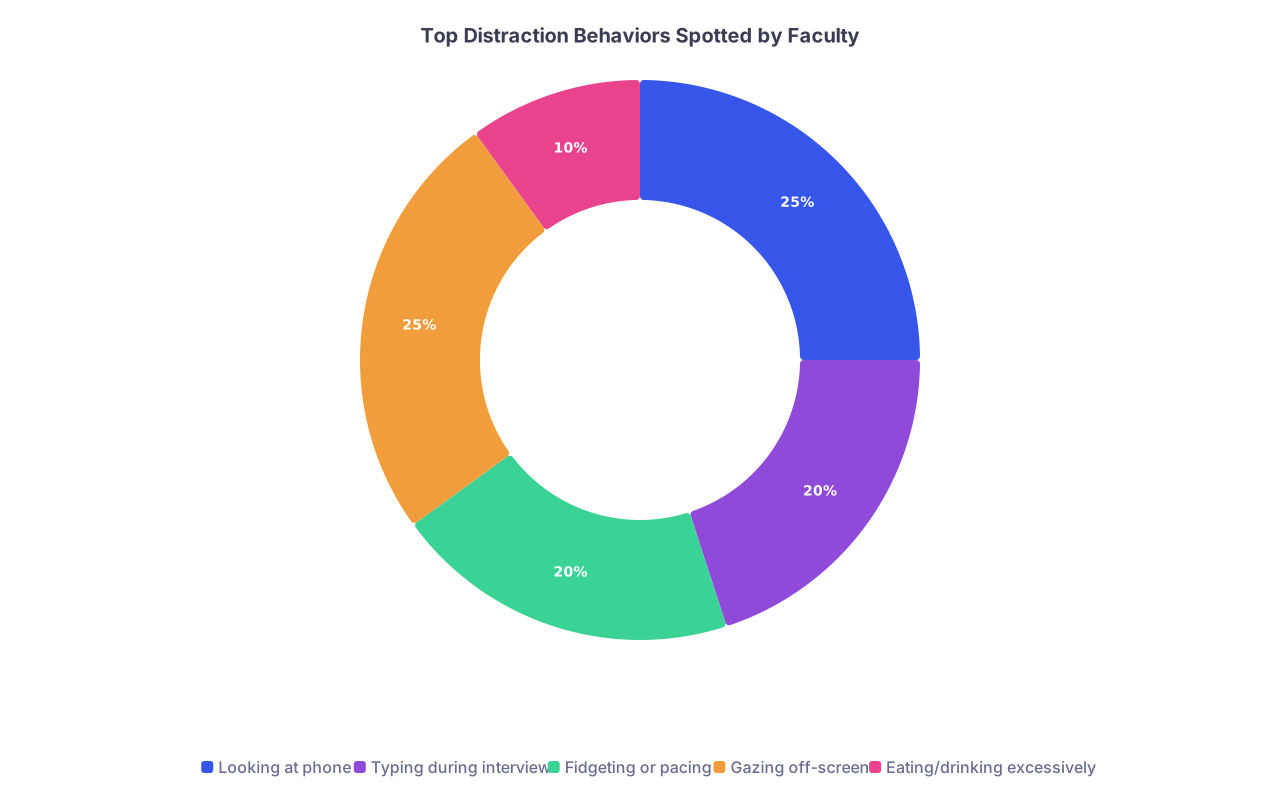
| Category | Value |
|---|---|
| Looking at phone | 25 |
| Typing during interview | 20 |
| Fidgeting or pacing | 20 |
| Gazing off-screen | 25 |
| Eating/drinking excessively | 10 |
Obvious multitasking
I have watched applicants:
- Glance down at their phones constantly
- Type loudly while faculty are speaking
- Have email or chat notifications popping up on screen
- Clearly read from another monitor off to the side
To a PD this means: “They will be on their phone while I am teaching or while they are on call.”
Turn off:
- Phone (completely, not just screen‑off)
- Desktop notifications
- Extra monitors with distracting content
If you have notes, they belong printed beside you or in a small window close to the camera, not as a script you read from.
Poor eye contact and “reading off screen”
Staring at your own image. Looking down and to the side as you obviously read a prepared answer. Looking up as if you are searching the ceiling for your Step 1 score.
Faculty interpret this as:
- Dishonesty or scripted interaction
- Lack of confidence
- Poor communication skills
Build the habit:
- Look at the camera when you are speaking, not the faces
- Glance at the screen when you are listening
- Keep any notes minimal—bullet words, not sentences
You are not presenting a TED talk. You are having a conversation. Over‑scripted answers feel fake, and PDs have low tolerance for fake.
Fidgeting, rocking, or strange posture
Common issues:
- Spinning on a swivel chair
- Rocking back and forth visible in frame
- Playing with hair or beard constantly
- Hand over mouth for most of the interview
- Slouching so low you barely fill the frame
These are not moral failings. They just distract and give a nervous, unsteady impression.
Better:
- Use a non‑swivel chair if you cannot control the spinning
- Keep both feet on the floor
- Place hands loosely on the desk when not gesturing
- Sit up enough that your head and shoulders fill the upper third of the frame
Practice a mock interview on video and actually watch yourself. You will see the weird habits you did not know you had.
5. Technology Red Flags: Unforced Errors
Technical problems happen. Program directors know that. What worries them is how you prepare and how you respond.

| Step | Description |
|---|---|
| Step 1 | Before Interview |
| Step 2 | High Risk of Failure |
| Step 3 | Lower Risk |
| Step 4 | Interview Smooth |
| Step 5 | How Do You Respond? |
| Step 6 | Calm, Brief, Professional |
| Step 7 | Flustered, Blaming, Disorganized |
| Step 8 | Minor Concern |
| Step 9 | Major Red Flag |
| Step 10 | Test Setup? |
| Step 11 | Issue Occurs? |
Not testing the platform
The “first time” you open Zoom, Thalamus, or Webex should not be 10 minutes before your interview.
Red flag behaviors:
- “I am not sure how to unmute.”
- Logging in late because the link “did not work.”
- Audio permissions not granted, taking 5–10 minutes to sort.
Programs think: “How will this person handle a 3 a.m. admission if they cannot handle Zoom?”
Before interview day:
- Install all platforms and updates
- Test log‑in with the actual link if possible
- Use the same device, network, and location you will use on the day
Weak internet and no backup plan
If your connection drops multiple times, or frozen video makes the interview painful, you look unprepared—even if your location is tough.
You cannot control your building’s wiring. You can control your planning.
Minimum:
- Sit as close to the router as possible
- Ask others in the household not to stream during your slot
- Have your phone hotspot ready as a backup
If disaster still happens, how you handle it matters:
- Rejoin calmly
- Brief apology: “I am sorry about that; my connection just dropped. I have switched to my backup network.”
- Move on. Do not spend 3 minutes profusely apologizing or ranting about your ISP.
Program directors are not cruel. They just do not want someone who unravels under minor stress.
6. Content That Sets Off Professional Alarm Bells
You can have perfect lighting and sound, and still torpedo yourself with what you say.
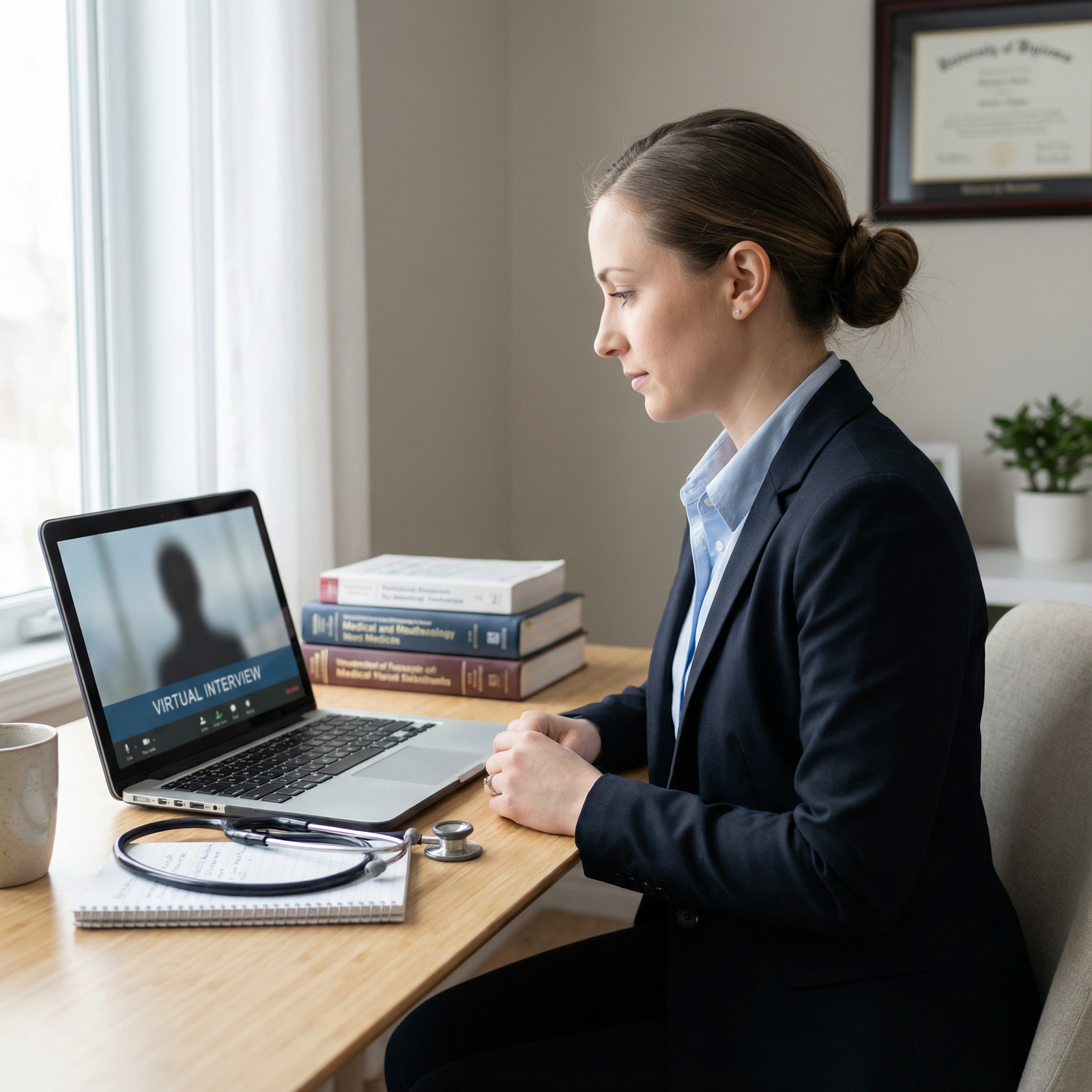
Speaking negatively about people or institutions
The fastest way to be labeled “high risk”:
- Trash‑talking your medical school
- Complaining in detail about previous programs, attendings, or classmates
- Rolling your eyes or showing obvious contempt during questions
Committees extrapolate: “If they talk like this about others now, they will talk like this about us later.”
If you must explain a conflict:
- Stick to facts, no adjectives
- Take responsibility for your part
- Focus on resolution and what you learned
Anything else sounds like you will be the one writing anonymous poison emails later.
Inconsistent or evasive explanations of red flags
USMLE failures, leaves of absence, professionalism write‑ups—programs care less about the event than about how you own it.
Red flags in your answer:
- Blaming everyone but yourself
- Dodging the question or changing the subject
- Telling obviously different versions to different interviewers
Committees talk to each other. They compare notes.
Your approach should be:
- Direct, concise statement of what happened
- Clear acknowledgment of your role
- Concrete steps you took to fix it
- Evidence of sustained improvement
If you sound like a lawyer instead of a doctor, they will not trust you.
Over‑selling, bragging, or misrepresenting
The virtual format tempts some applicants to exaggerate. They think the distance makes it harder to verify.
Reality: faculty talk across institutions constantly. If you claim something wild, assume someone can and will check.
Red flags:
- Taking credit for work where you were minimally involved
- Inflating research roles or making a case report sound like a major randomized trial
- Over‑stating procedures you “routinely” perform as a student
Programs are not impressed by bravado. They are reassured by accurate, humble, specific descriptions of your experiences.
7. Group Interview and Social Setting Red Flags
Many programs do virtual socials and group rooms. They are not casual. They are data collection.
| Behavior | How Programs Interpret It |
|---|---|
| Dominating conversation | Poor team player |
| Not speaking at all | Low engagement or disinterest |
| Interrupting others | Disrespectful, impulsive |
| Drinking alcohol on camera | Questionable judgment |
| Making off-color jokes | Professionalism risk |
Acting like it is a party, not a professional event
Alcohol visible on screen. Slouching in bed during a social. Off‑color jokes in the “informal” session.
Residents talk. Their notes go into your file. If someone writes “seemed unprofessional during social,” it will stick.
Treat every interaction run by the program as part of the interview season. Because it is.
Ignoring residents or only targeting “power” people
Another red flag: being highly engaged with PDs and APDs, then switching off with residents.
Programs read that as:
- Hierarchy‑driven behavior
- Disinterest in actual team dynamics
- Possible two‑faced personality
The residents are the ones you will actually work with. Programs trust their impressions heavily, sometimes more than faculty.
8. The “Energy Mismatch”: Too Flat or Too Much
You do not need to be a stand‑up comedian. But a completely flat affect on screen is a real problem.
Low energy, monotone, or disengaged
Red flags:
- One‑word answers
- No visible facial expression
- Sounding exhausted or bored
Faculty worry you will not connect with patients or the team. They also suspect you are not that interested in their program.
You do not need to fake huge enthusiasm. But you do need:
- Clear, reasonably energetic voice
- Occasional smiles, especially when greeting and saying goodbye
- Questions that show genuine interest in the program
On the other side, avoid the opposite extreme.
Overly intense, aggressive, or rapid‑fire
Talking too fast. Hard‑selling yourself. Rapid, almost interrogative questions to the faculty.
People start to think:
- High maintenance
- Anxious to the point of being difficult to work with
- Potential boundary issues
Aim for calm, professional, engaged. Not “used car salesperson,” not “half‑asleep.”
FAQs
1. If something goes wrong technically, should I email the program afterward?
Yes, but keep it short and professional. A brief email to the coordinator or PD acknowledging the issue and thanking them for their patience is enough. Do not send a multi‑paragraph apology or a rant about your internet provider. They care more about how calmly you handled it in real time than about the post‑mortem.
2. Is it ever acceptable to do an interview from a car or public place?
Almost never. A car screams poor planning unless you have absolutely no alternative and have cleared it with the program in advance. Public places introduce noise, distractions, and privacy issues. Programs will question your ability to plan call coverage and patient care if you cannot plan an interview setting.
3. Can I use notes during the virtual interview?
Yes, but very sparingly. A few bullet points beside your screen are fine. Reading from a script or obviously glancing sideways constantly is not. If you cannot maintain natural eye contact and conversational flow, you are over‑relying on notes and it will hurt you.
4. How formal should I be in addressing interviewers?
Default to formal: “Dr. [Last Name]” unless they explicitly ask you to use a first name. The risk of being too formal is low. The risk of seeming disrespectful or overly casual is high. In virtual settings, where tone is harder to read, err on the side of professionalism.
5. Do program directors really care about background and lighting, or is that just cosmetic?
They care because it signals preparation, judgment, and attention to detail. No one expects studio quality, but they do expect a quiet, reasonably tidy space where they can clearly see and hear you. A chaotic background or terrible lighting does not just look bad; it makes it harder for them to imagine you as a reliable, professional colleague.
If you remember nothing else: treat the virtual interview like day one of residency orientation with your PD watching your every move. Respect the format, control what you can, and do not let fixable on‑screen mistakes sabotage years of work.



