

Camera and Audio Mistakes That Quietly Undercut Your Candidacy
It’s 6:55 PM. Your Zoom residency interview opens in five minutes. You’ve reviewed your CV, rehearsed your “Tell me about yourself,” and stalked everyone on the interview day email. You feel ready.
Then the call starts, and you have no idea that what the PD is really focusing on is… the echo in your kitchen, the camera pointing up your nose, and the fact that half your face is in shadow.
You think you’re being judged on your answers. And you are. But you’re also being judged on something you probably haven’t thought enough about: how easy or painful it is to look at you and listen to you for 20–30 minutes.
Let me be blunt: bad camera and audio won’t “fail” an otherwise stellar candidate. But they absolutely undercut you. They make you seem less prepared, less mature, and sometimes less trustworthy—without anyone consciously realizing why.
You are not trying to win an Oscar here. You’re trying to avoid the 10% of tech and environment mistakes that make you forgettable, exhausting, or subtly unprofessional.
Let’s walk through the traps.
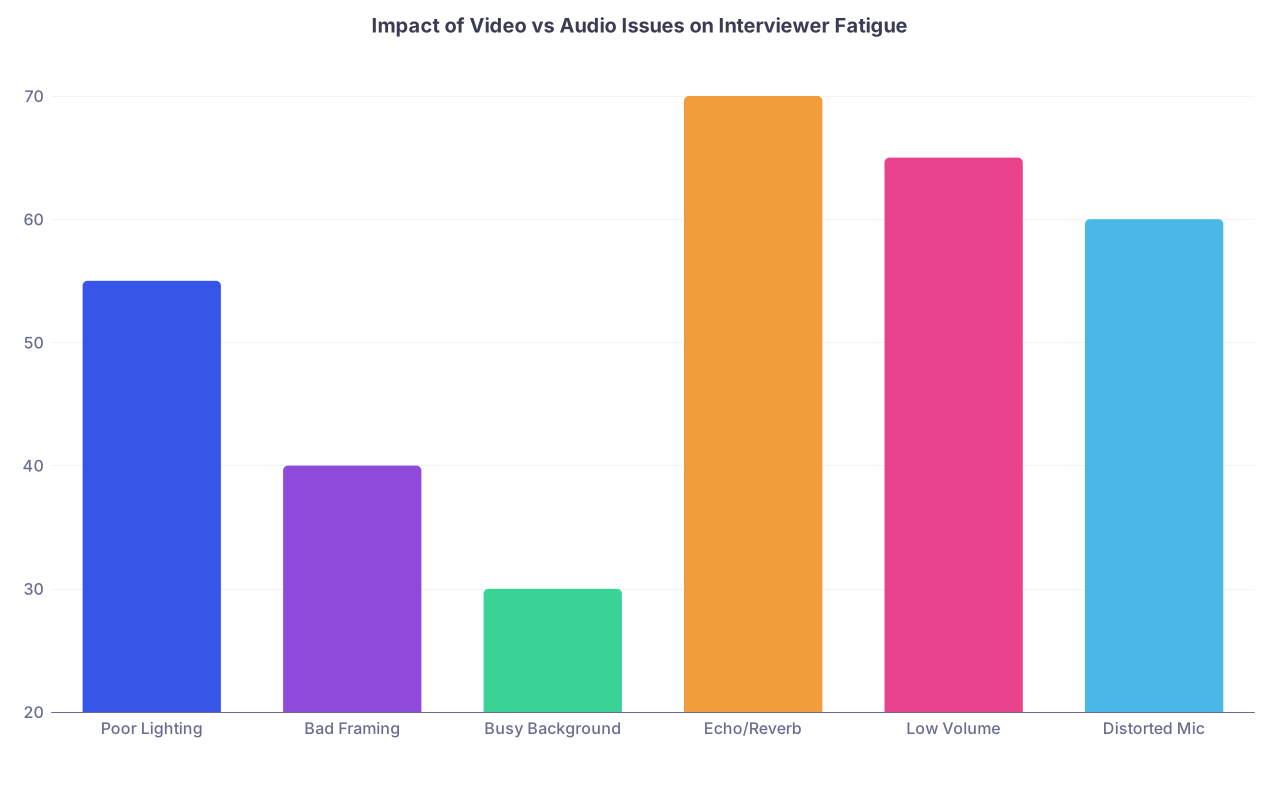
| Category | Value |
|---|---|
| Poor Lighting | 55 |
| Bad Framing | 40 |
| Busy Background | 30 |
| Echo/Reverb | 70 |
| Low Volume | 65 |
| Distorted Mic | 60 |
Mistake #1: Treating “They Can See Me” As “Good Enough”
The bar for technical quality in 2020 was “the camera turned on.” It’s 2026. Everyone’s been on a thousand Zoom calls. The expectation is higher now, even if no one says it out loud.
The lazy assumption: as long as I show up on screen, I’m fine.
Wrong. Here’s how people silently sabotage themselves:
- Camera pointed up from a low laptop angle (instant “student in bed scrolling TikTok” energy).
- Face heavily shadowed because the only light is behind them.
- Sitting so far from the camera that facial expressions are lost.
- Constant bobbing because the laptop is on an unstable surface.
You don’t need a $1,000 setup, but you do need to aim for: clear, stable, and comfortable to look at.
The brutal truth: when your video is slightly bad, nobody complains. They just feel vaguely irritated and tired after your interview. And then you lose to the person who was simply easier to look at.
How to avoid it
- Put the camera at or slightly above eye level. Not below. Ever. Stack books, use a shoebox, whatever. Just don’t give the “up the nose” view.
- Sit about an arm’s length from the camera so your head and upper torso fill most of the frame.
- Look into the camera when you start answering key questions—especially introductions, “why this program,” and wrap-up. You don’t have to stare at it the whole time, but giving eye contact at critical moments matters.
The mistake isn’t not having a fancy camera. The mistake is not controlling what the one you already have is doing.
Mistake #2: Letting Your Background Tell the Wrong Story
Your background is part of your interview. Whether you like it or not.
I’ve seen all of these on residency interviews:
- An unmade bed with laundry piled on it.
- Open closet with a mess of clothes and boxes.
- Kitchen counters full of dishes and food containers.
- Posters, flags, or artwork that read as controversial or juvenile.
- A busy shared living room with roommates walking behind.
Nobody may call you out on it. But you’re burning professionalism points the entire time.
Program directors are asking themselves: “Will I trust this person with my patients? My team? My reputation?” Then they see your week-old Chipotle bag and mountain of laundry in the corner.
How to avoid it
You’re not building a YouTube set. You’re removing distractions and red flags. Aim for:
- Simple, uncluttered wall behind you. Plain wall is fine. Bookshelf is fine if it isn’t chaotic.
- No bed in the frame if you can help it. If your only option is your bedroom, angle the camera to show a wall or desk, not your pillows.
- Remove anything that might pull them out of “future colleague” mode: provocative posters, fandom walls, political signage, alcohol bottles, etc.
If you’re tempted to use a virtual background because your space is a disaster, read the next section before you make that mistake.
Mistake #3: Misusing Virtual Backgrounds and Filters
Virtual backgrounds seem convenient. They’re usually not. And they can absolutely make you look worse.
Common problems:
- The AI keeps clipping your hair and shoulders so you look half-transparent.
- Every time you move, your outline flickers or glitches.
- The background is obviously fake—beach scenes, blurred generic offices, or worse, the default Zoom scenes.
That constant flicker around your head is distracting. It’s like a visual stutter.
The worse version? “Beauty” filters and auto-touch-up. They smooth your face until you look strangely plastic. Combine that with compression artifacts and you start to look less like a person and more like a character. That’s not what you want when someone is deciding whether to trust you with sick people.
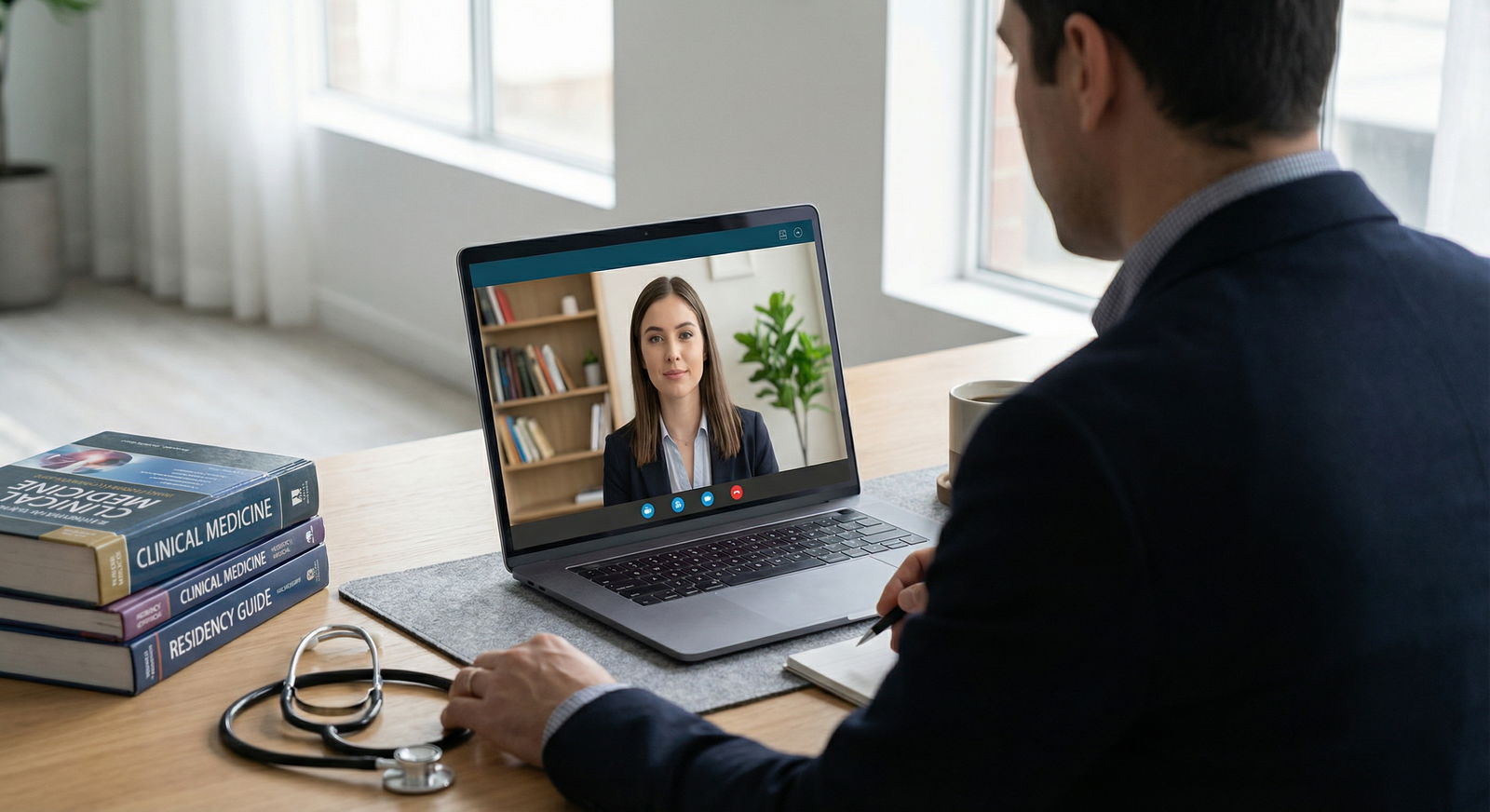
When a virtual background is the lesser evil
Use one only if:
- Your real space is impossible to make neutral (e.g., overcrowded shared space), and
- You can test it and it doesn’t glitch when you move naturally, and
- You choose the most boring, professional-looking option possible.
Even better than a full virtual background: the mild blur effect. Zoom/Teams background blur is often less glitchy and doesn’t draw as much attention, as long as your lighting and camera quality are decent.
Do not discover how your virtual background behaves at 7:59 AM on interview day.
Mistake #4: Ignoring Lighting Until It’s Too Late
Lighting is where most people quietly lose ground. They rely on whatever light happens to be in the room and then wonder why they look tired, harsh, or weirdly orange.
Here’s how people butcher it:
- Sitting with a bright window behind them, turning their face into a silhouette.
- Single overhead light giving raccoon-eye shadows and unflattering highlights.
- Mixed color temperatures (yellow lamp + blue daylight) so their skin tone looks off.
Poor lighting doesn’t just make you look “less attractive.” It makes your micro-expressions harder to read. That means you seem flatter, colder, or less engaged—even if you’re actually animated and warm.
Basic, cheap lighting that doesn’t suck
You want even, front-facing light.
Low-cost options that actually work:
- Face a window. Daytime interview? Put your face toward the window, not your back. If it’s very bright, pull a sheer curtain or backup a bit so you’re not blown out.
- Use a desk lamp behind your laptop, slightly above eye level, angled down toward your face. Unscrew high-intensity bulbs or use a lower-watt soft white/“daylight” LED.
- If you buy a ring light, get the smallest cheap one and place it behind the laptop, not off to the side. Keep brightness moderate and color temperature neutral (avoid super warm or icy blue settings).
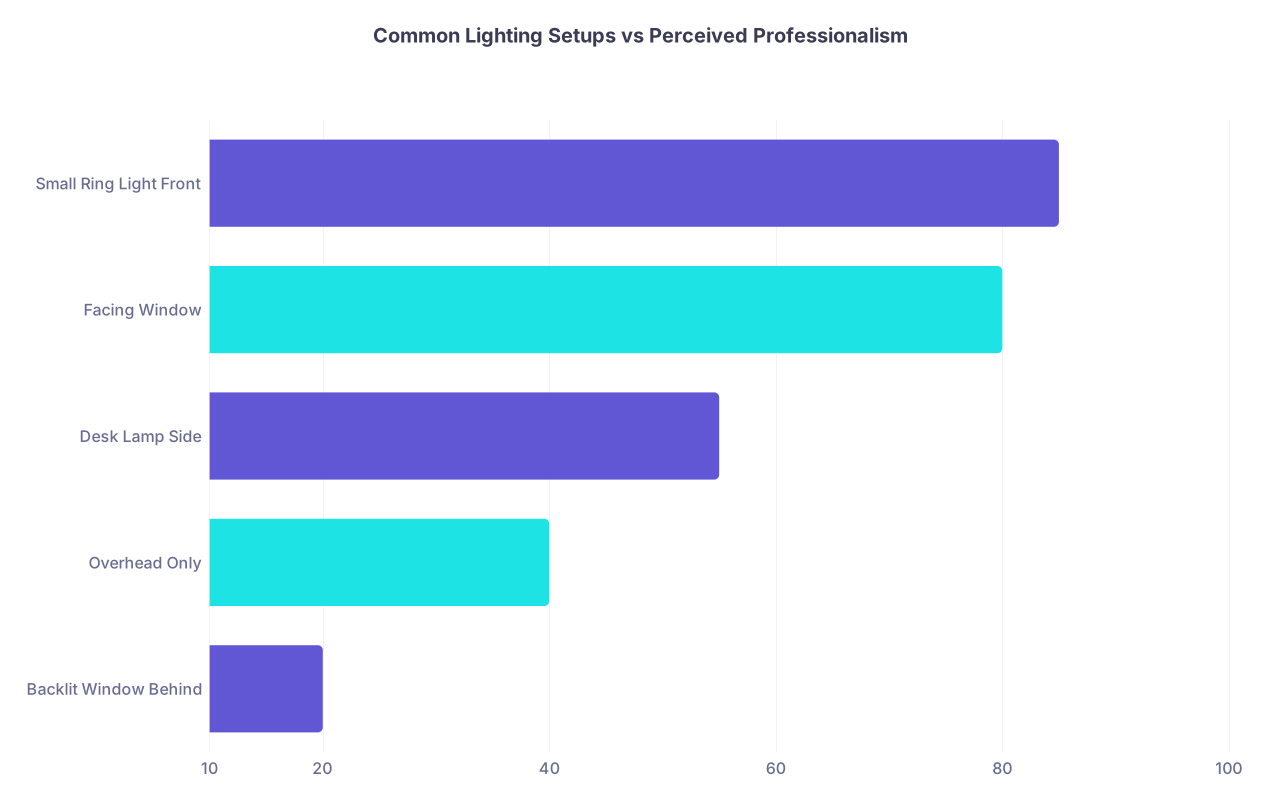
| Category | Value |
|---|---|
| Backlit Window Behind | 20 |
| Overhead Only | 40 |
| Desk Lamp Side | 55 |
| Facing Window | 80 |
| Small Ring Light Front | 85 |
Spend one evening just playing with lamps and positions. Take screenshots. You’ll immediately see which setup makes you look like a residency-ready adult and which makes you look like someone calling their parents from a dorm.
Mistake #5: Underestimating How Much Audio Matters
If I had to pick between perfect video and perfect audio, I’d choose audio every time. Programs can happily interview you on a slightly grainy camera. They cannot comfortably sit through 30 minutes of:
- Echoey kitchen reverb.
- Constant background hum from an AC or fan.
- Volume so low they have to crank their speakers.
- Distortion or clipping whenever you speak up.
Bad audio does something subtle: it makes you harder to connect with. Our brains get tired parsing muffled or echoing speech. That fatigue translates into “this interview felt long” and “I just didn’t click with them,” even though the real problem was acoustics.
The worst audio environments
If your plan is to interview from:
- A tiled kitchen with high ceilings,
- A bare bedroom with no curtains or soft furniture,
- A public or shared space with constant background noise,
you’re heading straight into the danger zone.
Hard, bare surfaces reflect sound. That creates reverb and echo, like you’re in an empty lecture hall. Microphones pick that up brutally well.
Mistake #6: Relying on Built‑In Laptop Mic Without Testing
Your laptop mic is not your friend. Sometimes it’s acceptable; often it’s thin, distant, and noisy. I’ve sat through interviews where each sentence sounded like it was coming from the far end of a tunnel.
Common sins:
- Laptop off to the side, so you’re speaking past the mic, not into it.
- Laptop on a wobbly table, so every keystroke or nudge becomes a thunk.
- Fan noise roaring into the mic because the laptop is overheating.
You don’t need a podcast setup. But you do need to sound like you’re in the same room, not on a drive-thru headset.
Minimum viable microphone setup
Here’s the safe, low-effort path:
- Use wired earbuds with an inline mic (like old-school iPhone/Android earbuds). Not Bluetooth if you can avoid it—Bluetooth drops, desyncs, and batteries die.
- If your laptop mic is actually decent, position yourself close, keep background noise minimal, and test your volume and clarity with someone else on the exact platform you’ll use (Zoom vs Webex vs Teams).
| Setup | Risk of Problems |
|---|---|
| Built-in laptop mic, no test | High |
| Bluetooth earbuds | Medium-High |
| Wired earbuds with mic | Low |
| USB podcast mic (tested) | Low |
| Phone mic as backup (hotspot) | Medium |
Do not wait until interview day to discover that your laptop mic makes you sound like you’re underwater.
Mistake #7: No Control Over Background Noise
You might think “They’ll understand, I live with roommates / near a busy street / above a restaurant.” They’ll understand. But they’ll also be annoyed. You’re not being graded on fairness; you’re being compared to people with quieter audio.
I’ve watched interviews derailed by:
- Roommates slamming doors or shouting in the hallway.
- Dogs barking nonstop in the next room.
- Parents in the background on speakerphone.
- Construction noise right outside.
Again, nobody is going to write, “We rejected them because of a dog.” But that constant interruption eats into the mental bandwidth your interviewers have for you.
How to reduce the damage
- Tell roommates/family your exact interview times. Not “sometime Thursday.” Exact. Ask for quiet like you’d ask for quiet during an exam.
- Put a sign on your door. Yes, an actual piece of paper.
- Close all windows, even if it’s a bit warm. Street noise travels more than you think.
- Turn off loud fans/AC near your mic right before you start, if tolerable.
- If your environment is truly unavoidable chaos, seriously consider booking a quiet room at your med school, hospital, or even a library study room (and test Wi‑Fi there beforehand).
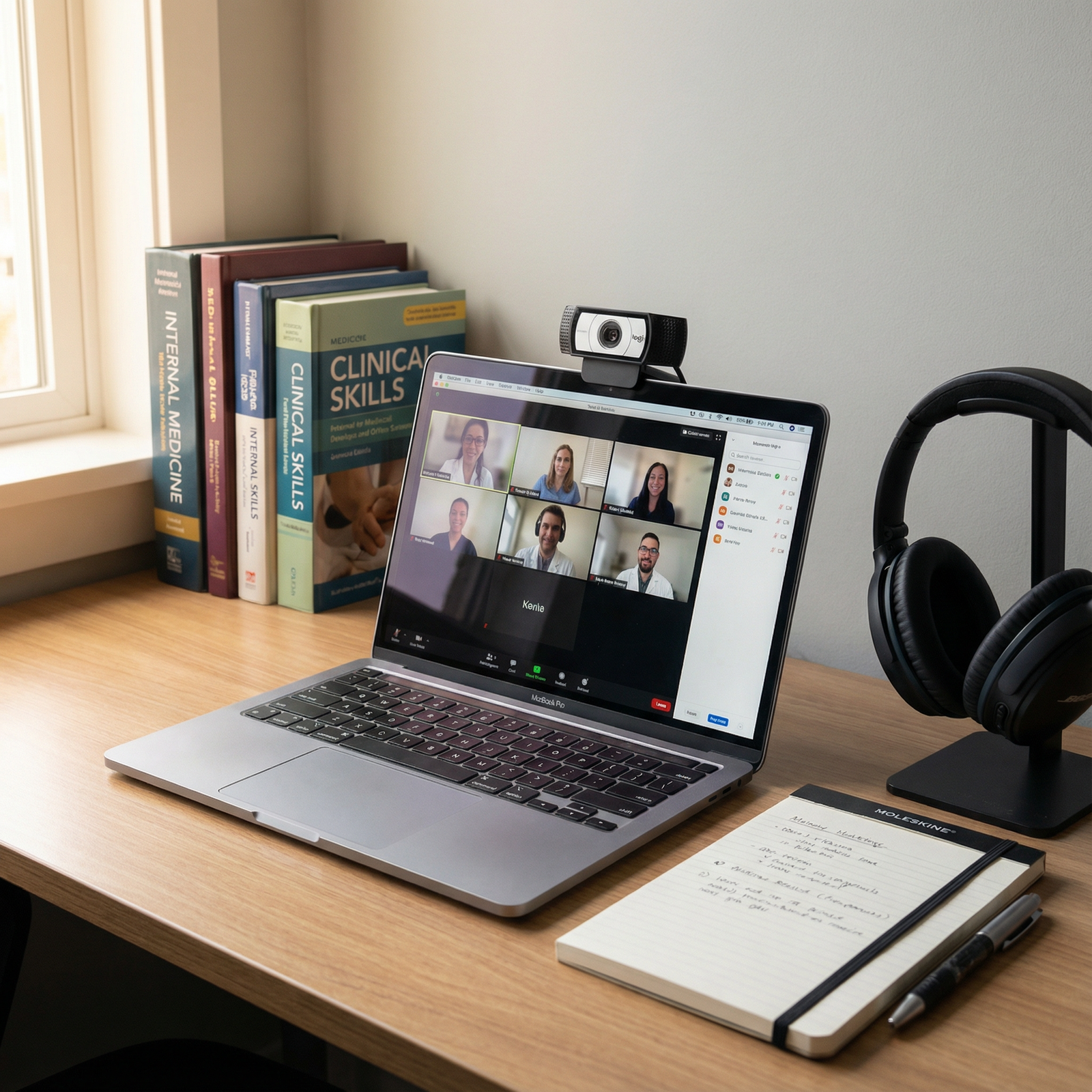
Mistake #8: Glitches You Could’ve Caught With One Test Call
The most avoidable category: issues you’d have spotted instantly if you’d done a full mock call on the exact device, location, and platform you’ll use.
Things I’ve seen go wrong in real interviews:
- Camera defaulting to the wrong device (e.g., a laptop dock with no camera).
- Mic picking up audio from an external monitor instead of the headset.
- Program uses Webex but you only practiced on Zoom, so you fumble buttons.
- Auto-exposure constantly brightening/darkening as the sun moves across your window.
- Network lag making you talk over people or freeze mid-answer.
Most applicants do a “quick check” the night before: open Zoom, see their face, close laptop. That’s lazy. And it’s where the good candidates separate from the “I hope it works” crowd.
Do this once, properly
At least 2–3 days before your first interview, schedule a 15–20 minute mock call with a friend or classmate who won’t sugarcoat things. Use the exact:
- Room
- Device
- Headphones/mic
- Platform (Zoom/Webex/Teams) if possible
Have them rate honestly:
- Video: “If you didn’t know me, what impression would you get from how this looks?”
- Audio: “Any echo, background noise, or volume issues?”
- Framing: “Too close, too far, weird angle?”
- Lighting: “Do I look washed out, harsh, or okay?”

| Step | Description |
|---|---|
| Step 1 | Choose Room & Device |
| Step 2 | Test Camera & Framing |
| Step 3 | Adjust Lighting |
| Step 4 | Select Mic & Headphones |
| Step 5 | Mock Call with Friend |
| Step 6 | Fix Setup |
| Step 7 | Lock In Setup |
| Step 8 | Any Issues? |
Don’t keep tweaking up until the morning of. Once it looks and sounds good, lock it in so you’re not reinventing your setup every time.
Mistake #9: Overdoing It and Looking Like a YouTuber, Not a Resident
There’s another side to this: trying too hard.
If your interview setup screams “streamer” or “content creator”—giant gaming headset, RGB lights, ultra-wide dramatic camera angles—you risk looking more like an influencer than a future consultant for their attendings.
Red flags on the “too much” side:
- Giant over‑ear gaming headset with a boom arm mic in your face.
- Strong colored LED strips behind you (blue/purple/pink glow).
- Ultra-shallow depth of field with everything behind you melted into blur like a cinematic b‑roll.
Is some of this technically impressive? Sure. But this isn’t Twitch. The vibe you want is “new attending in a quiet office,” not “subscribe and hit that bell icon.”
If you already own a nice mic and camera, fine. Just use them in a restrained way:
- No giant pop filter covering half your face.
- Neutral background, no flashy lighting effects.
- Keep things visually boring and sonically excellent.
Mistake #10: Forgetting That Body Language Still Matters on Camera
One last thing that camera and audio expose: fidgeting and poor body language.
On video, small behaviors become magnified:
- Swiveling constantly in a desk chair.
- Tapping the table, causing tiny camera shakes that are surprisingly irritating.
- Leaning way back so you seem disengaged or arrogant.
- Getting too close to the camera whenever you’re emphasizing something.
Bad camera behavior makes you seem nervous, scattered, or oddly intense—even if your words are fine.
Fixing it without becoming a robot
- Use a non-swivel chair if possible. Or at least plant your feet and be conscious when you start spinning.
- Rest your forearms lightly on the desk or in your lap. Avoid drumming fingers on the table.
- Aim for neutral posture: upright, not rigid; leaning slightly toward the camera when you’re listening or engaging.
Record a short mock answer on your own (“Why this specialty?”). Watch it with the sound off. If anything in your motion or posture would distract you as an interviewer, fix it.
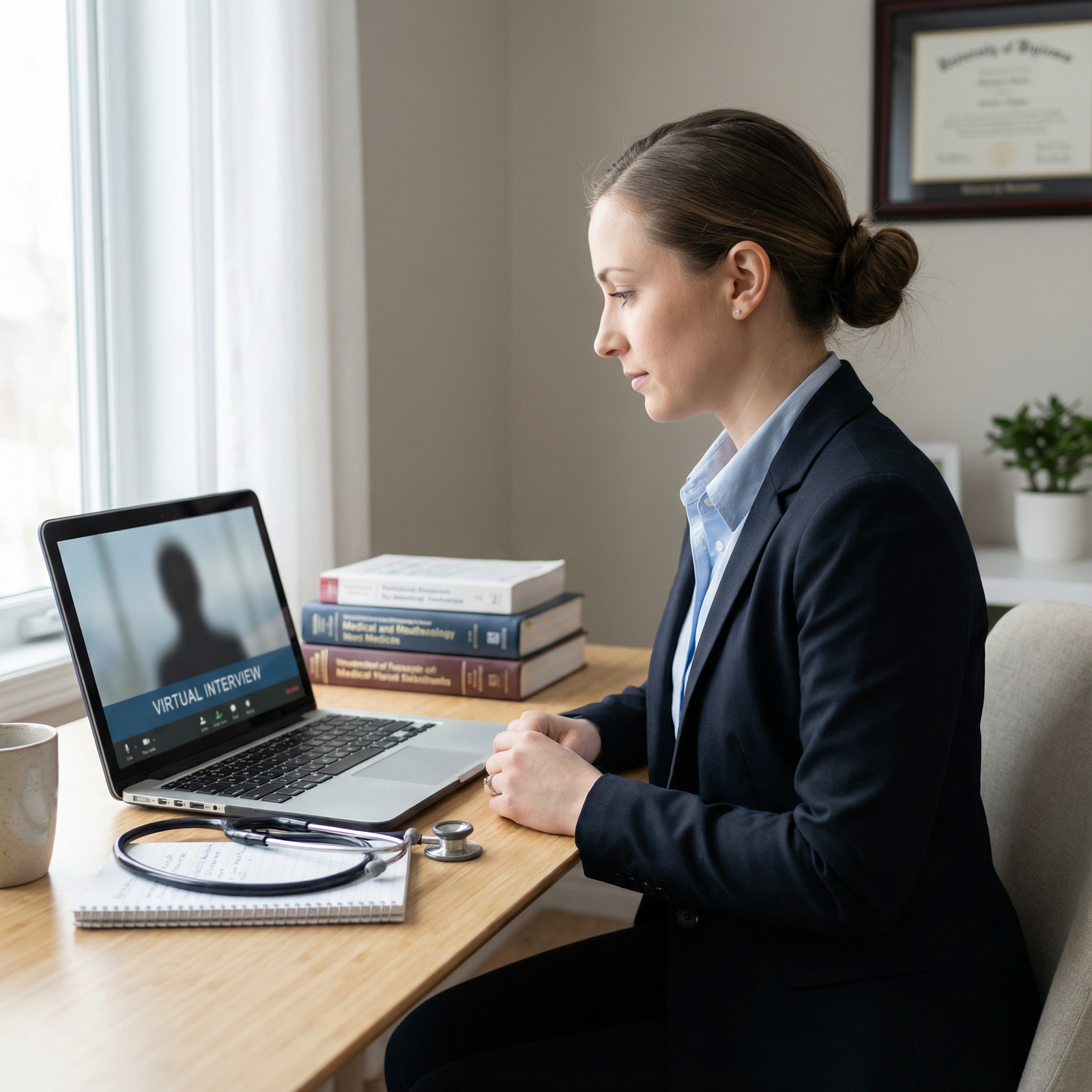
Quick Reality Check: What Actually Matters Most
You’ve probably guessed the priority list by now.
If you have limited energy, fix these in this order:
- Audio clarity (no echo, good volume, minimal noise).
- Camera angle and framing (eye level, proper distance).
- Lighting (face clearly visible, no harsh shadows, no backlight).
- Background (simple, uncluttered, non-distracting).
- Avoiding glitches with one proper test.
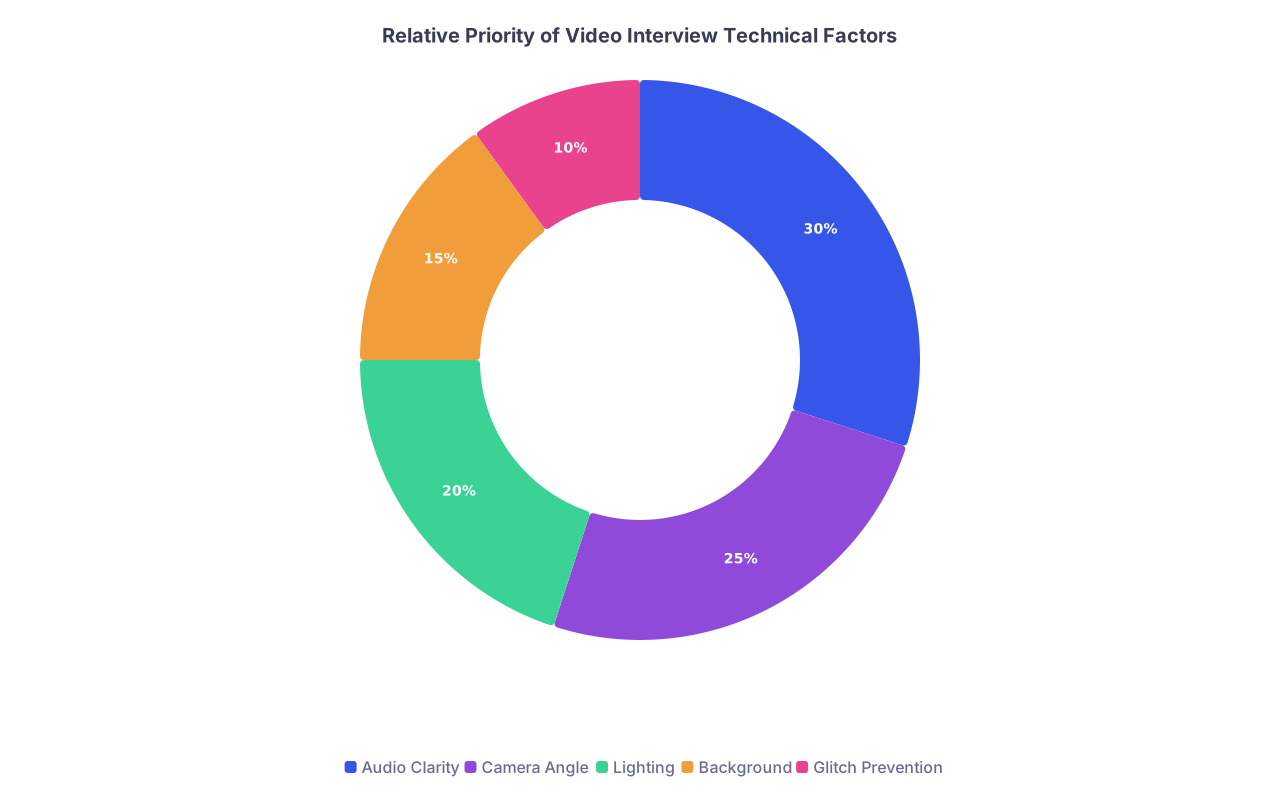
| Category | Value |
|---|---|
| Audio Clarity | 30 |
| Camera Angle | 25 |
| Lighting | 20 |
| Background | 15 |
| Glitch Prevention | 10 |
You do not need perfection. You do need to stop shooting yourself in the foot with mistakes that scream, “I didn’t think this through.”
FAQ (Exactly 5 Questions)
1. Do I really need to buy external equipment for residency video interviews?
Not necessarily. If you can get decent audio from wired earbuds, reasonable lighting from a window or lamp, and a stable camera angle from your existing laptop, that’s enough. What you cannot do is assume your default setup is fine without testing. Spend more time arranging what you already own before you start spending money.
2. Is it unprofessional to interview from my bedroom?
No, as long as it doesn’t look like a bedroom. Angle the camera so the bed is out of frame or at least neatly made and not prominent. Clear visible surfaces. Avoid personal or overly casual items in the background. A clean wall behind you matters more than what room you’re technically in.
3. What if my internet connection is unreliable?
That’s a real risk. Do a speed test and a practice call at the exact time of day of your interview. If your home connection is shaky, seriously consider using your school, hospital, or another stable location. Also have your phone hotspot set up as an emergency backup, and keep the interview link accessible on both your laptop and phone.
4. Should I tell the program if there are technical issues during the interview?
Yes, briefly and calmly. If your audio glitches or video drops, acknowledge it once (“I’m sorry, it looks like my connection froze for a moment. Could you repeat the question?”) and move on. Do not turn the interview into an extended apology performance. Handling a hiccup calmly is better than pretending nothing happened.
5. How much does production quality really affect my chances?
It won’t save a weak applicant, and it won’t destroy a strong one. But it absolutely influences how easy it is for people to connect with you and remember you positively. Clean audio and a clear, stable image reduce friction and fatigue. In a competitive pile where many candidates look similar on paper, being the person who was effortless to listen to and talk with is not a trivial advantage.
Key points to remember:
- Audio clarity, basic lighting, and a sane camera angle matter more than any fancy gear.
- Do one real mock call—with your actual setup—to catch the silent killers: echo, backlight, glitches, and framing.
- You’re not trying to be impressive on video. You’re trying to be easy to see, easy to hear, and impossible to dismiss for avoidable technical sloppiness.



