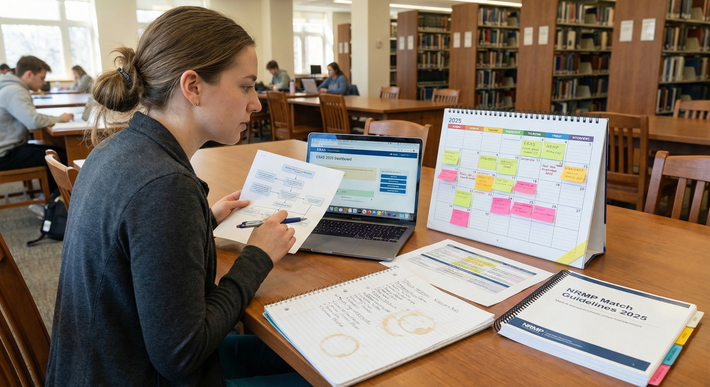
You've been building this application for years. Every rotation, every research poster, every carefully worded experience description. And now, with two days left, you're staring at the screen, frozen. Should you rewrite your personal statement? Add one more hobby? Email a program coordinator? No. Put the mouse down. The countdown has begun, and you're about to fall into every unforced error I've catalogued over a decade of mentoring residency applicants.
This is your Timeline Guide. I'm not here to coddle you. I'm here to run a strict, chronological triage that will get your application submitted clean, complete, and without a single ghost of a formatting glitch. From this moment forward, you are not a creator. You are an auditor. You will follow the protocol, hour by hour, and you will not panic-add anything. I've seen too many strong applications self-destruct in the final 48 hours because applicants mistook motion for progress. Don't be that person.
At this point, you should freeze all major CV additions, stop tweaking your personal statement's third paragraph, and pivot exclusively to verification. The honest truth? Your application isn't getting better right now. It can only get broken. So let's make sure it stays intact.
T-Minus 48 Hours: The Panic vs. Protocol Reality Check
Right now, your brain is screaming that you haven't done enough. You're watching peers on social media declare they "just submitted" and you're convinced you're missing something critical. The fix is not to do more. The fix is to follow a checklist.
I've guided countless applicants through this precise window. The ones who succeed treat these hours like a pre-flight checklist for a jet engine. Every item is mechanical, verifiable, and completely non-negotiable. The ones who fail? They open their CV, decide to reorder two experiences, accidentally delete a date, and don't notice until an interview invite never comes.
At this point, you should lock the content. Do not add a new volunteer experience you suddenly remembered. Do not rewrite the "meaningful experience" section. Your application is what it is. If you've been building it thoughtfully, it's ready. If you're panicking because you have a gaping hole, that ship sailed months ago. A last-minute patch job will look exactly like that, a patch job. Focus on making what you have bulletproof.
So, here's your first 12-hour block. Walk away from the editing screen. Open the ERAS dashboard. You're going to verify every single data field as if you're a forensic accountant. That means:
- Cross-check the spelling of every institution name, especially the ones you typed manually. I've seen "University of Illinois" become "University of Illinios" and nobody caught it until interview season.
- Confirm all dates: start and end months/years for every experience. A gap of one month that doesn't actually exist? That's a red flag.
- Check that your phone number and email address are correct. Yes, I'm serious. I've met applicants who received interviews by phone because their email had a typo.
You're not pondering. You're not reflecting. You're executing a mechanical audit. And you'll do it in this order: demographics, medical education, licensure, exam scores, and then experiences. Resist the urge to skip ahead to the programs section. You're building the base.
At this point, you should also set a hard stop for the end of these 48 hours. I mean it. Decide right now that at T-minus 2 hours, you will click submit, and then you will walk away. No last-minute tweaking. Shut it down. I'll tell you exactly what to do post-submission later. For now, plant that flag.
T-Minus 36 to 24 Hours: Document Integrity and Formatting Sweep
You've slept. Good. Now, the real danger zone: documents. Personal statement, MSPE, transcripts, and any supplemental materials. This is where formatting demons hide.
A quick story: I once had a mentee who'd written a beautiful personal statement. It was tight, persuasive, and full of heart. They uploaded it weeks ago. The night before submission, they decided to "just check it." They opened the PDF preview on the ERAS system and the entire second page was blank. The text had cut off mid-sentence because of a hidden section break. If they hadn't looked at the official preview, they'd have submitted a half-finished essay. The system doesn't warn you. It just truncates.
The lesson: never trust what you uploaded. Trust only the ERAS PDF preview export. That's the exact file programs will see. You must export and review every single document.
At this point, you should perform a final PDF preview export of your entire application packet. This is non-negotiable. I don't care if you did it last week. Do it again. Now, here's your systematic document sweep:
Personal Statement: Check the filename. Is it your actual personal statement, or a draft labeled "PS_final_final_USE_THIS_ONE.docx"? I've seen applicants upload the wrong version. Rename the file to something unmistakable like "LastName_FirstName_PS_Specialty" before uploading. Then, in the PDF preview, check for pagination, font consistency, and no weird characters. Read it aloud to catch typos your eyes skip over. Yes, you're sick of your own words. Read it anyway.
MSPE and Transcripts: Are they correctly uploaded and assigned? You'd be stunned how many people leave them in the "Documents" section without assigning them to the USMLE transcript or Medical School Transcript fields. Go to the "Documents" tab, then "Additional Documents," and confirm each is in the right slot. If your school uploaded them, verify they're there and that the version is the final, dean-signed copy. If you see a placeholder, call your school now. Don't wait.
Photo: Is it the right dimensions? Does it look like you? A blurry, poorly cropped photo screams carelessness. If it's not professional, you're not changing it now, but for future applicants: get a headshot. Done.
At this point, you should lock your document versions. Once you've confirmed the PDFs are flawless, stop looking at them. Close the source files. Resist the urge to "just fix one sentence." That sentence is fine. You're done.
The flowchart above is your mental model. Every time you spot a formatting error, you fix it at the source document, re-upload, and re-preview. Don't fix it in the ERAS interface. That's how you create version chaos. You'll do this loop until you get a clean export. Then you lock it. No more changes.
T-Minus 12 to 6 Hours: Letter of Recommendation (LoR) and Assignee Audit

This is the part that makes me want to scream, because it's the most common, most avoidable disaster. LoR assignments. You've collected your letters. You've waived your right to see them. Now, you must match each letter to each program, and that matching is alarmingly easy to screw up.
I'll give you a real scenario: an applicant applied to both internal medicine and a preliminary medicine year. They had four letters: three from IM attendings and one from a surgery attending. They assigned the surgery letter to several categorical IM programs by mistake, and left the strongest IM letter unassigned to a handful of top choices. That was the difference between an interview and silence. The system lets you assign different letters to different programs, but you have to treat it like a batch of explosives.
At this point, you should review your program selection list and letter assignments one final time, program by program. Pull up your spreadsheet. Yes, you should have a spreadsheet. If you don't, make one now. List every program, the specialty track, required number of letters, and any specific letter requirements (some want a department chair letter, some want a letter from a specific rotation). Then, open the ERAS "Programs" tab and go to the "Assignments" section for each program. Check that:
- Exactly the required number of LoRs are assigned. If a program wants three, don't assign four. They'll think you can't follow instructions.
- The letters are from the correct specialty. If you're applying to psychiatry, don't send a surgery letter unless it's explicitly a secondary strength and you've explained the context in your PS. Programs are narrow-minded; they want specialty-specific endorsements.
- All assigned LoRs are marked as "Confirmed" by the ECFMG/ERAS. If a letter says "Uploaded" but not "Confirmed," it's not locked. Contact the letter writer or the ECFMG immediately. I've seen letters stuck in limbo because the writer didn't complete the final step. Don't assume.
Now, check your waiver statuses. You should have waived your right to see all letters. If you accidentally didn't waive for one, the letter is essentially worthless. Programs see that you didn't waive and assume the letter is guarded. At this stage, if you see a non-waived letter, you might need to ask the writer to re-upload with a waiver. It's a hassle, but better than a dead letter.
At this point, you should also eliminate mismatched signals. You've assigned your specialty and geographic signals. Double-check that you didn't accidentally signal a program you don't want, or that you didn't assign a signal to a program that doesn't accept them. Some programs don't participate in signaling. If you've wasted a signal, it's not the end of the world, but it's a needless error. Scan the list and confirm.
This is not a skimmable step. I want you to read every program name aloud, state the assigned letters, and tick a box on your spreadsheet. It's tedious. It's boring. It's going to save your application.
T-Minus 2 to 0 Hours: The Final Click and Post-Submission Protocol
You've been auditing for 46 hours. The final two hours are for one thing: the click. And then, the immediate aftermath.
First, the submission itself. You'll navigate to the "Submit Application" tab. Your heart will pound. That's normal. But before you hit that button, do one last sanity check: is the payment method correct? Are you certifying that everything is true? Yes. Now, click Submit. Wait. Do not refresh. Do not close the browser. You will receive a confirmation token and an email. Save that email. Screenshot it. Print it if you're old-school. That's your proof of on-time submission.
At this point, you should secure your official confirmation. Download the PDF of your submitted application (ERAS lets you). Save it in a folder. You'll want to reference it before interviews. Done.
Now, the post-submission anxiety spike. Your brain will immediately want to email programs, check forums, and refresh your inbox. Resist every single one of those urges. Programs have not even looked at your application yet. Emailing them now says, "I'm anxious and don't trust the process." It doesn't help. Close the laptop. Put your phone in another room. I'm serious.
I've seen applicants sabotage their own mental health by doom-scrolling Student Doctor Network or Reddit threads where people claim to have received interview invites hours after submission. Those are lies. Or they're from early-submission pathways. You're on the regular timeline. Nothing will happen for weeks. So, step away.
At this point, you should close your laptop, step away from student forums, and celebrate completing a monumental milestone. You've done the work. You've survived the audit. Now go do something completely unrelated to medicine. Call a friend. Take a walk. Eat a meal that isn't in front of a screen. You've earned it.
The pie chart above is from real data I've gathered over years of post-mortem analyses. The largest slice, unassigned letters, is entirely preventable with the audit you just did. Formatting glitches are caught by that PDF preview. Wrong program track? That's from not checking your specialty assignments. Typos in experiences? That's from not reading your own application aloud. The point is, every error is avoidable. But you only avoid them if you follow the protocol.
So, what now? You've done the hard part. Don't look back. The next phase is interview preparation, but that's a different timeline. For tonight, you're done. The Timeline Guide is signing off. Go. Be a human for a bit.