Here's the answer you're looking for: looking at the screen feels natural to you, but it looks like you're avoiding eye contact to them.
That disconnect is costing applicants rank points every single interview season, and most never realize it.
The Core Dilemma: Screen vs. Webcam in Residency Interviews
The problem is pure physics. It's called parallax.
Your webcam sits at the top of your laptop or monitor. The interviewer's face is displayed 6-10 inches below that lens, in the middle of your screen. You physically cannot look at both at the same time.
When you look at their face, which is what your brain wants to do, your eyes angle down. To the camera, and therefore to the faculty on the other end, your pupils drop. Your eyelids lower slightly. It reads as looking down, distracted, or reading notes in your lap.
When you look directly into the camera lens, you feel like you're staring at a black dot and ignoring a human being. But on their screen? You're making perfect, confident, direct eye contact.
For ERAS virtual interviews, that matters more than you think. Faculty aren't just listening to your answer about "why this program." They're scoring you on professionalism, engagement, communication, and interpersonal skills. And they do it fast. I've seen program directors make a gut call in the first 30 seconds before the applicant even finishes their introduction.
You can have a perfect answer rehearsed. If you deliver it while seemingly staring at your keyboard, it lands as disengaged.
The Myth of Natural Screen Gazing
The biggest myth I hear: "If I look at their face on the screen, it'll count as eye contact. It's more natural."
It's not. It's wrong.
Your monitor is not their eyes. The camera is.
When you gaze at the screen, interviewers don't think, "Oh, they're looking at me on their monitor." They think, "This applicant won't look me in the eye." That gets translated on their scoring rubric as lack of confidence, lack of interest, or poor communication skills.
And those non-verbal scores aren't fluff. Most programs use standardized interview score sheets where 40-60% of the points are non-verbal and interpersonal, eye contact, body language, active listening, enthusiasm. You can ace the clinical vignette and still get a 3/5 on "connection" because your eyes were in the wrong place.
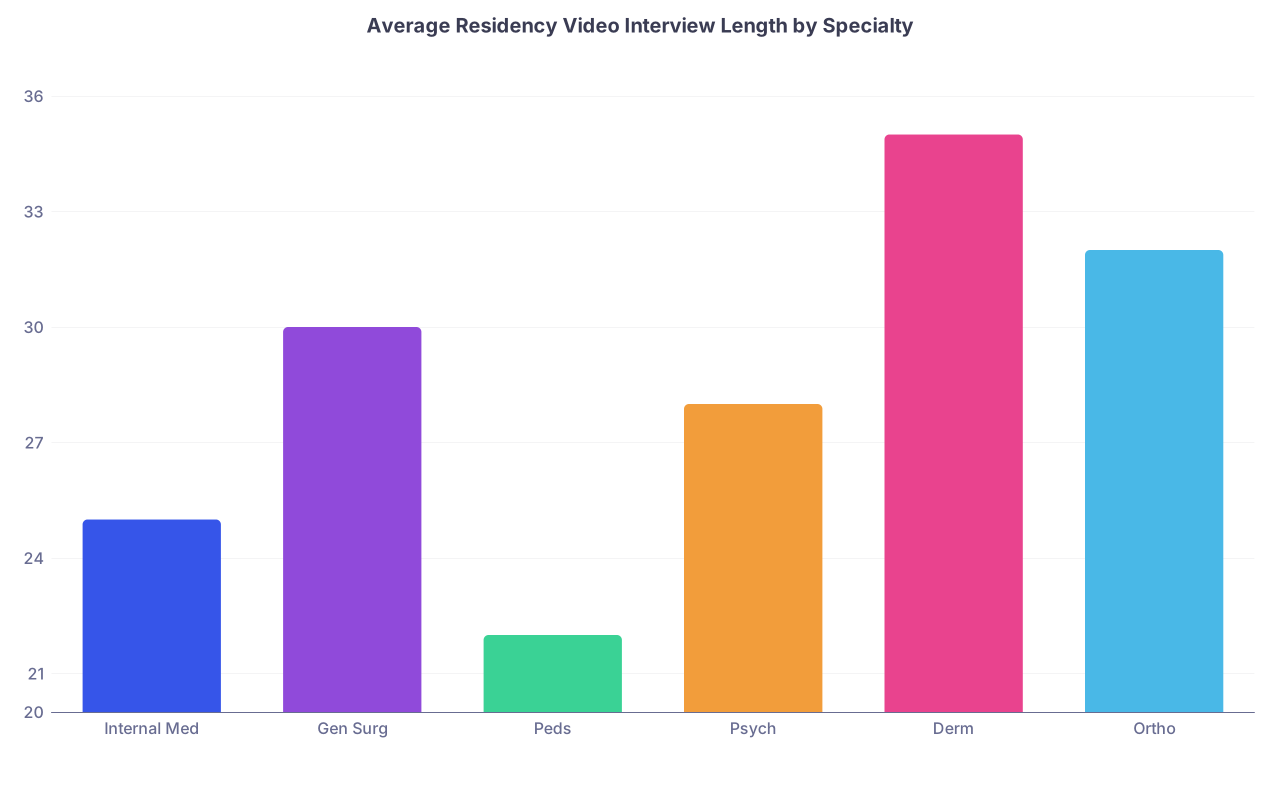
Here's how stark the difference is from the interviewer side:
That's not a small difference. That's the gap between "excellent communicator, highly engaged" and "seemed distracted and disinterested." I've watched faculty debriefs where they literally say, "Nice applicant, but didn't make much eye contact." The applicant thought they were staring right at them the whole time.
Looking at the screen feels right. It performs poorly.
Decision Framework: When to Look at the Webcam vs. Screen
So do you just stare at the little black lens for 20 minutes straight like a robot? No. That looks weird too.
You need a simple rule to switch intentionally. Here's the framework I give every applicant I coach:
When they are talking, you look at the screen. When you are talking, you look at the webcam.
That's it.
Think of it as matching real-life conversation. In person, you look at the person when they speak to show you're listening. When you speak, you maintain eye contact to deliver your point with confidence.
How to execute it without looking twitchy:
Active Listening Mode (They talk = Screen): Look at their face on the screen. Nod. Smile. Give small verbal affirmations. Let your eyes move naturally across their face, just like you would in person. This is where you show empathy and engagement.
Delivery Mode (You talk = Webcam): When it's your turn to answer, especially your core story, your why us, your strengths, lift your gaze to the lens. Deliver the key 1-2 sentences of that answer directly into the camera. Then you can briefly glance back at the screen to check their reaction, then return to the lens to finish.
The shift should be slow and intentional. Don't flick your eyes up and down every two seconds. Think in 5-10 second chunks.
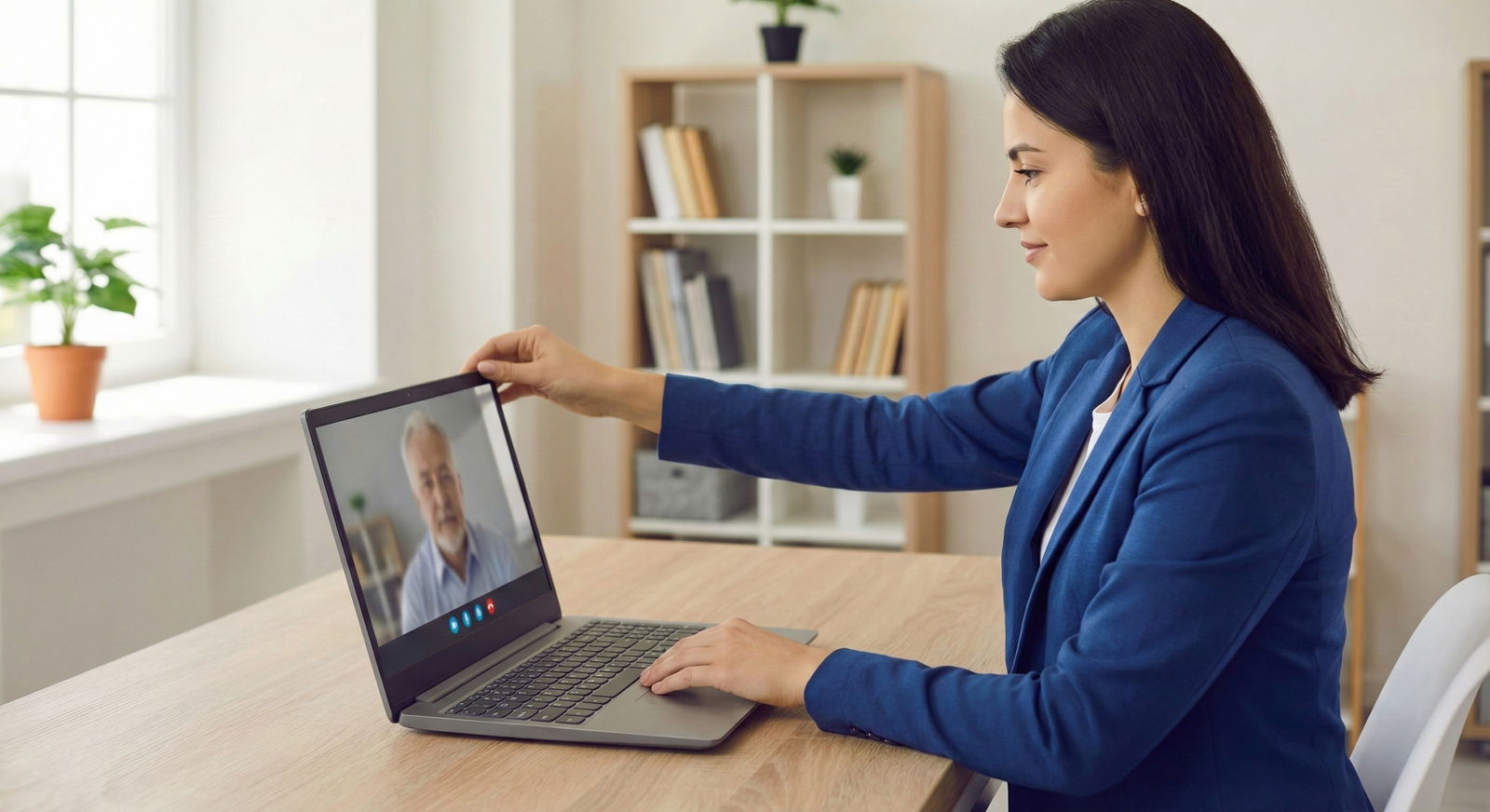
And set up your tech to make this easy. The single biggest trick: drag the Zoom window containing their faces up and make it small, and park it directly underneath your webcam lens. Literally touch the bottom edge of the camera with the top edge of their video tile. Now the distance between "screen" and "webcam" is an inch, not eight inches. The travel of your eyes becomes almost invisible on camera.
Technical Setup and Practical Execution
Good eye contact isn't willpower. It's setup.
If you're using your laptop on your desk looking up your nose at a low angle, no technique will save you. You need to fix the physical environment first.
1. Get the camera to eye level. Your laptop camera is too low. Period. Stack books under your laptop or better, get a $30-50 external webcam. Mount it on top of your primary monitor, at your eye height. You should not be looking up or down. Your chin should be neutral.
2. Minimize the camera-to-face gap. Open Zoom/Teams. Shrink that gallery view. Don't run it full-screen. Make the window small, maybe 1/4 of your screen, and drag it to the top-center, kissing the lens. If you have multiple people interviewing you, pin just one speaker or use speaker view. Less visual real estate = less eye travel.
3. Light your face, not your monitor. If your room is dark, your pupils dilate and your eyes look flat. Put a soft light behind your camera, facing you. When your eyes are well-lit, that subtle direct lens contact pops much more on their end.
4. Drill it until it's muscle memory.
You won't do this naturally on game day if you haven't practiced. Here's a 15-minute drill that works:
Record yourself on Zoom answering three questions: Tell me about yourself, why this program, and tell me about a conflict. First recording, do what you normally do, look at the screen.
Watch it back. Cringe a little. Notice how much you look down?
Second recording, do the framework: screen when listening (pause 3 seconds pretending they asked), then lens when answering. Watch it back again. See the difference immediately. Your second video will look confident, direct, and present.
Do that drill three times before interview season starts and you'll lock in the habit. I tell applicants to put a tiny dot or small arrow sticker right next to their webcam lens as a reminder: "Look here when you talk." It sounds silly. It works.
Bottom line: You control how much eye contact they perceive. Don't leave it to chance.
Your action steps:
- Today: Buy or borrow an external webcam and a small ring light. Get your lens to eye level.
- Tomorrow: Do two 10-minute recorded mock answers and compare screen vs. webcam gaze.
- For every interview: Shrink the video window, drag it under the camera, kill the second monitor, and use the rule, Listen on Screen, Speak to Lens.
Do that, and you'll stop losing invisible points for something you thought you were already doing right.