
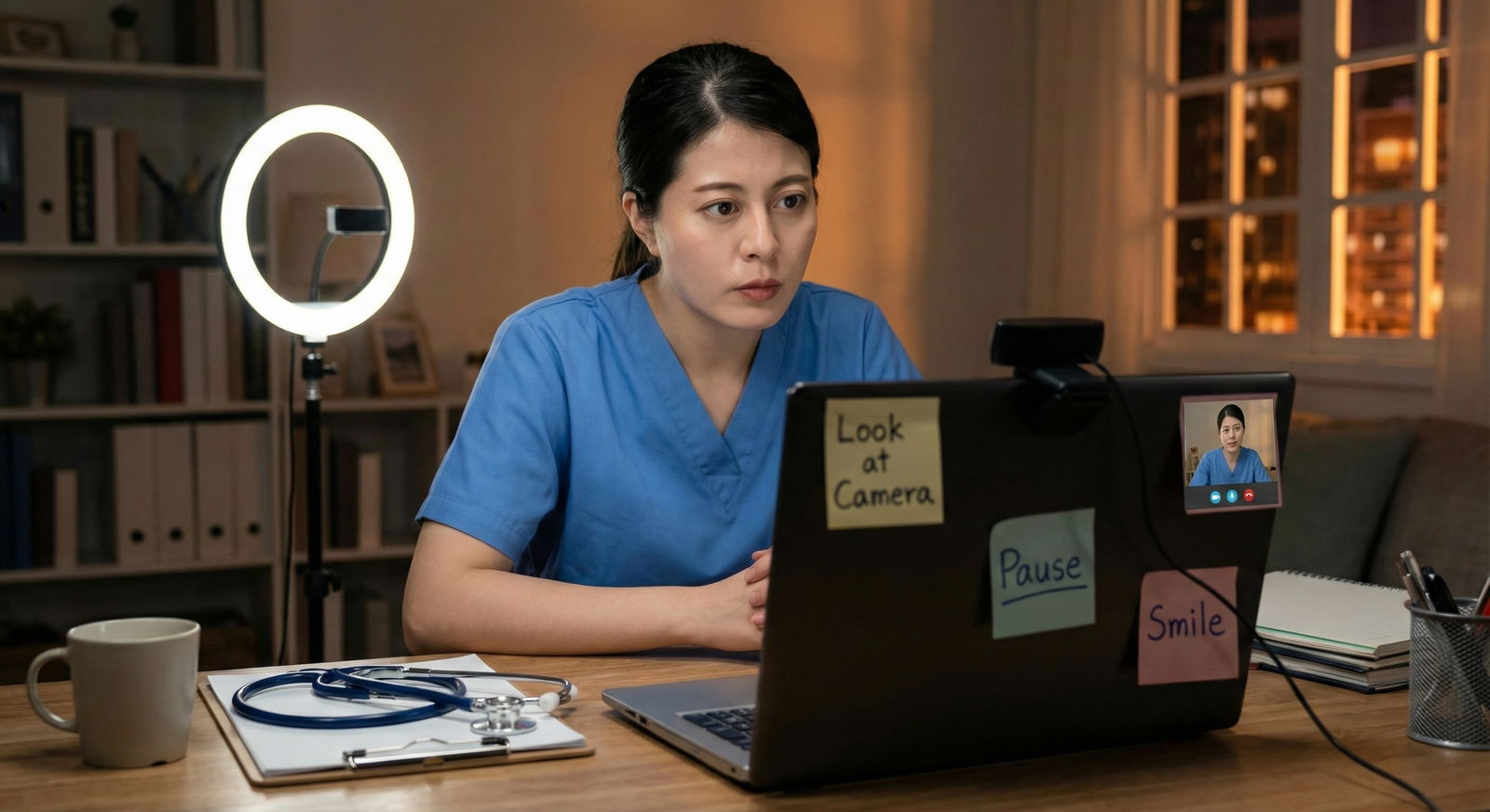
You are sitting in your bedroom, wearing a pressed shirt over sweatpants, logged into yet another virtual residency interview. You know your answers. You know the programs. But every time you speak, you catch your own tiny reflection drifting down to the bottom corner of the screen.
You are not talking to the interviewer.
You are talking to your own face.
And you know it looks off. Detached. Shifty. Less confident than you actually are.
Let me be blunt: weak eye contact on video will quietly undermine an otherwise strong interview. You can have a 260+, honors on every rotation, and still come across as unsure or uninterested because you keep looking at the wrong place on your screen.
The good news? This is entirely fixable at home with structured, simple drills. Not generic “be confident” nonsense. Actual step-by-step practice that retrains your eyes and your brain to handle the weirdness of talking to a camera lens instead of a human face.
Below is exactly how I’d train a residency applicant over 2–3 weeks to go from awkward, scattered eye contact to solid, natural presence on Zoom, Thalamus, or whatever platform they throw at you.
Step 1: Fix Your Setup So You Stop Fighting Physics
Before you drill anything, fix the environment. You cannot train good eye contact if your setup almost forces you to look in the wrong place.
1. Put the camera in the right place
Non‑negotiable: the camera needs to be at or slightly above your eye level and close to where you will naturally look.
Do this:
- Use your laptop’s camera or an external webcam.
- Stack books or a box until the camera is:
- Directly in front of you
- At or 1–2 inches above eye level
- Sit 18–24 inches from the screen (roughly arm’s length).
If you are looking up or down at a weird angle, your “eye contact” will look off even if you’re staring straight at the lens.
2. Move the interviewer’s face close to the camera
Your brain wants to look at faces. So if the interviewer’s face is somewhere low left on a giant monitor, your eyes will constantly drift away from the camera.
Fix it:
- Shrink the video window.
- Drag it so the other person’s face is directly under or very close to the webcam.
- If your platform allows, put their window top‑center.
Now, when your eyes do naturally glance to the face, they are still close enough to the lens that it looks like you are making eye contact.
3. Kill the distractions
You cannot train steady eye contact if your own face is screaming for attention in the corner.
Do this before every practice and every real interview:
- Hide self‑view if the platform allows it. If not:
- Cover your own video tile with a sticky note or a small piece of paper.
- Close email, chats, and everything else on that screen.
- Put your phone out of reach and face down.
You want one target: that lens.
Step 2: Learn What “Good Eye Contact” Actually Looks Like on Video
In person, normal eye contact is not 100% locked gaze. That would be creepy. Same for video.
You are aiming for:
- Around 60–80% of the time: eyes near the camera
- 20–40%: brief, purposeful breaks (thinking, glancing to notes, etc.)
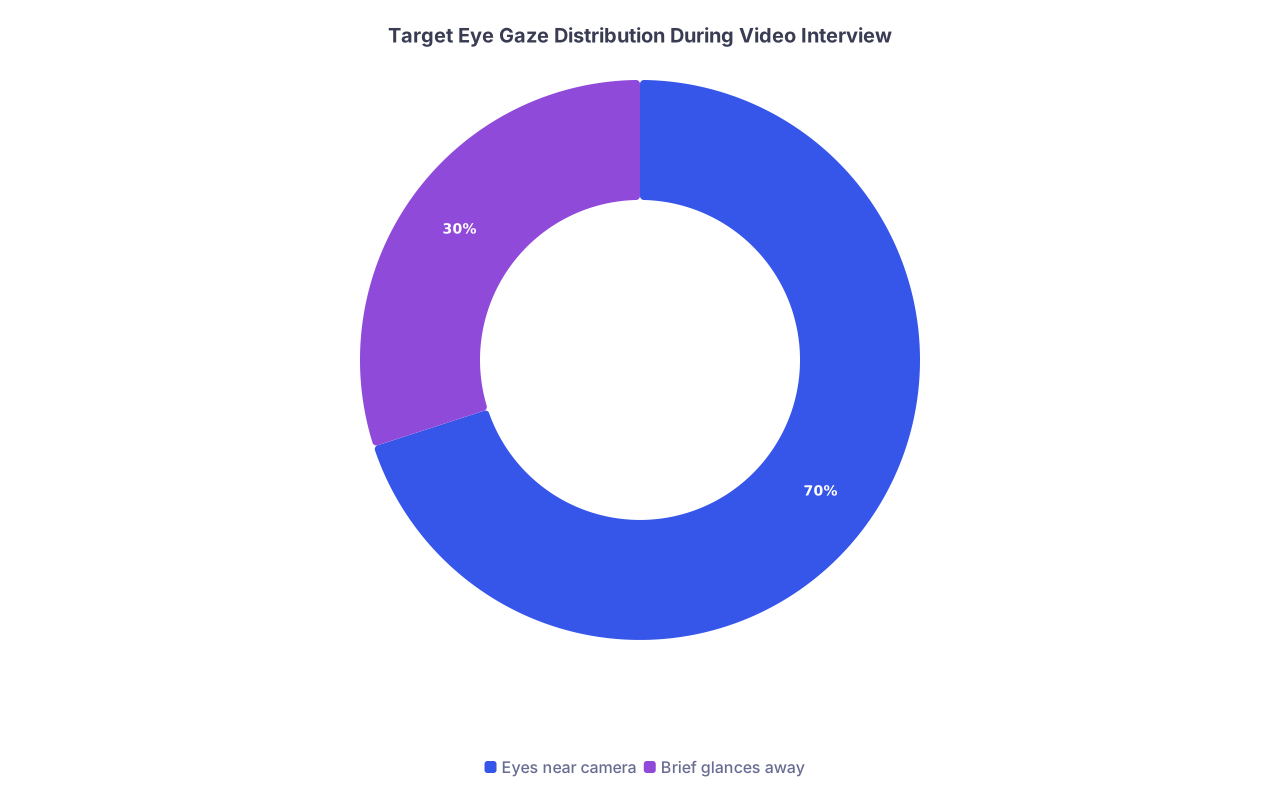
| Category | Value |
|---|---|
| Eyes near camera | 70 |
| Brief glances away | 30 |
If you try to stare at the lens 100% of the time, you will either:
- Look terrified
- Or burn out and revert to staring at your own box
The goal is: when you are speaking something important or finishing a key sentence, your eyes come back to the camera. That is the “connection moment” the interviewer feels.
Memorize this rule:
Key phrases = camera.
Thinking or listening = quick, relaxed glances away are fine.
Step 3: Foundational Drill – The 5-Minute “Camera Anchor” Exercise
You are going to train your eyes to treat the camera like a person. This is your base drill. Do it daily for a week.
Setup
- Open your video app (Zoom, PhotoBooth, QuickTime, or your platform of choice).
- Turn on video and record yourself.
- Hide or cover self‑view.
- Make sure the camera is at eye level and the window is near the camera.
Drill A: Static anchor (2 minutes)
- Hit record.
- Look directly at the camera lens. Not the black frame. The lens.
- Read out loud from anything: a textbook, your personal statement, a news article.
- Your only job: keep your eyes anchored to the camera while reading.
Watch the replay for 30–60 seconds:
- Do your eyes flicker down?
- Do you look cross-eyed or strained?
You are building comfort staring at the lens for extended periods. It will feel unnatural. That is normal.
Drill B: Anchor with controlled breaks (3 minutes)
Now you add purposeful glances away.
- Pick 3–4 short interview questions, for example:
- “Tell me about yourself.”
- “Why this specialty?”
- “Describe a challenging patient encounter.”
- Start recording.
- For each question:
- Look at the camera when you begin your answer.
- Speak 1–2 sentences staring at the lens.
- Intentionally glance down/away for 1–2 seconds as if thinking.
- Come back to the camera for your next key phrase or sentence.
You are installing a rhythm: camera – think – camera – speak – camera.
Do this daily for 5 minutes. No excuses. This is like scales on a piano. Boring but essential.
Step 4: Structured Weekly Progression – 3-Week Plan
Here is a simple 3-week progression I have used with applicants who started with terrible video presence and ended up looking composed and direct.
| Week | Focus | Daily Time |
|---|---|---|
| 1 | Camera anchor + awareness | 10–15 min |
| 2 | Applied drills with real questions | 15–20 min |
| 3 | Full mock interviews + refinement | 20–30 min |
Week 1: Awareness and Mechanics
Goal: Stop fighting the camera. Start feeling what solid eye contact feels like.
Daily (10–15 minutes):
5 minutes – Camera anchor drills
- Static + controlled breaks (from Step 3).
5 minutes – “Look and land” drill
- Put three sticky notes around your screen:
- One directly above the camera
- One left of the camera
- One right of the camera
- Start recording.
- Move your eyes deliberately: left note → camera → right note → camera → top note → camera.
- Hold the camera “land” for 2–3 seconds each time.
- Do 3–4 cycles.
This trains your eyes to return to the lens as “home base.”
- Put three sticky notes around your screen:
Optional 3–5 minutes – Playback review
- Watch 1–2 clips from that day.
- Mute the audio.
- Only observe your eyes:
- How often do they drift?
- Do you look nervous or thoughtful when you look away?
- Do you come back to the camera at natural points?
Do not obsess over content this week. Your only job: own the physical act of looking at the lens.
Week 2: Eye Contact While Answering Real Questions
Now you attach good eye contact to actual interview behavior.
Daily (15–20 minutes):
3 minutes – Quick warmup
- 1–2 minutes static anchor.
- 1 minute look-and-land drill.
10–12 minutes – Question blocks
Create a list of 8–10 common residency questions. For example:
- “Tell me about yourself.”
- “Why our program?”
- “Why this specialty?”
- “Tell me about a time you handled a conflict on the team.”
- “What’s your biggest weakness?”
- “Describe a mistake you made and what you learned.”
Break them into blocks of 3–4 questions per day.
Protocol:
- Start recording.
- Answer each question for 60–90 seconds.
- During each answer:
- Start by looking at the camera.
- Talk to the lens like it is the PD.
- When you need to think, briefly glance down or to the side, then come back.
- Finish your last 1–2 sentences looking at the camera.
After each block, watch ONE answer. Not all. You do not have time to overanalyze. On that one answer, rate yourself on a 1–5 scale:
| Score | Description |
|---|---|
| 1 | Constantly looking away, rarely at camera |
| 2 | Mostly away, occasional brief camera looks |
| 3 | Mixed; decent but inconsistent |
| 4 | Good; mostly near camera with natural breaks |
| 5 | Strong; confident, natural, and steady |
Aim for consistent 4’s by the end of week 2.
- 2–3 minutes – “Last sentence lock-in” drill
You want the end of your answers to land at the camera. That is what sticks.
Drill:
- Pick 3 questions.
- For each, answer briefly (30–45 seconds).
- No matter what happens mid‑answer, your last sentence must be delivered directly to the lens.
- Pause for half a second still looking at the lens after you finish.
You are teaching your brain: I always come “home” to the camera before I stop talking.
Week 3: Mock Interviews and Fine-Tuning
By week 3, you are transitioning from drilling mechanics to applying it under “stress.”
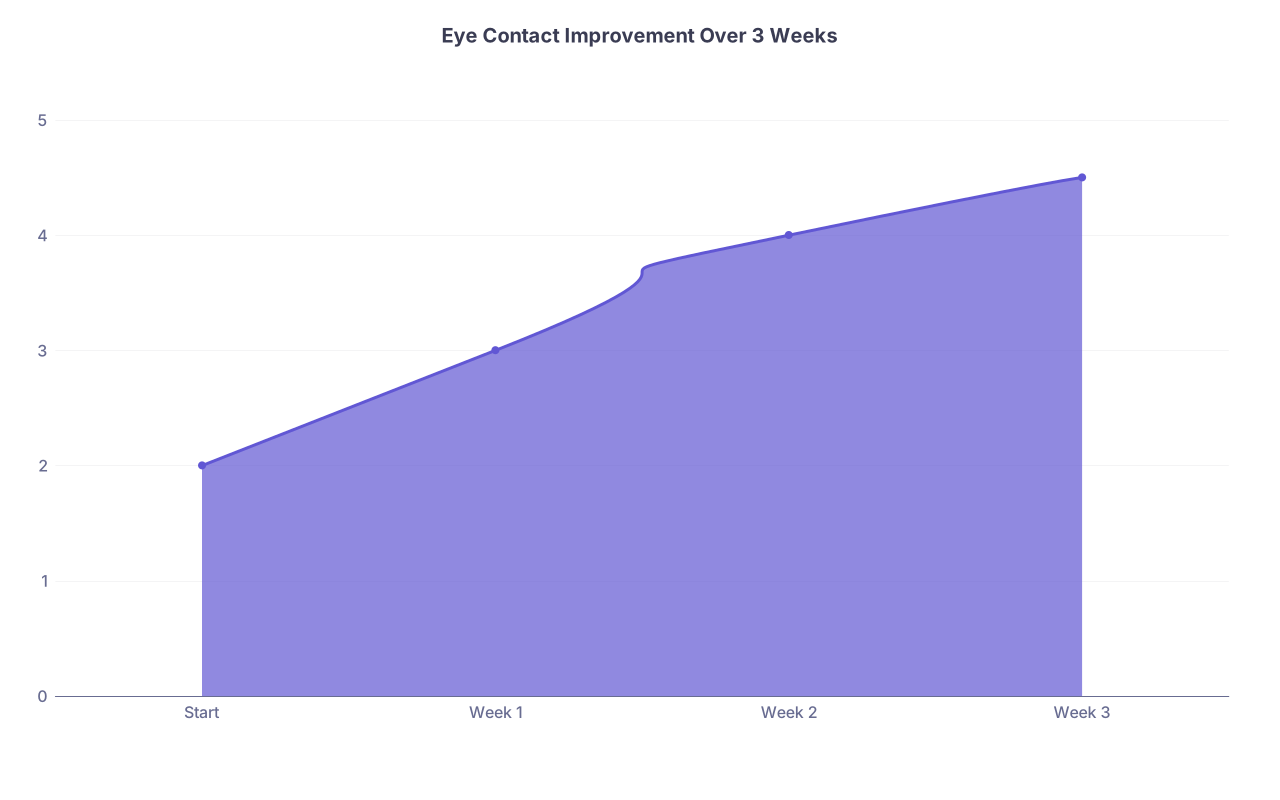
| Category | Value |
|---|---|
| Start | 2 |
| Week 1 | 3 |
| Week 2 | 4 |
| Week 3 | 4.5 |
Daily (20–30 minutes):
5 minutes – Warmup
- Quick anchor drill (2 minutes).
- Last sentence lock-in (3 minutes).
10–15 minutes – Solo mock interview
Create a randomization system:
- Write 15–20 questions on slips of paper in a bowl, or
- Use an online random question generator for residency interviews.
Protocol:
- Start a 15‑minute recording.
- “Draw” a question. Read it.
- Look at the camera. Answer in 60–90 seconds.
- Move to the next question. Do not pause the recording.
- Do not stop and restart if you stumble. Keep going like a real interview.
Afterward, watch 5 minutes of the video at 1.5x speed, muted.
Focus ONLY on:
- Are your eyes near the lens during key points?
- Do you look away to think, then return to the camera?
- Are you staring too intensely? (You should look engaged, not like you’re defusing a bomb.)
You will see patterns fast. Fix them the next day.
- 1–2 full mocks with another human (by end of week 3)
At least twice in week 3, do:
- A 20–30 minute mock interview with:
- A co‑applicant
- A friend
- A resident you know
- Use Zoom or the actual platform.
- Ask them for only two things to evaluate:
- Did I seem engaged and present on video?
- Did my eye contact ever feel distracting (too little, too much, weirdly off)?
Record the session (with their permission). Watch 5–10 minutes afterward.
This is where you move from “I feel weird” to “I look convincing.”
Step 5: Fix Specific Eye Contact Problems You Probably Have
Not all “poor eye contact” is the same. Here is how to diagnose and treat your specific problem.
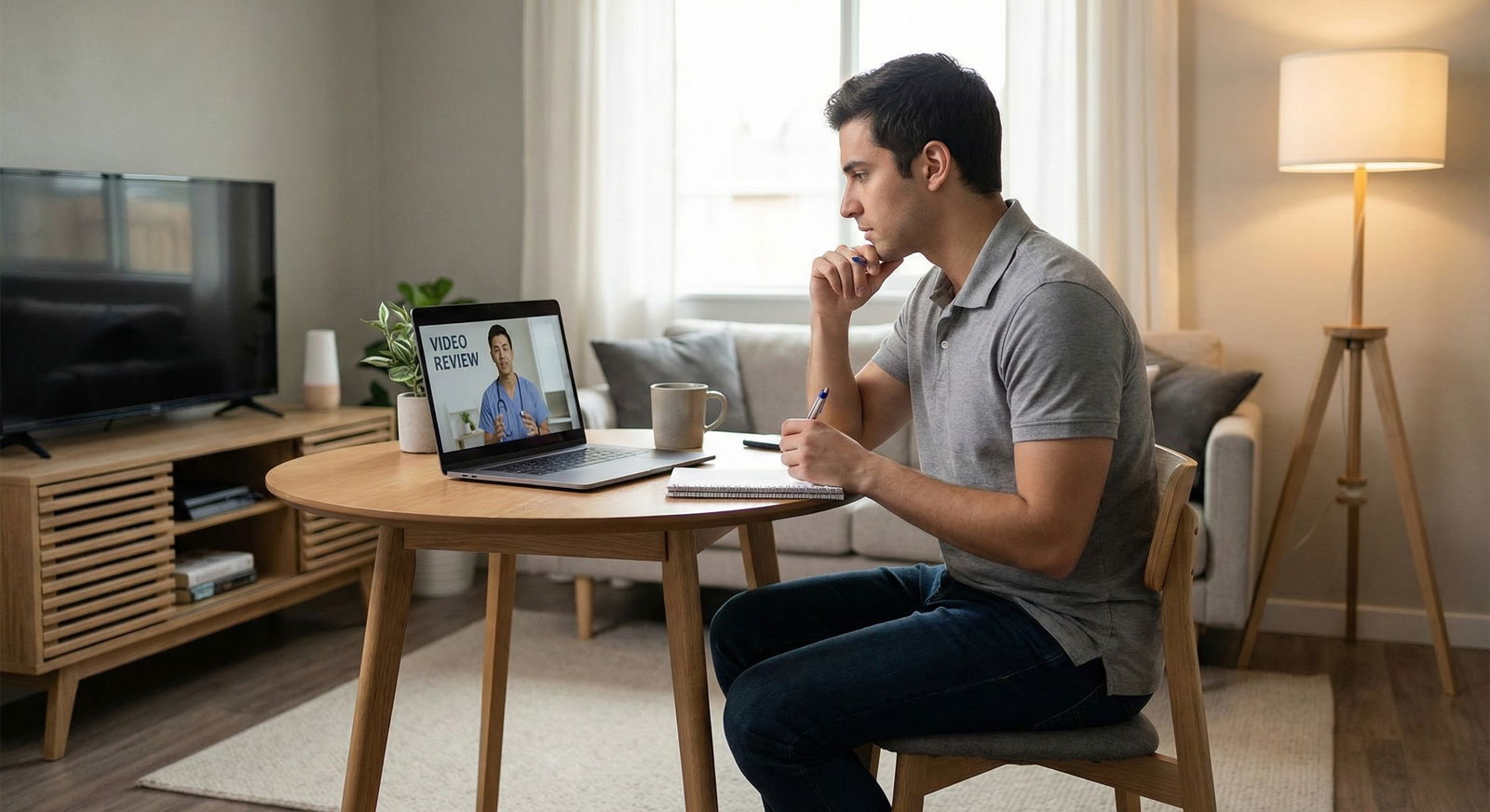
Problem 1: You keep staring at yourself
Symptom: Your gaze is always slightly down and to one side. You know you are doing it. You hate that you are doing it. You do it anyway.
Fix:
- Turn off self‑view everywhere. If you cannot, physically cover it.
- Put a small, bright sticker or colored dot right next to the webcam.
- For one full week, only do drills with self‑view hidden. No exceptions.
- Ask a friend to do a 10‑minute video call with you and position their face directly under the camera.
- Your only rule: never look at yourself.
- Have them call you out if your gaze drifts.
You need to break the habit loop: see self → check self → lose connection.
Problem 2: You look like you’re staring into space
Symptom: You are technically looking “near” the camera, but your eyes look unfocused or slightly off to the side. It reads as spaced out or checked out.
Fix:
- Aim AT the lens, not just near the top of the screen.
- Imagine there’s a tiny person standing directly behind the lens.
Literally picture the PD’s face there. - Use this micro‑drill:
- Start recording.
- Say out loud, “I am talking to you” while looking at the camera.
- Repeat with different phrases:
- “Dr. Smith, thank you for that question.”
- “I appreciate the opportunity to interview with you.”
- Rewatch and see if your eyes look directed and focused.
Problem 3: You blink rapidly or look nervous when you look at the lens
Symptom: You try to look into the camera, but as soon as you do, your eyes start blinking excessively or you flick away quickly.
Fix:
- Practice silent gazes:
- Record yourself.
- Look directly at the lens for 5 seconds in silence.
- Relax your facial muscles.
- Breathe normally.
- Repeat 5–10 times.
- Then do this:
- Look at the lens and say one simple sentence, e.g.,
“I am excited about the possibility of joining your program.” - Stop. Breathe.
- Repeat with different short sentences.
- Look at the lens and say one simple sentence, e.g.,
You are training comfort with being “seen” without panicking.
Problem 4: You swing between staring and darting around
Symptom: Your eyes are fine for a few seconds, then you suddenly scan the room or look down long enough that it feels like you have checked out.
Fix:
- Use a counting rhythm while practicing:
- In your head:
- Camera for 3–4 seconds → brief glance away for 1–2 seconds → back to camera.
- In your head:
- Record a 2‑minute answer using this pattern.
- Watch it back and see if the eye movement now looks natural rather than chaotic.
Once the rhythm becomes automatic, you can drop the counting. But you need a structure first.
Step 6: Integrate Eye Contact With Listening, Not Just Speaking
Most people only think about eye contact when they are talking. But interviewers are watching you while they speak too.
Drill: 5-Minute “Active Listener” exercise
- Pull up any video of someone talking:
- A YouTube lecture
- A residency program overview
- A MedEd talk
- Put the video full screen, directly under your camera.
- Turn on your webcam and record yourself watching for 3–5 minutes.
- Your job:
- Look mostly at the camera, not directly at the video image.
- Nod occasionally, small.
- Smile briefly when appropriate.
- Allow brief glances down or to the side, then come back.
Watch the recording with sound off. Ask:
- Do I look like I am actually listening?
- Would I want to talk to this person?
If you look bored or zoned out, fix it now. It is very noticeable to PDs and faculty.
Step 7: Put It All Together for Real Interview Day
You have done the drills. Do not sabotage them with sloppy day‑of behavior.

| Step | Description |
|---|---|
| Step 1 | 30-45 min before |
| Step 2 | Set up camera & lighting |
| Step 3 | Hide self-view & clear screen |
| Step 4 | 5-min warmup drill |
| Step 5 | Join 5-10 min early |
| Step 6 | Camera during greeting |
| Step 7 | Use key-phrase = camera rule |
| Step 8 | Post-interview self-review |
30–45 minutes before the interview
Set up your space
- Camera at eye level.
- Program’s video window top‑center near the camera.
- Self‑view hidden or covered.
- Good lighting (window in front of you or soft lamp; never directly behind you).
Do a 5-minute warmup
- 2 minutes: static anchor reading out loud.
- 3 minutes: answer one practice question and ensure your eyes finish on the lens.
You are not practicing content now. You are reminding your nervous system: the lens is my person.
During the interview
Use these simple rules:
- First 5 seconds when you enter: look directly at the camera and greet them by name if known.
- When answering:
- Start each answer looking at the camera.
- Deliver your main points toward the camera.
- Let your eyes drift briefly when thinking, but always come back for the key lines.
- When they speak:
- Keep your gaze mostly near the camera.
- Small, natural nods.
- Brief glances down are fine, but do not read long stretches of notes.
After the interview
As soon as you are done with the day:
- Do a quick 2–3 minute self‑check:
- Were there times you felt your eyes pulling toward your own image?
- Did you feel weird staring at the lens?
- If you have more interviews coming, do a 5-minute practice call that night or the next day to correct what went wrong.
Step 8: Use Tools and Tech Smartly (But Do Not Hide Behind Them)
Some people try to hack eye contact with tech tricks. Most of them are gimmicks. Use tech to support your skills, not replace them.
Simple helpful tools
Sticky note targets
- Place a small note with a dot or arrow pointing at the camera. This becomes your visual anchor.
External webcam
- If you use a second monitor, mount a cheap external webcam on top of the monitor you are actually looking at.
- Do not talk to one screen while the camera is on another.
Recording app
- Use Zoom’s record feature or any simple camera app.
- Save a few clips and review them 1–2 days later, not immediately, so you see yourself more objectively.
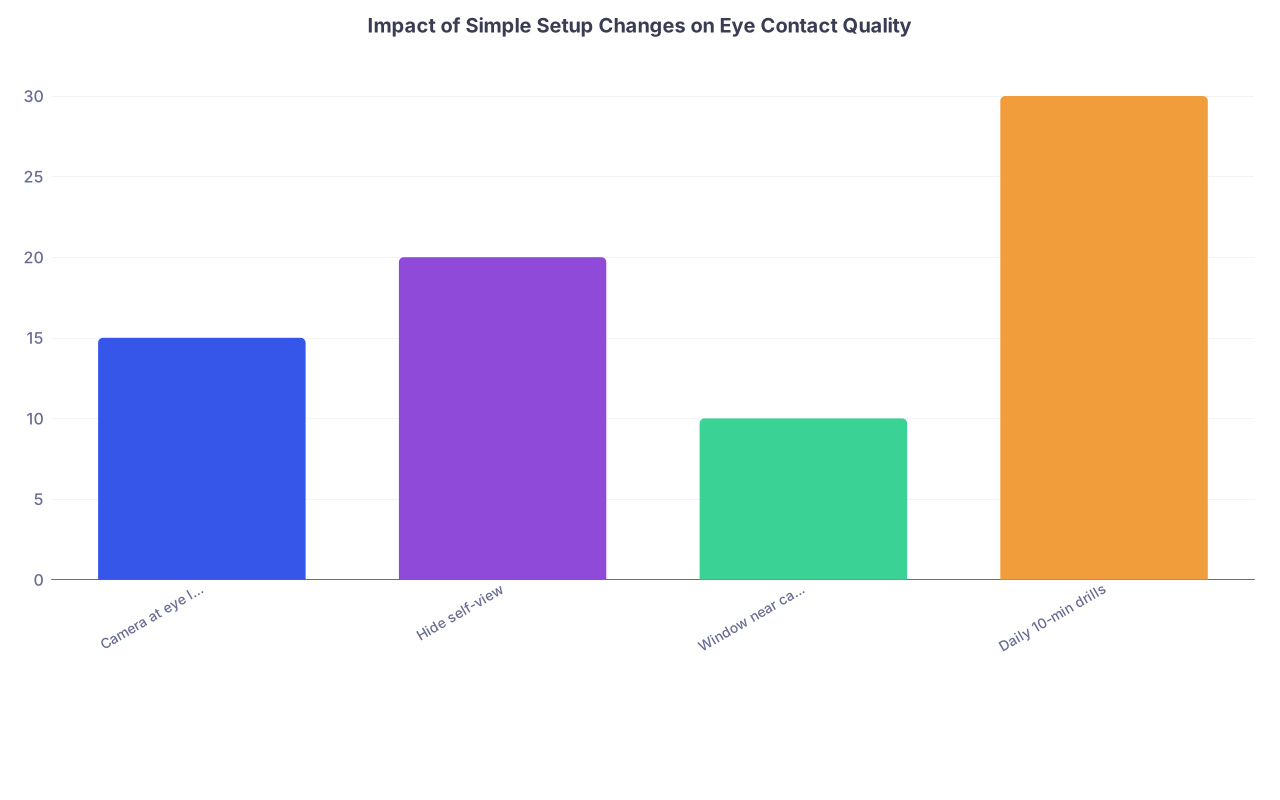
| Category | Value |
|---|---|
| Camera at eye level | 15 |
| Hide self-view | 20 |
| Window near camera | 10 |
| Daily 10-min drills | 30 |
Interpretation: each change gives a noticeable bump; consistent drills give the largest gain.
Common Myths That Waste Your Time
Let me cut through a few bad ideas I hear from applicants.
“If I just relax, it will look natural.”
No. Video is unnatural. Your instincts push you to look at the moving faces on the screen and at yourself. “Just relax” is how you end up staring down and to the side the whole time. You need training.
“Programs do not care about this stuff; they care about my CV.”
They absolutely care about how you come across on video. I have sat in meetings where people said, “Great scores, but he seemed disengaged on Zoom,” or “She looked nervous and kept looking away.” They may not use the words “eye contact,” but they feel it.
“If I stare at the camera the whole time, that’s ideal.”
No. That is how you look intense, robotic, or a bit unsettling. You want a human pattern: mostly to the “eyes” of the other person, with natural brief breaks.
Your Next Step Today
Do not bookmark this and pretend that reading about eye contact improved your eye contact.
Right now:
- Open Zoom (or any camera app) on your laptop.
- Raise the laptop on books so the camera is at eye level.
- Hide or cover your self‑view.
- Hit record and do the 5-minute anchor drills:
- 2 minutes reading while looking directly at the lens.
- 3 minutes answering “Tell me about yourself” and “Why this specialty?” while using the camera–think–camera rhythm.
Then watch 60 seconds of that recording on mute and look only at your eyes.
You will know exactly where you stand. And from there, with 10–20 minutes a day for a few weeks, you can fix it before your next residency interview.



