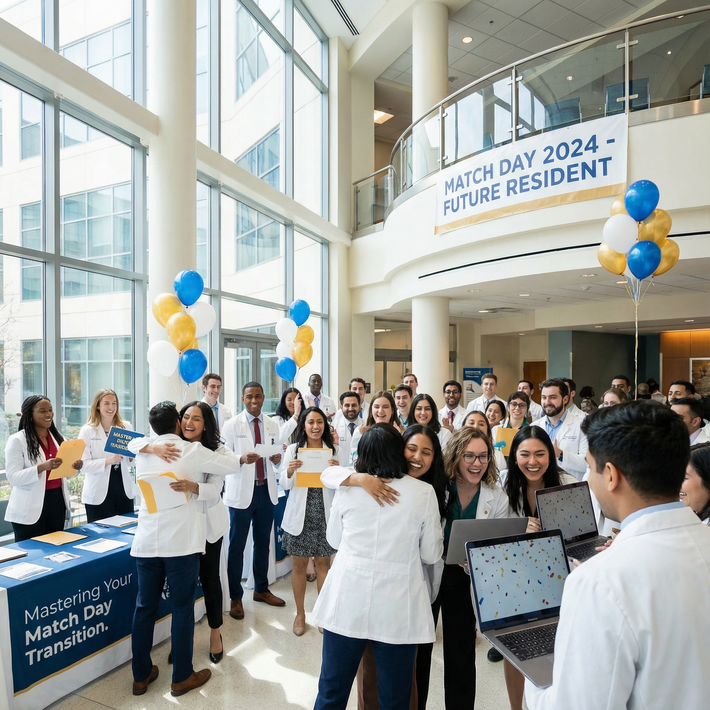
You matched. You exhaled. Then an email lands in your inbox asking for "additional screening," "occupational health clearance," or "urgent onboarding documents."
That email is usually not a disaster. It's paperwork wearing a scary costume.
I've seen this over and over: a new intern gets a message after Match Day, assumes something is wrong with the match, spirals for six hours, and then finds out the program wanted a TB result, a drug screen, or an updated vaccine form like they asked from everyone else. Annoying? Yes. Rarely a sign of doom? Also yes.
Your job is simple: don't catastrophize, and don't sit on it. Treat it like a routine but time-sensitive onboarding task until someone gives you a real reason to think otherwise.
What a Post-Match Screening Request Usually Means
Most post-Match screening requests are administrative. Boring, necessary, and badly timed. That's the truth.
Programs have to clear incoming residents through employee health, HR, credentialing, compliance, and sometimes a hospital system that moves at the speed of wet cement. So after Match Day, they often start sending requests for things like:
- updated immunization records
- TB testing or symptom screening
- drug testing
- background check authorization
- occupational health forms
- physical exam documentation
- flu or COVID records if required by the institution
- portal-based onboarding tasks
None of that automatically means your position is at risk. In fact, the most common explanation is the least dramatic one: they're processing the entire incoming class, and you got the same email everyone else got.
That's the mindset I want you to keep. Don't assume you're being singled out just because the wording sounds stiff or official. HR emails are famous for sounding vaguely threatening even when they're routine. "Immediate action required" often just means someone built a template and never learned how to sound human.
Still, don't be casual about it. Routine doesn't mean optional. If a program needs a urine drug screen before credentialing, or proof of immunity before orientation, missing the deadline can create a real mess. Not usually a match problem. But definitely an onboarding problem.
So here's the right posture: calm, fast, organized. Not defensive. Not dramatic. Not passive.
Step 1: Read the Request Carefully and Identify the Deadline
First move: read every line. Then read it again.
Don't skim and guess. That's how people miss the one sentence that says "must be completed within 72 hours" or "results must be sent through the employee health portal, not by email."
You need to identify four things immediately:
What exactly is being requested? Is it a drug screen? A background check consent form? Titers? An N95 fit test questionnaire? "Additional screening" is vague. The instructions usually aren't.
When is it due? Look for hard deadlines and soft deadlines. "Before orientation" is different from "within 5 business days."
How do you complete it? Some programs want you to use a specific lab. Others send a portal link. Others need PDFs uploaded by hand. Don't improvise.
What happens next? Are you waiting for an appointment? Uploading records yourself? Expecting employee health to confirm receipt?
If the email mentions orientation, credentialing, badge access, payroll, or your start date, take it seriously right away. That's not the email to answer "later tonight" and then forget for three days.
A simple method works best:
- save the email in a dedicated folder
- star or flag it
- take screenshots if there's a portal message
- make a checklist with each required item
- write down the due date next to each item
If the language sounds urgent, believe it. Don't wait for a reminder. Coordinators hate sending reminders, and you do not want to become memorable for the wrong reason.
Step 2: Gather Your Documents Before You Reply
Before you fire off an email saying, "I'm working on it," get your documents together. Otherwise you'll end up sending five piecemeal messages and looking disorganized.
The usual stack includes:
- immunization history
- MMR, varicella, hepatitis B records or titers
- TB skin test or Quantiferon results
- COVID or flu documentation, if the institution requires it
- prior physical exam or health clearance forms
- government-issued ID
- any school health forms from medical school or prior training
This is where delays often start. Not because the program is unreasonable, but because your records are scattered across three clinics, an old student health portal, and a PDF with a filename like scan_4837_final_FINAL2.pdf. Very normal. Very fixable.
Start pulling records from:
- your medical school student health office
- prior employers
- occupational health departments
- your primary care office
- old patient portals
- pharmacies, if vaccines were given there
Check every document before you submit it. Seriously. Make sure:
- your name matches your current legal name
- dates are visible
- the scan isn't blurry
- the result is complete, not cropped in half
- multi-page PDFs actually contain all pages
One clean master folder will save you a ton of grief. Make one on your computer and one in cloud storage. Label it something obvious like Residency Onboarding 2026. Inside, use subfolders: immunizations, TB, ID, forms, drug screen, background check. Boring system. Great system.

Step 3: Schedule Any Required Testing Fast
Here's where people make the dumb mistake: they wait.
They think, "I'll book it after I move," or "I'll see if a closer site opens up," or "I'm sure next week is fine." Then the nearest approved lab has no appointments, the occupational health office is booked out, and now they're emailing the coordinator with a preventable problem.
If testing is required, schedule it immediately. Earliest slot wins. Convenience is not the priority here.
That applies to:
- drug screens
- TB testing
- titers
- employee health visits
- respirator clearance or occupational health assessments
Read the instructions before scheduling because some tests come with catches. A few examples:
- some drug screens have strict completion windows
- some labs require a specific authorization form
- some blood tests may need a particular panel, not a generic order
- TB skin tests require return timing for reading
- some appointments need fasting, though many don't
Don't guess. Guessing creates repeat visits, and repeat visits waste days you may not have.
Once you book the appointment, save everything:
- appointment confirmations
- receipts
- lab order numbers
- screenshots
- result PDFs
- any portal messages showing completion
If you're traveling, moving, or between leases, this step matters even more. I've seen applicants try to "wait until they settle in" after Match. Bad idea. Handle it before moving chaos swallows your brain.
And if no appointments are available before the deadline? Don't hide that. Book the earliest one you can get and notify the program right away with specifics.
Step 4: Respond Professionally and Ask Clarifying Questions If Needed
You do not need a long emotional email. You need a clear one.
The right tone is brief, polite, and competent. Not defensive. Not panicked. Not weirdly overexplaining your life story.
Good questions are practical:
- Which test is required?
- Is there an approved site list?
- Should I upload results to the portal or email them?
- If records are delayed from my school or clinic, who should I notify?
- Is the deadline based on appointment date or result submission date?
Bad email behavior:
- accusing the program of targeting you
- oversharing medical details no one asked for
- sending three separate emails because you didn't read the first one
- replying with frustration because the request came "so suddenly"
Remember what this is: onboarding. People are already forming impressions. Fair or not, professionalism counts here.
Use the existing email thread if there is one so the message stays traceable. Keep the subject line intact unless they tell you otherwise. HR inboxes are chaotic enough already.
A simple template works:
Hi [Coordinator Name], Thank you for the message. I'm reviewing the screening requirements now and will complete them as soon as possible. I have one clarification: should the completed results be uploaded through the employee health portal, or sent directly by email? Best, [Your Name]
That's enough. Clean. Adult. Easy to answer.

Step 5: If You're Missing Records, Don't Freeze, Escalate Early
Sometimes the issue isn't you. It's the records.
Your med school employee health office may take days to respond. Your old clinic may have archived vaccine records. Your Quantiferon result might be sitting in a portal you can't access anymore. This is common. Don't treat it like a personal failure.
What matters is what you do next.
If you're missing documents:
- request them the same day
- call, don't just message through a portal
- ask for expedited release if there's a deadline
- document who you spoke with and when
- tell the residency program early if a third party is causing the delay
The worst move is silence. Coordinators can work with "I requested the records today from Student Health, and they told me they'll send them by Thursday." They can't work with disappearing acts.
If a record truly can't be found, ask what substitute is acceptable. Many programs will tell you to repeat a titer, redo TB testing, or complete a new occupational health form. That's inconvenient, but it's manageable. What's not manageable is waiting until the deadline passes and then acting surprised.
Step 6: Confirm Submission and Don't Assume the System Worked
You uploaded the PDF. Great. That does not mean the task is complete.
Portals fail. Attachments corrupt. Employee health departments miss things. Welcome to healthcare administration.
After you submit, confirm that it was received if the system doesn't generate a clear acknowledgment. You don't need to pester people every 45 minutes, but you do need closure.
A good process:
- save proof of submission
- note the date and time
- watch for an auto-confirmation
- if you hear nothing, follow up in a reasonable window
- ask specifically whether anything else is needed
A short follow-up is fine:
Hi [Name], I submitted my immunization records and TB documentation through the portal on [date]. I wanted to confirm they were received and ask whether any additional items are still needed from me. Best, [Your Name]
That message is professional and useful. It moves the process forward. Don't assume "no news" means success.
Step 7: If the Request Seems Unusual, Clarify, But Stay Calm
Most requests are routine. Some are messy. Occasionally an email is vague enough to make anyone uneasy.
If the request sounds broader than standard onboarding, for example, it references a background check issue, a credentialing concern, or an unspecified "problem", don't panic, but do clarify promptly.
Here's the rule: ask direct, limited questions.
Try:
- "Can you clarify which specific item requires follow-up?"
- "Is this a standard onboarding requirement for all incoming residents?"
- "Is there any documentation needed from me beyond the items listed?"
What you should not do is jump straight to, "Is my match in jeopardy?" unless someone has clearly suggested that. Nine times out of ten, the answer is no, and now you've escalated your own anxiety into the email thread.
If something truly serious is going on, the program will usually tell you what category of issue they need addressed. Until then, stick to facts, complete what's requested, and keep a paper trail.
The Bottom Line
A post-Match screening request is usually exactly what it looks like: onboarding. Not a secret sign that your Match is falling apart.
The right response is boring and effective:
- read the request carefully
- identify the deadline
- gather your records
- schedule testing immediately
- ask only the necessary questions
- submit clean documentation
- confirm receipt
That's it. Fast, calm, organized.
If you handle it that way, most of these situations get resolved with a couple forms, one appointment, and a short email. Annoying? Absolutely. Catastrophic? Usually not. The people who get into trouble aren't the ones who got the request. They're the ones who ignored it, delayed it, or made it chaotic.
Don't be that person.