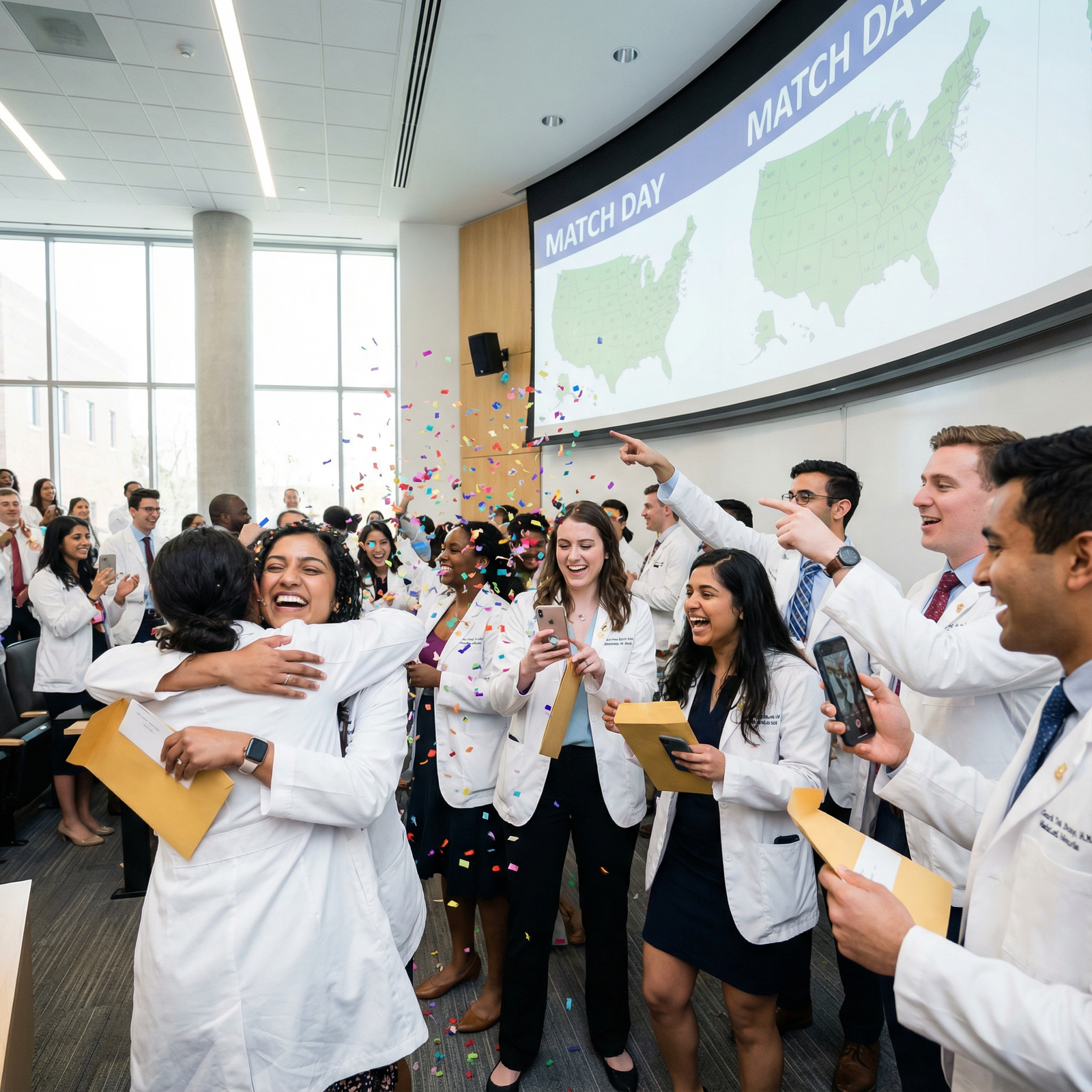
The first 72 hours after Match Day make or break your transition. People who treat it like a victory lap spend months cleaning up preventable messes. The ones who win residency logistics treat it like a 3‑day sprint of emails, forms, and calls.
You just matched. Celebrate. Then, very quickly, you need a plan.
Below is a strict, time‑stamped guide: hour‑by‑hour on Day 0, then Day 1, Day 2, Day 3. At each point: what to send, who to call, what to file, and what absolutely cannot wait.
Overview: Your First 72 Hours At a Glance
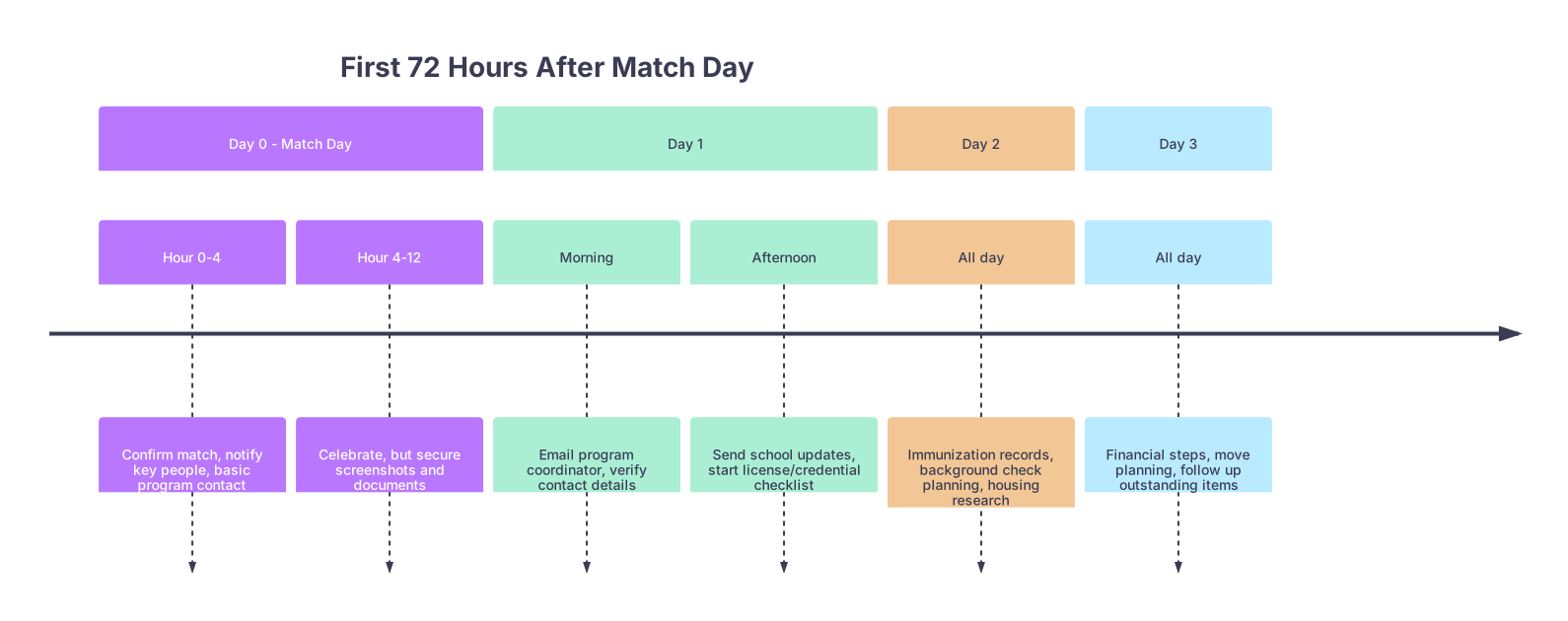
| Period | Event |
|---|---|
| Day 0 - Match Day - Hour 0-4 | Confirm match, notify key people, basic program contact |
| Day 0 - Match Day - Hour 4-12 | Celebrate, but secure screenshots and documents |
| Day 1 - Morning | Email program coordinator, verify contact details |
| Day 1 - Afternoon | Send school updates, start license/credential checklist |
| Day 2 - All day | Immunization records, background check planning, housing research |
| Day 3 - All day | Financial steps, move planning, follow up outstanding items |
Think of it as three parallel tracks you’re starting:
- Track 1: Communication (emails, calls, contact updates)
- Track 2: Compliance (forms, credentialing, background checks, licenses)
- Track 3: Logistics (housing, money, moving, insurance)
You don’t need to finish everything in 72 hours. You do need to trigger the right processes so nothing is delayed later.
Match Day (Day 0): The First 12 Hours
At this point you should focus on: confirming your match, securing documentation, and not screwing up first impressions.
Hour 0–2: Right After You See “Congratulations”
- Verify and document your match
At this point you should:
- Log into NRMP and your email and screenshot:
- Match result page
- NRMP confirmation email
- Save as PDF in a dedicated folder:
- Folder name:
Residency_2025_[YourName] - Subfolders:
/Match/,/Program_Emails/,/Licensing/,/Health/
- Folder name:
Programs, licensing boards, and HR will ask for this stuff when you’re least prepared. Have it ready.
- Check your program’s instructions immediately
Open the email from your matched program. Many send it within minutes of the official match time.
At this point you should:
- Look for:
- Instructions about how they want to be contacted (reply vs separate email, phone)
- Any time‑sensitive forms or links
- Who your main contact is (often the program coordinator)
- Flag that email “Important” and move it to
/Program_Emails/.
If you see language like “Please complete within 48–72 hours,” that’s not a suggestion.
- Send a short, professional match‑day acknowledgment
Yes, even if they didn’t ask. No, not a novel.
Subject line options:
- “Thank you – Incoming PGY‑1 [Specialty], [Your Name]”
- “Excited to join [Program Name] – [Your Name]”
Body (keep it tight):
Dear [Dr. Program Director Last Name] and [Ms./Mr. Coordinator Last Name],
I’m thrilled to have matched into the [PGY‑1 Specialty] program at [Institution].
I look forward to joining the team on [known start date if given, otherwise “this summer”] and will promptly complete any required onboarding forms.
My best contact information is:
Phone: [xxx-xxx-xxxx]
Email: [preferred email]Thank you again for this opportunity.
Sincerely,
[Full Name], MD/DO
[Medical School]
At this point you should:
- Send this within the first 2–4 hours of match release.
- Use your professional email (not the undergrad Gmail with a joke username).
Hour 2–4: Notify Your School, Mentors, and References
After the initial adrenaline, do the respectful part.
At this point you should:
- Email your dean’s office or student affairs
Many schools track match outcomes, help with paperwork, and sometimes need your program details for graduation requirements.
Very short is fine:
Dear [Dean/Office],
I’m writing to share my 2025 Match result: I matched into [Specialty] at [Institution, City, State].
Please let me know if there are any forms or documentation you need from me related to this placement.
Best,
[Name], [Graduating Class]
- Email your letter writers and main mentors
No, they don’t want a generic blast. Two sentences personalizing it is enough.
- Tell them:
- Where you matched
- A brief thank you
- Optional: one sentence about why you’re excited
- Update your contact phone/email with NRMP and ERAS (if needed)
If you’ve been using a school email that expires soon, at this point you should:
- Log into NRMP and ERAS
- Set:
- Permanent personal email
- Stable cell phone number
Programs sometimes pull your info from these systems later. Don’t let them hit a dead address.
Hour 4–12: Celebrate… But Lock Down Your Info
Celebrate. Seriously. But before you disappear:
At this point you should:
- Write down:
- Program name, hospital system, city, state
- Program coordinator name, email, phone
- Expected start date (if mentioned)
- Create a single “Residency Info” document (Google Doc or Word) with:
- All of the above
- Your NRMP ID
- A running checklist of required items as they come in
- Check your voicemail greeting
- Make sure it’s:
- Your real name
- Understandable audio
- Not a joke message
- Make sure it’s:
You’re done for Day 0. Sleep. The real admin work starts on Day 1.
Day 1 After Match: Contact, Confirm, and Clarify
Now you stop reacting and start controlling the process.
At this point you should focus on: formal program contact, understanding requirements, and syncing with your school.
Morning (First Half of Day 1)
1. Send a more detailed email to the program coordinator
If your only contact was the quick Match Day thank‑you, now you send the “let’s get to work” email.
Subject: “Onboarding details – Incoming PGY‑1 [Specialty] [Your Name]”
Content:
Dear [Coordinator Name],
I’m very excited to be joining the [Program Name] as an incoming PGY‑1 in [Specialty].
I want to confirm that you have my current contact information:
- Phone: [xxx-xxx-xxxx]
- Email: [primary email]
- Mailing address: [full address]
At this point you should let them know:
- [If applicable] I anticipate graduating and being eligible for residency on [official graduation date].
- [Any known issues] I have completed / am completing [Step 2 CK/COMLEX Level 2] with results expected on [date].
Please let me know if there are any initial forms, background checks, or health documentation I can start now.
Best regards,
[Full Name], MD/DO
[Medical School]
Yes, you ask explicitly about forms and background checks. The programs that are organized will drop an onboarding packet on you. The ones that are disorganized will at least realize they need to get moving.
2. Confirm start date and rough onboarding timeline
Some programs put this in the first email. Many do not.
At this point you should (same email or a follow‑up reply):
- Ask:
- Expected start date (often late June or July 1)
- Dates of orientation
- Whether there’s a pre‑residency bootcamp or required online modules
- Flag these in your calendar with all‑day events.
Afternoon (Second Half of Day 1)
3. Touch base with your medical school again (for logistics)
You already told them where you matched. Now you confirm the graduation side.
At this point you should:
- Ask your school:
- Who handles verification of graduation for residency programs and state boards
- When your official transcripts and diploma will be available
- If there’s a standard form programs use that the school must complete
- Get:
- Direct name and email of the registrar or verification officer
- Any processing timelines
You’re setting up the triangle: you, residency program, medical school. Miscommunication between these three creates those stupid last‑minute “we’re missing one form” crises in June.
4. Create your “Onboarding Checklist” (master list)
Do not try to track this in your head or across 20 emails.
At this point you should start a simple table like this:
| Item | Who Requests It | Status | Deadline |
|---|---|---|---|
| Background check | Program/HR | Not started | TBD |
| Drug screen | Program/HR | Not started | TBD |
| Immunization record | Employee Health | In progress | TBD |
| State training license | State Board | Not started | TBD |
| ACLS/BLS certification | Program/You | Not started | TBD |
Every time your program sends a new requirement, add it here with:
- Link or location
- Person/office responsible
- Your last action taken
By the end of residency, you’ll have 50–60 line items. This is how you keep them straight.
Day 2 After Match: Forms, Health Records, and Background Stuff
At this point you should focus on: anything that requires other people or external systems (health records, immunizations, licenses).
Morning: Health and Immunization Documentation
Employee health is where many interns get delayed. Why? Because they wait until May to realize their Hep B titer is missing.
At this point you should:
- Gather your existing health documents
- From your school health system or EMR:
- TB screening (PPD/Quantiferon)
- Hep B series and titers
- MMR, Varicella, Tdap
- COVID vaccines and boosters (if required)
- Flu for current season (if they care about this timeline)
- Request records today
If you don’t already have PDFs:
- Submit record requests to:
- School health services
- Prior hospitals/clinics if needed
- Ask for PDF copies you can upload repeatedly. Do not rely on fax‑only formats.
- Make a single “Health Packet” PDF
Combine everything into one PDF labeled:
[LastName]_Residency_Health_Records.pdf
You’ll upload and email this same file to:
- Program employee health
- Hospital credentialing
- Sometimes state licensing

Afternoon: Background Check and Drug Screen Planning
Some programs won’t send these for a week or two. Some send them Day 0. You want to be ready either way.
At this point you should:
- Read any HR emails very carefully
Look for words like:
- “Background check”
- “Pre‑employment screening”
- “Drug testing”
- “Fingerprinting”
If there’s a link to complete now, do it within 24 hours of receiving.
- If nothing has arrived yet, ask once
In a polite email to the coordinator:
I wanted to check whether the background check and drug screen are initiated through HR directly or if there are forms I should await from you. I’d like to complete any time‑sensitive items as early as possible.
You’re signaling “I’m low‑maintenance and proactive.” Programs remember that.
- Check your legal name and SSN basics
Before any background/HR portal:
- Verify:
- SSA records match your legal name
- Your government ID (passport/driver’s license) isn’t about to expire
- Save scans of:
- Driver’s license
- Passport ID page
- Social Security card (if you have it; if not, at least know the number)
Background checks stall when names or numbers don’t match.
Day 3 After Match: Money, Housing, and Long Lead Items
Now you initiate the slow‑moving pieces: housing, financial planning, and any early licensing steps.
Morning: Financial and Loan‑Related Steps
At this point you should:
- Review your expected salary and benefits
Usually in your offer letter or program brochure.
- Note:
- PGY‑1 salary
- Health insurance details
- Parking/transportation fees
- Start a simple budget. Nothing fancy. Just reality:
- Rent range
- Loans
- Living costs
- Look at your student loans (briefly, not obsessively)
You don’t need to consolidate or refinance today. You do need to know:
- Grace period end dates
- Whether your servicer has current contact info
- If your program qualifies as nonprofit employment (for PSLF, etc.)
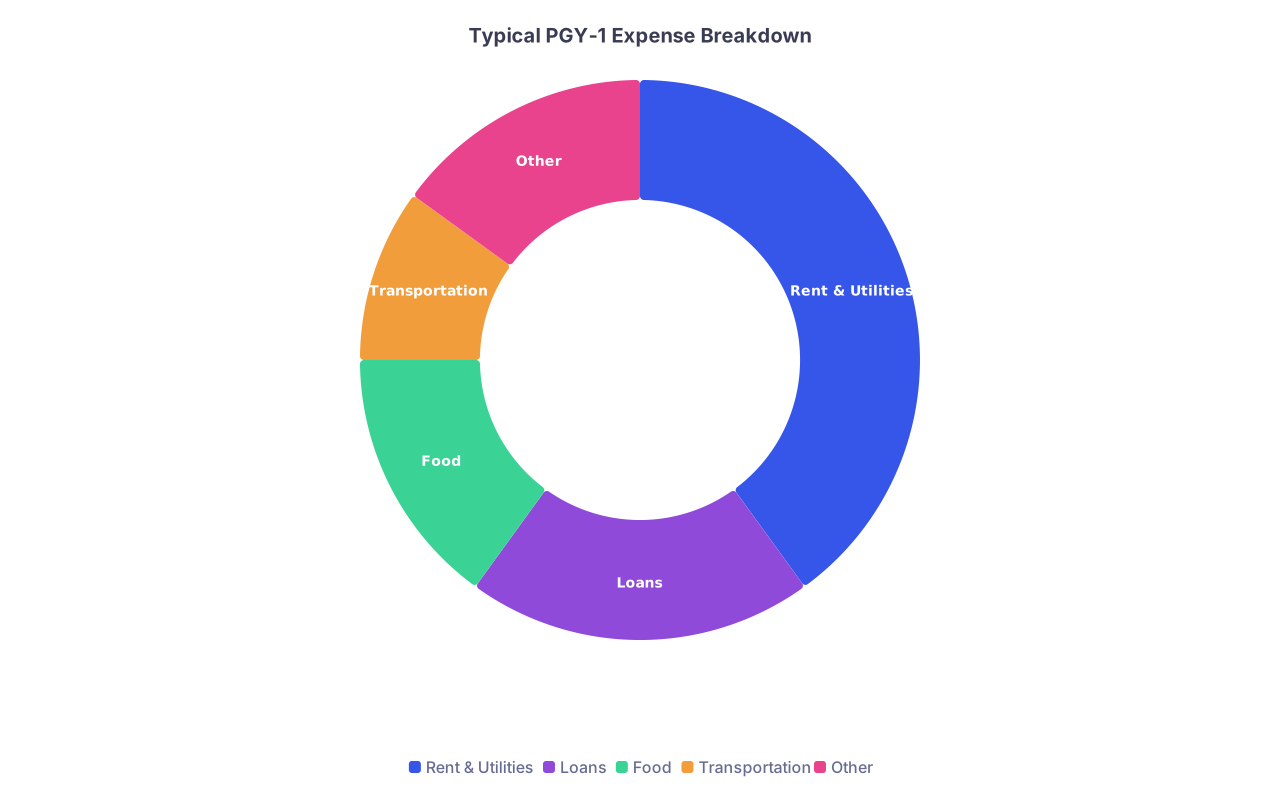
| Category | Value |
|---|---|
| Rent & Utilities | 40 |
| Loans | 20 |
| Food | 15 |
| Transportation | 10 |
| Other | 15 |
- Set up a dedicated residency email folder structure
You will drown in onboarding emails otherwise.
Suggested subfolders under Residency:
01_Program_&_PD02_HR_&_Onboarding03_Health_&_Immunizations04_Licensing_&_Credentials05_Housing_&_Relocation
Drag every existing email into the right place. Future you will be grateful in June.
Afternoon: Housing and Relocation Reality Check
No, you don’t need a lease by Day 3. But you do need to start looking with your eyes open.
At this point you should:
- Map your hospital(s)
- Identify:
- Main hospital
- Off‑site clinics you’ll rotate through
- Check:
- Public transport routes
- Parking availability and costs
- “Safe enough to walk at 3 a.m.” neighborhoods (ask current residents later)
- Start a short list of target neighborhoods and rent ranges
Use 1–2 common sites (Zillow, Apartments.com, etc.). Don’t overanalyze yet.
- Capture:
- Typical 1BR/2BR cost
- Average commute times
- Any consistent red flags (e.g., no parking, crime clusters)
- Email the program about housing advice
Single best source of reality: current residents.
To the coordinator or chief:
Do you have any recommended apartment complexes or neighborhoods where many residents live? I’d also appreciate any advice on commute and safety for early/late shifts.
Programs often have an unofficial “resident building” or two. Saves you weeks.

Parallel Track: State Training License and Certificates (Start Thinking on Days 2–3)
Some states are easy. Some are a bureaucratic nightmare. You can’t fix the state, but you can avoid self‑inflicted delays.
At this point you should:
- Check if your state requires a resident training license
- Go to your state medical board website
- Look specifically for:
- “Postgraduate training license”
- “Resident physician license”
- Look for:
- Application open dates
- Required documents (diploma, transcripts, letters from PD, etc.)
- Ask your program who initiates the license
Many programs handle this centrally. Some dump it on you.
In your email to the coordinator:
When the time comes, is the resident training license application initiated by the program or individually by each resident? I’d like to review the requirements early so I’m not delayed closer to July.
- List what you’ll eventually need
Typical items (don’t panic if you don’t have them yet):
- Official medical school transcript
- Final diploma or letter of expected graduation
- USMLE/COMLEX score reports
- Photo ID
- Passport‑style photo
- Sometimes: notarized documents
Add each item to your onboarding checklist with status “Not available yet – pending graduation.”
What NOT to Do in the First 72 Hours
Quick hits, because I’ve watched people blow this:
- Do not ignore program emails because “they’ll remind me.” They will. But HR might not.
- Do not assume your school will automatically send everything. Some do, some don’t. Confirm.
- Do not sign a lease sight unseen on Day 2 unless you absolutely must. Get intel from current residents first.
- Do not brag about your rank list publicly (e.g., “[Program] wasn’t my #1 but it’s fine”). People see that stuff.
- Do not use your expiring school email as your primary contact once you know it’s going away.
Putting It All Together: A Simple 72‑Hour Checklist
| Timeframe | Action |
|---|---|
| Day 0, Hour 0-2 | Screenshot match, save docs, read program email |
| Day 0, Hour 2-4 | Send brief thank you to PD/coordinator |
| Day 0, First Day | Notify school, mentors, update NRMP/ERAS contacts |
| Day 1 Morning | Email coordinator with full contact, ask for forms |
| Day 1 Afternoon | Sync with school about verifications, build checklist |
| Day 2 Morning | Gather health records, create single health PDF |
| Day 2 Afternoon | Watch for HR emails, plan background/drug screen |
| Day 3 Morning | Review salary/benefits, set up email folders |
| Day 3 Afternoon | Start housing research, ask residents for advice |
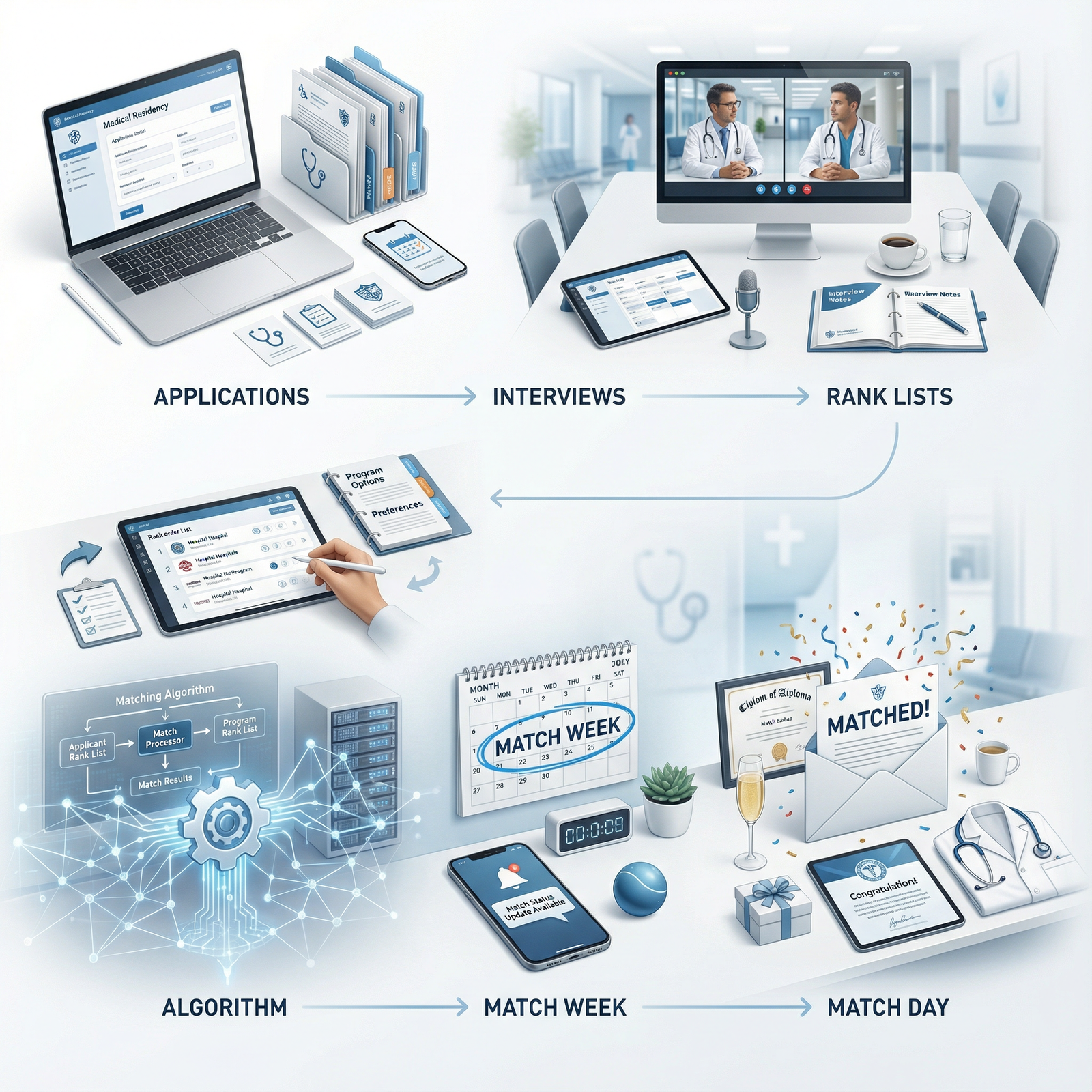
The Bottom Line
Over these first 72 hours:
- Make contact early and clearly with your program and coordinator. They should never be wondering, “Have we heard from them?”
- Build systems once—central folders, master checklist, consolidated health records—and reuse them for every request instead of scrambling each time.
- Trigger the slow processes (HR, health, state license, housing) now so that June is annoying, not catastrophic.