
Most premeds do not have a time problem. They have a system problem.
If your GPA feels fragile, the fix is not “study more.” The fix is a weekly schedule engineered to protect your GPA like a firewall—predictable, test-proof, and burnout-resistant.
This guide walks you through exactly how to build that system.
Step 1: Set the Rules Before You Touch a Calendar
You do not start with Google Calendar. You start with non‑negotiable rules that protect your GPA and sanity.
A. Define Your GPA-Protecting Priorities
Write these on paper. Not in your head.
Top Academic Goal
- Example: “Finish this semester with ≥ 3.7 GPA”
- Or: “No exam grade below 85% in orgo or physics”
Course Priority Levels Rank each class:
- Tier 1: GPA-critical and concept-heavy
- e.g., Organic Chemistry, Physics, Biochemistry, Calculus
- Tier 2: Important but less time-intensive
- e.g., Intro Psych, Sociology, Genetics
- Tier 3: Low weight or easier to buffer
- e.g., 1-credit seminars, electives
These tiers dictate how much fixed time they get each week.
- Tier 1: GPA-critical and concept-heavy
Non-Academic Priority Constraints Decide in advance:
- Work hours (e.g., 10–15 hrs/week max)
- Clinical / volunteering (e.g., 4–6 hrs/week)
- Research (e.g., 4–8 hrs/week, not 20)
- Sleep target: 7–8 hours per night (yes, this is non-negotiable if you want a stable GPA)
If everything is a priority, nothing is. Tier your classes and commitments so your schedule reflects reality: your GPA is the gatekeeper to medical school.
Step 2: Build a “Zero-Based” Week Template
You are going to design one ideal week that is repeated, not constantly improvised.
A. Start by Blocking the Non-Negotiables
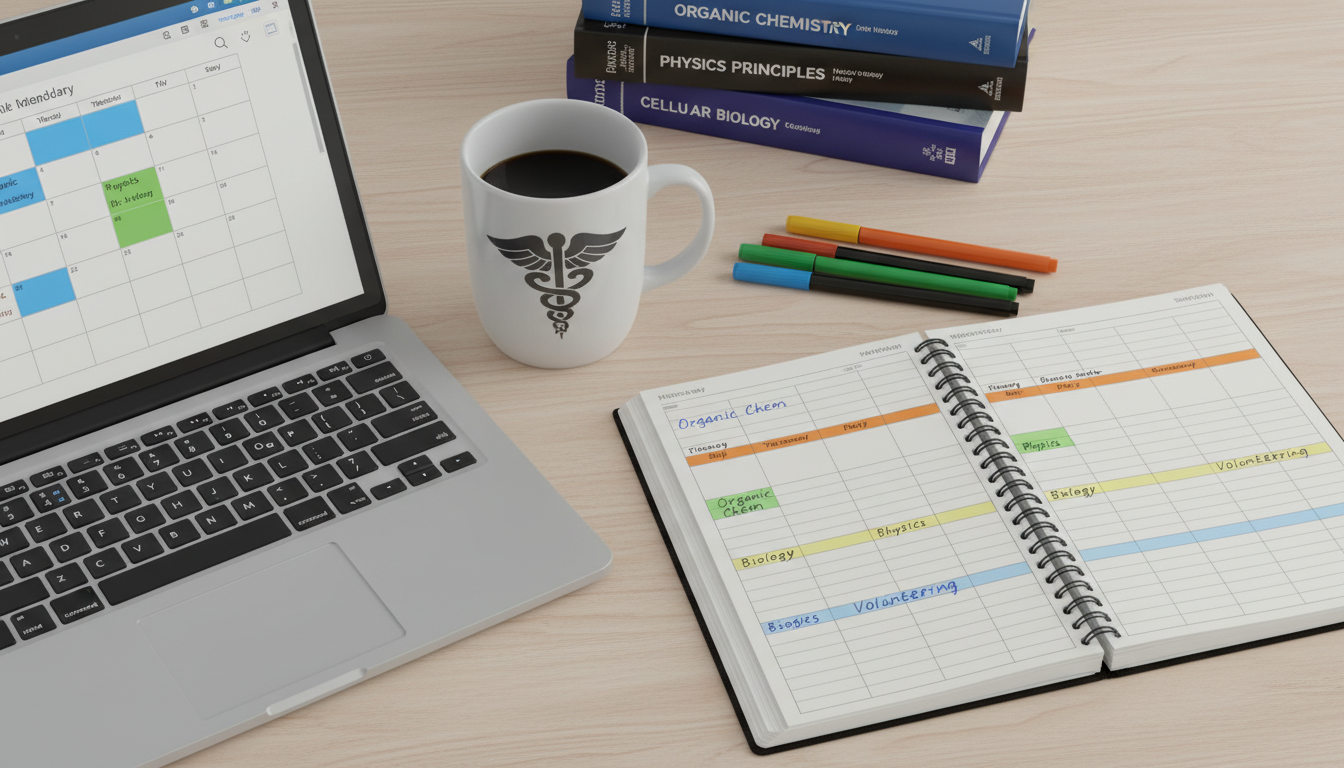
Pull up a weekly calendar (digital or paper). Now:
Sleep
- Example: 12:00 am–7:30 am every day
- Block it first. A foggy brain makes all your “study hours” low-yield.
Fixed Commitments Block:
- Class lectures
- Labs
- Work hours (if truly necessary)
- Clinical / volunteering shifts
- Research blocks
Realistic Life Blocks These matter because if you do not schedule them, they invade your study time:
- Commute time
- Meals (30–45 minutes, 2–3x/day)
- Exercise (3x/week, 30–45 minutes)
- Basic chores / admin (laundry, email, forms) — 3–4 hrs/week total
At this point, your calendar should look crowded. That is normal. Now you see what time is actually available.
B. Calculate Your True Available Study Time
Look at what is left unblocked between 8:00 am and 11:00 pm.
Example:
- Total waking hours: 16 hrs/day × 7 = 112 hrs
- Subtract:
- Class + labs: 18 hrs
- Work: 10 hrs
- Clinical / volunteering: 5 hrs
- Research: 6 hrs
- Meals + commute + life admin: 20 hrs
- Exercise: 3 hrs
- Available for study: 50 hrs/week
Now you are not guessing: you have 50 hours of usable study time.
C. Set Target Study Hours per Course
Use a simple ratio based on course intensity:
- Tier 1 (hard sciences, GPA-critical):
- 8–12 hrs/week per course outside of class
- Tier 2 (moderate):
- 4–7 hrs/week per course
- Tier 3 (lighter):
- 1–3 hrs/week per course
Example schedule load:
- Organic Chemistry (Tier 1): 10 hrs
- Physics (Tier 1): 10 hrs
- Biology (Tier 2): 6 hrs
- Psych (Tier 2): 5 hrs
- Writing seminar (Tier 3): 3 hrs
Total: 34 hrs/week → still leaves 16 extra study / buffer hours.
If your calculation exceeds your available time:
- Drop or reschedule research / work hours
- Reduce clinical/volunteering this semester
- Or reconsider taking multiple heavy sciences together
This is not theoretical. Premeds lose GPAs by pretending they have 80 hours of mental energy when they only have 45.
Step 3: Design High-Yield Study Blocks (Not Just “Time Sitting There”)
A two-hour “study block” can either:
- Raise your grade, or
- Turn into quiet procrastination
The difference is structure.
A. Use 3 Types of Study Blocks
Input Blocks – learning new content
- Reading, lectures, videos
- Examples: first pass through a new orgo chapter, attending a physiology lecture
Processing Blocks – converting content into usable notes
- Condensing, organizing, making Anki cards, mapping concepts
- Example: turning lecture slides into structured notes or questions
Output Blocks – practicing recall and problem-solving
- Practice questions, problem sets, flashcards, self-testing
- Example: 40 orgo practice problems, 60 Anki cards, 25 physics questions
Healthy ratio for hard science courses per week:
- ~20–30% Input
- ~20–30% Processing
- ~40–60% Output
Most struggling students are stuck in Input (re-watching lectures, recopying notes) and wonder why exam scores are flat.
B. Use the “Task + Volume + Proof” Rule
No study block should start without answering these three:
Task – What exactly are you doing?
- Bad: “Study bio”
- Good: “Review bio lecture 12 and make 25 Anki cards”
Volume – How much?
- Bad: “Do orgo problems”
- Good: “Complete 30 orgo SN1/SN2 questions from the problem bank”
Proof – How will you know you did it?
- Bad: “Understand Gibbs free energy”
- Good: “Answer 15 Gibbs free energy questions with ≥80% accuracy on timed practice”
Every block in your schedule should have Task + Volume + Proof written in your planner or calendar description.
Step 4: Build the Actual Weekly Schedule (Concrete Template)
Let us sketch a real example.
Assume:
- Courses: Orgo I, Physics I, Bio I, Intro Psych, Writing Seminar
- You calculated: 50 study hours/week available
A. Example Weekly Skeleton
M–F mornings (before 12 pm):
- Best for:
- Hard problem-solving (physics problem sets)
- Reviewing Anki
- “Brain-heavy” tasks
Afternoons (12–6 pm):
- Class, labs, or longer reading / note-processing blocks
Evenings (7–10 pm):
- Lighter review, spaced repetition, planning, writing assignments
B. Sample Monday
7:30–8:00 – Wake, breakfast, light review of today’s agenda
8:00–9:30 – Orgo output block
- Task: 30 practice problems (SN1/SN2/E1/E2)
- Proof: Track correct/incorrect, flag weak areas
9:30–10:00 – Break + walk
10:00–11:00 – Physics Anki + conceptual review
11:00–12:00 – Physics lecture
12:00–1:00 – Lunch
1:00–2:30 – Library: Bio processing block
- Turn today’s bio lecture into organized notes + 20 flashcards
2:30–4:00 – Work / research
4:00–5:00 – Psych reading (skim assigned chapter, convert to 10 key questions)
5:00–6:00 – Gym
6:00–7:00 – Dinner
7:00–8:30 – Orgo input block
- Learn next chapter (lecture slides + textbook examples)
8:30–9:30 – Light review / email / plan tomorrow
10:30 – Wind down, sleep by 12:00
Every course gets named blocks, not wishful thinking.
Step 5: Use a 7-Day Exam-Protection Cycle
Your schedule must predict exams. GPA collapses usually follow the pattern:
- Week 1: organized
- Week 4: 3 exams in one week, everything falls apart
You avoid this with a rolling 7-day exam cycle.
A. The Core Idea
Every exam gets built into your schedule 7 days before it happens with automatic adjustments.
When you know an exam date:
- Mark it in your calendar (e.g., Orgo Exam 2 – Thursday, Oct 24, 10:00 am)
- Count back 7 days → Oct 17
- Block off these on your calendar:
- Day -7 to -5: content consolidation + first full pass of key topics
- Day -4 to -2: heavy practice and timed sets
- Day -1: light review and error analysis
- Morning of exam: skim high-yield notes / flashcards only
B. Sample Orgo Exam Prep Week
Exam: Thursday morning
Previous Thursday (Day -7):
- 2 hrs: List all topics covered (chapters, reaction types)
- 2 hrs: Fill any remaining lecture gaps (no content “mystery areas” allowed past this point)
Day -6 to -5:
- 2–3 hrs/day:
- Build or finalize condensed “cheat sheet” or reaction summary
- Tag old practice problems by topic
Day -4 to -3:
- 3 hrs/day:
- Timed mixed problem sets (30–40 questions)
- Review every missed question and categorize error:
- Concept error
- Careless error
- Pattern recognition error
- Time management
Day -2:
- 2–3 hrs:
- Only practice on your weak tags (e.g., specific reaction mechanisms)
- Re-do all questions you previously got wrong
Day -1 (evening only):
- 1–2 hrs:
- Light review of summary notes
- A few easy-to-moderate questions for confidence
- No new content
You plug these blocks into your existing weekly template so you never “cram.” You reallocate but do not blow up your entire schedule.
Step 6: Protect Your GPA with Daily Non-Negotiable Habits
Complex calendar → simple daily rules.
A. The 3 Daily Anchors
Daily Preview (5–10 minutes, morning)
- Check today’s schedule
- Identify top 1–2 blocks that protect your GPA (usually Tier 1 courses)
- Decide: “If everything else explodes, I will still complete these”
Daily Output Minimum
- You must do at least 1 output block every day:
- Problem sets, quizzes, practice questions, or intense flashcard session
- Even on “busy days” with lab or work
- You must do at least 1 output block every day:
Daily Shutdown Review (10–15 minutes, evening)
- What blocks were completed? Which were not?
- Move any unfinished critical tasks to the next available slot
- Plan tomorrow’s top 1–2 priority tasks
Consistency, not perfection, protects GPA.
B. Use Timeboxing to Kill “All-Day Study Blur”
Never again write “Study all day” in your planner.
Instead:
- 90-minute focused block
- 15–20 minute break
- 60–90 minute second block
Use timeboxing apps or simple phone timers:
- Forest
- Pomofocus
- Google Calendar alerts
During the block:
- Phone on airplane mode or in another room
- Only one task open at a time
- No switching between orgo and physics every 5 minutes — context switching destroys focus
Step 7: Fix the Most Common Premed Scheduling Mistakes
These patterns repeatedly tank GPAs. You can engineer around them.
Mistake 1: Treating All Classes Equally
Reality:
- A B in Organic Chemistry or Physics hurts your premed profile more than a B+ in an elective
- Your schedule should over-invest in high-impact courses
Fix:
- Allocate more high-quality morning time to Tier 1 courses
- Protect their study blocks like appointments
Mistake 2: Backloading Work to Evenings
By 8 pm your brain is done with intense problem-solving.
Fix:
- Schedule:
- Morning = hard science problems, practice sets
- Afternoon = lectures, reading, passive tasks
- Evening = light review, flashcards, admin
Even if you “feel” like a night owl, test a 2-week trial of heavy work earlier in the day. Track grades and focus; most premeds perform better.
Mistake 3: Ignoring Work / Research Overload
A “cool” research position or high-hour job is not worth a 3.2 GPA.
Fix:
- Cap combined work + research at:
- 10–15 hrs/week if taking 2+ hard sciences
- If you are forced to work more (e.g., financial reasons), compensate by:
- Reducing extracurriculars
- Being more surgical in your course selection (avoid double science labs in same term)
Mistake 4: Using Weekends Poorly
Many students either:
- Waste weekends on low-yield tasks, or
- Cram 12-hour weekend “study marathons” that do not stick
Fix:
- Design a standard weekend template:
Saturday:
- Morning (3 hrs): Heavy science output (practice problems)
- Afternoon (2 hrs): Project or writing assignments
- Evening: Off or light review only
Sunday:
- Morning (3 hrs): Content review for the upcoming week
- Afternoon (2 hrs): Exam prep or catch-up
- Evening (30–45 min): Plan the entire upcoming week
Step 8: Track and Adjust with a Weekly “GPA Checkpoint”
A schedule is not sacred. It is a hypothesis.
You are going to run weekly experiments and adjust.
A. 20-Minute Sunday Review
Every Sunday, answer:
Did I hit my target weekly hours per course?
- If Orgo needed 10 hrs and you did 6, you do not have a “difficulty with orgo.”
You have a resource allocation problem.
- If Orgo needed 10 hrs and you did 6, you do not have a “difficulty with orgo.”
Were my study blocks mostly input or output?
- If ≥70% of time is input (reading, re-watching lecture), that is a red flag.
What were my weakest systems failures?
- Examples:
- “Lost 6 hours scrolling on my phone across the week”
- “Blew up schedule due to 1 surprise assignment”
- “Underestimated physics problem set by 2 hours”
- Examples:
Concrete adjustment for next week (system-level)
- Add fixed 2-hr Sunday planning block
- Pre-block “buffer time” (2–3 hrs/week) for tasks that run long
- Install website blockers during prime study hours
You are not judging yourself. You are upgrading your system.
Step 9: Tools and Templates That Make This Easier
A. Use These Tools (Pick 2–3, Not 10)
Calendar (required):
- Google Calendar or Outlook for the big picture
- Color-code:
- Red = Exams / deadlines
- Blue = Class
- Green = Study blocks
- Purple = Work / research
- Yellow = Life / personal
Task Manager:
- Todoist, Notion, Apple Reminders, or even a paper to-do list
- Keep tasks separate from time blocks:
- Calendar = when
- Task manager = what, specifically
Study Tracking:
- Simple spreadsheet or Notion table:
- Columns: Date, Course, Type (Input/Processing/Output), Time spent, Notes
- Review weekly in your Sunday checkpoint
- Simple spreadsheet or Notion table:
Distraction Control:
- Freedom, Cold Turkey, StayFocusd, or built-in Focus modes on phone
B. Simple Weekly Template You Can Adapt
Break your week into time themes:
- Mon/Wed/Fri mornings: Tier 1 output (problems, practice exams)
- Tue/Thu mornings: Tier 2 output
- Afternoons: Class + processing (notes, Anki creation)
- Evenings: Spaced repetition / review, writing, admin
- Saturday: Heavy problem sets + projects
- Sunday: Review + planning + light studying
You then layer your specific blocks each week on top of this template.
Step 10: When Life Blows Up Your Schedule
Emergencies and unexpected weeks will happen. The key is to have a damage-control protocol.
A. The “Triage in 10 Minutes” Method
If a day or week explodes due to:
- Family emergency
- Illness
- Major assignment dropped last-minute
- Extra work shift
Do this quickly:
List all tasks and exams for the next 7 days
- Include readings, labs, quizzes, exams, papers
Mark each as:
- Critical: direct impact on GPA or cannot be rescheduled
- Important: can be shifted but still matters
- Optional: nice-to-have, low impact
Rebuild the next 3 days only:
- Fill in only:
- Sleep
- Critical tasks
- A minimum of 1–2 output blocks for Tier 1 courses
- Push or cancel:
- Optional meetings
- Extra volunteering
- Non-urgent research tasks
- Fill in only:
Email Professors Early and Specifically
- If you anticipate late work or conflict:
- “I have had a [brief description, not oversharing]. I am still committed to this course. Could I have an extension until [specific date] for [assignment]?”
- If you anticipate late work or conflict:
Most professors respond better to early, specific requests than last-minute apologies.
Final Tight Summary
- Your GPA is protected by systems, not willpower. Design a weekly schedule with fixed blocks, course priorities, and explicit study types (input, processing, output).
- Use a 7-day exam cycle and daily anchors (preview, minimum output, shutdown review) so exams never sneak up on you.
- Run a weekly checkpoint to adjust your system, not just your effort. Small, consistent tweaks build a resilient GPA over semesters, not just weeks.