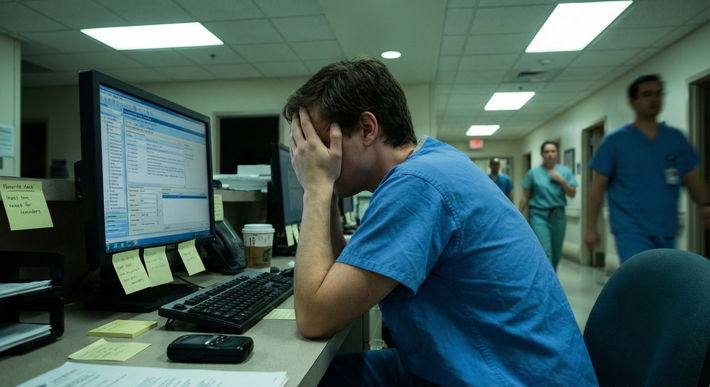
You're drowning in pings. Page, EMR alert, nurse request, attending question, repeat. That's not a broken system. That's residency.
The interrupt-driven workflow is the default setting for every resident. You walk onto the ward and you are immediately reactive. Someone needs something right now. Always.
And that constant switching is killing your efficiency. It feels productive because you're busy. You're not. You're just scattered.
Real-time processing feels like good doctoring, but it's often just bad task management. Batching is the opposite, grouping similar low-acuity tasks and doing them in one protected block. The trick isn't picking one. It's knowing which is which. That's the hybrid model.
This article is for educational purposes only. It is not financial advice, not legal advice, and not tax advice. Figures vary by individual circumstances, so consult a qualified professional before acting.
The Efficiency Dilemma: Real-Time vs. Batching
Let's define it clearly.
Real-time processing means you handle a task the second it arrives. Page comes in, you answer it, you do it, you chart it. Done.
Batching means you collect similar tasks and execute them together later. You don't answer five non-urgent pages in five separate trips to the computer. You answer all five in one 20-minute block.
The cognitive cost of real-time is huge. Neuroscience calls it switch cost. Every time you jump from rounding to answering a potassium repletion question to documenting a discharge summary, your brain has to reload context. That reload takes time. It drains energy. By 2 PM you're fried, and it's not because you worked hard. It's because you switched 200 times.
Residency culture makes this worse. We're taught that a good resident is instantly available. Immediate response equals dedication. That's nonsense. It just rewards being interruptible. I've seen interns run across the hospital to replete magnesium that could easily wait an hour, while their notes pile up and they end up staying until 9 PM.
You need both systems. Real patient care is real-time. Admin is almost never real-time.
(See also: How Do I Track Resident Tasks So Nothing Falls Through the Cracks? to keep your list organized.)
The Mechanics of Real-Time Processing
Real-time has a very specific job. Use it only when delay causes harm.
When is it mandatory? Easy.
- Code blue, rapid response, active seizure, chest pain, desaturation, hypotension, acute mental status change. If the patient is unstable, you go. Now.
- New critical labs: potassium 6.8, hemoglobin 5.2, troponin skyrocketing.
- A nurse says "I'm worried." Believe them. Go see the patient.
Everything else is probably pseudo-real-time. That's the trap.
Pseudo-real-time looks urgent but isn't. Diet order questions, bowel regimen, routine lab requests, "can you renew restraints," family wants an update but the patient is stable, PT wants to know if they can mobilize tomorrow. These feel urgent because someone paged you. They're not emergencies.
The worst habit is the Ping-Pong effect. You open Epic to finish a note. Ping, you see an inbox message. You click it. While you're there you see a lab result. You click that. Then a nurse calls about something else. You've now got four EMR tabs open, zero notes finished, and you don't remember what you were doing 90 seconds ago. I lived like that for my first three months. It's exhausting.
(See also: The Hidden Workflow Tricks Senior Residents Use to Leave on Time for more strategies.)
Stop it. Here's your filter:
If you can't answer yes to "will this hurt the patient if I wait an hour," it goes to the batch list. Period.
The Power of Batching Administrative Work
This is where you win your day back.
Batching isn't about being lazy. It's about doing the same type of brain work together so you don't pay that switch cost over and over.
Here's how it actually works on the wards:
1. Group EMR documentation: The 30-minute block strategy. Don't chart between every patient. You'll never get into flow. Instead, after pre-rounding and after morning rounds, block 30 minutes. Door closed, headphones in if you can. Crush your progress notes, disch summaries, and order entries in one go. Your notes get better because you're not writing them with half your brain on something else. I write 40% faster when I batch.
2. Managing non-urgent pages and calls. This is the big one. You'll get 30-50 pages a day. Maybe 5 are real. For the rest, use a script. "Got it, thanks for letting me know about Mrs. Smith's Miralax request. I'm with a patient right now, I'll have it in by 10:30." You just did three things: acknowledged, set an expectation, and protected your current task.
3. How to communicate 'Do Not Disturb' windows to nursing staff. You don't just disappear. That's how you get an angry charge nurse and a reputation. You announce it. At the start of the shift: "Hey team, I'm going to be charting from 10 to 10:30 in the workroom, for anything non-urgent, page me and I'll batch them all at 10:30. If it's urgent, call me directly or come grab me." Nurses respect clarity more than instant but flaky availability. Give them a time. Stick to it.
When you batch, your cognitive load drops off a cliff.
You finish faster. You feel less fried. That's not anecdotal. That's what every resident who tries it tells me after week one: "Why didn't I do this sooner?"

Implementing the Hybrid Workflow
So how do you actually run this tomorrow without annoying everyone?
Use Triage, Categorize, Execute. TCE. Simple.
Triage: All incoming tasks hit your list in 10 seconds or less. Don't solve, just sort. I use a 3x5 card. Top section is REAL-TIME NOW. Middle is BATCH 60-90 min. Bottom is FYI / End of day.
Categorize: Every hour, glance at your list. Is anything in the batch section now urgent? Move it up. Everything else stays.
Execute: Work in single-task sprints. During rounds, you're only rounding. During your 10:30 batch block, you're only clearing pages and documentation. No ping-pong.
Set expectations with your senior and attending. You don't need permission, but you do need transparency. "I'm batching my non-urgent callbacks to be more efficient during rounds, I'm still monitoring for urgent issues." Any good senior will love that. It shows control.
Tools? Keep it stupid simple.
- Sticky notes or a small pocket notebook > fancy apps for most people. Apps are another tab to check.
- If you're digital, use one list. Not three. One to-do in your phone's notes app or Todoist is enough.
- Leave Epic inbox closed unless you're in a batch block.
This adapts by specialty too.
- ICU: Real-time heavy. You can't batch vent checks. But you can batch family updates, chart prep, and routine orders.
- Ward: Perfect for batching. Rounds, then batch, then callbacks, then batch again.
- Clinic: Batch your in-basket. Don't answer results between patients. Crush 15 results in the last 20 minutes of clinic.
- Surgery: OR is real-time. Your pre-op notes and post-op checklists are not. Batch those.
Summary: Execution Steps for Tomorrow's Shift
Don't overhaul everything at once. You'll fail and go back to chaos.
Do this tomorrow:
- Audit your workflow for one day. Set a timer every hour. Jot down how many times you switched tasks. You'll be horrified. That's the data.
- Select three tasks to batch. I recommend: routine pages, progress notes, and discharge paperwork. Nothing critical.
- Practice Single-Tasking during clinical rounding. Phone on silent in your pocket. One patient at a time. If a non-urgent page buzzes, feel it, let it sit. Finish with your patient.
- Reflect on evening fatigue. At sign-out, ask yourself: Am I tired because I saw sick patients? Or am I tired because I answered 40 pings? Be honest.

Efficiency isn't about working faster. It's about wasting less of your brain on garbage context switching. Do the urgent stuff now. Batch the rest. Tell people what you're doing.
You'll get home earlier. And you'll actually remember your patients' names.