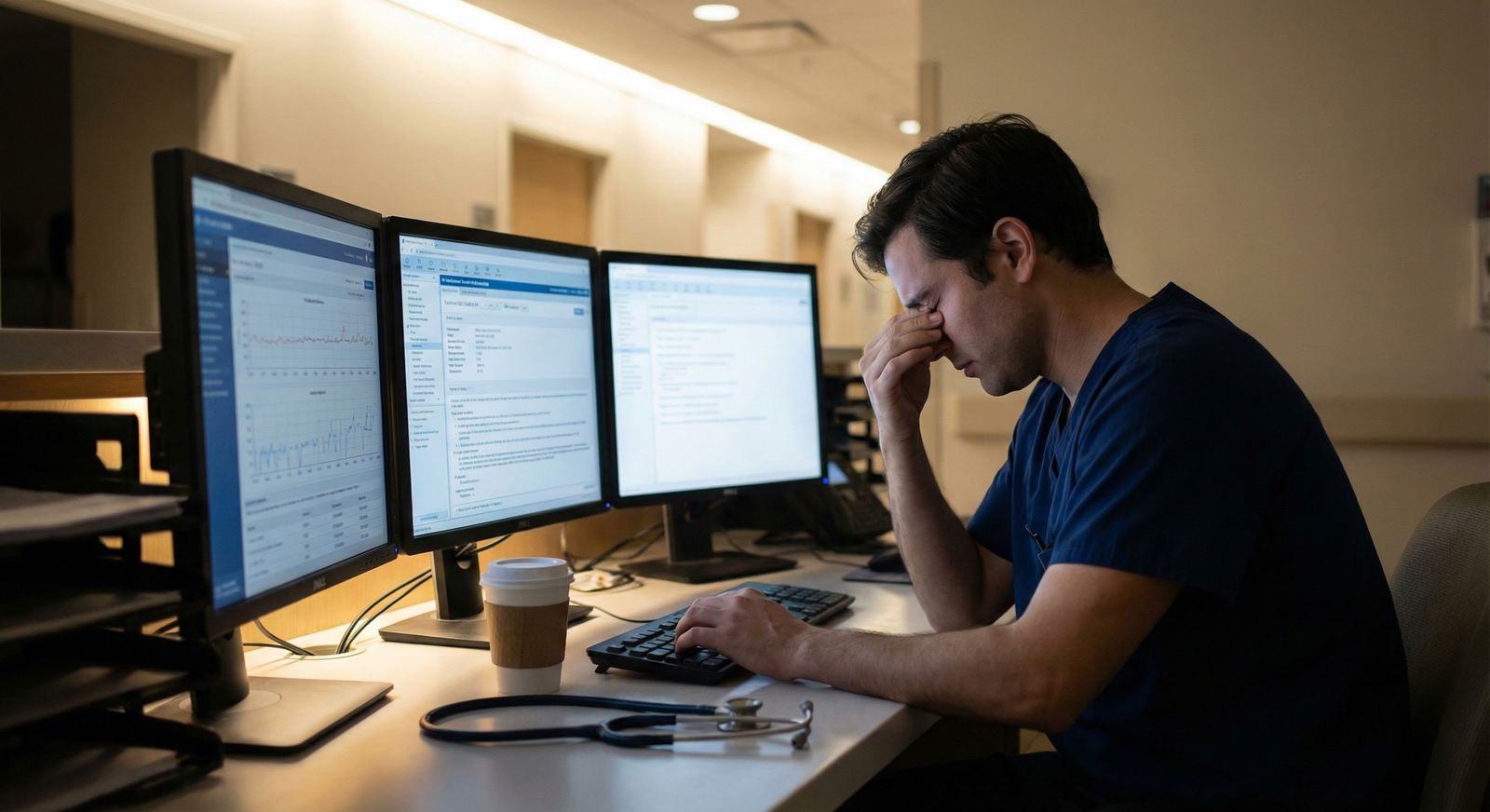
You’re on night float. It’s 2:17 a.m. You’ve got four active lists: your sign-out list in one app, your to-dos in another, your personal Google Calendar, and a half-updated handoff template buried in the EMR. A nurse just called with a blood pressure of 70/40, and you’re flicking between apps trying to remember: did I already place that CT order, or did I just write it on my “to-do later” list?
Here’s the question you’re actually asking:
Should you force everything into one app, or accept that you’ll use many—and build a unified workflow on top of that mess?
I’ll give you the bottom line first, then we’ll get into the details.
- A single “do-everything” app is a fantasy for most residents.
- The right answer is: a few tools, each with a job, glued together by rules you actually follow.
- Your sanity comes from your workflow, not from the number of apps.
Let’s break that down.
The Core Question: One App vs Many
You’re not choosing between “one app” and “a million apps.” You’re choosing between:
- One app that pretends to do everything, but does some things badly.
- A small stack of apps, each doing one thing well, connected by a consistent workflow.
I strongly prefer option 2.
Why? Because in residency you’re constrained by three big realities:
- The EMR is non-negotiable. Epic, Cerner, Meditech—whatever you have—this is your source of clinical truth, like it or not.
- Residency is chaotic. Codes, pages, unexpected admits. Your system has to survive interruption every five minutes.
- Your brain is fried. Anything that requires “remember to…” will eventually fail at 3 a.m.
So the real decision is: How many apps, doing what, and how do they talk to each other in your brain?
Step 1: Identify the Jobs, Not the Apps
Forget app names for a minute. Start with jobs your workflow needs to cover.
At minimum, you need tools for:
Clinical work tracking
- What patients you’re covering
- What needs to be done for them
- What got done, when, and how
Task capture & execution
- A place to dump pages, tasks, and ideas in real time
- A way to mark things done in a way you actually trust
Time & schedule management
- Shift schedule, clinics, didactics
- Personal life (appointments, bills, family)
Reference & knowledge
- Guidelines, calculators, “how do I dose this again?”
- Pearls you don’t want to re-look up for the 10th time
Communication
- Secure chat/pager system
- Email (program, hospital, personal)
Here’s what most residents try first: cram all five into one tool. That usually lasts… a week.
Much smarter: one app per job type, with clear rules. Two jobs in one app is fine. Four is not.
Step 2: Decide What Must Be Native vs What Can Be External
Some jobs are better done inside your institution’s tools, whether you like them or not.
Clinical stuff tied to orders, results, or documentation? Keep it in or tightly attached to the EMR. If you’re rebuilding your patient list in Notion, you’ve already lost.
Here’s a simple split that works for most residents:
Lives in EMR / hospital systems:
- Patient lists
- Handoffs
- Orders / results
- Official messaging (Epic chat, TigerConnect, etc.)
Lives in your personal system:
- Personal to-do list
- Long-term projects (research, QI, board prep)
- Personal calendar
- Study notes / reference snippets
- Life admin (rent, car, relationships, health)
Trying to use a personal app as your primary patient tracker is a safety risk and a burnout recipe. I’ve seen people try to keep separate patient/task lists “because Epic is annoying.” They end up missing orders, losing follow-ups, or duplicating work.
Use the EMR for patients. Use your own stack for everything else.
Step 3: The Minimum Viable Resident Stack
If you want a concrete answer, here’s what I recommend as a default setup.
One app per column. Not more. Not less (to start).
| Job Type | Recommended Tool Type |
|---|---|
| Clinical lists/tasks | EMR list + handoff tool |
| Personal tasks | Simple task manager |
| Calendar & schedule | Google/Apple/Outlook Cal |
| Notes & reference | Notes app (Obsidian/Apple) |
| Communication | Hospital chat + email |
You’ll notice that’s five tools. That sounds like a lot until you realize you probably already use 7–10 without thinking.
Lean stack, clear jobs:
- EMR: patients and clinical actions
- Task manager: everything else you must remember
- Calendar: where you must be, and when
- Notes: stuff you want to remember, not necessarily act on
- Communication: what other people throw at you
Step 4: Build a Unified Workflow on Top
This is where people either succeed or drown.
A unified workflow isn’t “all in one app.” It’s:
- One inbox for tasks
- One calendar for time
- One reference for knowledge
- A routine that connects them
1. One inbox rule
You’re allowed one place where actionable tasks live long-term.
That might be:
- Todoist
- Apple Reminders
- Google Tasks
- Things 3
- Even a single running note in Apple Notes, if you’re stubborn
Everything goes into that one place:
- “Check iron studies for 5B-22 after results”
- “Email Dr. Lee re: research project”
- “Renew license plate”
- “Call mom”
What does not go there:
- Vital clinical facts that belong in the EMR (don’t copy charting into your todo app)
- Long notes or learning points (that’s for your notes app)
2. One calendar rule
Every shift. Every clinic. Every didactic. Every personal appointment.
One calendar view.
If your program uses Amion, PDF schedules, or some janky emailed schedule, you still funnel it into one calendar. Even if you have to type shifts in manually at the start of the month. It’s worth the 20 minutes.
3. One reference brain
Pick a notes system and stick with it for at least 3–6 months.
Could be:
- Apple Notes with folders (IM, ICU, Procedures, Clinic)
- Obsidian with tags (#icu, #cards, #abx)
- Notion pages with sections
Use it for:
- Dosing you always forget (heparin protocols, pressor starting doses)
- “How my attending likes XYZ done” (discharge summaries, sign-out format)
- Common orders/templates you reuse
- Actual learning: mini-summaries of topics you keep re-Googling
Do not use your task app as your note repo. You’ll never find anything again.
Step 5: The Three Daily Habits That Make This Work
Apps don’t give you a workflow. Habits do. Here’s the minimum I recommend.
Morning: 5–7 minute setup
Before rounds or early in your shift:
- Open EMR list.
- Open your task app.
- For today only, pull across:
- Non-urgent clinic/work stuff you must do today
- One or two small personal tasks, max
Glance at your calendar so you’re not surprised by noon conference or an afternoon clinic.
During shift: capture only
On shift, your job isn’t to organize. It’s to capture.
- A nurse gives you a non-urgent request? Capture in task app.
- Attending says “present that patient at journal club next week”? Capture.
- You think “I should read on DKA protocols later”? Capture.
You can do quick triage (mark urgent vs not), but do not waste time building elaborate systems while you’re cross-covering 40 patients.
End of shift: 5–10 minute shutdown
Before you leave (or as close as reality allows):
- Check EMR lists: any critical loose ends? If yes, do them or hand them off.
- Look at your task list:
- Mark what you actually did.
- Reschedule what you didn’t do to a realistic time.
- Kill anything that no longer matters.
This tiny shutdown ritual is what prevents that “100 overdue tasks” mess that makes you abandon your app entirely.
Step 6: When “One App” Is Actually Enough
There are a few cases where one app can reasonably cover two or three jobs.
Examples:
Apple ecosystem person:
- Apple Reminders for tasks
- Apple Calendar for time
- Apple Notes for reference
That’s technically three apps, but it feels like one ecosystem.
Google ecosystem:
- Gmail + integrated Tasks + Calendar
Works decently if you live in Chrome anyway.
- Gmail + integrated Tasks + Calendar
“I hate systems” minimalist:
- One running “Today” note and one “Long-term” note in a basic notes app
- Calendar app for shifts
- EMR for clinical stuff
Brutal but functional, if you’re disciplined about updating that single note.
The mistake people make is assuming: “If I just find the perfect app, I won’t have to think about process.” That’s backwards. Process first, then find the simplest tools that support it.
Step 7: Common Failure Patterns (And Fixes)
I’ve watched a lot of residents try and fail at this. The failures are pretty predictable.
The App Hopper
- Symptom: New app every 2–3 weeks, nothing sticks.
- Fix: Commit to one stack for 3 months. No switching. Adjust the rules, not the tools.
The Everything-In-One-Place Maximalist
- Symptom: One mega-app (usually Notion) with tasks, notes, calendars, dashboards, 15 templates. Completely unusable by week 4.
- Fix: Strip it back. One page for tasks, one for reference. Use your phone’s native calendar.
The Parallel Systems Person
- Symptom: Same task lives in EMR, on a sticky note, and in a task manager. Things get missed.
- Fix: Decide what lives where. Patient actions live in EMR; everything else, one task app. No duplicates.
The “I’ll Remember” Hero
- Symptom: Keeps everything in their head until the day the wheels come off.
- Fix: For 7 days, force yourself to capture every task. Notice how much you were actually juggling mentally.
Example Unified Resident Workflow (Internal Medicine)
Here’s what this looks like in the real world.
On nights on an academic IM service:
EMR:
- Maintain your cross-cover list and handoff.
- Use built-in “to-do” flags or sticky notes only for patient-specific overnight tasks (e.g., “check troponin at 4 a.m.”).
Task app (e.g., Todoist or Apple Reminders):
- “Non-urgent pages to address when things calm down”
- “Order outpatient sleep study for Mr. Jones tomorrow”
- “Call pharmacy about prior auth Monday”
- “Finish ITE modules by Friday”
- “Look up new HF guideline this weekend”
Calendar:
- Block: Night float week 1, week 2
- Add: Clinic days, mandatory lectures, admin meetings, personal stuff (dentist, birthday dinners).
Notes app:
- Note: “DKA management” with your attending’s favorite insulin protocol
- Note: “Cross-cover scripts” – how you explain “I’ll evaluate the patient shortly” at 3 a.m.
- Note: “Procedures” – landmark tips that actually worked at the bedside.
End of shift:
- Clean EMR lists.
- Migrate a few tasks from “sometime” to “today/tomorrow” if you’re post-call and actually have bandwidth.
That’s a unified workflow. Not a unified app.
Visual: Where Your Time Actually Goes
To drive home why you shouldn’t obsess over the “perfect app,” here’s the rough reality of your time as a resident:
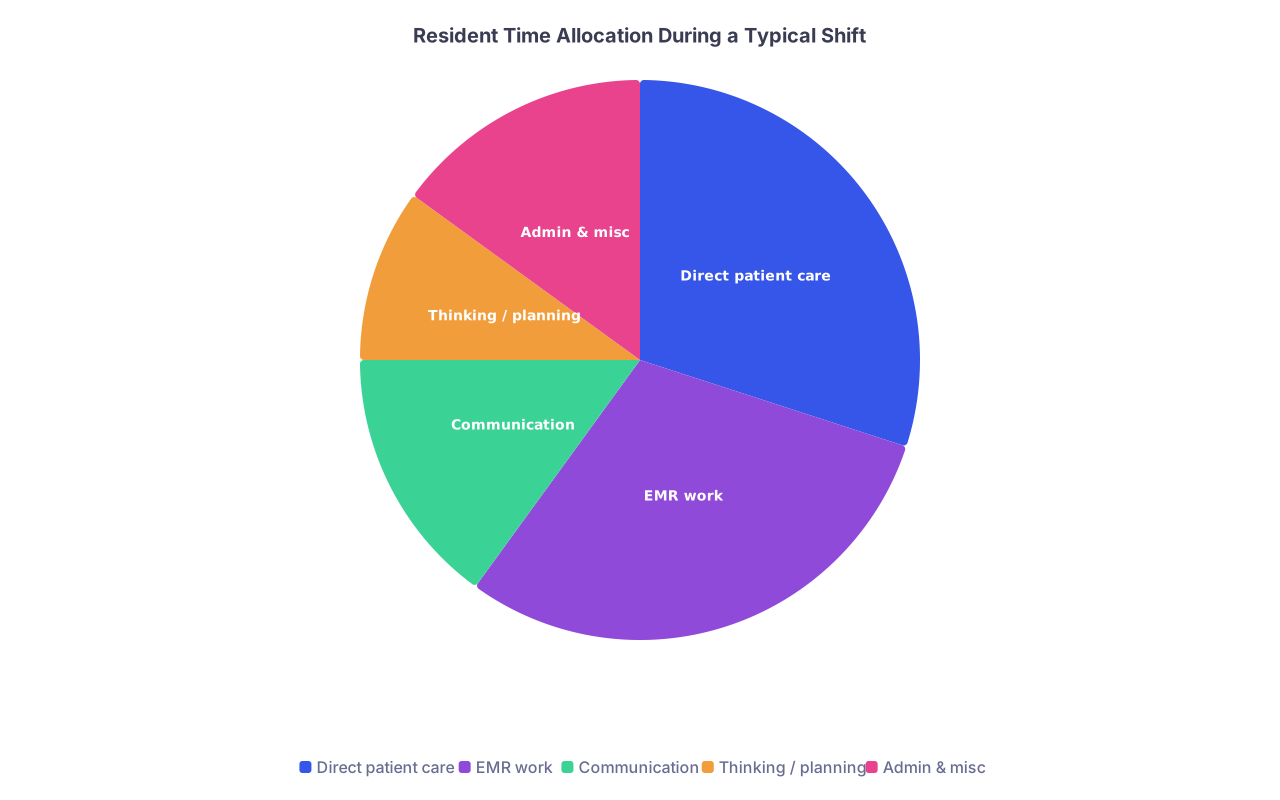
| Category | Value |
|---|---|
| Direct patient care | 30 |
| EMR work | 30 |
| Communication | 15 |
| Thinking / planning | 10 |
| Admin & misc | 15 |
Your workflow should reduce friction in EMR work and communication, and preserve thinking/planning time. A single shiny app doesn’t do that. Good patterns do.
Simple Decision Tree: One App or Many?
Here’s a quick way to decide your own setup:

| Step | Description |
|---|---|
| Step 1 | Start |
| Step 2 | Use EMR for clinical tasks |
| Step 3 | Use EMR + simple spreadsheet for lists |
| Step 4 | Keep that calendar as your single source |
| Step 5 | Pick one calendar and commit 3 months |
| Step 6 | Use simple task app only |
| Step 7 | Use task app + notes app |
| Step 8 | Stick to 3-5 tools total |
| Step 9 | Does your hospital EMR have usable lists and handoffs |
| Step 10 | Do you already use a calendar daily |
| Step 11 | Do you need project tracking or just tasks |
When to Reassess Your System
You don’t tweak your workflow every day. That’s another trap.
Look at it at these points:
- End of an ICU month
- End of intern year
- Before starting fellowship, or a major role change
Ask:
- Am I dropping balls? Where?
- Do I avoid opening any of my tools because they feel overwhelming?
- Are tasks living in my inbox/EMR/email with no clear path?
Then change one thing at a time. Not everything.
FAQ (7 Questions)
1. Is it unsafe to use personal apps for clinical information?
You should not store identifiable patient information in personal apps. That includes names, MRNs, DOBs, or details that clearly identify a person. Use your EMR and hospital-approved tools for anything patient-specific. Your personal apps are for “remember to check CT result after it’s done,” not “Mr. Smith in 408B with lung mass.”
2. What’s the best task manager for residents?
The “best” is the one you’ll actually open 10 times a day. If you use mostly iOS/Mac, Apple Reminders is more than enough. If you’re cross-platform, Todoist is simple and reliable. Don’t waste time on something that takes 2 weeks to configure. You want: quick capture, due dates, maybe simple labels. That’s it.
3. How do I avoid duplicating tasks between EMR and my task app?
Simple rule:
- If the task is tied to a specific patient or order, track it in the EMR list/notes.
- If it’s about you doing something in the future, especially off shift or not tied to one patient (e.g., clinic paperwork, board prep, research), it goes in your task app.
If you find the same task in both places, delete one immediately.
4. What if my program bans phones on the floor or limits app usage?
Then your “apps” might be: EMR, printed list, and a small pocket notebook. Same logic still applies. One place for clinical work (EMR + list), one place for tasks (notebook), one place for time (printed schedule or wall calendar). Tools can be analog, but the rules don’t change.
5. I keep abandoning systems after a few weeks. What am I doing wrong?
Most residents overbuild. Too many tags, projects, filters, templates. Under stress, your brain wants: open app, dump task, close app. If your system requires multiple clicks, categories, or decisions, you’ll drop it. Cut your structure in half. Fewer lists, fewer tags, fewer rules.
6. Should I try to integrate everything (calendar + tasks + notes) into Notion or similar?
Not as a resident, not at the beginning. Notion is powerful but heavy. It’s very easy to build a pretty system that you never use on call. Start lightweight and fast: native notes, calendar, and a simple task app. If you still really want Notion after 6 months, you’ll know exactly what problem it’s solving.
7. How do I handle days that are pure chaos and blow up my nice plan?
That’s normal. On those days, your only job is to capture tasks somewhere and survive. At the end of the shift, do a mini-reset: delete anything irrelevant, reschedule what’s left, and accept that “today” didn’t go as planned. A good workflow bends on bad days without breaking entirely.
Key points:
- Don’t chase a magical all-in-one app. Use a small stack—EMR, one task app, one calendar, one notes app—with clear jobs for each.
- Build a unified workflow through rules and habits: one inbox for tasks, one calendar for time, one reference brain for knowledge.
- Keep it brutally simple and commit for a few months before making big changes. Your sanity comes from consistency, not complexity.