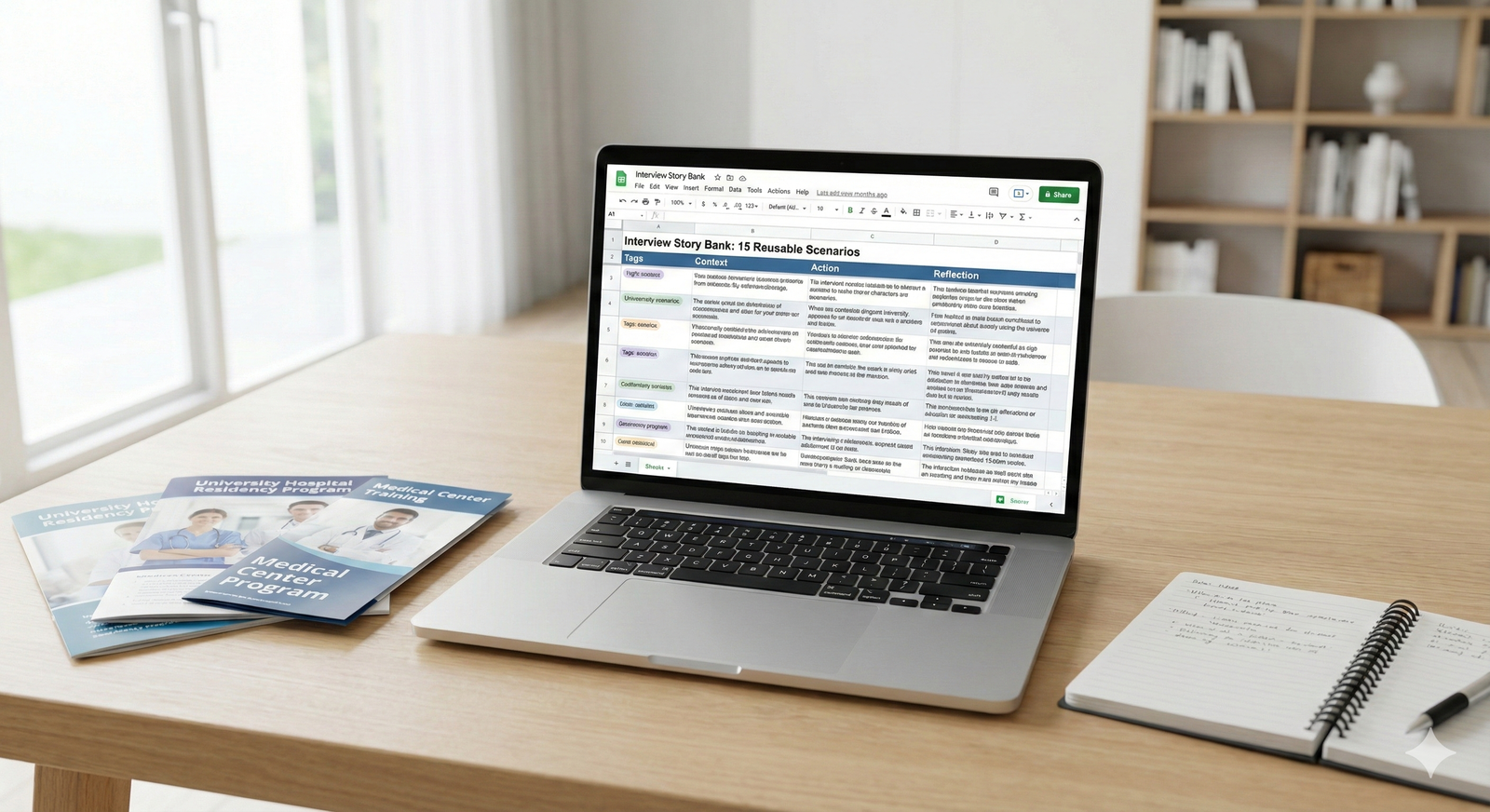
The blunt answer: yes, it’s okay to bring notes to a virtual residency interview. But if you use them wrong, they’ll hurt you more than help you.
Programs don’t care if you have a sticky note on your monitor. They care if you look disengaged, scripted, or like you can’t think on your feet. So the real question isn’t “can I?” It’s “how do I use notes without looking like I’m using notes?”
Let’s walk through that, step by step.
What Programs Actually Care About
Residency interviewers are not sitting there wondering, “Does this applicant have a bullet point list off-screen?” They’re asking three questions:
- Can I put this person in front of a patient?
- Can I stand being on call with them at 3 a.m.?
- Will they function in real time without being spoon-fed?
If you stare off to the side, read from a script, and sound like ChatGPT with a laryngoscope, you fail all three.
So yes, have notes. But your notes must:
- Never replace actual preparation
- Never be obvious
- Never break eye contact for more than a second or two
The goal: notes as a safety net, not as a teleprompter.
What Kind of Notes Are Okay (And What’s Not)
Here’s the core rule: keywords good, scripts bad.
If you wouldn’t be allowed to have it in an in-person interview, don’t rely on it in a virtual one. You wouldn’t pull out a binder titled “Answers to Common Residency Questions” in front of a PD. Don’t do the digital version either.
Good types of notes
Use small, glanceable prompts:
- 3–5 bullet points to remind you of:
- Your top 3 strengths
- 1–2 weaknesses (with how you’re addressing them)
- 2–3 key patient stories / clinical examples
- Program-specific details:
- Unique rotation or track you want to mention
- Names of 1–2 faculty or program features you’re genuinely interested in
- Your 2–3 “must ask” questions for each interviewer
That’s it. Short, sharp cues. Not monologues.
Bad types of notes
Avoid anything that turns you into a reader instead of a speaker:
- Full paragraphs you plan to recite
- Word-for-word answers to “Tell me about yourself” or “Why our program?”
- A visible stack of paper you’re flipping through during the call
- A second screen filled with text you keep glancing at like you’re trading stocks
If you’re scrolling, you’re doing it wrong.
How to Set Up Your Space So Notes Help You (Not Expose You)
The physical setup matters more than people think. It decides whether your notes are invisible support or a giant red flag.
Ideal setup
- Primary screen: video platform (Zoom, Thalamus, Teams, whatever)
- Camera: at eye level, directly above or near where your interviewer’s face appears
- Notes:
- Either on paper just below the camera
- Or in a small window near the top of your screen, close to the camera
| Category | Value |
|---|---|
| Physical paper near camera | 40 |
| Second monitor far from camera | 25 |
| On-screen doc under video window | 20 |
| No notes | 15 |
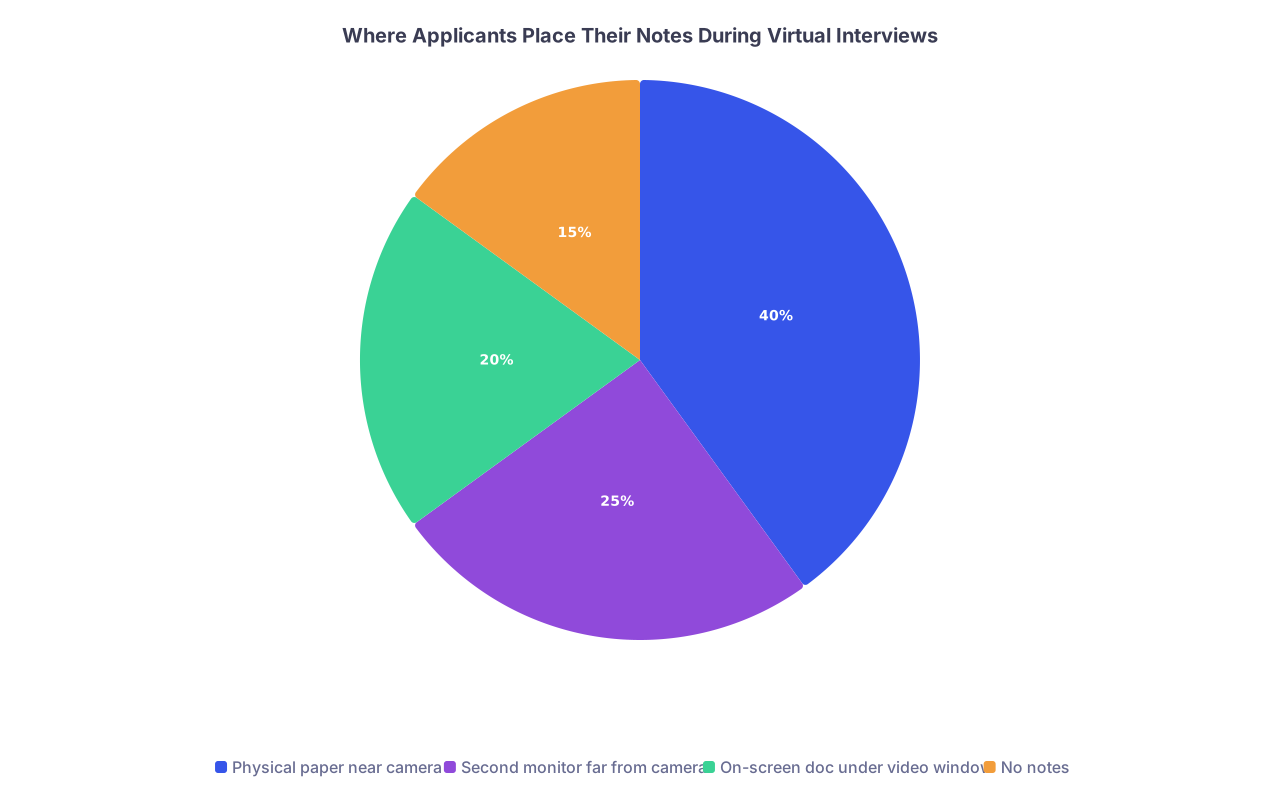
That pie chart is basically the story I’ve seen: most people use paper or a second monitor. The second monitor is where a lot of them get into trouble.
Mistakes that give away your notes
I’ve watched faculty complain in real time:
- “She kept looking down and reading.”
- “He stared off to the right every time we asked a non-softball question.”
- “It felt like she was reading from a personal statement on her screen.”
Avoid:
- Looking down at your lap or desk for long stretches
- Constantly glancing to a side monitor
- Noticeable pauses followed by obviously scripted answers
If you need to glance at your notes, make it a micro-glance: eyes shift down for half a second, then back to the camera. Not a full scenic detour.
Exactly What to Put on Your Notes
Let me make this stupid simple. If you’re wondering what belongs on a one-page cheat sheet, use this.
Section 1: Anchor stories
Three short cues to trigger full stories in your head. Example:
- “Difficult patient – noncompliant CHF – motivational interviewing – team debrief”
- “Near-miss med error – insulin dosing – systems fix + humility”
- “End-of-life convo – family disagreement – de-escalation + palliative care”
No full sentences. Just breadcrumbs.
Section 2: Strengths & weaknesses
You should not be improvising these live.
STRENGTHS:
- “Communication – cross-cover nights / consults”
- “Work ethic – extra call coverage when COVID surge”
- “Teaching – M3 feedback, peer tutoring”
WEAKNESSES (plus repair plan):
- “Overcommit – now using task limits + calendar blocking”
- “Too detailed notes – learning to prioritize key problems”
Again, these aren’t scripts. They’re memory jogs.
Section 3: Program-specific hooks
2–3 bullets for that specific program:
- “X program: strong community focus – FQHC continuity clinic”
- “Y program: resident research time – QI interest”
- “Z program: global health track – Uganda elective I did”
Interviewers can tell when you mix up details between programs. These notes prevent that.
Section 4: Questions to ask them
Minimum of 2–3 per interviewer—tailored, not generic:
- “How do residents here get feedback on their clinical reasoning?”
- “What differentiates your strong residents from the ones who struggle?”
- “How has this program changed in the last 3–5 years?”
If you say, “No, I don’t have any questions,” that’s worse than obviously having notes.
Practice: The Step Everyone Thinks They Can Skip
Here’s the ugly truth: most applicants think they can “wing it” because it’s virtual. They can’t. And it shows.
You need at least 2–3 full mock virtual interviews where you:
- Use your actual setup (same laptop, same camera, same chair)
- Use your actual notes
- Record yourself
Then watch the recording like you’re an attending with low tolerance for fluff:
- Do your eyes dart?
- Do you sound like you’re reading?
- Are your answers too long, too polished, or robotic?
Fix those before interview day, not after your third rejection email.

| Step | Description |
|---|---|
| Step 1 | Draft brief notes |
| Step 2 | Set up camera & screen |
| Step 3 | Do mock interview |
| Step 4 | Record & review |
| Step 5 | Shorten notes & practice again |
| Step 6 | Finalize setup for real interviews |
| Step 7 | Look scripted? |
If you wouldn’t believe that version of yourself on video, your interviewer won’t either.
How to Answer Common Questions With Notes Without Sounding Scripted
Your notes should make your answers cleaner, not stiffer. Here’s how to use them in practice.
“Tell me about yourself”
What’s on your notes: a 3-part outline.
- “Background: hometown, college, med school”
- “Clinical interests: hospital medicine, med-ed”
- “Personal: running, cooking, [something real but low-risk]”
You glance, remember the structure, then talk like a human. Two minutes, max.
“Why our program?”
On your notes: 2–3 specific reasons, not fluff.
- “Longitudinal clinic in underserved area”
- “Strong ICU exposure – neuro + CT surgery”
- “Residents I met: mentioned autonomy + supportive faculty”
You don’t read it. You let those bullets anchor your answer. If your answer sounds like you pasted their website’s mission statement, you blew it.
“Tell me about a time you made a mistake”
On your notes: story name and lesson.
- “Heparin dosing – caught by pharmacist – changed how I double-check orders – appreciated non-punitive culture”
You remember the story from the keyword. You tell it naturally. If you need full sentences written out to explain your own experiences, you’re not ready.
The Ethical / Professional Line: Are Notes “Cheating”?
Short answer: no. Not even close.
Residency interviews are not closed-book exams. In real life, you’ll have:
- EMR
- Colleagues
- Protocols
- Guidelines
What they’re testing is your reasoning, judgment, communication, and awareness of self—not your ability to recite canned lines from memory.
The line you can’t cross is this: don’t pretend spontaneity when you’re clearly reading. That’s when interviewers feel manipulated.
If a program explicitly says “no notes” (rare, but I’ve seen one or two mention wanting “no reference materials”), then respect that. But even then, a tiny sticky note with a few keywords on the side of your monitor is not what they’re worried about. They’re trying to stop people from literally reading essays on screen.
How Programs Perceive Over-Scripted vs Lightly-Prepared Applicants
Here’s how faculty often describe applicants after a virtual interview day:
| Applicant Style | What Interviewers Say |
|---|---|
| Clearly reading | "Robotic, rehearsed, hard to connect." |
| No prep / rambling | "Unfocused, immature, not ready." |
| Lightly noted, natural | "Polished but genuine, easy to talk to." |
| Zero notes but prepared | "Confident, conversational, strong." |
You’re aiming for the third or fourth row. Notes are a tool to get you there—not a personality replacement.
Quick Setup Checklist for Interview Morning
By the time you log into the waiting room, this should already be done:
- Camera at eye level, framed so your face and upper torso are visible
- Light source in front of you, not behind
- Notes printed or written in LARGE, clean handwriting, one page max
- That page placed just below or to the side of the camera
- No document with your personal statement or long scripts open on your screen
- You’ve done at least one test call from that exact spot
If you find yourself scrolling or minimizing windows to “find your notes” during the interview, you’ve already lost control of the situation.

When You Absolutely Shouldn’t Use Notes
There are a few cases where I’d tell someone to ditch notes entirely:
- They can’t stop reading once something is in front of them
- They start sounding more formal and stiff the more they “prepare”
- They spend more time editing their notes than practicing out loud
If you review your recording and you look like a hostage reading a statement, throw the notes away. You need practice, not prompts.
Final Takeaways
Let’s cut it down to the essentials:
- Yes, it’s okay to bring notes to a virtual residency interview—if they’re brief, glanceable prompts, not scripts.
- Put your notes close to the camera, limit them to one page of keywords, and practice until you can use them without obvious eye-darting or robotic delivery.
- If your notes make you sound less human, not more prepared, they’re the wrong notes—or you’re using them as a crutch instead of a backup.