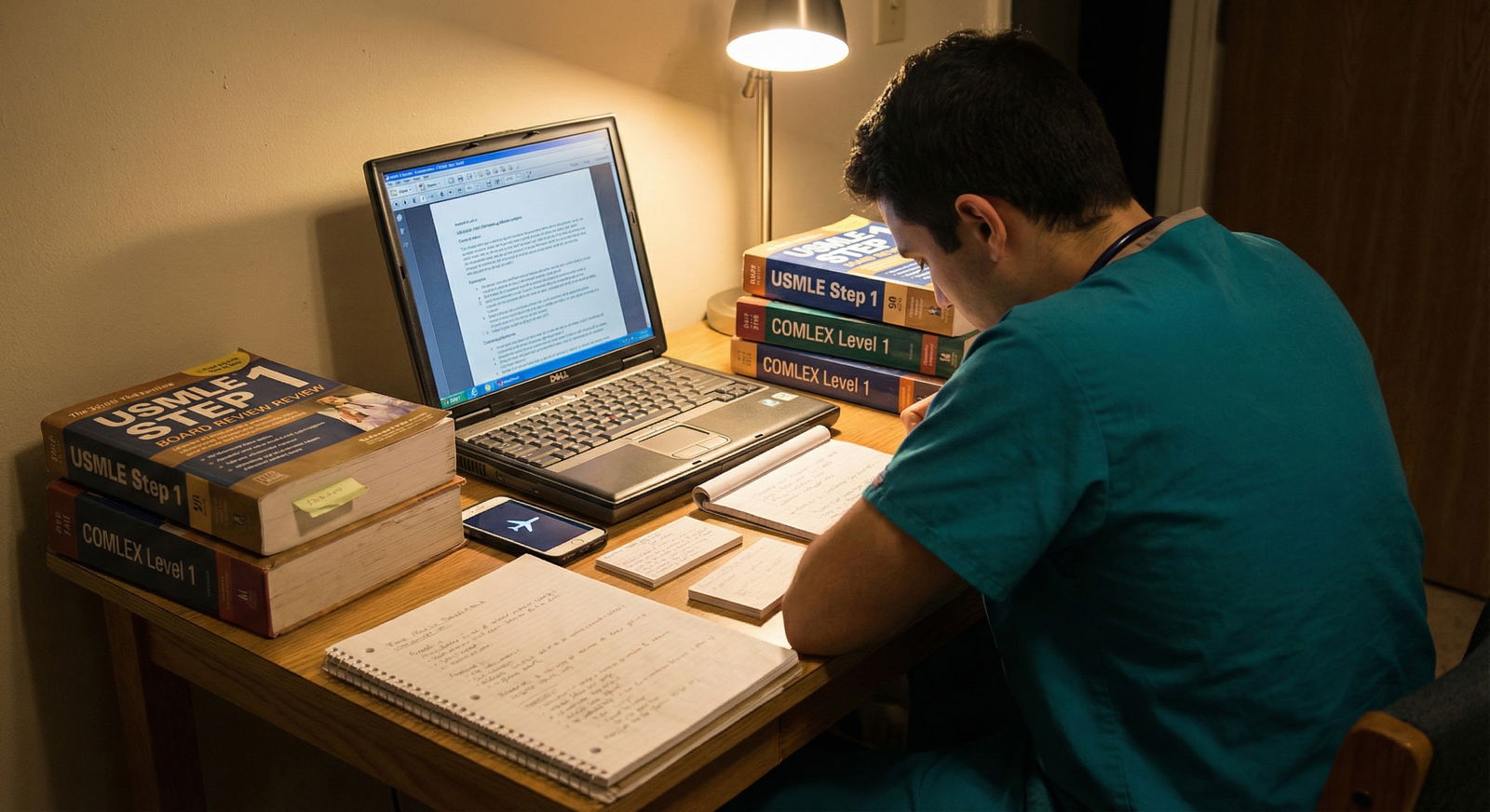
What do you do when everyone’s talking about UWorld blocks and Anki syncing in real time—and your internet drops to one bar every fifteen minutes?
You’re not the only one trying to prep for boards from a place with weak or unreliable internet. Rural rotations, international study, shared family Wi‑Fi that dies every evening, hospital housing with throttled connections, campuses with firewalls… I’ve seen all of these. And I’ve watched students quietly panic because every “Top 10 Step 1 Resources” list assumes you live in a Starbucks.
Let’s build a board prep plan that actually works when your connection doesn’t.
Step 1: Be Honest About Your Connectivity Reality
Before picking resources, define your actual situation. Not the fantasy where you “usually can get Wi‑Fi.” The real one.
Ask yourself:
- Do you ever have solid internet for 2–3 hours straight (e.g., at school, library, café, weekend trip)?
- Is your phone data reliably usable for short bursts (e.g., 5–10 minutes to sync Anki or download)?
- Do you have any device with decent storage (laptop, tablet, big‑storage phone)?
- Are you allowed to install apps/software on your device (some school‑owned laptops are locked down)?
Based on that, you’re likely in one of three buckets:
| Scenario | Internet Situation | Strategy Level |
|---|---|---|
| A | Daily brief, usable internet | Aggressive offline sync |
| B | 1–2 solid sessions/week | Batch download, print-heavy |
| C | Almost no internet | Mostly print + occasional data use |
You don’t need perfect internet. You just need to stop pretending you have more than you do, and choose tools that will actually run offline.
Step 2: Choose Resources That Truly Work Offline
Some “online” resources are terrible offline. Some are brilliant if you set them up right. Here’s the breakdown.
1. Question Banks (Qbanks)
You want at least one major board-style Qbank. The trick is: can you actually use it with limited internet?
Here’s what I’ve seen work:
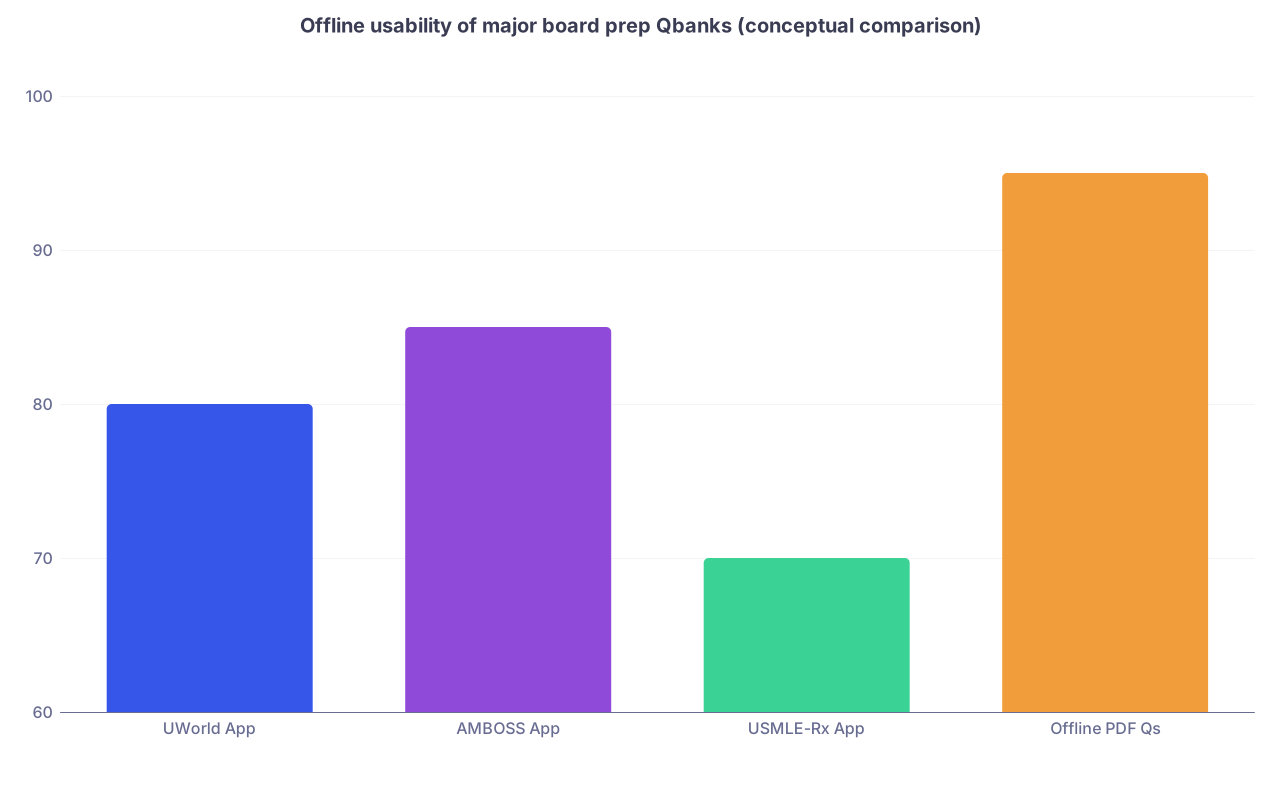
| Category | Value |
|---|---|
| UWorld App | 80 |
| AMBOSS App | 85 |
| USMLE-Rx App | 70 |
| Offline PDF Qs | 95 |
This isn’t “official” data, but it reflects real student experience on offline-friendliness.
- Has mobile apps (iOS/Android) that can download blocks for offline use.
- Strategy:
- When you have good Wi‑Fi:
- Create 4–6 blocks (timed or tutor, whatever your plan is).
- Download them to the app.
- Offline:
- Do the blocks, mark questions, write brief notes in a notebook or local doc.
- Next time you’re online:
- Sync results, review explanations you flagged.
- When you have good Wi‑Fi:
AMBOSS
- App allows offline article downloads and some question use.
- Great if you want an offline reference plus some questions.
- Strategy:
- Use Wi‑Fi time to:
- Download key articles by organ system (cards, renal, neuro, etc.).
- Star them or save them to an offline collection.
- Use questions offline where supported; rely heavily on the library-style content offline.
- Use Wi‑Fi time to:
USMLE-Rx / other smaller banks
- Some have partial offline support via apps; some are basically useless offline.
- If offline mode is unreliable, demote them to “when I’m at campus Wi‑Fi” resources, not your core.
If you have almost no internet (Scenario C), you will need to supplement or partially replace Qbanks with:
- Printed or PDF question books (e.g., older NBME-style compendia, question compilations from reputable publishers).
- School-provided offline question sets.
Not perfect, but better than staring at a loading spinner.
2. Core Content Review Resources
You need one main content spine that’ll work offline. Pick from these categories:
Single main review book
- For USMLE: First Aid for the USMLE Step 1, First Aid for Step 2 CK, Master the Boards, Step-Up to Medicine, etc.
- For COMLEX: COMBANK’s green book, Savarese OMT Review, COMLEX-specific guides.
Offline PDFs/ebooks from legit publishers
- Download while on campus Wi‑Fi using institution access (AccessMedicine, ClinicalKey, etc.).
- Store them in a good PDF viewer with offline search.
Curated printed notes
- Some students print high‑yield Anki decks as “condensed notes” (we’ll talk about how to not go insane with that later).
Pick one primary thing. Not five. With limited internet, switching resources constantly is death.
Step 3: Make Anki and Flashcards Work Without Constant Sync
Anki can absolutely work with terrible internet. You just have to stop forcing it to behave like it’s in Silicon Valley.
Offline Anki Strategy
There are two main options:
Option A: Phone as your Anki device
- Install AnkiMobile (iOS, paid but worth it) or AnkiDroid (Android, free).
- When on Wi‑Fi:
- Download your core deck(s) fully.
- Sync media (may take an hour+ the first time; do it once, at home or campus).
- Offline:
- Do reviews entirely offline.
- Don’t worry about syncing every day. You’re not a hedge fund; you don’t need real-time data.
Option B: Laptop only, almost never syncs
- Download the deck file(s) once.
- Use Anki locally.
- Back up the Anki profile file occasionally to a USB drive or external hard drive.
- Forget about cross-device syncing. It’s a nice-to-have, not a requirement.

| Step | Description |
|---|---|
| Step 1 | Good Internet Access |
| Step 2 | Download/Sync Decks & Media |
| Step 3 | Go Offline |
| Step 4 | Daily Reviews on One Device |
| Step 5 | Optional Sync & Backup |
| Step 6 | Next Good Internet? |
What about updating huge decks (like AnKing)?
Do not obsess over constantly updating. Download a stable version at the start of your dedicated period and stick with it. Updating giant decks over weak internet is miserable and pointless if you’re already mid‑prep.
Step 4: Build a Study Plan That Assumes You’re Offline
Most generic schedules assume you can access everything anytime. That’s not you. You need a two‑layer plan:
- What you do daily offline
- What you do only when you hit solid Wi‑Fi
Daily Offline Core (your default)
Your core daily study routine should be 90–100% offline:
- Printed or downloaded review source (book/PDF)
- Offline Anki
- Pre‑downloaded Qbank blocks
- Handwritten summary notes
Here’s a sample offline-heavy Step 1 weekday:
- 1–2 hours: Review one system (e.g., renal) in your main book/PDF
- 1 hour: Do 40 Qbank questions (pre‑downloaded)
- 45–60 minutes: Anki reviews (offline)
- 30–45 minutes: Write or update a one‑page summary sheet for that system
No internet required.
Online-Only Tasks (batch them)
When you actually get decent internet, don’t waste it randomly scrolling discussion forums. You need a download/sharing ritual.
Your “online burst” checklist might look like:
- Sync Anki (if you’re using sync at all)
- Download:
- Next 4–8 Qbank blocks
- Any new PDFs you need for the week
- Offline videos (if allowed by the platform—for example, some video platforms or apps allow temporary downloads)
- Upload:
- Backup of your Anki file/user profile to cloud or email to yourself
- Important notes to Google Drive/Dropbox
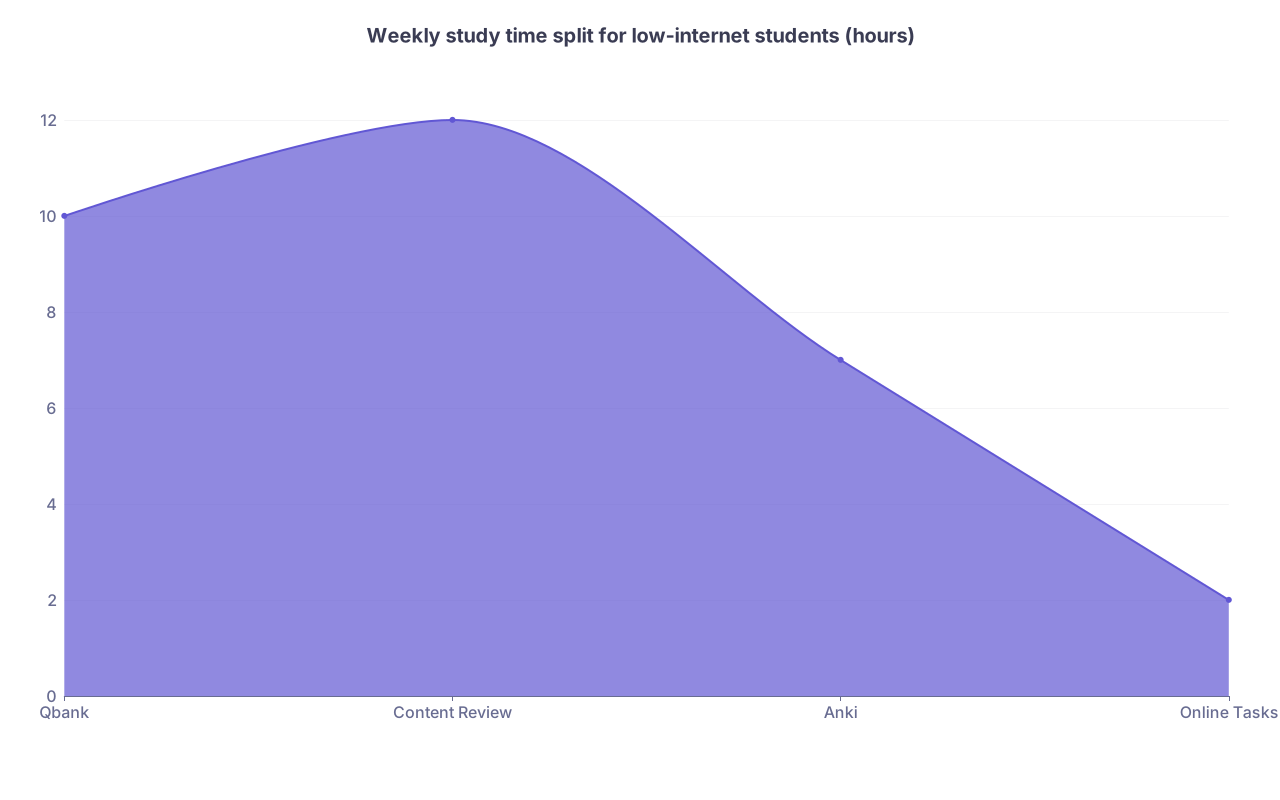
| Category | Value |
|---|---|
| Qbank | 10 |
| Content Review | 12 |
| Anki | 7 |
| Online Tasks | 2 |
This is roughly what a lot of successful low‑internet students end up around: huge majority offline, tiny piece online and highly targeted.
Step 5: Use Print Strategically (Not Like a Maniac)
Printing can save your life when you have almost zero connectivity. It can also waste money and time if you print 8000 pages you’ll never read.
Here’s how to be smart:
What’s worth printing
- High-yield tables (pathology features, murmurs, antibiotics, tumor markers)
- Algorithm diagrams (workup of chest pain, syncope, anemia)
- Short reference sheets (ECG changes, derm rashes, micro mnemonics)
- Your own summary pages that you actually refer to
What’s not worth printing
- The entire AnKing deck as a PDF. Do not do this to yourself.
- Every article or PDF “just in case”
- Full Qbank explanations—completely overkill on paper
Practical move:
Put 20–40 of your most used reference pages into a thin binder or folder. This becomes your “offline answer key” for things you always forget.
Step 6: Handle Videos When Streaming Is a Joke
A lot of people lean heavily on video courses (Boards & Beyond, Sketchy, OnlineMedEd, etc.). With poor internet, you can’t just hit play whenever you feel like it.
Three options here:
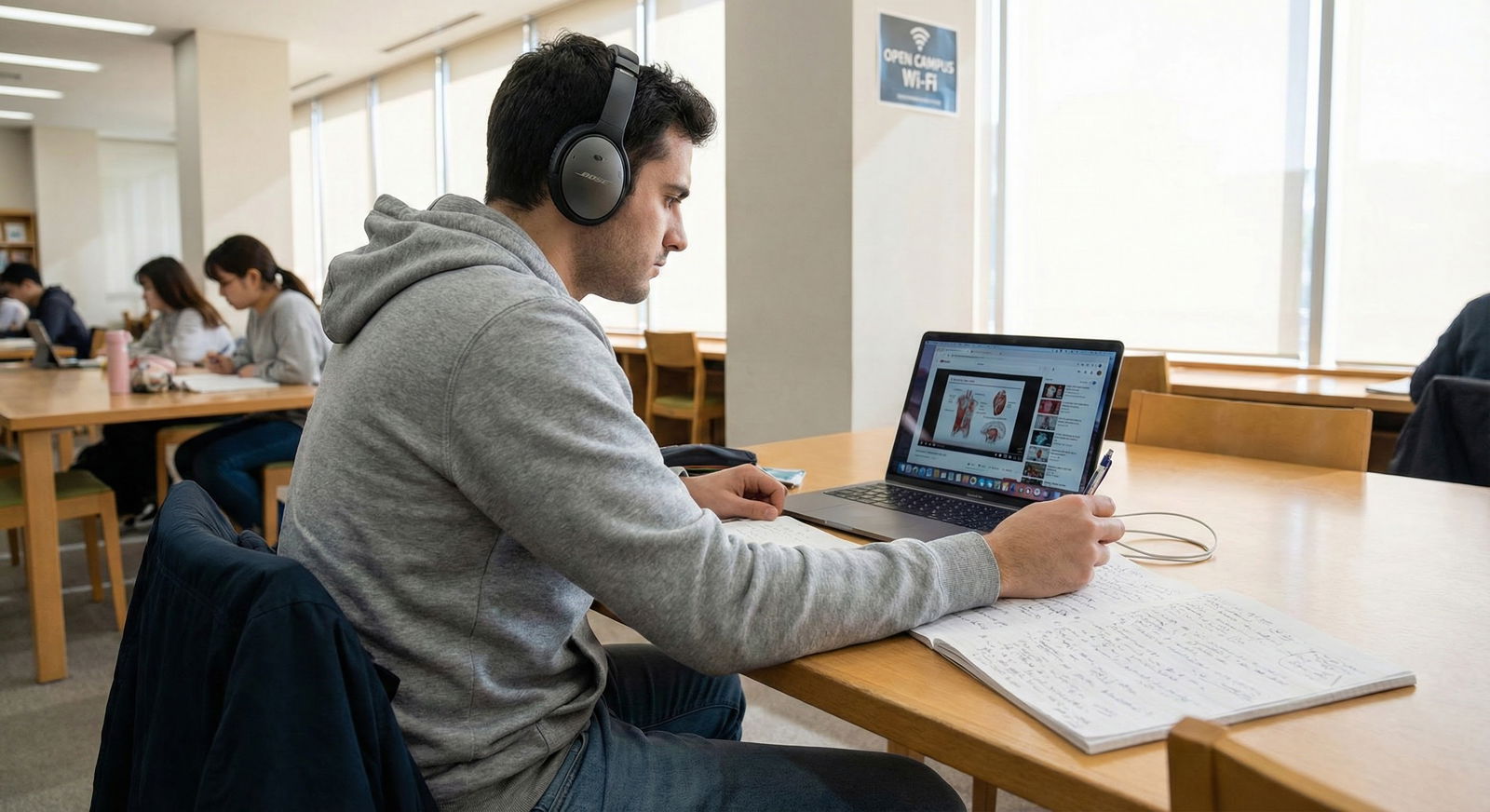
Use them only in heavy-internet windows
- Example:
- Saturday at library = 6 hours of video + note-taking.
- Rest of the week = review your written notes and apply via Qbank.
- Example:
Download videos through official apps/platforms
- If the resource legally supports offline downloads, use it aggressively.
- Plan:
- Before a rotation in a rural site, preload your device with the videos for 2–3 organ systems.
Replace most videos with text-based resources
- Some students simply can’t rely on video. If that’s you:
- Commit to book + Anki + Qbank as your main triad.
- Use YouTube/free videos sparingly when you catch Wi‑Fi, not as your backbone.
- Some students simply can’t rely on video. If that’s you:
Step 7: Example Resource Stacks for Different Internet Levels
Let me make this brutally concrete.
Scenario A: You get decent Wi‑Fi most days, but it’s unstable at home
- Core resources:
- UWorld (online + app with offline blocks)
- Anki on phone (sync 1–2x/day at school)
- Single review book (First Aid / Master the Boards / Step-Up)
- Plan:
- At school:
- Stream any videos, sync Anki, download Qbank blocks.
- At home:
- All Qbank + Anki + reading offline.
- At school:
Scenario B: Solid Wi‑Fi 1–2 times per week only
- Core resources:
- UWorld or AMBOSS with heavy offline block prep
- Anki on one device with infrequent sync
- Main review book (physical or offline PDF)
- Minimal but targeted use of videos on your “internet days”
- Plan:
- Once or twice weekly (campus/library trip):
- Download 6–10 Qbank blocks.
- Sync Anki, download any missing media.
- Watch 2–4 key videos and take high‑yield notes.
- Rest of week:
- Treat yourself as fully offline.
- Once or twice weekly (campus/library trip):
Scenario C: Basically no stable internet
Here’s the hard truth: you’re playing the game on “hard mode,” but it’s still winnable.
- Core resources:
- Thick primary review book(s)
- Locally stored PDFs from school or library captured during rare good connections
- Printed question books and practice tests
- Local Anki install on a laptop or phone with a deck you managed to download once
- Plan:
- Accept that you may not get full Qbank coverage.
- Get maximum value from what you do have:
- Redo paper questions.
- Write and re-write summary sheets.
- Use spaced repetition with paper or local Anki.
- Whenever you get any connection:
- Email yourself backups.
- Grab any new relevant PDFs or a small question set.

Step 8: Protect Yourself from Tech Disasters
When you rely on offline tools, you’re one coffee spill away from losing everything. That means you need boring but essential safeguards.
Do this:
Once a week, when you have any connection:
- Email your Anki backup to yourself or store on cloud.
- Copy key notes/PDFs to a USB stick or external drive.
Don’t keep the only copy of your main study materials on:
- One aging laptop with a cracked hinge.
- One microSD card you bought for $8.
Think of it like backing up your brain. Offline students get burned badly when they skip this.
Step 9: Mental Game: Stop Comparing Yourself to the Always-Online Crowd
One more thing people won’t say out loud: it’s easy to feel “behind” when your classmates brag about “three different Qbanks, online dashboards, 6000 synced cards” and you’re sitting there with a book and a half-working app.
Reality check:
- Boards test your brain, not your internet speed.
- You can absolutely crush your exam with:
- One main book
- One solid Qbank (even partially completed)
- A functional spaced-repetition setup
- Consistent, focused daily work
What kills offline students is chaos, not lack of tech. Random switching, no plan, no tracking, lost notes. If you stay structured, you’re already beating a lot of people with perfect Wi‑Fi and terrible discipline.

Quick Summary
If your internet is limited and you’re prepping for boards, your priorities are:
- Pick offline-capable core resources: one Qbank with app/offline mode, one main review source, one flashcard system (Anki or paper).
- Build a two-layer plan: offline daily routine + short, high-yield online sessions for downloads, syncs, and backups.
- Use print and local storage strategically, back everything up, and stop comparing yourself to people with perfect Wi‑Fi and scattered study habits.
You’re not doomed. You just need a different setup—and you need to commit to it.
FAQ (Exactly 5 Questions)
1. Is it even worth paying for UWorld if my internet is bad?
Yes, if you can reliably get any decent Wi‑Fi a few times a week and use the mobile app. You’ll download blocks in bulk during those windows, do them offline, then sync later. If you genuinely cannot access usable Wi‑Fi at all, then no—stick to physical or PDF question books and free/cheap alternatives you can store locally.
2. Can I prep for Step 1/Step 2/COMLEX using just a book and no Qbank?
You can, but you’ll be handicapping yourself. These exams are pattern-recognition heavy. At minimum you want some practice questions, even if it’s not a full online Qbank: old NBME-style books, school-provided questions, or smaller PDF sets. If your internet ever improves, plug in a partial UWorld run later in your prep.
3. How do I handle Anki media (images/audio) with bad internet?
First time you hit strong Wi‑Fi, sync once, then leave your device alone until it finishes downloading media. This might take a long time; plan to plug in your device and walk away. After that, don’t obsess over staying perfectly up to date; it’s better to have a stable, older version with full media than a constantly half-downloaded “latest” version.
4. What if my school blocks certain sites or Qbanks on their network?
Use what access you do have for legitimate alternatives: institution-licensed resources (AccessMedicine, AMBOSS via your school, etc.). Also ask your IT or library if there’s a VPN or specific method students use for accessing board prep tools. Plenty of schools quietly expect you to come ask rather than advertise workarounds.
5. How many resources should I realistically use with limited internet?
Fewer than your always-online classmates. For most low-connectivity students, the sweet spot is:
- 1 primary content source (book or structured notes)
- 1 main Qbank (or question source)
- 1 flashcard system (Anki or paper)
That’s it. Extra resources become a liability when you can’t constantly jump between websites and platforms.