

5 Common Mistakes to Avoid During Your Video Residency Interview
Video Interviews are now a central part of the residency application process. For many programs, virtual formats are no longer an emergency workaround—they are an integrated, expected component of Medical Education and Professional Development.
For you as an applicant, that means you must be just as polished, intentional, and prepared on screen as you would be during an in‑person visit. The challenge is that video interviews introduce new variables—technology, environment, and camera presence—that can either quietly support your success or visibly undermine it.
This guide walks through five common mistakes applicants make during their video residency interview and how to avoid them, with practical Interview Tips you can implement immediately.
The New Normal: Video Interviews in the Residency Application Process
Residency programs across specialties have embraced virtual interviews, and many are likely to maintain at least a hybrid structure going forward. The National Resident Matching Program (NRMP), specialty organizations, and individual institutions recognize that video interviews:
- Increase access for applicants
- Reduce cost and logistical burden
- Allow programs to evaluate more candidates efficiently
For you, this is both an opportunity and a challenge.
Key Advantages of Video Interviews for Applicants
1. Reduced Financial and Time Burden
Travel, lodging, and time away from rotations or research used to be major constraints. Video interviews dramatically reduce:
- Airfare and hotel costs
- Time spent traveling between programs
- Need to take significant time off from clinical work
This means you may be able to interview at more programs, but it also increases competition since other applicants gain that same access.
2. Greater Flexibility and Reach
Video interviews allow you to:
- Reach programs across the country (and internationally)
- Accommodate different time zones more easily
- Schedule multiple interviews in a shorter time frame
This can expand your options, but it also demands careful scheduling to prevent fatigue and “Zoom burnout,” which can affect performance.
3. Improved Accessibility for IMGs and Remote Applicants
International Medical Graduates (IMGs) and applicants from geographically isolated schools often used to be disadvantaged by cost and visa logistics. Video interviews:
- Lower the barrier to entry
- Allow IMGs to present themselves directly to program leadership
- Help small or remote schools level the playing field
However, this puts even more emphasis on your ability to convey professionalism and fit through a screen.
1. Neglecting Technical Preparation
Technical issues are one of the most common and most preventable pitfalls in Video Interviews. While programs understand that technology can fail, repeated or avoidable problems can leave the impression of poor planning or lack of attention to detail—traits you do not want associated with your residency application.
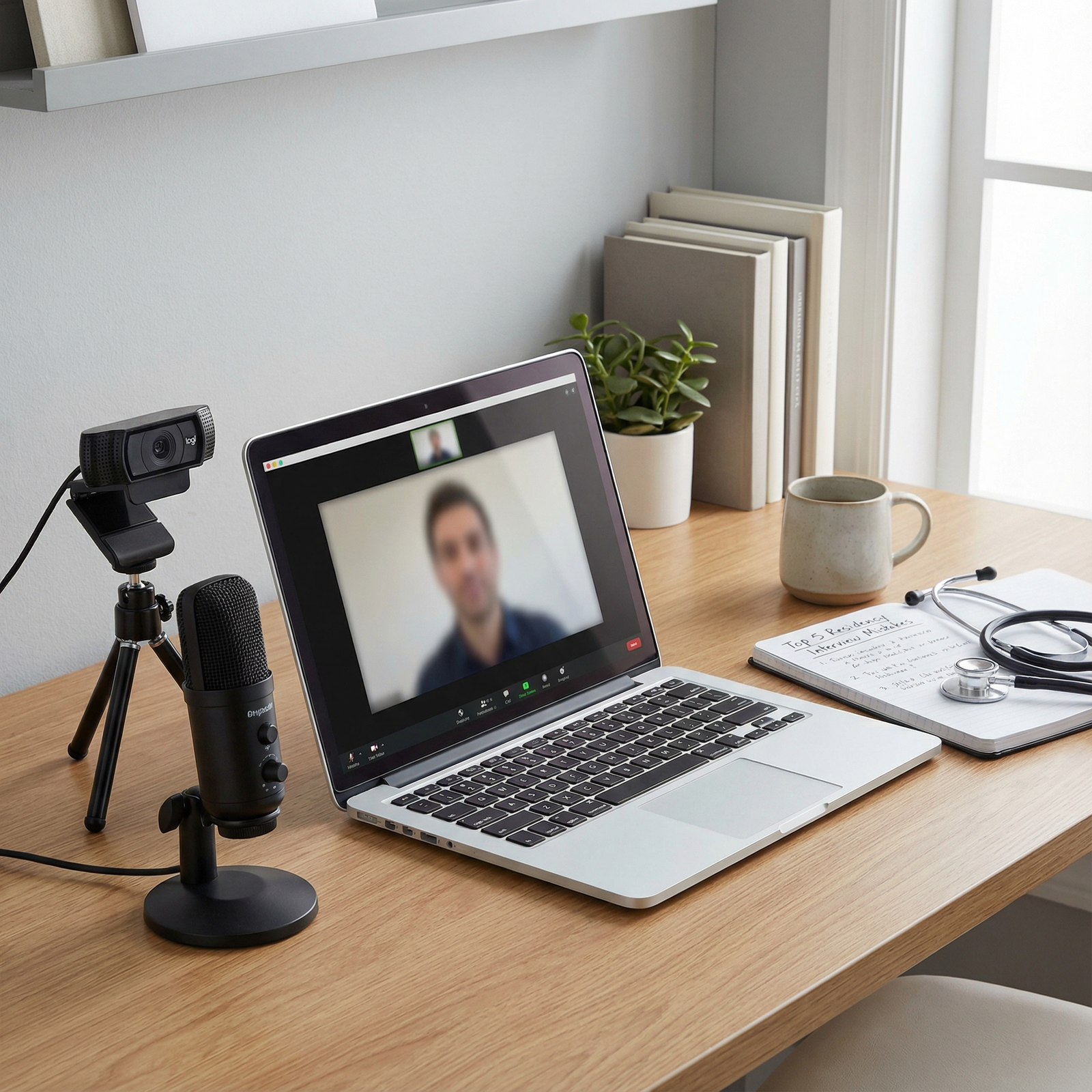
Build a Reliable Technical Setup
Internet Connection
- Use a wired Ethernet connection if possible; it is more stable than Wi‑Fi.
- If you must use Wi‑Fi, position yourself close to the router and ask others in your household to avoid streaming during your interview.
- Run a speed test the day before and the morning of the interview (aim for at least 5 Mbps upload and 10 Mbps download, higher is better).
Device and Hardware
- Use a laptop or desktop rather than a phone or tablet when possible; it’s more stable and professional.
- Ensure your webcam is at least 720p resolution; many built-in webcams meet this standard.
- Use a dedicated microphone or a high-quality headset if you can—clear audio is often more important than perfect video.
- Plug your device into power; do not rely on battery life.
Lighting and Visibility
- Position your main light source in front of you, not behind you, to avoid being backlit and in shadow.
- Natural light from a window is ideal; supplement with a desk lamp if needed.
- Avoid harsh overhead lighting that casts unflattering shadows.
Conduct a Full Technical Rehearsal
Do not wait until the morning of your interview to discover that your microphone is muted by default or your camera isn’t recognized by the platform.
Use this checklist at least a few days before:
- Platform Access: Log in to the specific platform (Zoom, Webex, Microsoft Teams, Thalamus, etc.) you’ll be using.
- Update Software: Install updates beforehand; they can take several minutes at the worst possible time.
- Audio & Video Test: Check input/output devices and sound levels.
- Screen Name: Confirm your display name is professional (e.g., “Jane Smith, MD Candidate”) rather than a nickname or shared account.
- Backup Plan: Have a backup device (e.g., a second laptop or tablet) charged and ready, and keep the meeting link and contact email/phone easily accessible.
What to Do If Something Goes Wrong
If you experience technical issues during the interview:
- Stay calm and composed—how you handle problems is part of your Professional Development.
- Briefly acknowledge the problem and apologize: “I’m sorry, it seems my audio briefly cut out. May I restate that last point?”
- If you are completely disconnected, rejoin as soon as possible and follow up with a concise email to the coordinator or program contact summarizing what happened and expressing appreciation for their understanding.
Proactive preparation and calm troubleshooting can turn a potential negative into a demonstration of maturity and resilience.
2. Poor Visual Presentation and Distracting Environment
Your visual presentation in a video residency interview includes more than just what you’re wearing. Programs are subconsciously taking in your attire, grooming, background, lighting, and overall environment as they form an impression of your professionalism and attention to detail.
Dress as if You Were In-Person
Even though you’re at home, it is still a professional interview.
Attire Guidelines
- Aim for at least business casual; many applicants opt for full professional attire (e.g., suit jacket, blouse/button-down).
- Choose solid, neutral, or muted colors (navy, gray, black, soft blue). Avoid busy patterns, neon colors, or overly bright white that can blow out on camera.
- Ensure your clothing fits well and is comfortable enough to wear for several hours—many interview days involve multiple sessions.
- Dress fully, not just from the waist up. You may need to stand up unexpectedly, and full professional attire helps you mentally “step into” interview mode.
Grooming and Professional Presence
- Maintain your usual professional grooming: clean hair, neat facial hair if applicable, minimal but polished makeup if you choose to wear it.
- Avoid noisy or distracting jewelry (dangling earrings, bangles) that can interfere with audio or draw attention away from your face.
- Check your appearance in the platform’s preview window to confirm everything looks professional under your actual lighting.
Create a Clean, Non-Distracting Background
Your environment can either subtly reinforce your professionalism or create unnecessary noise.
Ideal Background Features
- A neutral wall, bookcase, or tidy office/bedroom background.
- Minimal visual clutter—remove piles of laundry, food containers, or distracting posters.
- Medical textbooks, a diploma, or a simple plant are fine; avoid anything political, controversial, or overly personal.
Avoid These Common Mistakes
- Sitting with a bright window directly behind you (creates silhouette).
- Using busy or glitchy virtual backgrounds that cut off your head or hands.
- Allowing roommates, family, or pets to walk through the frame.
- Having TV or music on in the background, even faintly.
If space is limited (e.g., studio apartment), consider:
- Sitting with your back to a plain wall.
- Using a simple, static virtual background only if your lighting and camera support it well.
Control Noise and Interruptions
- Inform household members of your interview time and request quiet.
- Silence phone notifications and computer alerts (email pings, message pop-ups).
- Close unnecessary applications to reduce system load and distracting notifications.
- If you anticipate unavoidable noise (construction, street traffic), consider noise‑reducing headphones and mention it briefly at the start if needed: “Just as a heads-up, there is some construction outside my building today. I apologize in advance for any background noise.”
A professional visual and environmental setup signals respect for the interviewers’ time and the seriousness with which you take the residency application process.
3. Ignoring Body Language and On-Camera Communication
In a video format, non-verbal communication becomes even more critical. The interviewers see a narrower frame—usually your head and shoulders—so small behaviors become magnified. Effective body language helps convey confidence, engagement, and authenticity.
Master Eye Contact on Video
The biggest adjustment for many applicants is learning to “make eye contact” through a camera.
- Place your webcam at eye level to mimic a natural in-person conversation.
- When speaking, look primarily at the camera, not your own image or the interviewer’s video box.
- When listening, it’s natural to glance between the screen and the camera; try to return your gaze to the camera periodically.
A helpful tip: Move the video window of your interviewer as close as possible to the camera on your screen, so you can look at their face and still be nearly aligned with the camera.
Posture and Presence
- Sit upright with your back supported and both feet on the floor.
- Lean slightly forward at times to show engagement, but avoid rocking, swiveling, or constant repositioning.
- Keep your shoulders relaxed; tension can make you look stiff or anxious.
Avoid:
- Slouching or reclining too far back in your chair.
- Sitting so close to the camera that your face fills the entire screen.
- Sitting too far away, making you appear distant or disinterested.
Aim to show your head, shoulders, and upper chest, similar to a professional head-and-shoulders portrait.
Hand Gestures and Facial Expressions
- Natural hand gestures can convey enthusiasm and clarity—just keep them within the frame and not overly exaggerated.
- If you tend to talk with your hands, practice keeping them at chest level so they remain visible but not distracting.
- Maintain a neutral, attentive facial expression when listening; occasional nodding shows you’re engaged.
- Smile naturally, especially at the beginning and end of the interaction, but avoid a constant fixed smile that can appear forced.
If you’re unsure how you come across, record a brief mock interview and watch it back critically. Look for habits like fidgeting with pens, hair, or jewelry; frequently glancing away; or appearing disinterested. Awareness is the first step toward improvement.
4. Giving Generic or Unprepared Responses
Many applicants assume that because they’re comfortable speaking on camera, they can “wing it.” In the high-stakes context of the residency application process, this almost never goes well. Generic answers signal lack of preparation, limited self-reflection, and possibly limited genuine interest in the specific program.
Do Your Homework on Each Program
Before every interview day:
- Review the program website thoroughly, including mission statement, curriculum, tracks, research opportunities, and resident wellness resources.
- Look at recent program news, initiatives, or changes (e.g., new fellowship, expansion of a clinic, community outreach projects).
- Learn about key faculty (program director, associate program directors, chief residents) and their areas of interest.
Then, connect this knowledge to your own experiences and goals:
- If the program emphasizes community health, think of specific examples where you served underserved populations.
- If they highlight strong research infrastructure, prepare to discuss your scholarly work and how you’d contribute.
Structure Strong, Specific Answers
Use the STAR method (Situation, Task, Action, Result) to answer common behavioral and reflective questions:
- Situation: Briefly set the context.
- Task: Explain your role or what needed to be done.
- Action: Describe what you did—this is the heart of your answer.
- Result: Share the outcome and what you learned.
Example (for “Tell me about a time you received critical feedback”):
- Situation: “During my internal medicine clerkship, I received mid-rotation feedback that my presentations were too detail-heavy and difficult to follow.”
- Task: “I needed to improve the clarity and structure of my presentations to better serve the team and patients.”
- Action: “I asked my senior resident for specific examples and watched how they presented. I started using a clear framework—chief complaint, problem list, pertinent data, assessment, and plan. I practiced summarizing complex data into a few key sentences.”
- Result: “By the end of the rotation, my attending commented that my presentations had become much more concise and clinically relevant. I’ve continued to refine this skill, and it’s helped me communicate more effectively with both colleagues and patients.”
This approach demonstrates self-awareness, teachability, and growth—core attributes programs look for in residents.
Prepare for Common Question Types
While you cannot script every answer, you should not be surprised by foundational questions such as:
- “Tell me about yourself.”
- “Why this specialty?”
- “Why our program?”
- “What are your strengths and weaknesses?”
- “Describe a challenging patient or team situation and how you handled it.”
- “How do you handle stress or burnout?”
Prepare bullet points, not full scripts, for each. Practice answering out loud until you can respond smoothly, with specific examples, but without sounding memorized.
5. Failing to Prepare Thoughtful Questions for Interviewers
Residency interviews are a two-way evaluation. Programs are assessing your fit, but you are also evaluating whether the environment, culture, and training will support your growth and well-being. Arriving without questions can make you appear disengaged or unprepared.
Thoughtful questions also demonstrate maturity and sincere interest beyond superficial website information.
Principles for Strong Questions
- Avoid asking about basic facts easily found on the website (e.g., number of residents per year).
- Tailor questions to the specific program and the person you’re speaking with (PD vs. resident vs. faculty).
- Aim for open-ended questions that invite detailed answers.
- Use questions to explore culture, mentorship, learning environment, and future plans.
Examples of High-Impact Questions
For Program Directors or Faculty
- “How would you describe the culture of your residency program, especially in terms of mentorship and feedback?”
- “What changes or innovations are you most excited about over the next 3–5 years for the program?”
- “How does the program support residents who are interested in academic medicine/community practice/subspecialty training?”
For Current Residents
- “What has surprised you most about training here, either positively or negatively?”
- “How does the program handle resident wellness and support during more demanding rotations?”
- “Can you describe how approachable faculty are for real-time questions or feedback on the wards?”
For Anyone
- “In your opinion, what kind of resident tends to thrive in this program?”
- “If you could change one thing about the program, what would it be, and how is the program working on that?”
Keep a short list of questions printed or in a small notebook nearby. Glancing briefly at your notes is acceptable; reading word-for-word from a script is not.
Putting It All Together: A Strategic Approach to Video Residency Interviews
To stand out in a competitive residency application cycle, treat your Video Interviews as a core Professional Development milestone. You are not just trying to avoid obvious mistakes; you are building skills that will serve you in patient care, interdisciplinary collaboration, and academic presentations throughout your career.
Pre-Interview Checklist (1–2 Weeks Before)
- Confirm interview dates, times, and time zones.
- Test your full technical setup with the actual platform.
- Choose and test your interview location, lighting, and background.
- Research each program in depth and prepare tailored talking points.
- Draft and practice responses to common questions using the STAR method.
- Prepare a list of thoughtful questions for PDs, faculty, and residents.
- Arrange your schedule to avoid back-to-back interviews if possible.
Day-Before and Day-Of Checklist
Day Before:
- Reconfirm time and platform; locate any backup contact info.
- Lay out interview attire, test camera framing and lighting.
- Charge all devices and update software.
- Print or have easily accessible: your CV, personal statement, program notes, and questions.
Day Of:
- Eat a light meal; hydrate but don’t overdo caffeine.
- Log in 10–15 minutes early to troubleshoot.
- Close all unnecessary tabs and programs.
- Silence notifications on all devices.
- Take a few deep breaths, remind yourself: they invited you because they already see potential.
FAQs: Video Interviews in the Residency Application Process
1. What should I do if I experience significant technical issues during my video interview?
If you encounter technical problems:
- Stay calm and try basic troubleshooting (reconnect audio, switch networks, restart the app).
- Briefly acknowledge the issue: “I’m sorry, it seems my connection briefly dropped. Thank you for your patience.”
- If you are fully disconnected and cannot rejoin promptly, email or call the program coordinator as soon as possible, explaining the issue and expressing your continued interest.
- Most programs understand that technical issues occur and may offer to reschedule or extend your time if needed.
How you handle the situation—politely, professionally, and with initiative—matters as much as the problem itself.
2. How can I best practice for a residency video interview?
Effective practice includes:
- Mock Interviews: Ask a mentor, advisor, resident, or peer to conduct a mock interview over the same platform.
- Recording Yourself: Record a short session answering common questions, then review posture, eye contact, and verbal clarity.
- Time-Limited Responses: Practice summarizing answers in 1–2 minutes; this trains you to be concise but complete.
- Feedback: Request specific feedback (e.g., “Was I clear?”, “Did I seem engaged?”, “Any distracting habits?”).
Many medical schools and institutions also offer formal mock interview programs through career services or the Office of Medical Education—use them.
3. Is it acceptable to use notes during a video residency interview?
It is acceptable to have brief notes or a short outline nearby, such as:
- A few bullet points for your key experiences
- Names of faculty or specific program features you want to mention
- Your prepared questions for interviewers
However:
- Do not read full responses; it appears scripted and disengaged.
- Keep your notes short so you only glance at them occasionally.
- Maintain eye contact with the camera as your primary focus.
Think of your notes as safety nets, not scripts.
4. How important is my background and environment during the interview?
Your background and environment are more important than many applicants realize. They contribute to the overall impression of professionalism and attention to detail. Aim for:
- A clean, tidy, non-distracting background
- Good lighting that clearly illuminates your face
- Minimal noise and interruptions
A neutral, organized space keeps the focus on you and your qualifications. A messy or chaotic background, on the other hand, can subtly undermine your message, even if your verbal answers are strong.
5. What if I’m much more anxious about video interviews than in-person ones?
Many applicants feel that way. To manage anxiety:
- Desensitize through practice: The more you see yourself on camera, the less strange it feels.
- Simulate the real setting: Dress up and sit in your interview location for practice runs.
- Use grounding techniques: Deep breathing, progressive muscle relaxation, or a brief mindfulness exercise before logging in can help.
- Reframe the situation: Remember that programs expect some nervousness and are looking for your authenticity, judgment, and potential as a resident—not a flawless TV performance.
If anxiety is significant, consider speaking with a counselor or your school’s wellness services for additional strategies.
By proactively addressing the five common mistakes outlined above—technical neglect, poor visual presentation, ineffective body language, generic responses, and lack of thoughtful questions—you can transform your video residency interview from a stressor into an opportunity.
With deliberate preparation, reflective practice, and attention to detail, your Video Interviews can showcase not only your clinical experiences and academic achievements, but also the professionalism, adaptability, and communication skills that will define your success in residency and beyond.



