
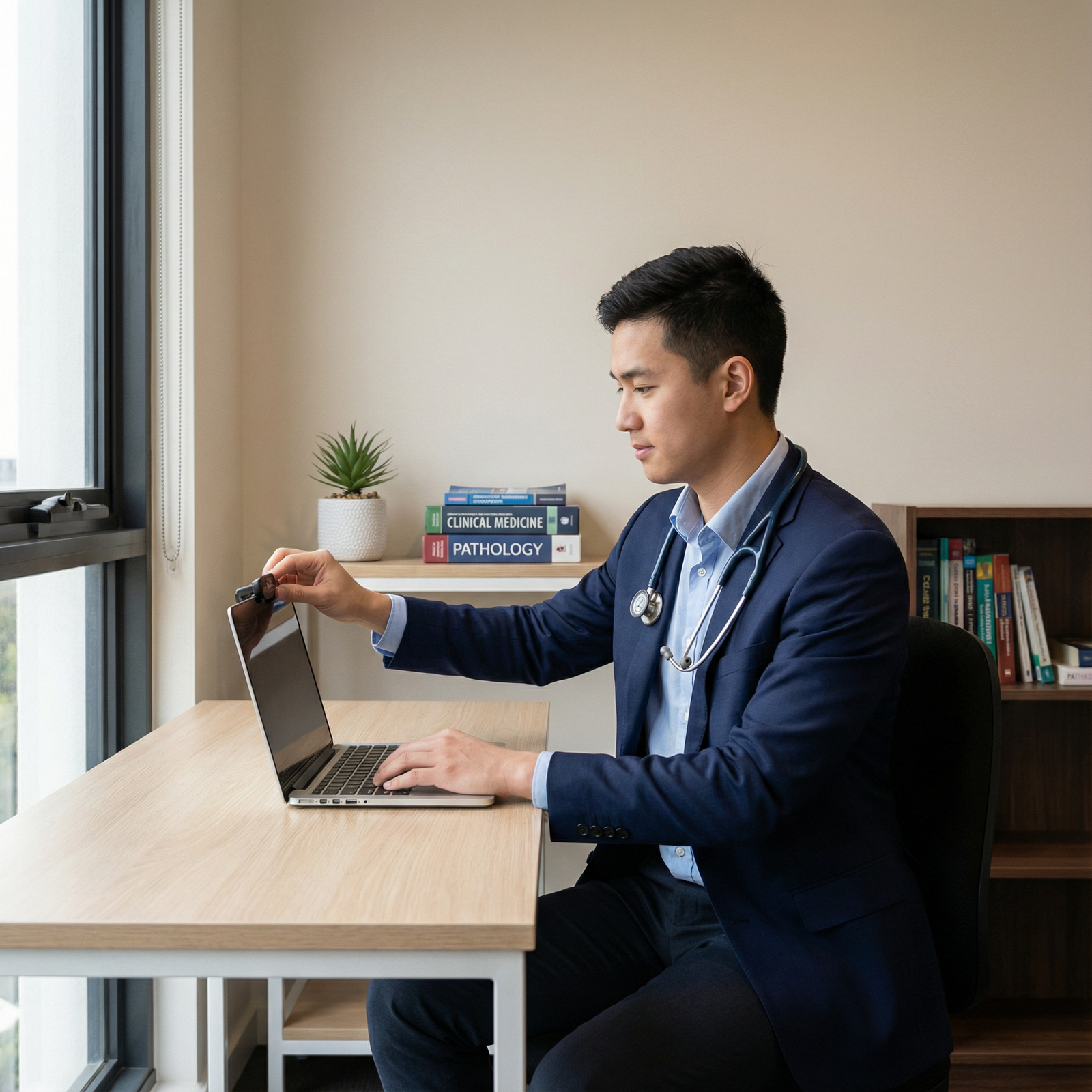
Creating an Impressive Background for Your Residency Video Interview
The transition into residency is one of the most competitive and high‑stakes phases in a medical professional’s journey. As video interviews become increasingly common in residency matching, how you appear on screen matters almost as much as what is on your CV. Program directors and faculty are assessing not only your clinical potential and communication skills, but also subtle indicators of professionalism, preparation, and maturity.
In that context, your video interview background is more than “what’s behind you.” It is part of your professional presentation. A thoughtful, well‑designed backdrop communicates that you are organized, intentional, and serious about joining their team. A distracting, cluttered, or poorly lit background can unintentionally undermine an otherwise strong interview.
This guide walks you step‑by‑step through creating an impressive, professional background that supports your performance, enhances your credibility, and helps you stand out in a crowded field of residency applicants.
Why Your Video Interview Background Matters in Residency Matching
Your background is a nonverbal message that programs interpret within seconds. Long before they hear your nuanced answer to “Why this specialty?” interviewers subconsciously register what your environment suggests about you.
Key Reasons Your Background Influences Your Interview
Signals Professionalism and Preparedness
A clean, intentional backdrop tells interviewers you take the process seriously. You have anticipated technical and environmental factors and managed them. For medical professionals, this translates to perceived reliability and readiness for real clinical environments where details matter.Reduces Cognitive Load and Distraction
Busy or chaotic backgrounds pull attention away from you and your answers. Interviewers may find themselves reading book titles, staring at clutter, or being distracted by movement behind you. A distraction‑free background keeps the focus where it belongs: your facial expressions, your reasoning, and your communication style.Conveys Subtle Professional Messaging
Elements of your environment can reinforce your personal brand. Neatly arranged medical textbooks, a simple framed diploma, or a modest bookshelf can support the impression of a dedicated, organized learner. Conversely, visible laundry, posters, or unmade beds can create doubts about judgment and professionalism.Demonstrates Adaptability to Remote Workflows
Telehealth, virtual meetings, and remote didactics are now embedded in postgraduate training. A polished video setup suggests you can participate in virtual patient care and academic activities smoothly and respectfully, which is increasingly important in contemporary medical practice.Supports Nonverbal Communication
A good background enhances lighting and framing, which makes your eye contact, micro‑expressions, and gestures more visible. These nonverbal cues strongly influence how warm, confident, and engaged you appear.
Principles of an Effective Residency Video Interview Background
Before choosing specific objects or rearranging your room, it helps to understand a few overarching principles. These apply whether you are interviewing from a studio apartment, shared housing, or a dedicated home office.
1. Professionalism Over Personality (But Not Zero Personality)
You do not need a sterile, bare wall—programs expect you to be a human being with a life outside medicine. The goal is “professional with a touch of personality” rather than “dorm room” or “social media influencer backdrop.”
Aim for:
- Clean, uncluttered space
- A few carefully chosen professional or neutral personal touches
- Nothing that could be perceived as controversial, inappropriate, or overly casual
2. Simplicity and Order
Visual noise translates into mental noise. Simple, orderly backgrounds communicate that you are organized and in control. If you are unsure whether something is distracting, remove it.
Ask yourself:
- Would I be comfortable if my program director saw every item behind me?
- Does anything in the frame compete for attention with my face?
3. Intentional Framing
Your background is defined by what the camera sees, not the whole room. You may only need to tidy or curate a 3–4 ft wide vertical slice behind you. Be strategic: you do not need a perfect apartment, only a well‑composed frame.
4. Consistency Across Interviews
Whenever possible, use the same setup for all your video interviews. This:
- Reduces day‑of stress
- Helps you feel more comfortable and confident
- Prevents last‑minute scrambling to find a “good enough” corner
Ideal Background Options for Residency Video Interviews
Below are practical, high‑yield background options that work for most medical students and residents.
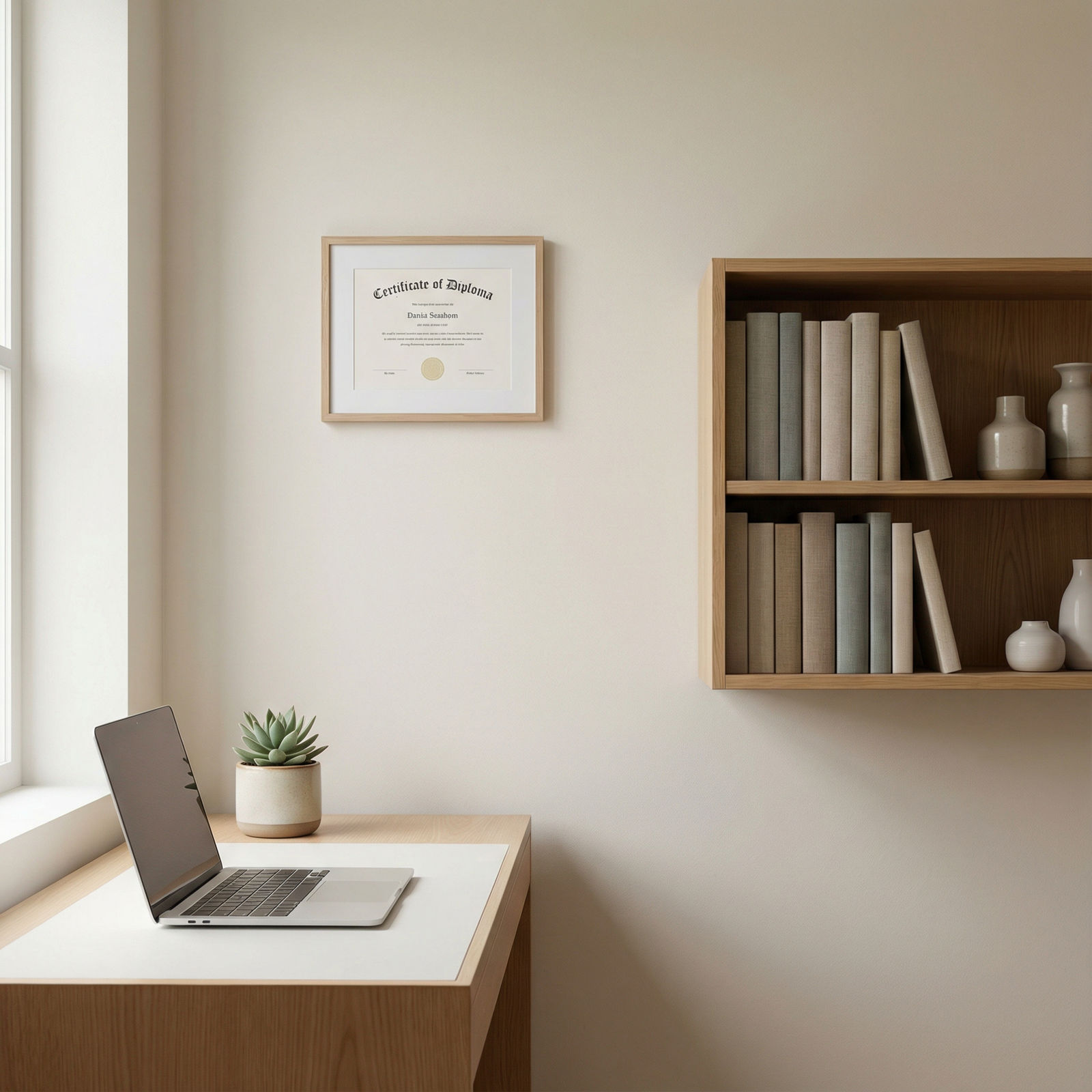
1. Neutral‑Colored Walls: The Gold Standard
Why it works
A neutral wall is clean, professional, and rarely distracting. Colors like light gray, off‑white, soft blue, or beige provide a calm visual field that keeps focus on your face and expressions.
How to optimize it
- Sit 2–3 feet away from the wall so you are not right up against it; this adds depth and reduces harsh shadows.
- Avoid bright primary colors, dark reds, or heavily patterned wallpaper.
- If your wall has minor imperfections (e.g., small nail holes or marks), position yourself so they fall outside the camera frame.
If your walls aren’t ideal
- Use a portable backdrop (e.g., a collapsible neutral screen).
- Hang a simple, single‑color curtain or sheet (well‑ironed) behind you.
- Avoid overly decorative tapestries or busy patterns.
2. Minimalistic Setup: Clean and Controlled
Why it works
A minimal background communicates organization and focus, two qualities valued in clinical environments. It also reduces the risk of anything unprofessional sneaking into the frame.
Elements of an effective minimal background
- Plain or neutral wall behind you
- A simple desk and chair
- Perhaps one or two items (small plant, simple lamp, plain bookshelf edge) visible at the periphery
Actionable tips
- Remove stacks of papers, old coffee cups, and miscellaneous items from surfaces in the frame.
- Hide items in drawers or move them temporarily to another room.
- Check that power cords and device chargers are not visually dominating the scene.
3. Bookshelves: Subtle Academic Signaling
Why it works
A neat bookshelf gently reinforces that you are a dedicated learner and engaged in continuous education—highly aligned with residency culture.
Best practices
- Arrange books vertically and avoid haphazard leaning towers.
- Limit visible items to:
- Medical textbooks
- General science or leadership books
- A few neutral decorative items (bookends, small plant, simple framed photo)
- Avoid:
- Overloaded, chaotic shelves
- Controversial titles or non‑professional content front and center
- Excessive personal photos, knick‑knacks, or memorabilia
Pro tip: Place the bookshelf slightly off‑center in the frame so that your face remains the visual anchor.
4. Framed Artwork, Diplomas, or Certificates
Why it works
Framed items can add professionalism and personal identity without overwhelming the space—if chosen carefully.
What works well
- Medical school diploma or prior degree
- Certification of academic or research achievement
- Neutral, calming artwork (landscapes, abstract patterns in muted colors)
What to avoid
- Controversial imagery or symbols
- Busy collages, wall of photos, or posters
- Large artwork with bright, distracting colors
Placement tips
- One to three framed pieces at most within the camera frame.
- Place them so they are visible but do not appear to be “floating” directly above your head.
5. Green Plants: Warmth and Approachability
Why it works
Plants soften the environment and make the scene more inviting. They can help you appear more approachable while maintaining a professional tone.
How to incorporate plants
- Use small, low‑maintenance plants: succulents, snake plant, peace lily.
- Place them on a shelf, side table, or desk edge—never blocking your face.
- One or two plants are enough; more can start to look cluttered or staged.
What to Absolutely Avoid in Your Background
- Beds in the frame, especially unmade ones
- Posters or signs with slogans, jokes, or strong political or social messaging
- Food, beverages, or cluttered kitchen counters
- Open closets showing clothing or personal items
- Movement behind you (people walking, pets jumping, TV screens)
- Mirrors that reflect other parts of the room unintentionally
Technical Setup: Lighting, Camera, and Framing for a Professional Look
Even a well‑decorated background can look unprofessional if the technical setup is poor. Good lighting, camera placement, and framing are essential for a polished video interview.
1. Lighting: Make Yourself Clearly Visible
Goals for lighting
- Your face should be evenly lit, with no harsh shadows.
- You should be brighter than your background, not silhouetted by light behind you.
Best practices
- Natural light:
- Face a window whenever possible (not with the window behind you).
- Avoid direct harsh sunlight; use sheer curtains to diffuse if needed.
- Artificial light:
- Use a desk lamp or ring light positioned slightly above eye level and centered or slightly off‑center.
- Use soft white bulbs (around 4000–5000K) for a natural tone.
- Avoid single overhead lights that create deep shadows under your eyes.
Test in advance
- Record yourself at the same time of day as your scheduled interview.
- Verify that light conditions remain adequate and consistent across the interview block.
2. Camera Angle and Distance: Professional Composition
Camera placement
- Position the camera slightly above or at eye level.
- If using a laptop, raise it on a stack of books or laptop stand to avoid the “looking down” angle.
- Place the camera approximately an arm’s length away to capture your head and upper torso.
Why this matters
- A higher angle is more flattering and prevents the “up the nose” or “double chin” effect.
- A medium shot (head and upper chest) allows interviewers to see your posture and hand gestures.
3. Framing Yourself Within the Background
Ideal framing
- Your eyes should be approximately at the top third of the screen.
- Leave a small space (around one hand’s width) above your head.
- Ensure your shoulders are visible so your body language is clear.
Check the background edges
- Scan the borders of your frame for:
- Stray objects or clutter
- Partially visible posters or pictures
- Doorframes that might open during the interview
4. Audio Environment and Noise Control
While not strictly part of the “visual background,” the sound environment is an integral part of your overall professional presentation.
Action items
- Choose the quietest room available.
- Inform roommates, family, or neighbors of your interview schedule.
- Silence phones, smart speakers, and notification sounds on all devices.
- Use wired or high‑quality wireless headphones with a built‑in microphone if your room is not acoustically ideal.
Managing Challenging Environments and Common Constraints
Not everyone has access to a private office or perfectly decorated apartment. Many applicants are in shared housing, dorms, or call rooms. Programs understand this, but you can still project professionalism.
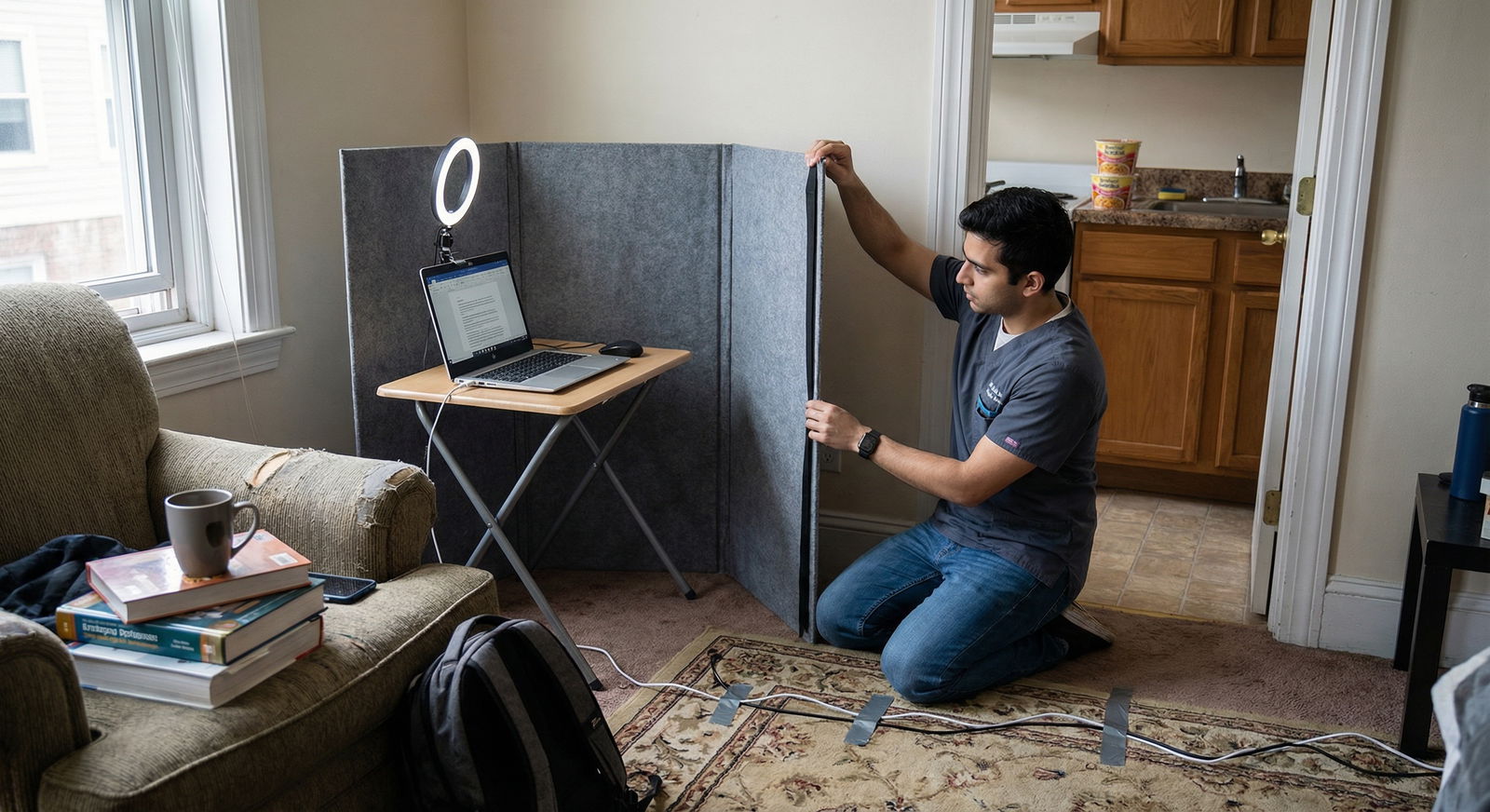
1. Shared Housing or Limited Space
Strategies
- Identify the quietest corner you can control, even if it’s not your main study area.
- Use a portable folding screen or neutral curtain to create a temporary backdrop.
- Ask housemates to avoid common areas visible behind you during your interview block.
2. Less‑Than‑Ideal Walls or Furniture
If your available background is old, marked, or visually busy:
- Use a simple, plain sheet or curtain (well‑pressed) as a temporary wall covering.
- Rearrange furniture temporarily so a blank portion of wall is visible behind you.
- Move large, distracting items (posters, bright decorations) out of frame for the day.
3. Should You Use Virtual Backgrounds?
Pros
- Can instantly hide a cluttered or shared environment.
- Offer an easy way to achieve a neutral background.
Cons
- May glitch around your hair or shoulders, especially with poor lighting.
- Can look artificial and may be perceived as less authentic.
- Any sudden movements can cause digital artifacts and distraction.
If you must use a virtual background
- Choose the simplest option: a plain, neutral color or subtle office setting.
- Avoid branded, beach, or novelty backgrounds.
- Test extensively beforehand to ensure your outline remains sharp and professional.
4. Low‑Budget Optimization
You do not need expensive equipment to create a strong setup.
High‑impact, low‑cost options
- Use daylight and a white wall as your primary tools.
- Elevate your laptop with textbooks instead of buying a new stand.
- Purchase a simple clamp lamp with a white bulb if your room is dim.
- Use a clean, solid‑colored bedsheet or curtain as a backdrop if needed.
Final Preparations: Rehearsing With Your Background
Your first time using your full video setup should not be during an actual interview. A brief rehearsal can uncover issues you might otherwise miss.
1. Conduct a Full Mock Interview
Ask a friend, mentor, or co‑resident to conduct a simulated interview via Zoom, Webex, or the platform your programs are using. During the trial:
- Record the session and watch yourself as an interviewer would.
- Evaluate:
- Is the background clean, simple, and professional?
- Is anything unintentionally distracting?
- Is the lighting adequate and consistent?
- Does your attire contrast well with the background?
2. Optimize Your Wardrobe for the Background
- Choose professional attire (e.g., solid color shirt or blouse, blazer if appropriate).
- Avoid colors that closely match your wall or backdrop; you do not want to blend in.
- Avoid very small patterns (like tight stripes) that can cause a moiré effect on camera.
3. Day‑of Checklist
On interview day, before logging in:
- Confirm your background matches your test setup.
- Turn on all planned lighting and check for sudden shadows or glare.
- Close unnecessary computer windows and mute notifications.
- Verify your camera angle and framing one last time.
- Remove any items that have migrated into the frame since your last check.
Putting It All Together: Your Background as Part of Your Story
Your video interview background is not about impressing programs with decor; it is about conveying that you are thoughtful, prepared, and ready for professional responsibilities. In residency matching, small details can differentiate between candidates with similar scores and experiences.
By creating a clean, calm, and intentional environment, you:
- Reduce distractions so your ideas and experiences take center stage.
- Reinforce the image of a reliable, organized, and mature medical professional.
- Demonstrate readiness for modern clinical practice, where video communication is routine.
When combined with strong preparation, thoughtful answers, and professional demeanor, an impressive background becomes one more way you quietly—but powerfully—support your candidacy.
Frequently Asked Questions About Video Interview Backgrounds for Residency

1. What is an appropriate background for a residency video interview?
An appropriate background is:
- Professional: Clean, tidy, and free of anything that could seem unprofessional.
- Simple: Neutral wall, minimalistic setup, or a neat bookshelf.
- Non‑distracting: No movement, clutter, or bold patterns.
- Well‑lit: Your face should be clearly visible with even lighting.
Examples that work well:
- A plain light‑colored wall with a small plant or simple framed diploma.
- A neat desk with a neutral wall behind you and a small portion of a bookshelf visible.
- A portable backdrop or curtain in a soft, solid color.
2. How does lighting affect my video interview performance?
Lighting significantly impacts:
- How clearly interviewers can see your expressions and eye contact.
- How energetic, engaged, and well‑rested you appear.
- The overall professionalism of your video presentation.
Poor lighting can:
- Cast heavy shadows that make you look tired or uninterested.
- Silhouette you if light is behind you.
- Make your background brighter than you, shifting focus away from your face.
Good lighting—usually from a window in front of you or a soft front‑facing lamp—helps you look more alert, approachable, and professional.
3. Is it acceptable to use a virtual background for residency interviews?
Yes, but with caution. Many programs understand that not every applicant has an ideal physical space. If you use a virtual background:
- Choose a plain, neutral background or a very subtle office setting.
- Avoid beach scenes, cityscapes, or novelty images.
- Ensure your lighting is good enough to prevent visual glitches around your face and hair.
- Test your background with the same platform the program will use.
If you can create a simple physical background with a neutral wall or curtain, that is generally preferred and feels more authentic.
4. What if my living environment is not ideal or I share space with others?
You can still present a professional image by:
- Identifying a small, controllable corner (even if the rest of the room is shared).
- Using a sheet, curtain, or folding screen to create a neutral backdrop.
- Negotiating quiet hours with roommates or family during your interview block.
- Wearing headphones and using a microphone to minimize background noise.
Programs are not evaluating your real estate; they are assessing effort, professionalism, and problem‑solving. A simple, thoughtful setup—even in a constrained environment—reflects positively on you.
5. How should I test my video setup before the actual interview?
At least a few days before your first interview:
- Set up your background, lighting, camera, and audio as you plan to use them.
- Join a test call on the same platform (Zoom, Thalamus, Webex, etc.).
- Record yourself answering a few sample questions.
- Review the recording for:
- Background distractions
- Lighting quality and shadows
- Camera angle and framing
- Audio clarity and background noise
- Ask for feedback from a mentor, advisor, or peer who has already gone through residency interviews.
Repeat any necessary adjustments until you feel your setup supports your best possible performance.
By paying intentional attention to your video interview background—and integrating these interview tips into your overall strategy—you elevate your entire professional presentation as a residency applicant. In a process where details matter, your environment can quietly reinforce the story you want programs to remember: a prepared, thoughtful, and deeply committed future resident.



