Mastering the Virtual Residency Interview: Tips for Success
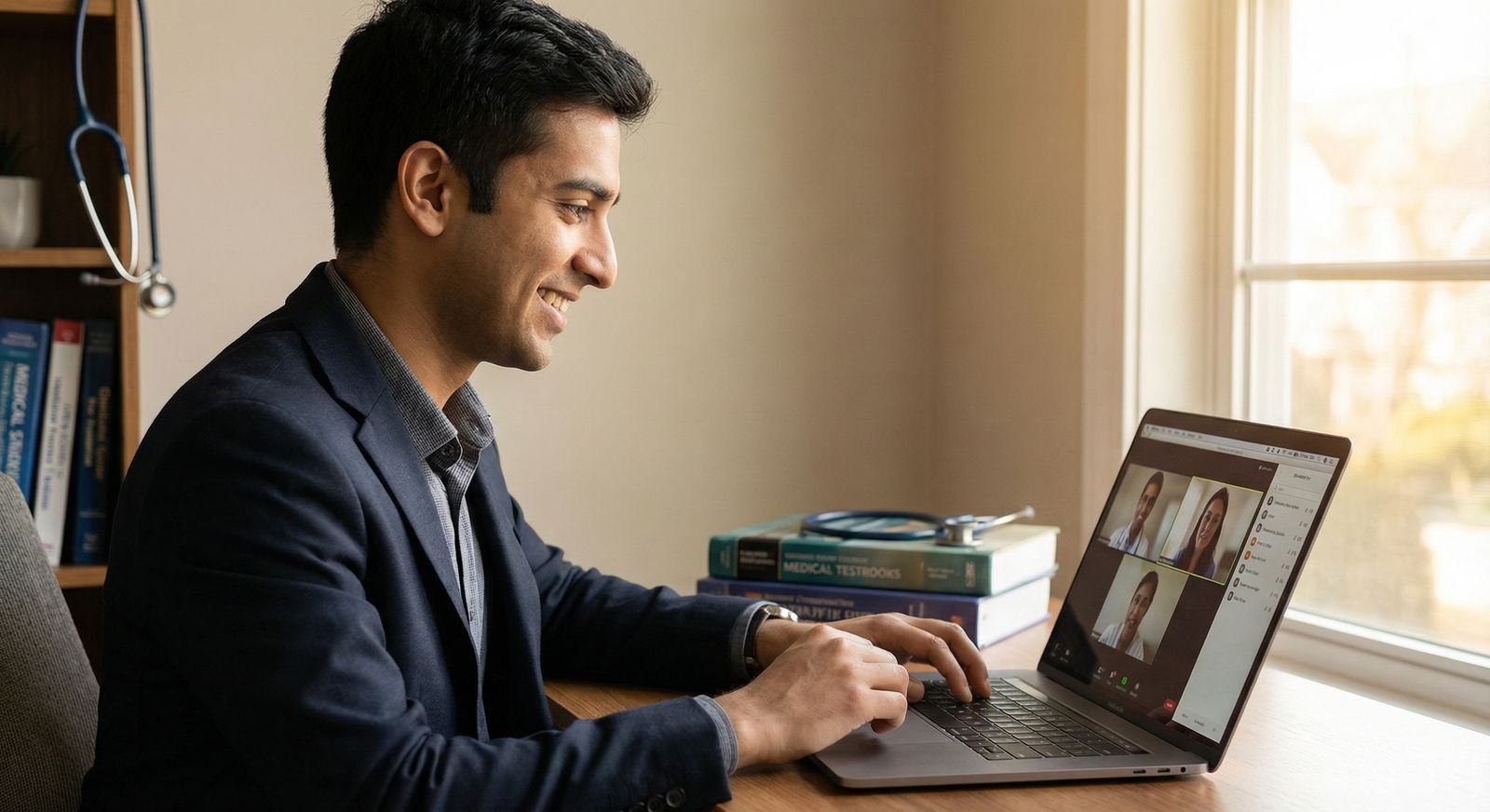
Virtual residency interviews are now a standard part of the Medical Residency selection process. For many programs, they are not just a temporary pandemic workaround—they’re here to stay. That means your ability to excel on screen is now a critical Professional Development skill that can directly influence your match outcome.
This guide expands on core principles and offers practical, step-by-step Interview Tips to help you stand out in Virtual Interviews: from technical setup to high-impact communication, and from preparing answers to managing interview day logistics.
1. Understanding the New Virtual Interview Landscape
How Virtual Residency Interviews Have Changed the Game
Virtual residency interviews fundamentally reshape how programs and applicants interact:
- Wider access and equity: You can now interview at programs across the country without the financial and logistical burden of travel.
- Increased number of interviews: Many applicants schedule more interviews than would be feasible in person, which can help—but also increase interview fatigue.
- New evaluative focus: Programs are now attuned to how you communicate through a screen—clarity, warmth, and professionalism in a digital environment.
Residency programs are continuing to refine their Virtual Interview formats, but common structures now include:
- 1:1 or panel faculty interviews
- Resident interviews and social hours
- Program director or chair sessions
- “Open house” Q&As and virtual tours
- Breakout rooms or small group discussions
Why Adapting to Virtual Interviews Is Essential
Even if some programs return to hybrid or in-person formats, comfort with virtual communication remains crucial for:
- Telemedicine encounters with patients
- Interprofessional collaboration across sites
- Remote teaching, conferences, and academic presentations
By treating virtual residency interviews as both an admissions challenge and a professional communication exercise, you build skills that will serve you throughout training and beyond.
2. Technical Preparedness: Building a Reliable Virtual Setup
Technical issues are one of the most preventable reasons an otherwise strong interview can go poorly. You don’t need an expensive studio setup—but you do need a stable, clear, and professional virtual presence.
2.1 Choose and Master the Interview Platform
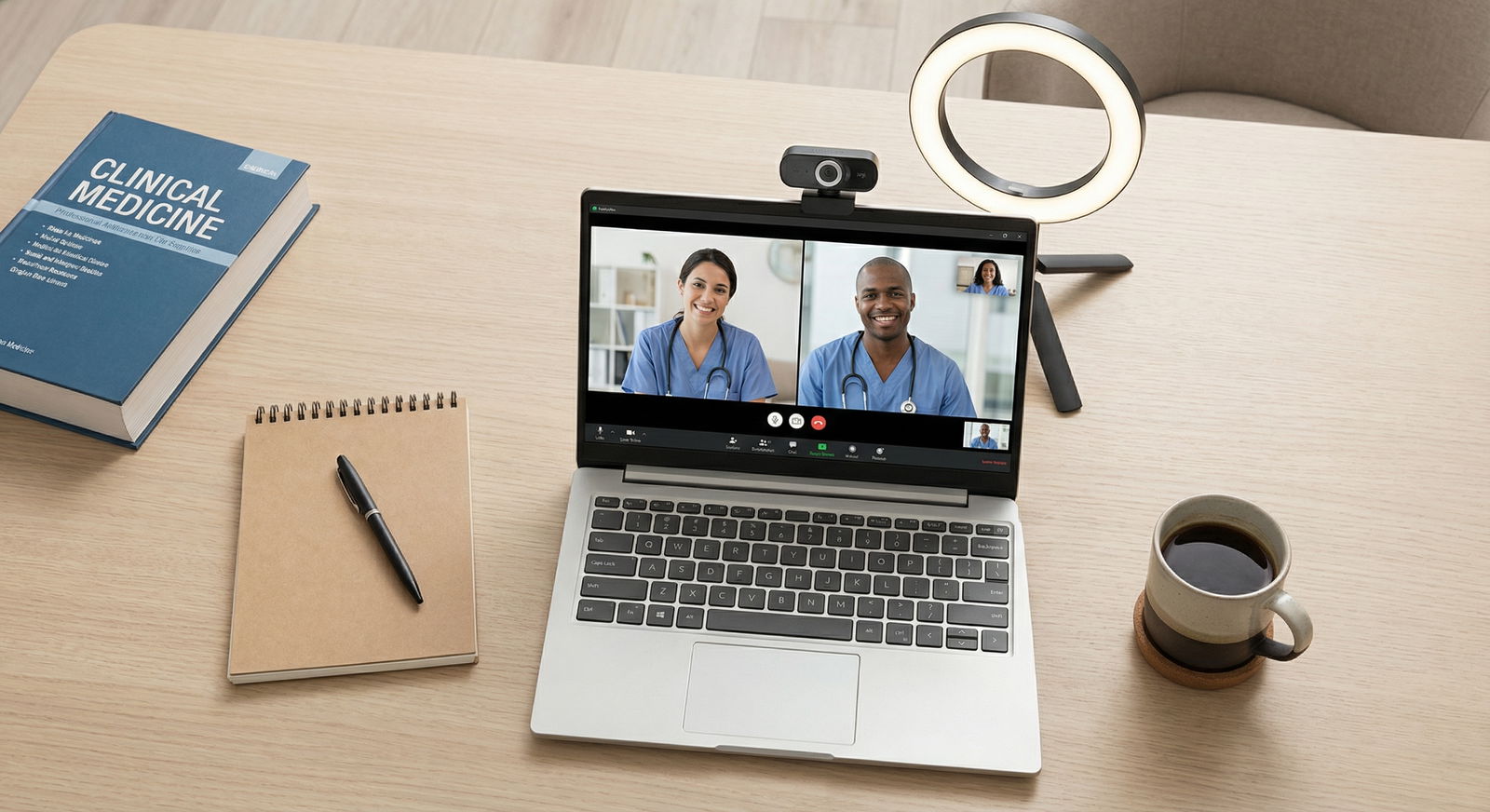
Most programs will specify the platform—commonly Zoom, Microsoft Teams, Webex, or occasionally Google Meet.
Action steps:
- Confirm platform details early (link, meeting ID, password, backup phone number).
- Download and update the app on your primary and backup devices.
- Practice key features:
- Mute/unmute
- Turning camera on/off
- Screen view modes (gallery/speaker)
- Waiting room behavior
- Chat function (for tech issues or links)
- Log in with your full name as it appears on ERAS, not a nickname or random username.
If you’re unfamiliar with the platform, schedule at least one mock call with a friend on that exact platform to get comfortable.
2.2 Optimize Your Internet and Hardware
A smooth connection signals reliability and professionalism.
Internet:
- Aim for at least 10 Mbps upload and download speed; test at Speedtest.net.
- Use a wired Ethernet connection if possible for maximum stability.
- If on Wi-Fi:
- Sit close to the router.
- Ask household members to avoid streaming or gaming during your interviews.
- Have a mobile hotspot ready as an emergency backup.
Hardware:
- Camera: A modern laptop camera is often sufficient, but an external HD webcam can improve clarity and framing.
- Microphone: Clear audio matters more than ultra-sharp video.
- Wired earbuds or a dedicated USB mic often outperform built-in laptop mics.
- Computer: Close unnecessary programs to prevent lag, fan noise, or pop-up notifications.
2.3 Create a Professional Environment and Background
Your environment is part of the first impression you make.
Background:
- Prefer a simple, uncluttered, neutral background: a plain wall, a bookcase, or a tidy study area.
- Remove distracting items (piles of laundry, busy posters, political or controversial decor).
- Avoid virtual backgrounds unless your real environment is truly unsuitable; if used, choose subtle, professional images and avoid glitches by ensuring good lighting.
Lighting:
- Position your primary light source in front of you, ideally slightly above eye level.
- Natural light is excellent if it comes from a window behind your camera—not behind you.
- If needed, use a desk lamp or ring light; avoid harsh overhead-only lighting that casts shadows.
Noise and disruptions:
- Choose the quietest room available.
- Inform roommates/family of your schedule and post a “Do Not Disturb – Interview in Progress” sign.
- Silence phones, smart speakers, and notifications on all devices.
- Close windows if street noise is an issue; consider noise-cancelling headphones if necessary.
2.4 Build a Backup Plan
Despite your best efforts, tech problems can happen. Programs understand this—but they notice how you respond.
Have ready:
- A backup device (laptop/tablet/phone) with the platform installed.
- A second power outlet or fully charged backup device.
- Contact information for the program coordinator and clear instructions (from their email) on what to do if you’re disconnected.
If an issue occurs:
- Stay calm.
- Quickly email or call the coordinator.
- Rejoin as soon as possible and briefly say, “Thank you for your patience; I had a quick technical issue but I believe it’s resolved now.”
3. Preparing for Residency Interview Questions and Content
Strong answers in Virtual Interviews are clear, concise, and tailored to each program. Preparation elevates your confidence and allows your authentic personality to come through.
3.1 Anticipate and Practice Core Residency Interview Questions
Many programs cover similar themes. Build and refine your responses to common prompts:
- “Tell me about yourself.”
- “Why did you choose this specialty?”
- “Why are you interested in our program?”
- “What are your strengths and areas for growth?”
- “Tell me about a challenging clinical situation and how you handled it.”
- “Describe a time you received feedback that was difficult and how you responded.”
- “How do you handle stress or burnout?”
- “Tell me about a time you worked on a team with conflict.”
Use the STAR method to structure responses:
- Situation: Brief background
- Task: Your role or objective
- Action: What you did
- Result: Outcome and what you learned
Example (abbreviated):
- Situation: “During my medicine rotation, our team had a high census and a complex patient with unclear goals of care.”
- Task: “As the student, I was responsible for coordinating the family meeting.”
- Action: “I reviewed the chart, spoke with the resident to clarify the plan, and then helped facilitate the meeting by…”
- Result: “The family agreed on a care plan that aligned with the patient’s wishes, and I learned the importance of…”
Practice out loud; virtual delivery often feels different than in-person.
3.2 Research Programs and Tailor Your Story
Your preparation for each program should go beyond skimming their website.
Research:
- Program’s mission, values, and culture
- Clinical sites and patient populations
- Rotation structure and call schedule
- Research, QI, or community engagement opportunities
- Recent news, grants, or initiatives
- Fellowship match or career outcomes for graduates
Use this information to:
- Align your goals and values with the program’s priorities (“I’m particularly interested in your strong community medicine track because…”).
- Prepare specific examples of why you’d thrive there (e.g., your prior research aligns with a faculty member’s interests).
- Refine your “Why this program?” answer using 2–3 concrete, program-specific points.
3.3 Prepare Thoughtful Questions to Ask Interviewers
Residency interviews are a two-way evaluation: you’re also deciding where you want to train. Asking insightful questions shows genuine interest and helps you gather information that matters to you.
Consider tailoring questions for:
- Program directors/faculty:
- “How do you see your program evolving over the next 3–5 years?”
- “How does the program support residents who struggle academically or personally?”
- “What qualities do your most successful residents share?”
- Chiefs/residents:
- “What was most surprising to you about this program once you started?”
- “How does the program support resident wellness and time away from work?”
- “Can you describe how approachable faculty and leadership are?”
- “How do residents integrate research or projects into their schedules?”
Avoid questions easily answered on the website (“How many residents are in your program?”), and instead build on what you’ve already read.
3.4 Practice with Mock Interviews and Recording
Rehearsal is essential for both content and virtual delivery.
- Schedule mock interviews with faculty advisors, residents, or peers.
- If your school offers a career office or residency prep workshop, take advantage of it.
- Record a short mock session (even 5–10 minutes) and review:
- Are you speaking too fast or too slowly?
- Do you say “um” or “like” frequently?
- Are your answers overly long or vague?
- Is your camera angle flattering and your lighting adequate?
Aim for concise but complete answers (typically 1–2 minutes per question, unless it clearly calls for more depth).
4. On-Screen Professionalism: Appearance, Body Language, and Communication
Many of the same professional behaviors valued in in-person Residency Interviews apply to the virtual format; they just manifest differently on camera.
4.1 Dress for the Role You Want
Your attire should match what you’d wear for an in-person interview.
- Recommended: Business formal (e.g., suit jacket, dress shirt/blouse, conservative dress).
- Colors: Solid, neutral, or muted tones photograph better than busy patterns.
- Avoid: Distracting jewelry, noisy accessories, or neon colors that reflect oddly on camera.
Even though only your upper body is visible, wear full professional attire. This helps you mentally step into a professional mindset and saves you from awkwardness if you need to stand up briefly.
4.2 Optimize Camera Framing and Eye Contact
Set your camera so that:
- Your head and upper shoulders are visible.
- Your eyes are roughly at one-third from the top of the screen.
- The camera is at eye level (use books or a stand if needed).
For better “eye contact”:
- Place the video window as close as possible to your camera.
- When speaking, look at the camera rather than your own image.
- When listening, it’s fine to look at your interviewer’s face on screen—but avoid looking away frequently.
4.3 Use Positive, Engaged Body Language
Virtual Interviews can slightly flatten affect, so small adjustments make a big difference:
- Sit up straight, with both feet on the floor or stable support.
- Keep your shoulders relaxed but not slouched.
- Nod and smile naturally to show engagement.
- Avoid fidgeting (pen clicking, chair swiveling, tapping).
- Use hand gestures sparingly within the frame if they feel natural.
Remember that your face is the focal point, so your expressions will be noticed more than in a large conference room.
4.4 Communicate Clearly and Professionally
- Pace: Speak a bit more slowly and clearly than usual; virtual audio can slightly distort speech.
- Volume: Aim for moderate volume—loud enough to be clearly heard, not so loud that it distorts.
- Clarity: Answer the question directly, then elaborate.
- Professional language: Remain collegial but avoid over-familiar slang, profanity, or humor that might not translate well.
- Handling interruptions: If audio lags or you talk over someone, apologize briefly and reset:
“I’m sorry, I think we spoke at the same time. Please go ahead.”
5. Mastering the Interview Day: Logistics, Stamina, and Follow-Up
Virtual residency interview days often run several hours and may include multiple interviews, breaks, and social components. Thoughtful planning helps you maintain energy and consistency.
5.1 Plan Your Interview Day Schedule and Environment
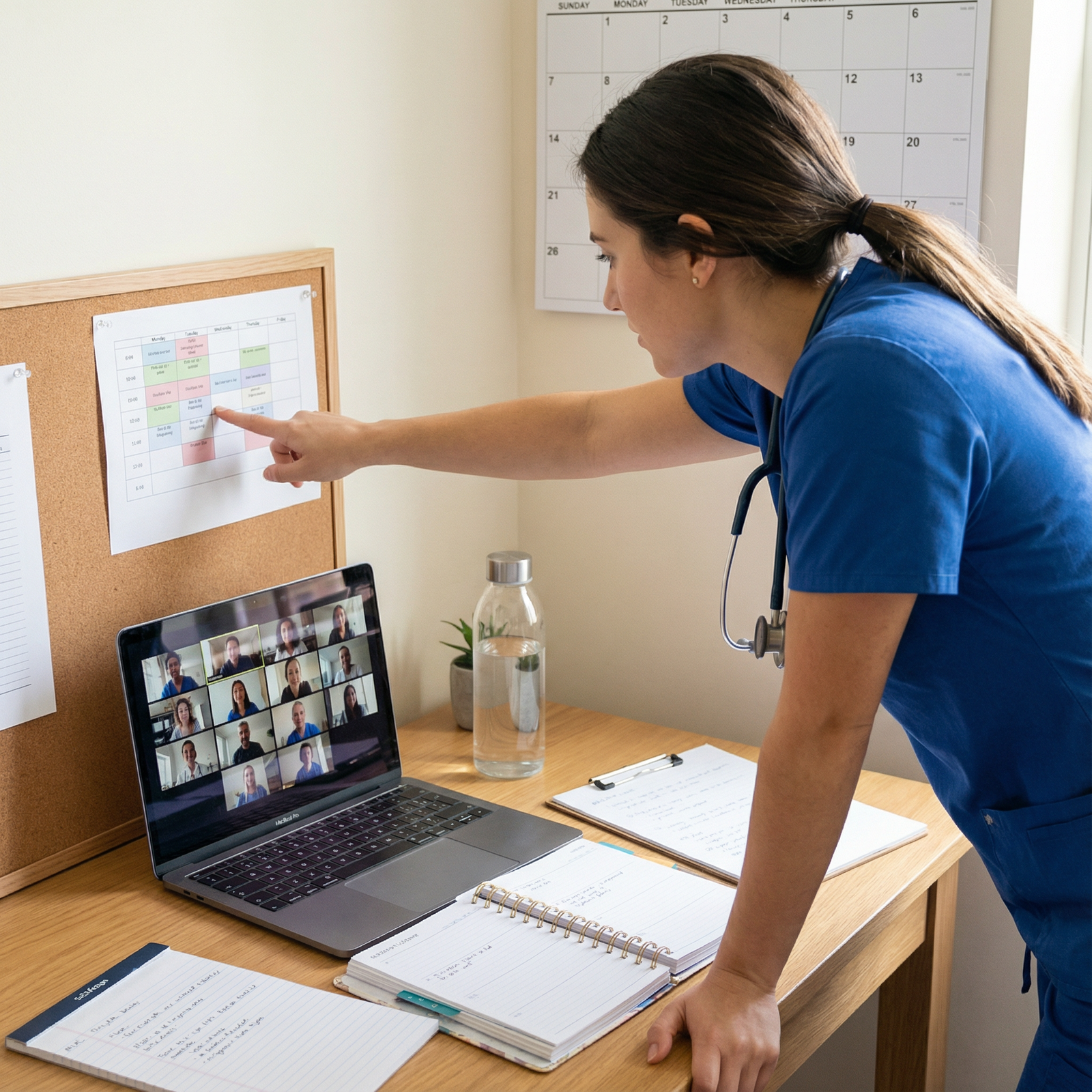
- Print or digitally save your schedule with time zones clearly noted.
- Build in buffer time:
- Log in 10–15 minutes early to each session.
- Use breaks to stand, stretch, hydrate, and briefly rest your eyes.
- Keep water and light snacks nearby, but out of the camera’s direct view.
- Use a clock in your field of view, so you can manage time without checking your phone.
If you have multiple interviews on consecutive days, protect your evenings for rest, brief reflection, and light review—not intensive new preparation.
5.2 Manage Nerves and Present Your Best Self
Most applicants feel anxious; managing that anxiety is part of your preparation.
Strategies:
- Do a brief grounding routine before logging in: deep breathing, stretching, or a short walk.
- Keep a short, reassuring reminder near your screen (e.g., “Listen fully,” “Be yourself,” “Pause, then answer”).
- Accept that minor imperfections are normal; focus on connection, not perfection.
Remember: interviewers are often looking for colleagues they can work with, not robots with flawless scripts.
5.3 Handle Common Virtual Interview Challenges
If you don’t understand a question:
- Ask for clarification: “I want to make sure I answer your question fully—could you please rephrase or elaborate?”
If you blank on an answer:
- Pause briefly: “That’s a thoughtful question; let me think for a moment.”
- Provide your best structured response; it’s better than rambling.
If an unexpected interruption occurs (noise, brief background entry):
- Quickly mute if needed, resolve it, and say:
“I apologize for the brief interruption; thank you for your patience.”
5.4 Follow-Up and Post-Interview Reflection
Thoughtful follow-up reinforces your interest and professionalism.
Thank-you notes:
- Aim to send within 24–48 hours.
- Keep them brief, specific, and sincere:
- Reference something you discussed (“I appreciated hearing about your community outreach clinic…”).
- Reaffirm your interest and fit.
- Email is standard unless otherwise specified.
Post-interview reflection: Right after each interview day, jot down:
- Your impressions of the program culture, resident happiness, and faculty engagement.
- Pros and cons, including anything that made you particularly excited or hesitant.
- Memorable conversations or themes.
These notes will be invaluable when you create your rank list months later, when details start to blur.
FAQs: Virtual Residency Interviews
1. What tools or platforms are most commonly used for Virtual Residency Interviews?
Most residency programs use established video conferencing platforms such as Zoom, Microsoft Teams, Webex, or Google Meet. Some may use institution-specific systems. Programs typically provide clear instructions in advance, including links and any passwords needed. Always:
- Install the latest version of the program.
- Test the platform on your primary and backup devices.
- Practice logging in and using basic functions before interview day.
2. How can I ensure a strong and stable internet connection during my interview?
To optimize your connection:
- Use a wired Ethernet connection when possible.
- If on Wi-Fi, sit close to the router and limit other bandwidth-heavy activities in your home.
- Test your internet speed in advance (aim for ≥10 Mbps upload/download).
- Have a backup plan, such as a mobile hotspot, and the program coordinator’s contact info in case of disconnection.
3. Is it acceptable to use notes or a “cheat sheet” during a virtual residency interview?
Yes, brief notes are acceptable, but they should not be obvious or distracting. Consider:
- A few bullet points with key stories, program-specific facts, or question prompts.
- Placing notes just below or beside your camera so you don’t look like you’re reading off-screen.
- Avoid scripting full responses; overly rehearsed answers can sound unnatural and reduce genuine connection.
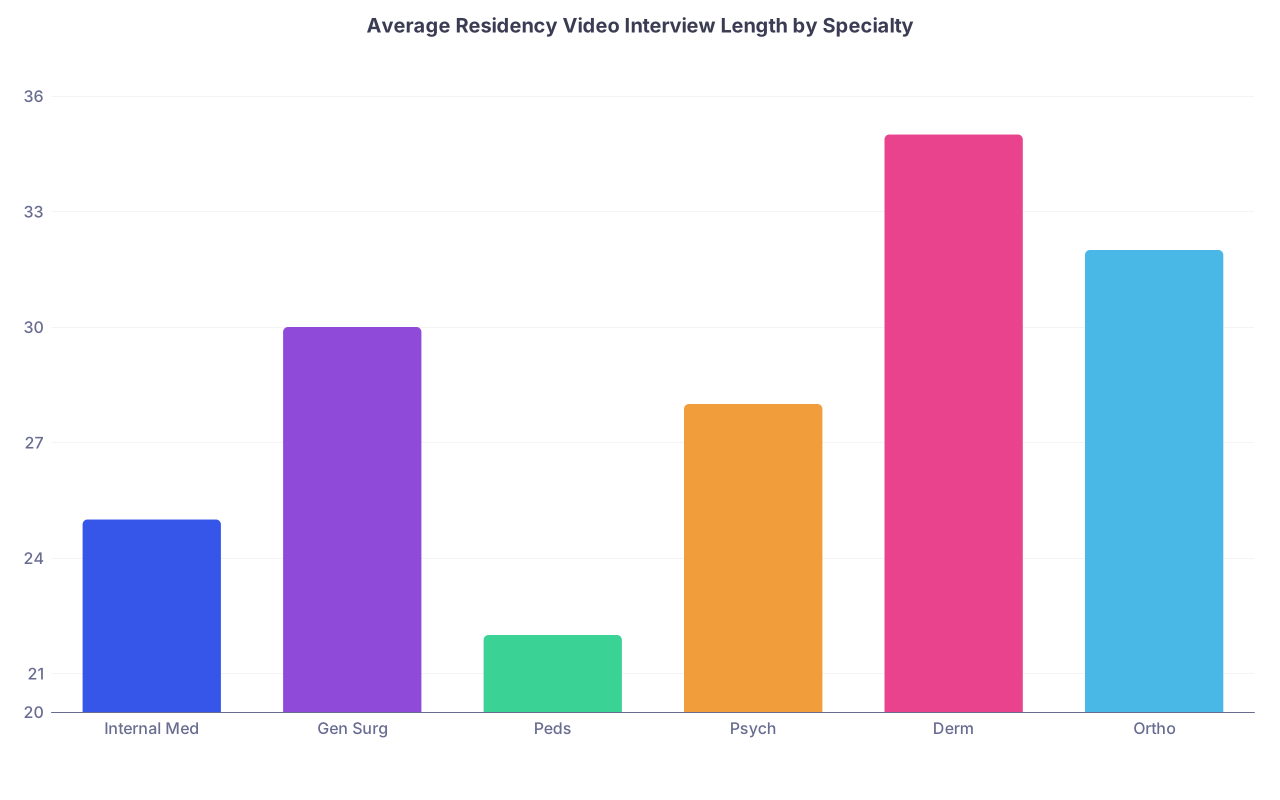
4. How long do virtual residency interviews typically last, and what should I expect from the schedule?
Individual interviews usually last 15–60 minutes, but a full virtual interview day can span half a day to a full day, including:
- Orientation or welcome sessions
- Multiple faculty and resident interviews
- Breaks between sessions
- Virtual tours, presentations, or social events
Programs generally send a detailed schedule ahead of time. Review it carefully, plan your meals and breaks, and ensure your environment is reserved for the entire block.
5. How can I stand out positively in a virtual format when so many applicants seem similar on paper?
To stand out in Virtual Interviews:
- Know your own story clearly—why this specialty, why their program, and what uniquely motivates you.
- Show genuine curiosity through thoughtful, specific questions.
- Demonstrate self-awareness and teachability when discussing challenges or feedback.
- Convey warmth and professionalism through eye contact, active listening, and concise, thoughtful answers.
- Align your experiences and goals with the mission and strengths of the program you’re interviewing with.
Successfully navigating Virtual Interviews is both an art and a skill. By investing time in technical readiness, structured content preparation, and on-screen professionalism, you position yourself to make a memorable, positive impression on residency selection committees.
Virtual or not, the core of every residency interview remains the same: programs want to understand who you are, how you’ll function as a teammate and physician, and what you will bring to their community. With deliberate preparation and reflection, you can present the best version of yourself—and move one step closer to the residency match that fits you best.