
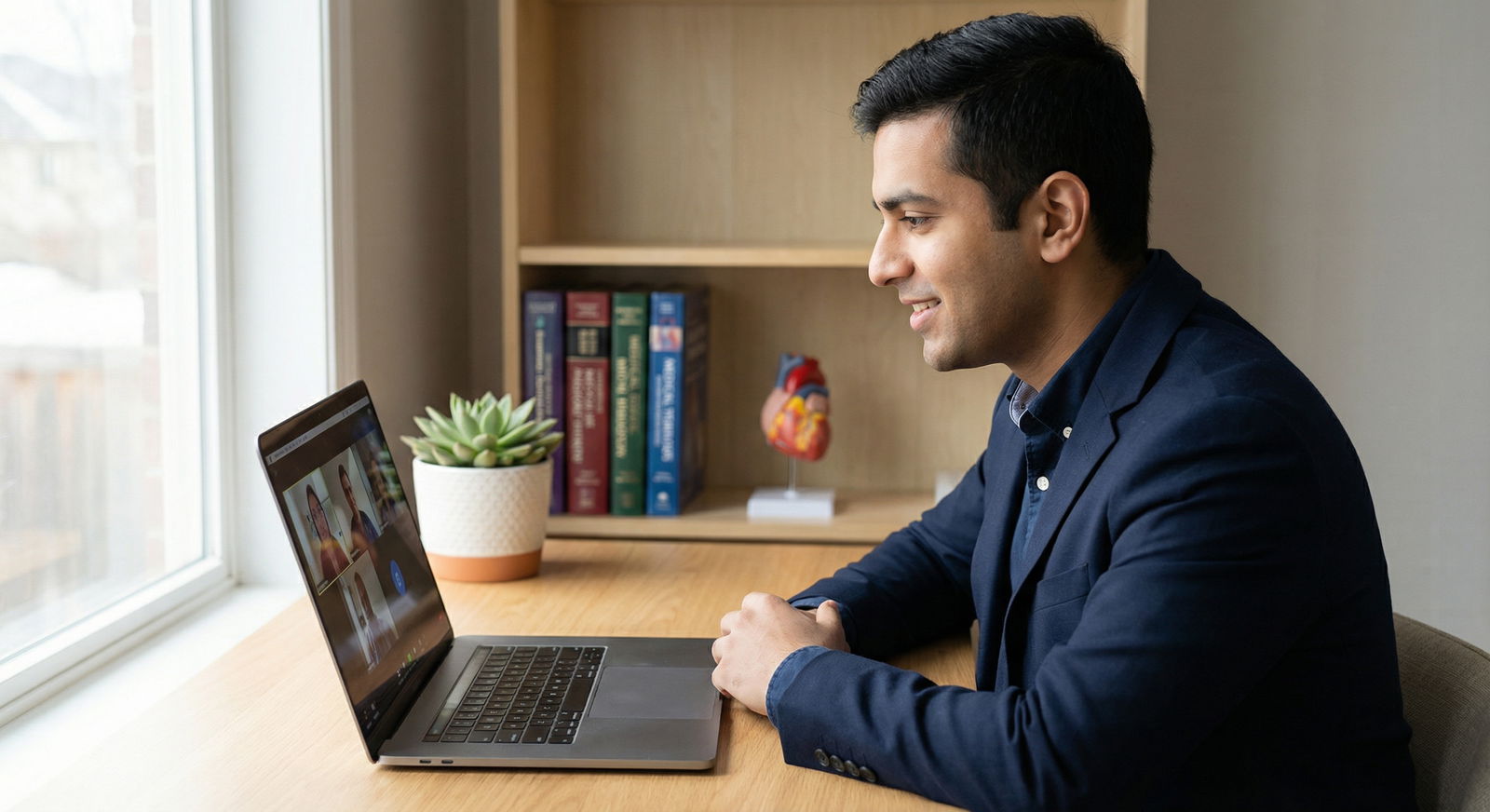
In the residency match era of Virtual Interviews and rapidly evolving Technology in Medicine, your ability to use tech effectively has become part of how programs evaluate you. A virtual interview isn’t just an in‑person interview moved online; it’s a different format with its own rules, pitfalls, and opportunities. When you manage the technology well, you demonstrate preparation, professionalism, and adaptability—core qualities of a strong resident.
This guide walks you step‑by‑step through how to use technology strategically at every stage of your virtual residency interview: before, during, and after the interview day. You’ll learn how to optimize your setup, your environment, your on‑screen presence, and your follow‑up, so that technology amplifies—not distracts from—your strengths as an applicant.
The New Normal: Why Virtual Residency Interviews Matter
Virtual interviews, initially accelerated by the COVID‑19 pandemic, are now a stable part of the Residency Application landscape. Even as some programs explore limited in‑person visits, most interviews remain virtual or hybrid. That shift brings both challenges and advantages.
Key Benefits of Virtual Interviews for Residency Applicants
Flexibility and reduced logistical stress
You no longer have to coordinate flights, hotels, and rental cars for a single interview day. This:- Saves you hours of travel time.
- Reduces time away from rotations, research, or sub‑internships.
- Lets you schedule more interviews without geographic restrictions.
Wider reach and more options
Without travel constraints, you can:- Apply to a broader range of programs.
- Accept interviews at places you may not have considered if travel was required.
- Compare programs more easily and systematically.
Significant cost savings
Instead of spending thousands of dollars on travel, you can:- Invest in modest tech upgrades (webcam, microphone, lighting).
- Allocate resources to other Professional Development needs (courses, board prep, conferences).
- Reduce financial stress during an already demanding application season.
Unique Challenges of Virtual Interviews
Despite the advantages, virtual formats introduce specific hurdles:
- Technical failures (audio, video, connectivity issues) can derail an otherwise strong interview.
- Reduced non‑verbal cues make it harder to build rapport and convey warmth or enthusiasm.
- Zoom fatigue affects both applicants and interviewers—your challenge is to stay engaging and present on screen.
- Home distractions (noise, roommates, pets, clutter) can undermine your professional image.
The good news: nearly all of these challenges are manageable with deliberate Interview Preparation and smart use of Technology in Medicine and communication.
Building a Reliable and Professional Tech Setup
Your tech setup is the foundation of a successful virtual interview. A polished, stable setup doesn’t need to be expensive, but it does need to be intentional.
1. Understand and Practice with the Interview Platform
Residency programs may use Zoom, Microsoft Teams, Webex, Thalamus, or institution‑specific platforms. Treat the platform itself as part of your preparation.
Action steps:
Confirm the platform early.
As soon as you receive an interview invitation:- Check the platform (e.g., “Interview will be via Zoom”).
- Download the desktop app instead of relying on the browser version.
Create and test an account.
- Log in using the same email address you used for ERAS, if possible.
- Update your display name: “FirstName LastName, Medical School” looks professional and helps faculty remember you.
Do at least one full test run.
- Start a meeting with a friend, mentor, or career advisor.
- Practice:
- Joining via the exact link type you’ll use (e.g., calendar invite, email link).
- Muting/unmuting quickly.
- Turning video on/off.
- Using screen sharing and chat (if you plan to share materials).
- Note whether your camera and microphone are automatically selected correctly.
Pro tip: Keep backup access ready (e.g., app installed on your phone or tablet and charger nearby) in case your primary device fails.
2. Choose and Configure Your Equipment
You don’t need a studio, but small upgrades can dramatically improve how you come across on screen.
Camera: Clear, Stable, Eye‑Level
- External webcams usually provide:
- Sharper image than most built‑in laptop cameras.
- Better performance in low light.
- Positioning:
- Place the camera at eye level (use books or a stand to raise your laptop if needed).
- Frame yourself with your head and upper torso visible—similar to a professional headshot.
- Look into the camera when speaking to simulate eye contact.
Microphone and Audio: Crisp and Distraction‑Free
Clear audio matters more than perfect video. If interviewers can’t hear you well, your content won’t land.
- Preferred options (in order):
- External USB microphone (podcast‑style or compact desktop mic).
- Wired earbuds with built‑in mic (often better than laptop mic).
- High‑quality Bluetooth headset (test for connectivity and battery).
- Set audio levels:
- Test volume so you’re easily heard without distortion.
- Turn off “auto adjust” if it causes volume swings.
- Check for background noise suppression settings and turn them on if available.
Lighting: Bright, Even, and Front‑Facing
- Ideal setup:
- Sit facing a window with natural light on your face—not behind you.
- Avoid strong overhead lights that create shadows under your eyes.
- If natural light is limited:
- A ring light or adjustable desk lamp placed behind your camera, slightly above eye level, works well.
- Aim for soft, diffuse light rather than harsh, direct light.
3. Ensure a Stable Internet Connection
Connection problems create choppy audio, frozen video, and stress for everyone involved.
Optimize your connection:
Use wired Ethernet if possible.
This is the single most effective way to stabilize your connection.If Wi‑Fi only:
- Sit close to the router.
- Ask others not to stream video or games during your interview times.
- Disconnect unused devices from Wi‑Fi temporarily.
Run a speed test (e.g., Speedtest.net):
- Aim for at least 10 Mbps upload and 15–25 Mbps download.
- Test at the same time of day as your interview to identify peak‑usage issues.
Backup plans:
- Keep your phone charged and ready for:
- Hotspot use if your home internet fails.
- Dial‑in audio via phone if your video cuts out.
- Store program contact information (coordinator email/phone) in your phone and printed nearby so you can quickly notify them if you have issues.

Designing a Professional, Distraction-Free Virtual Environment
Your environment is part of the impression you make. Even in a virtual setting, programs are subconsciously evaluating your organization, professionalism, and attention to detail.
1. Curate a Clean, Neutral Background
Aim for a background that supports your presence without drawing attention away from you.
Ideal background elements:
- Plain or light‑colored wall.
- Neatly arranged bookshelf.
- Small plant or framed artwork.
- Diplomas or certificates tastefully displayed.
Avoid:
- Visible clutter (laundry piles, dishes, messy desks).
- Distracting posters, political materials, or busy patterns.
- High‑traffic areas where people might walk behind you.
Virtual backgrounds and blur:
- If your space is not ideal:
- Use a subtle virtual background (e.g., neutral office) rather than a beach or novelty image.
- Test it beforehand to ensure your outline doesn’t glitch.
- Background blur can be a good compromise if your environment is reasonably tidy but not perfect.
2. Control Noise and Interruptions
Your ability to create a quiet environment reflects planning and respect for the interview process.
Before interview day:
- Inform roommates, family, or neighbors of your schedule.
- Put your phone on “Do Not Disturb”; silence notifications on computer and smartwatch.
- Put a sign on your door: “Interview in progress—please do not disturb.”
During the interview:
- Close windows to reduce street noise.
- Turn off loud appliances nearby (dishwasher, washing machine).
- Use noise‑canceling headphones to block out ambient sounds and improve audio.
If an unavoidable interruption occurs (e.g., loud siren, barking dog), briefly acknowledge it and continue calmly. Programs know you’re human; how you handle minor disruptions can actually demonstrate composure.
3. Add Subtle Personalization
A bit of personalization can humanize you and even spark conversation—just keep it understated.
- Thoughtful additions might include:
- A small plant or flower.
- A neatly organized medical textbook stack.
- A framed photo (family, hobby, or travel) that reflects who you are.
- Diplomas or honor society certificates.
If an interviewer comments (“I see a cello behind you—do you play?”), be ready with a brief, upbeat comment that ties back to skills relevant to medicine (discipline, teamwork, resilience).
Enhancing Your On‑Screen Presence and Engagement
In virtual formats, your communication and engagement need to be slightly “amplified” to come across naturally. Technology can help you monitor and refine how you appear.
1. Use Body Language and Eye Contact Intentionally
- Camera eye contact:
- When speaking, look at the camera, not the image of yourself.
- When listening, you can glance at the interviewer’s video, but return to the camera periodically.
- Posture:
- Sit upright, shoulders relaxed, with feet flat on the floor.
- Avoid leaning too far back or constantly swiveling in your chair.
- Facial expression:
- Maintain a pleasant, attentive expression.
- Nod occasionally to show you’re following along.
Practice technique:
Record a mock interview and watch it back:
- Note whether you fidget, look away frequently, or appear too stiff.
- Adjust your behaviors gradually until you appear calm, engaged, and confident.
2. Optimize Your On‑Screen Appearance
Your appearance should match what you would wear to an in‑person Residency Application interview.
Professional attire:
- Wear a suit jacket or blazer with a collared shirt or blouse.
- Choose solid, medium‑tone colors that contrast with your background.
- Avoid busy patterns that can distort on camera.
Grooming:
- Ensure your hair is neat and off your face.
- Keep makeup natural and professional if you wear it.
- Check for lens glare if you wear glasses—adjust light angle if needed.
Framing:
- Center yourself on screen with a bit of space above your head.
- Keep your shoulders visible to maintain a natural look.
3. Strategically Use Technology During the Interview
Used sparingly and thoughtfully, tech tools can enhance your communication rather than distract from it.
Electronic Portfolio and Screen Sharing
You may have opportunities—especially in research‑heavy programs—to discuss projects, posters, or QI initiatives.
Prepare a concise digital portfolio:
- One or two slides summarizing your key research or leadership project.
- Simple graphics or charts demonstrating outcomes or impact.
- A short one‑page PDF of your poster or abstract.
Best practices for sharing:
- Ask permission: “If it’s okay, I have one slide that visually summarizes our intervention—would it be helpful if I share it briefly?”
- Share for 1–2 minutes at most; don’t turn the interview into a presentation.
- Practice smooth transitions: share screen → present → stop share and return focus to discussion.
Keep all files easily accessible on your desktop or a dedicated folder so you’re not searching mid‑interview.
Subtle Use of Notes and Digital Aids
It’s fine to have a few bullet points visible—just don’t read from them.
- Place a few sticky notes or a document near your camera with:
- 3–4 key stories (clinical, leadership, challenge, failure).
- The program’s core strengths and why they fit your goals.
- A short list of thoughtful questions for the program.
Glance briefly if needed, but keep your primary focus on the conversation.
Leveraging Technology for Interview Preparation and Practice
What you do before the actual interview day is as important as your performance during it. Use technology strategically in your Interview Preparation phase.
1. Conduct Realistic Mock Interviews
Simulate the real setup:
- Use the same platform you’ll use on interview day.
- Sit in the exact location with the same lighting and equipment.
- Wear your full interview outfit.
Ask for structured feedback:
- Have an advisor, resident, or peer note:
- Audio/video quality.
- Your energy level and non‑verbal communication.
- Clarity and structure of your answers.
- Record the session (with permission) and review specific moments.
- Have an advisor, resident, or peer note:
Practice common question types:
- “Tell me about yourself” / “Walk me through your CV.”
- “Why this specialty?” and “Why our program?”
- Behavioral questions (“Tell me about a time you made a mistake.”).
- Ethical or conflict scenarios.
- Questions about Technology in Medicine, telehealth, or adaptability.
2. Use Digital Tools for Content Preparation
- Organize your stories:
- Use a notes app, spreadsheet, or document to list key experiences.
- For each, jot down:
- Situation, Task, Action, Result (STAR format).
- Skills demonstrated (teamwork, resilience, leadership, cultural humility).
- Research programs efficiently:
- Bookmark program websites and use folders in your browser.
- Create a one‑page summary for each program: strengths, faculty interests, patient population, call structure, procedures, and what excites you about them.
- Set up calendar and reminders:
- Use a digital calendar (Google, Outlook) with:
- Interview dates and times in the correct time zone.
- 24‑hour and 60‑minute reminders.
- Zoom/Teams links embedded directly in the event.
- Use a digital calendar (Google, Outlook) with:
Professional, Tech‑Enabled Follow-Up After the Interview
Your interaction with programs doesn’t end when the video call closes. Thoughtful, tech‑enabled follow‑up can reinforce the positive impression you’ve already made.
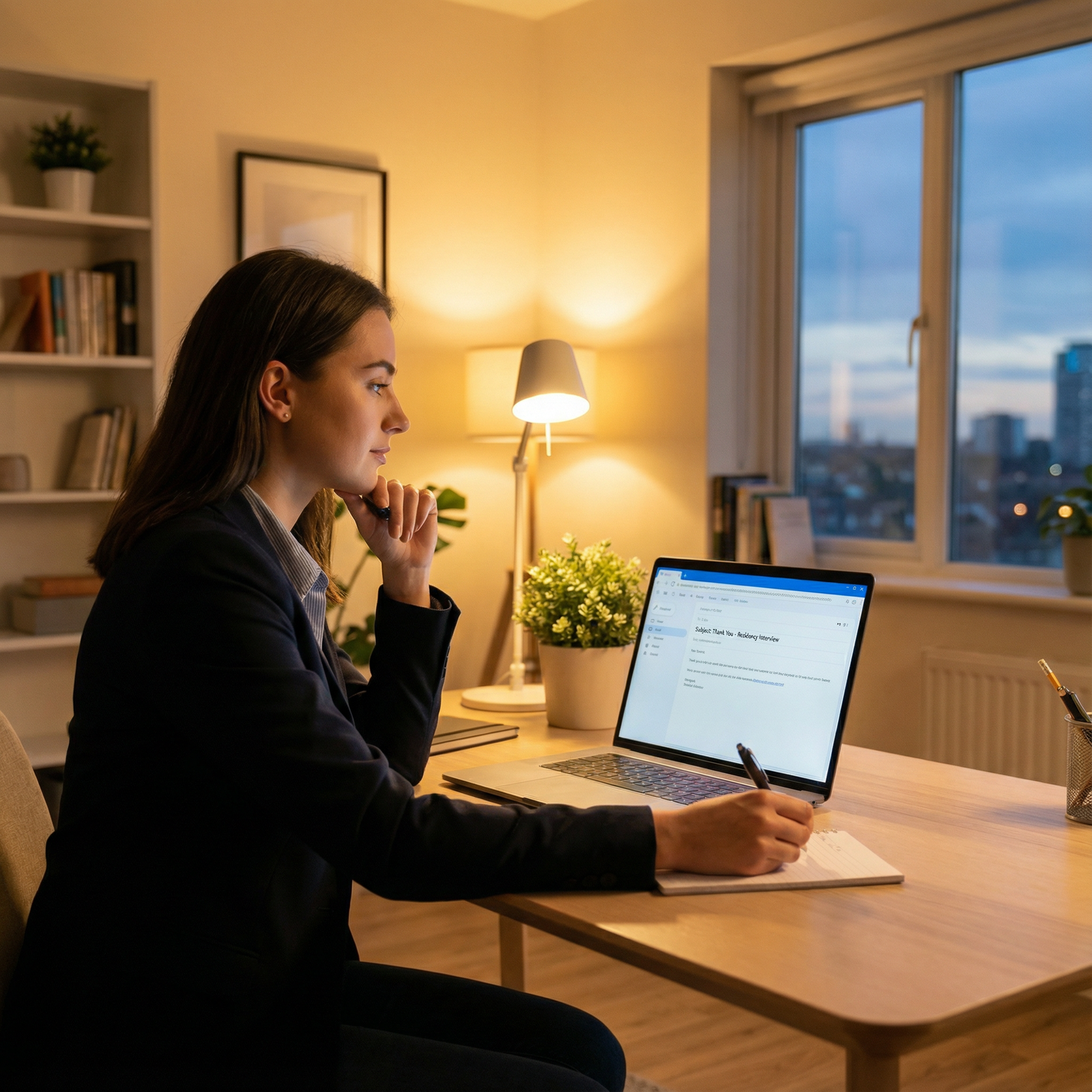
1. Crafting Effective Thank‑You Emails
Send brief, individualized thank‑you notes within 24 hours of your interview.
Key elements:
Subject line:
- “Thank you – [Your Name], [Specialty] Residency Interview on [Date]”
Body (3–5 sentences):
- Express gratitude for their time and insights.
- Mention 1–2 specific aspects of the conversation you found meaningful (a patient case, curriculum feature, resident culture).
- Reinforce your interest and fit with the program.
- Close professionally (“Sincerely,” or “Best regards,” with your full name and contact info).
Keep a simple template but personalize each message to avoid generic repetition.
2. Professional Use of Social Media and Online Platforms
You don’t need to connect with every faculty member on LinkedIn, but professional networking can be valuable.
LinkedIn:
- Update your headline (“MS4 applying to Internal Medicine Residency, interests in…”) to reflect your goals.
- If you connect with a faculty member:
- Add a short note referencing your interview or shared interests.
- Maintain professionalism in all posts and comments.
X (Twitter) and other platforms:
- If you’re active in #MedTwitter, be mindful that programs and faculty may see your posts.
- Share academic content, educational threads, or reflections that align with your professional identity.
Remember: every digital footprint is part of your Professional Development narrative.
Case Study: How Dr. Jane Smith Used Technology to Stand Out
Consider a more detailed look at “Dr. Jane Smith,” who matched at her top‑choice residency program during a fully virtual cycle.
Preparation
- She set up a dedicated interview space in her small apartment:
- Neutral wall, shelf with a few textbooks and a plant.
- External webcam at eye level, ring light behind it, and USB microphone.
- She scheduled three mock interviews via Zoom:
- One with a faculty mentor focusing on content.
- One with a resident focusing on specialty‑specific questions.
- One with a peer group focused on timing, pacing, and body language.
Interview Day
- She logged in 15–20 minutes early, double‑checked audio/video, and closed all other applications.
- During a research discussion, she said:
“I have a single slide that summarizes our intervention and outcomes—would it be helpful if I briefly share it?”
- After permission, she shared a clean, simple slide that visualized her QI project’s impact in under two minutes.
Follow‑Up
- That evening, she sent customized thank‑you emails:
- Referenced a conversation about underserved populations with the PD.
- Mentioned an inspiring discussion about ultrasound curriculum with an APD.
- Months later, during ranking season, she could still recall details from each program thanks to her organized digital notes.
By showing comfort with technology, maintaining a professional presence, and using digital tools to enhance—not dominate—the interaction, Dr. Smith signaled that she would transition smoothly into a residency environment where Virtual Interviews and tech‑enabled care are increasingly common.
Frequently Asked Questions About Technology and Virtual Residency Interviews
1. What’s the ideal camera angle and distance for a virtual interview?
Position your camera at eye level, about an arm’s length away. Your head and upper torso should be visible, with a small amount of space above your head. This framing:
- Mimics a natural conversational distance.
- Makes your gestures and expressions easy to see.
- Helps maintain the illusion of eye contact when you look into the camera.
Avoid low angles (laptop on your lap) or high angles (camera far above your head), as both can be distracting and less professional.
2. How can I minimize technical issues on interview day?
You can’t control everything, but you can dramatically reduce risk by:
- Testing your setup (audio, video, internet) several days before and again the morning of the interview.
- Restarting your computer at least 30–60 minutes before your first session to clear background processes.
- Closing non‑essential apps, browser tabs, and downloads.
- Having:
- Your phone fully charged and nearby for hotspot or dial‑in backup.
- Contact info for the program coordinator easily accessible.
- Joining the meeting 10–15 minutes early to troubleshoot within the platform itself.
If something does go wrong, stay calm, briefly explain the issue, and pivot to your backup plan. Programs understand that technology can fail; they’re observing how you handle stress and problem‑solve in real time.
3. Is it better to use a virtual background or my actual room?
If you have a clean, quiet, and professional‑looking space, your real background is usually best. It feels more authentic and avoids the occasional “cut‑out” artifacts of virtual backgrounds.
Use a virtual background or blur when:
- You cannot control the background environment.
- The space behind you is cluttered or distracting.
- You share a room or common space and privacy is limited.
If you choose a virtual background:
- Select a subtle, professional image (plain office, neutral wall).
- Test it in advance to ensure your outline remains stable as you move.
4. How should I practice for a virtual interview versus an in‑person one?
The core content is similar, but the format changes how you should practice.
For virtual formats, specifically:
- Practice with the same platform, device, and lighting you’ll use on interview day.
- Record at least one full mock session and review:
- Your eye contact with the camera.
- Filler words (“um”, “like”) and pacing.
- Whether your gestures stay within the camera frame.
- Time your answers (1–2 minutes for most questions) to avoid rambling.
- Practice managing digital aids (slides, portfolio) smoothly.
Treat your virtual mock interview like a dress rehearsal, not just a casual run‑through.
5. What should I include in my post‑interview follow‑up emails?
A strong thank‑you email is concise, specific, and professional. Include:
- A sincere expression of gratitude for their time and insights.
- One or two specific details from your conversation that stood out (patient population, unique curriculum element, research opportunity, or program culture).
- A brief restatement of your interest in the program and how it aligns with your goals.
- A professional closing with your full name, medical school, and contact information.
You don’t need to restate your entire CV or send attachments unless specifically requested.
By approaching Virtual Interviews as a distinct skill set—and leveraging Technology in Medicine effectively—you can transform potential technical pitfalls into opportunities to shine. A thoughtful setup, a professional environment, confident on‑screen presence, and deliberate follow‑up all signal that you are not only a strong candidate on paper, but also a prepared, adaptable future resident in a tech‑enabled healthcare system.


