Virtual Residency Interviews: What You Need to Know to Stand Out
The New Normal: Virtual Residency Interviews in the Match Era
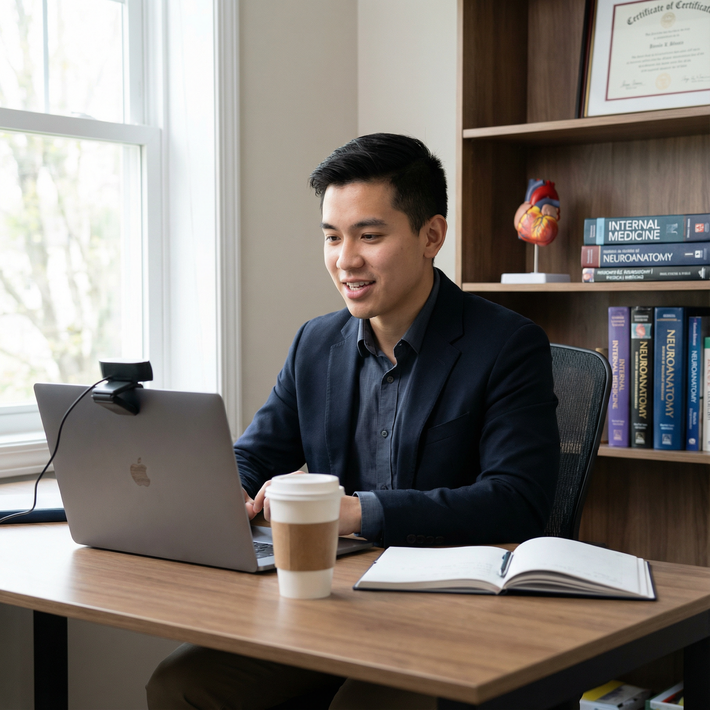
Virtual Residency Interviews are now a core part of the residency match process, not just a temporary response to the COVID-19 pandemic. Many specialties and programs have discovered that virtual formats improve accessibility, reduce applicant travel costs, and streamline logistics. At the same time, this shift has elevated expectations for Interview Preparation, Professional Etiquette, and Remote Communication skills.
For residency applicants, the challenge is no longer just “Can I connect to Zoom?” but “Can I project the same professionalism, engagement, and maturity on screen that I would in person?”
This guide breaks down everything you need to know—from technical setup to body language, from sample questions to follow-up strategy—so you can confidently navigate virtual interviews and make a strong impression on programs.
Understanding Virtual Residency Interviews in the Match Process
Why Programs Use Virtual Interviews
Virtual Residency Interviews have moved from emergency solution to strategic choice for many programs because they:
- Increase equity and access: Students with limited financial resources can interview broadly without excessive travel costs.
- Expand applicant pools: Programs can meet more applicants from geographically distant schools.
- Streamline scheduling: Faculty and residents can more easily participate from clinical sites or home.
- Standardize structure: Many programs now use similar virtual formats across all applicants.
While a minority of programs may reintroduce in-person or hybrid components (e.g., second looks), you should assume that virtual interviewing will remain a significant, if not dominant, component of Medical Residency selection for the foreseeable future.
What to Expect from a Virtual Interview Day
Although platforms and structures vary, many interview days share common elements:
Video platform
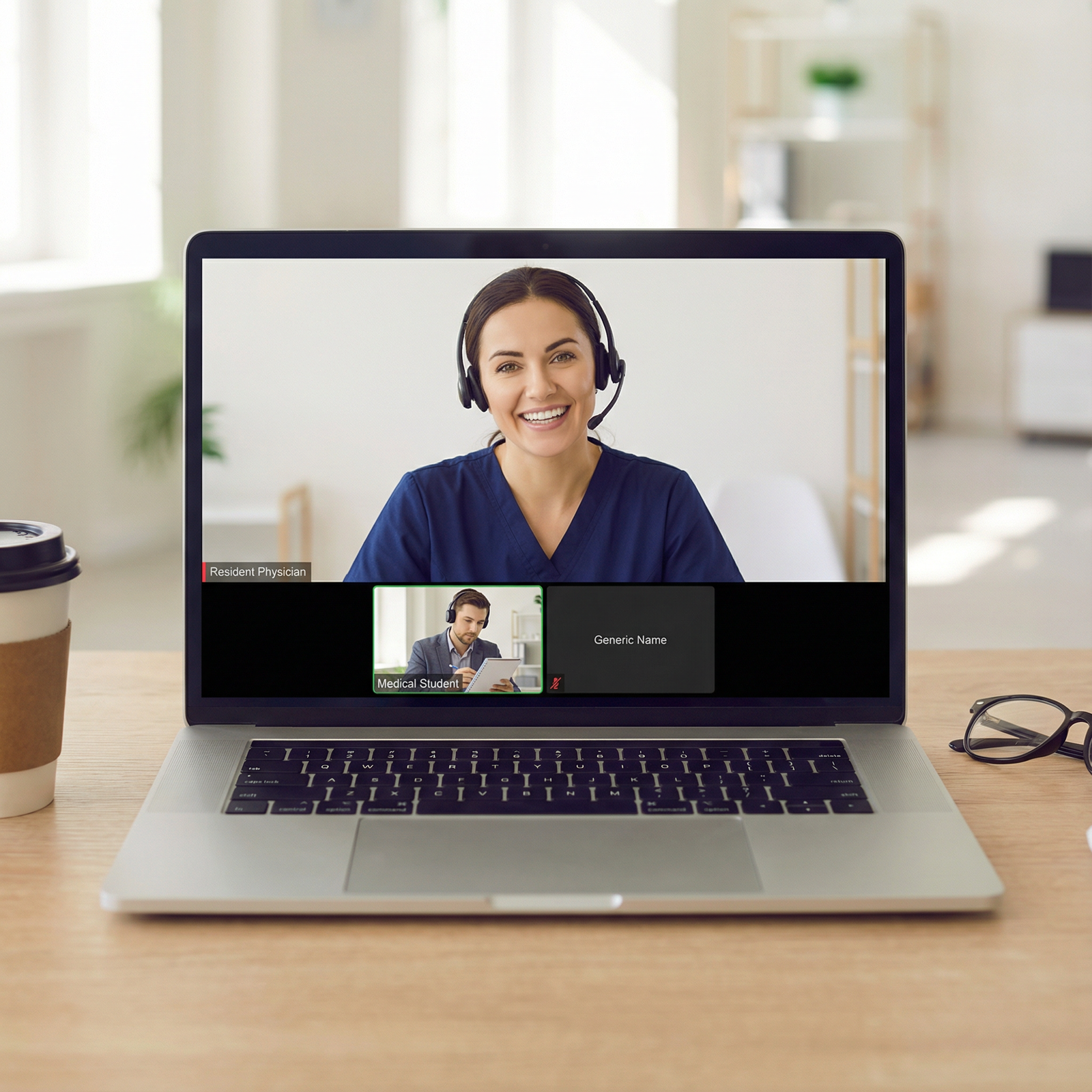
Most commonly: Zoom, Microsoft Teams, Webex, Thalamus Video, or proprietary school platforms.
You’ll typically receive:- A main link for orientation and large-group sessions
- Separate links or breakout rooms for individual interviews
Schedule and flow
A typical virtual interview day may include:- Program director welcome and overview (30–60 minutes)
- Faculty interviews (2–4 sessions, 15–40 minutes each)
- Resident interviews or small-group chats
- Virtual tour of facilities and city
- Q&A with current residents
- Optional social hour or “pre-interview” meet-and-greet
Interview style
Like in-person, expect:- Behavioral questions (e.g., “Tell me about a time you had a conflict on the team.”)
- Situational/ethical questions (e.g., “How would you handle a patient refusing care?”)
- Motivational questions (e.g., “Why this specialty? Why this program?”)
- Programs may also use structured or semi-structured rubrics to reduce bias.
Understanding these components allows you to tailor your Interview Preparation specifically for remote formats, rather than simply “doing what you would in person, but on screen.”
Preparing Your Technology and Environment for Virtual Success
Technical reliability and a professional environment are non-negotiable. They reflect your professionalism, planning, and respect for the process.

1. Optimize Your Technology Setup
Hardware Essentials
- Computer: Use a reliable laptop or desktop. Avoid using your phone or tablet unless absolutely necessary.
- Camera:
- Built-in HD webcam is usually sufficient if image is clear and not grainy.
- If your built-in camera is poor, consider an external 1080p webcam positioned at eye level.
- Microphone and audio:
- Use wired headphones or a USB headset with an integrated mic to reduce echo and background noise.
- Avoid relying solely on laptop speakers and mic, which often introduce feedback.
- Backup device:
- Have a second device (laptop, tablet, or phone) fully charged and with the app installed in case your primary device fails.
Software Readiness
- Install and update the required platform (Zoom, Teams, Webex, etc.) in advance.
- Create an account if needed and set your display name to something professional (e.g., “First Last, MD Candidate”).
- Test features:
- Join a test meeting to practice mute/unmute, camera on/off, screen sharing, and chat.
- Ensure virtual backgrounds (if allowed) don’t glitch or distract.
Internet and Connectivity
- Use wired Ethernet if possible; it is more stable than Wi-Fi.
- If using Wi-Fi:
- Position yourself near the router.
- Ask others in your household not to stream video or game online during your interviews.
- Test your internet:
- Aim for at least 10 Mbps download and 3–5 Mbps upload.
- Run a speed test at the same time of day as your scheduled interviews on a different day.
Dress Rehearsal: Full Tech Run-Through
At least 2–3 days before your first interview:
- Do a mock call with a friend, advisor, or mentor on the same platform the program will use.
- Check:
- Camera angle (eye-level, not looking up your nose or down from above)
- Framing (head and upper torso visible)
- Lighting (your face clearly visible, no harsh shadows)
- Sound clarity (no echo, minimal background noise)
This technical rehearsal should be part of your overall Interview Preparation—not an afterthought the morning of your interview.
2. Creating a Professional Virtual Interview Environment
Your environment sends powerful non-verbal messages about your organization, reliability, and respect for Professional Etiquette.
Choosing the Right Location
Look for:
- Quiet and private space:
- A room where you can close the door.
- Inform roommates or family of your schedule and ask for quiet.
- Stable seating:
- A table or desk with a comfortable chair; avoid beds or couches.
- Consistent lighting:
- Ideally, face a window or a lamp behind your camera.
- Avoid strong backlighting (e.g., window behind you), which makes you appear in shadow.
Background and Visuals
- Neutral, tidy background:
- Plain or lightly decorated wall.
- A bookshelf, simple artwork, or plants are fine if uncluttered.
- Avoid distractions:
- No visible piles of laundry, unmade beds, or personal items.
- Avoid busy virtual backgrounds unless your physical space is truly unsuitable.
- Virtual backgrounds:
- If you must use one, choose a simple, professional option (e.g., a neutral office).
- Test to ensure it doesn’t blur your hands or face when you move.
Lighting: A Quick Checklist
- Light source in front of you, not behind.
- Avoid overhead lighting that casts deep shadows.
- Consider an inexpensive ring light if your room is dim.
Presenting Yourself Professionally On Screen
Virtual Residency Interviews require translating traditional interview professionalism into a remote format. Your attire, body language, and voice are all part of your Remote Communication toolkit.
1. Dress Code: From Head to Toe
Even though you’re at home, dress exactly as you would for a formal, in-person interview:
- Attire:
- Suits or professional jackets (dark or neutral colors) with a conservative shirt or blouse.
- Avoid busy patterns or very bright colors that may flicker on camera.
- Grooming:
- Neat hair, trimmed facial hair (if applicable), minimal but professional makeup.
- Accessories:
- Simple jewelry; avoid anything that clinks or reflects light.
- Full outfit:
- Dress professionally on the bottom as well. You may need to stand up, and being fully dressed can also help you mentally “switch on” professionalism.
Think of your appearance as a non-verbal signal that you understand Professional Etiquette and respect the process.
2. Body Language and Non-Verbal Communication
On video, small cues are amplified. Intentionally manage the following:
- Eye contact:
- Look at the camera when speaking, not at your own image.
- When listening, it’s fine to look at the interviewer’s video window, but intermittently glance at the camera.
- Posture:
- Sit upright, slightly leaning forward.
- Keep shoulders relaxed and avoid slouching or swiveling in your chair.
- Facial expression:
- Maintain a natural, engaged expression.
- Nod occasionally to show you’re following.
- Gestures:
- Use moderate hand gestures within the camera frame.
- Avoid fidgeting with pens, hair, or objects.
A brief on-screen “presence check” before each interview block—sit tall, square yourself to the camera, smile—is a simple but powerful ritual.
3. Verbal Communication Skills
In Remote Communication, clarity is crucial:
- Pace and volume:
- Speak a bit slower than you might in person.
- Project your voice clearly, but avoid shouting.
- Structure:
- Use concise, structured answers (e.g., the STAR method for behavioral questions: Situation, Task, Action, Result).
- Pauses and interruptions:
- Because of lag, allow a brief pause before speaking to avoid talking over others.
- If you interrupt accidentally, apologize briefly and continue calmly.
You’re not just being evaluated for content, but also for how well you communicate in a telehealth- and team-meeting-heavy clinical environment.
Content Preparation: What You Say and How You Say It
Technical and environmental preparation is only half the work; the substance of your answers is what will ultimately convince programs that you belong in their residency.
1. Core Stories and Themes to Prepare
Before your Virtual Residency Interviews, identify 6–8 core experiences that highlight:
- Clinical excellence and growth
- Teamwork and collaboration
- Leadership and initiative
- Resilience and adaptability
- Commitment to your specialty
- Commitment to diversity, equity, inclusion, and belonging (if applicable)
- Interest in education, research, or quality improvement (depending on specialty)
For each experience, outline:
- The context (where, when, what your role was)
- Your specific actions
- What you learned and how it shapes you as a future resident
These stories become your “toolbox,” adaptable to multiple questions.
2. Common Question Types and How to Approach Them
Behavioral Questions
Examples:
- “Tell me about a time you received critical feedback.”
- “Describe a conflict with a team member and how you handled it.”
Approach:
- Use the STAR framework.
- Emphasize insight and growth, not perfection.
- Show maturity, humility, and a forward-looking mindset.
Situational and Ethical Questions
Examples:
- “How would you handle a patient who refuses a needed intervention?”
- “What would you do if you noticed a colleague making repeated mistakes?”
Approach:
- Demonstrate knowledge of basic ethical principles (autonomy, beneficence, justice).
- Emphasize patient safety, communication, and appropriate escalation to supervisors.
- Acknowledge uncertainties and your willingness to seek guidance.
Program Fit and Motivation
Examples:
- “Why did you choose this specialty?”
- “Why our program?”
- “What are you looking for in a residency?”
Approach:
- Connect your experiences and values to specific aspects of the program (curriculum, patient population, mentorship, research opportunities).
- Show that you’ve done your homework on their strengths and culture.
3. Practicing Through Mock Interviews
Practice is essential to confident Interview Preparation:
- Who to practice with:
- Career advisors, faculty mentors, recent graduates, or trusted peers.
- Consider your school’s career services or specialty societies that offer mock interviews.
- Format:
- Conduct full-length mock interviews over video, ideally in your actual interview setup.
- Record sessions (with permission) and review:
- Filler words (“um,” “like”)
- Eye contact
- Rambling vs concise answers
- Feedback:
- Ask for clear, targeted feedback: “Were my answers structured?” “Did I seem engaged?” “Any distracting habits?”
Consistent practice builds a natural, confident presence that reads well on camera.
Navigating the Virtual Interview Day Itself
Once the day arrives, your goal is to demonstrate professionalism, enthusiasm, and fit—while smoothly managing the unique dynamics of virtual formats.
1. Before the First Interview
- Log in early:
- Join the platform 15–20 minutes before the official start time.
- Double-check camera, audio, and lighting.
- Have essentials ready:
- Printed or digital copy of your ERAS application and personal statement.
- Program notes and questions you’ve prepared.
- Pen and notebook for jotting down key points.
- Glass of water (off to the side, not in front of the camera).
2. Building Rapport Through the Screen
Small adjustments can make you feel more connected:
- Greet each interviewer by name when possible.
- Use active listening skills:
- Nod, maintain eye contact, paraphrase key points.
- Mirror energy levels:
- If the interviewer is very formal, keep it polished.
- If more conversational, you can be slightly more relaxed while maintaining professionalism.
3. Asking Insightful Questions
Your questions reveal your priorities and preparation. Consider asking about:
- Resident support and wellness initiatives
- Mentorship structure and feedback culture
- Educational philosophy and changes made based on resident input
- Typical career paths of recent graduates
- How the program has adapted to telemedicine and remote learning
Avoid questions that are easily answered on the website (e.g., “How many residents do you have?”) unless you are asking for elaboration.
4. Handling Technical Issues with Professionalism
Technical glitches are sometimes inevitable. What matters is your response.
If issues arise:
- Acknowledge calmly:
- “I’m sorry, it seems my audio cut out. Could you please repeat the last part of your question?”
- Have backup options:
- Keep your phone charged with the platform app installed.
- Have the program’s coordinator email or phone number easily accessible.
- If disconnected:
- Rejoin immediately if possible.
- If you cannot reconnect, email or call the coordinator, briefly explain, and ask how they’d like to proceed.
Your composure in these moments demonstrates emotional regulation and professionalism—key traits for residency.
Post-Interview Professional Etiquette and Follow-Up
What you do after your Virtual Residency Interviews can reinforce the positive impression you’ve made.
1. Crafting Thoughtful Thank-You Notes
Within 24–48 hours:
- Send individualized emails to:
- Program director
- Associate/assistant program directors you met
- Faculty and resident interviewers (when contact information is provided or routed via coordinator)
- Content suggestions:
- Express gratitude for their time and insights.
- Reference a specific topic you discussed (“I appreciated hearing about the resident-led QI projects…”).
- Reiterate your interest in the program and why you see yourself as a good fit.
Keep messages concise, sincere, and error-free. Overly long or formulaic emails can dilute impact.
2. Debriefing and Organizing Your Impressions
After each interview day—ideally the same day:
- Write brief notes on:
- Program strengths and potential concerns
- Culture and “feel”
- Resident and faculty interactions
- Unique features that stood out
- Rate programs using consistent criteria:
- Educational quality, clinical exposure, support system, location, workload, fellowship match, etc.
These notes will be invaluable when creating your rank list weeks later, when details might otherwise blur together.
3. Professional Boundaries and Communication
Be mindful of:
- Program policies regarding post-interview communication and signaling.
- Avoid:
- Excessive emails to program leadership.
- Pressuring programs for your status.
- Posting identifying details about your interviews on social media.
Maintain the same level of Professional Etiquette online that you would in person.
Frequently Asked Questions (FAQ) About Virtual Residency Interviews
1. How should I choose and set up my background for a virtual residency interview?
Aim for a background that is:
- Simple and uncluttered: A blank wall, a neatly arranged bookshelf, or a small piece of art is ideal.
- Professional: Remove personal items (laundry, dishes, posters) from view.
- Stable: Avoid sitting in high-traffic areas where people might walk behind you.
If your environment is genuinely unsuitable, a subtle, non-distracting virtual background (e.g., neutral office) is acceptable, but test it in advance to ensure it doesn’t glitch.
2. What should I do if my internet connection or technology fails during the interview?
If your connection drops or audio/video fails:
- Stay calm and troubleshoot quickly (rejoin the meeting, restart the app).
- If you cannot reconnect immediately, email or call the coordinator to explain the issue briefly.
- Switch to a backup plan:
- Use a mobile hotspot if your home internet is down.
- Join from your phone/tablet if your primary computer fails.
Programs understand that technical issues can occur; they care more about your professionalism and communication in response.
3. Are virtual interviews considered less formal than in-person interviews?
No. Virtual Residency Interviews are equally formal and carry the same weight in selection decisions. You should:
- Dress in full professional interview attire.
- Maintain punctuality, decorum, and respectful communication.
- Prepare as thoroughly as you would for an in-person day.
The “remote” nature of the interaction does not lessen expectations for professionalism.
4. How many virtual residency interviews should I accept, and how do I manage “Zoom fatigue”?
There is no one-number-fits-all, but:
- Many applicants schedule more interviews virtually than they might have in person, due to lack of travel—but overscheduling can hurt performance.
- Consider:
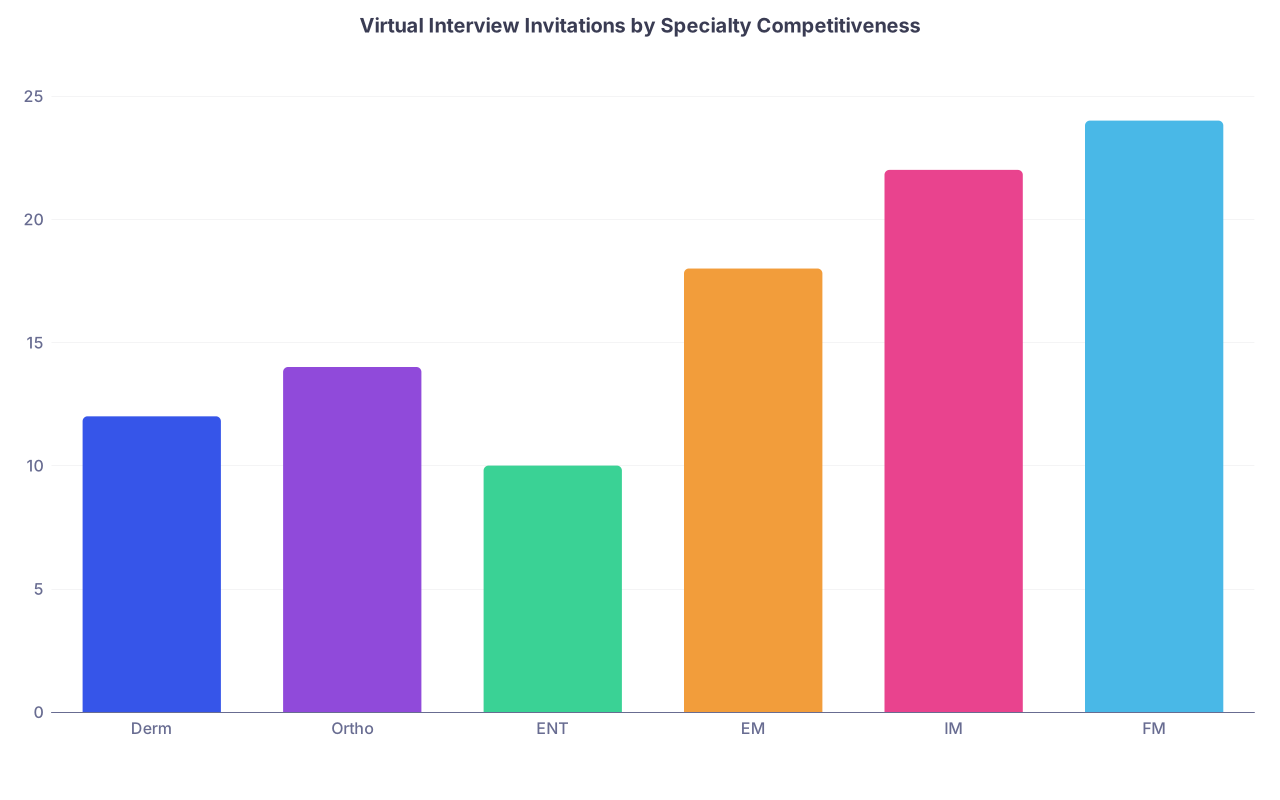
- Your competitiveness in the specialty.
- NRMP and specialty-specific guidance on average numbers of interviews needed.
To manage fatigue:
- Avoid scheduling too many days in a row without breaks.
- Build in rest between morning and afternoon sessions.
- Limit other commitments (rotations, calls) if possible during heavy interview weeks.
- Between interviews, briefly step away from screens, hydrate, and reset your space.
5. What if I freeze, lose my train of thought, or don’t understand a question?
This happens—even to strong candidates. Handle it by:
- Pausing briefly and taking a breath.
- Saying something like:
- “That’s a great question; let me take a moment to gather my thoughts.”
- “I want to make sure I answer your question fully. Could you clarify whether you’re asking about X or Y?”
- If you’ve started down the wrong path, you can recalibrate:
- “Actually, I’d like to reframe my answer slightly…”
Demonstrating self-awareness and composure under pressure reflects well on you as a future resident.
Virtual Residency Interviews are here to stay, and mastering them is now an essential skill in the residency match process. By combining careful Interview Preparation, polished Professional Etiquette, and strong Remote Communication skills, you can confidently navigate this format and present your best self to programs across the country.