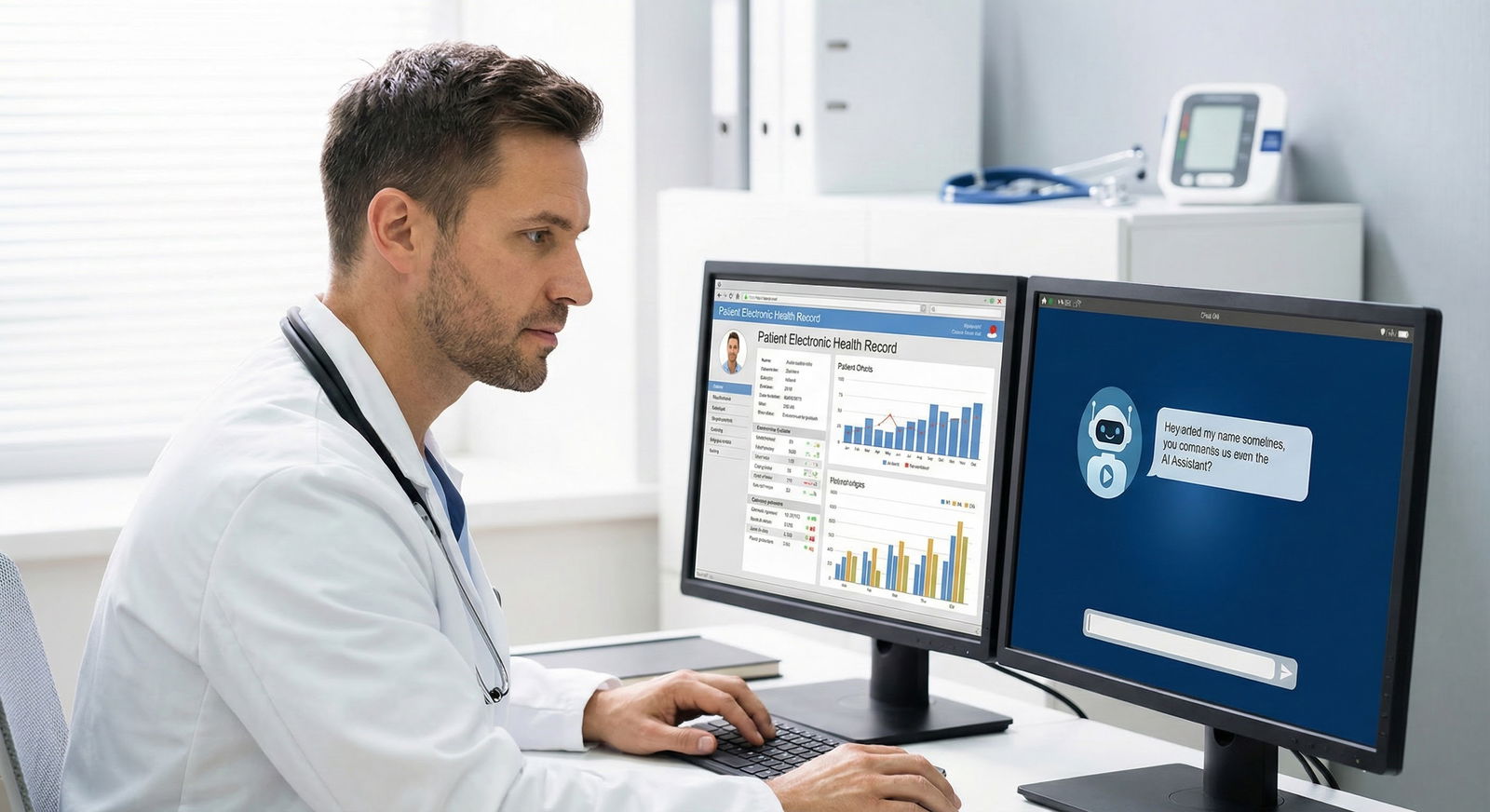
You’ve signed an offer (or you’re about to) and the job description has that line you sort of skimmed over: “Significant portion of time will be spent in telepsychiatry.”
Now it’s two weeks before your start date. You’re sitting in a half-furnished apartment or a cramped spare room, staring at your laptop, and realizing:
“I can’t just open Zoom from my couch and call this a practice.”
You’re right. You’re about to practice medicine, with real liability, through a webcam. The tech and risk management have to be intentional. The good news: this is all solvable with a concrete plan.
This is that plan.
1. Where You’ll Actually Sit: Physical Setup and Privacy
This comes first for a reason. The fanciest software in the world does not fix a terrible environment.
Pick the right room
You need a space where:
- People do not walk through behind you.
- Doors close and ideally lock.
- You cannot hear other people’s conversations and they cannot hear yours.
If you’re in an apartment or shared house, the “office” might be:
- A small second bedroom
- A converted walk-in closet (yes, I’ve seen this done well)
- A corner of your bedroom with a serious boundary (door closed, white noise outside)
If you’re working for a hospital/CMHC that hosts you on-site to see remote patients, you still need a private office, not the call room or a shared workspace where staff wander in.
Put a sticky note on the outside of your door with a simple “Do Not Disturb – Session in Progress” and train everyone you live with that this actually means something. If needed, add a basic lock.
Control the background and lighting
Patients absolutely judge you based on what they see behind you. And risk-wise, you don’t want any identifying information about yourself or others in frame.
Aim for:
- Neutral wall, bookshelf, or art that you would not be embarrassed to have in a clinic.
- No family photos, diplomas with your home address, or hospital name badges in view.
- No open closet with clothes spilling out.
Lighting:
- Light should be in front of you, slightly above eye level.
- Do not sit with a bright window behind you unless you like the “anonymous silhouette” look.
If your room is dark, spend the $30–$60 on a basic LED video light or ring light. This isn’t vanity; being able to clearly see facial expressions is clinically relevant.
2. Hardware: What You Actually Need (and What’s Overkill)
You do not need a broadcast studio. But you also should not rely on a dying 8‑year‑old laptop and your laptop’s mic.
Minimum sane setup
- A reliable computer (laptop or desktop) less than ~5 years old
- A wired or strong Wi‑Fi connection
- A decent webcam
- A good microphone/headset
- A second screen (strongly recommended, borderline mandatory once you’ve tried it)
Let me be specific.
Computer
If you’re choosing:
- 16 GB RAM is the sweet spot.
- Solid-state drive (SSD) only. No spinning disks.
- Mac or Windows both fine; what matters is that your telehealth platform and EHR run smoothly.
If your employer gives you a machine: test it hard before day one. Open:
- The telehealth platform
- The EHR
- Your email
- Maybe a PDF guideline or reference
All at once. If it lags or freezes, escalate early and get a usable machine.
Internet and connection reliability
This is where many people cheap out and then suffer.
You want:
- Download speed: at least 50 Mbps
- Upload speed: at least 10 Mbps (this is the one people ignore; video needs upload)
Run a speed test from your office spot, not the living room.
Then: get an Ethernet cable and a small USB/Thunderbolt adapter if needed, and hard-wire your computer to the router if at all possible. Wi‑Fi is fine when it works, but the day it doesn’t, it’s always during a suicidal assessment.
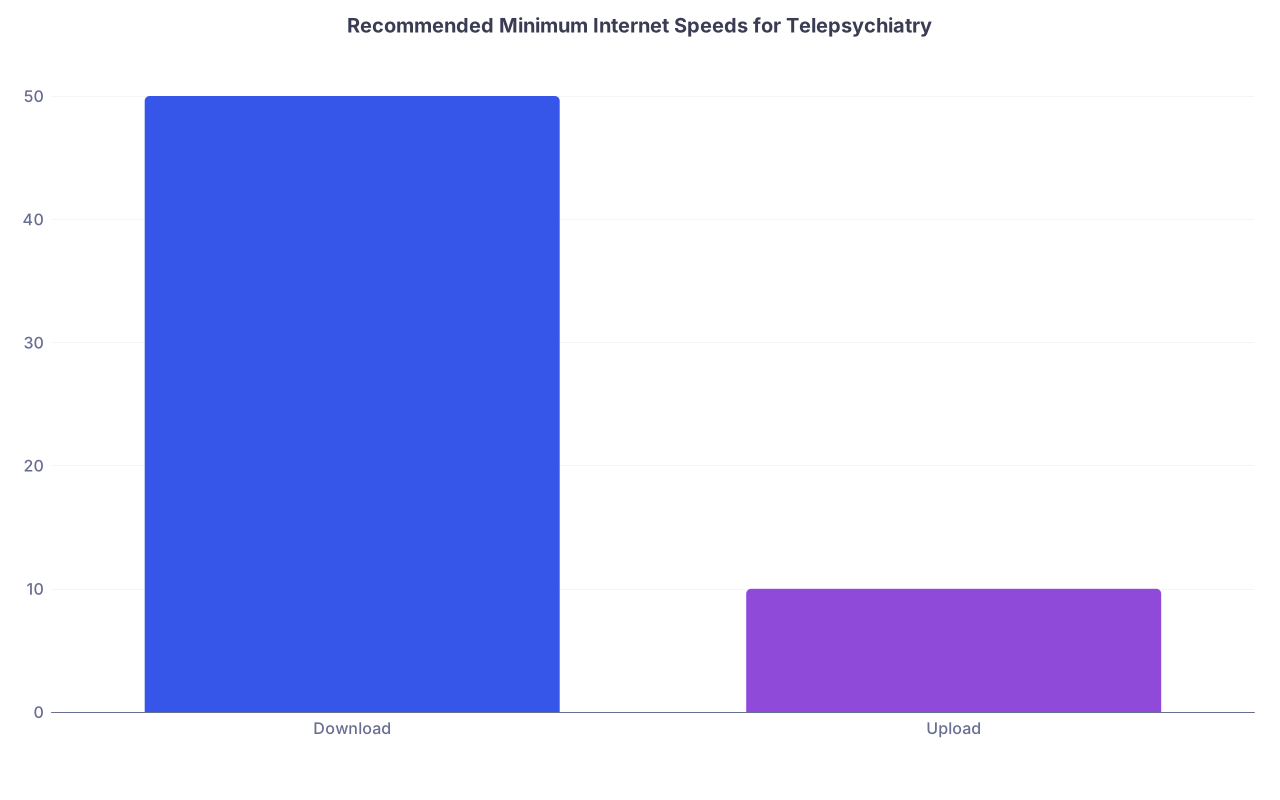
| Category | Value |
|---|---|
| Download | 50 |
| Upload | 10 |
If you have to use Wi‑Fi:
- Put the router in the same room if possible.
- Avoid shared bandwidth congestion (don’t start sessions right when kids are streaming 4K video in the other room).
Webcam
Built-in laptop cameras are often barely adequate. Patients can tell the difference.
Look for:
- 1080p (Full HD) resolution
- Decent low-light performance
Logitech C920/C922-level cameras or their modern equivalents are fine. Clip it above your monitor, at or slightly above eye level.
Angle: you should be looking almost straight ahead, not down at your knees. Stack your laptop on a stand or books if needed.
Microphone and audio
This matters more than video. Patients get far more frustrated by bad sound than slightly grainy video.
Use one of:
- USB microphone (Blue Yeti Nano, Audio-Technica ATR2100x, etc.)
- Or a quality USB headset with built-in mic
Avoid:
- Using the laptop’s built-in mic in a slightly echoey room
- AirPods or similar for full clinic days (battery and audio quality issues; fine as a backup)
Headphones vs speakers:
- Headphones are better for privacy and avoid echo.
- Over-ear wired or wireless with good mic is ideal.
If you do use speakers + mic, you must test for echo and feedback first and enable echo cancellation in the telehealth app.
3. Software Stack: Telehealth Platform, EHR, and BAA Reality
Most post-residency jobs will hand you the platform and say, “Here’s our telehealth system.” You still need to make sure it’s set up correctly on your end.
HIPAA-compliant platform and BAA
You cannot just use free Zoom, FaceTime, WhatsApp, etc., for ongoing telepsychiatry. You need:
- A HIPAA-compliant platform
- A signed Business Associate Agreement (BAA) between the platform and the covered entity (your group/hospital/private practice)
If you’re employed: your employer should already have this in place. Don’t assume; verify.
If you’re starting your own gig: you need one of the major HIPAA-compliant telehealth platforms with a BAA: Zoom for Healthcare, Doxy.me (pro tiers), VSee, etc.
The risk point: regulators don’t care that “the platform seemed secure.” They care if there’s a BAA and appropriate safeguards.
| Platform | BAA Available | Waiting Room | Screen Share | E-Prescribing Built-in |
|---|---|---|---|---|
| Zoom for Healthcare | Yes | Yes | Yes | No |
| Doxy.me Pro | Yes | Yes | Yes | No |
| VSee Clinic | Yes | Yes | Yes | Yes |
| SimplePractice | Yes | Yes | Yes | Yes |
EHR and documentation workflow
You should not be flipping between 10 windows trying to remember what the patient said while the video freezes.
The smoother setups look like this:
- Telehealth platform in 1 window / 1 monitor
- EHR open on the other screen
- Script templates / dot phrases for telehealth-specific documentation
If your EHR supports integrated telehealth (Epic, Cerner, Athena, SimplePractice, etc.), use the built-in link instead of juggling extra apps.
Create a telehealth note template with:
- Location of provider (e.g., “Provider at home office in [city, state]”)
- Location of patient (document every single time)
- Attestation that risks/limitations of telehealth were discussed
- Confirmation of patient identity and consent to telehealth
- Whether anyone else was present on either end
This isn’t fluff. In a bad outcome review, those lines become “show me you thought this through.”
4. Security, Privacy, and HIPAA in a Non-Hospital Environment
You’re now your own IT department, at least partially. That means you have to do some boring but crucial things.
Device security
At minimum:
- Full-disk encryption turned on (FileVault on Mac, BitLocker on Windows Pro)
- Strong login password, no shared user accounts
- Automatic screen lock after a short idle time (5–10 minutes)
- Up-to-date antivirus and OS security patches
No charting or patient messaging from:
- Shared family computers
- Public or unsecured Wi‑Fi networks
If you have to use public Wi‑Fi (hotel, etc.), you should be on a VPN provided by your employer or a reputable one they approve.
Where PHI lives (and where it doesn’t)
You want patient data to live:
- In the EHR
- In your secure email / messaging systems that are part of the practice structure
- On encrypted drives, if data must be stored locally
You do NOT want PHI:
- In random Word docs on your personal desktop
- In your personal Gmail or text messages
- In screenshots saved to your Pictures folder with filenames like “Zoom_screenshot_3.png”
Boundary: no syncing PHI to personal cloud accounts like personal iCloud/Dropbox unless they are covered by a BAA under your practice or employer. Use the systems your employer provides.
Home environment privacy
This part is under-appreciated.
You can do everything right on the computer and still leak information because:
- Someone is listening outside your door
- A smart speaker (Alexa/Google Home) is literally recording your side of the session
So:
- Either move or mute/disconnect smart speakers in your office
- Put a white noise machine (or even a fan) outside your office door during sessions
- Make it explicit to family/roommates that “when the door is closed and this sign is up, do not knock unless there’s an emergency”
5. Clinical Risk Management in a Virtual World
This is where your training meets the reality of not being in the same room.
Licensing and geography
You are responsible for:
- Being licensed in the state where the patient is physically located at the time of session
- Following that state’s rules on telemedicine, prescribing, and controlled substances
So at the start of each session (script it):
“Before we start, can you confirm where you are physically located today?”
Document it. If they’re out of state and you’re not licensed there: you cannot just proceed “because they really need help.”
Have a clear policy for:
- What you do if a patient is traveling
- Whether you can see them at all if they’re physically out-of-state
Do not wing this. Talk with your employer’s legal/compliance or your malpractice carrier and get a written policy.
Informed consent for telepsychiatry
You need a telehealth-specific consent process, not just a general consent to treat.
It should cover:
- Nature of telehealth (video/audio)
- Risks (technology failure, limits of virtual exam, privacy limits on patient side)
- Alternatives (in-person care)
- Emergency plans and limits (what you can and cannot do remotely)
Most systems will have a written consent in the intake packet. But you should also verbalize, especially initially, and chart it:
“Discussed telehealth risks/benefits, patient verbalized understanding and agreed to proceed.”
Suicide risk and emergencies
This is the part that keeps people up at night.
You need a standard script and a playbook. Before assessing or treating high-risk patients, you should already know:
- Their physical address for this session
- A callback phone number
- Their local emergency services contact plan (911 in US, but document locale)
- At least one emergency contact (if they consent to share)
Build a macro in your EHR to capture:
- “Patient located at [address] in [city, state]. In case of emergency, plan is to contact [contact name/relationship] at [phone] and/or call 911/local emergency services for welfare check.”
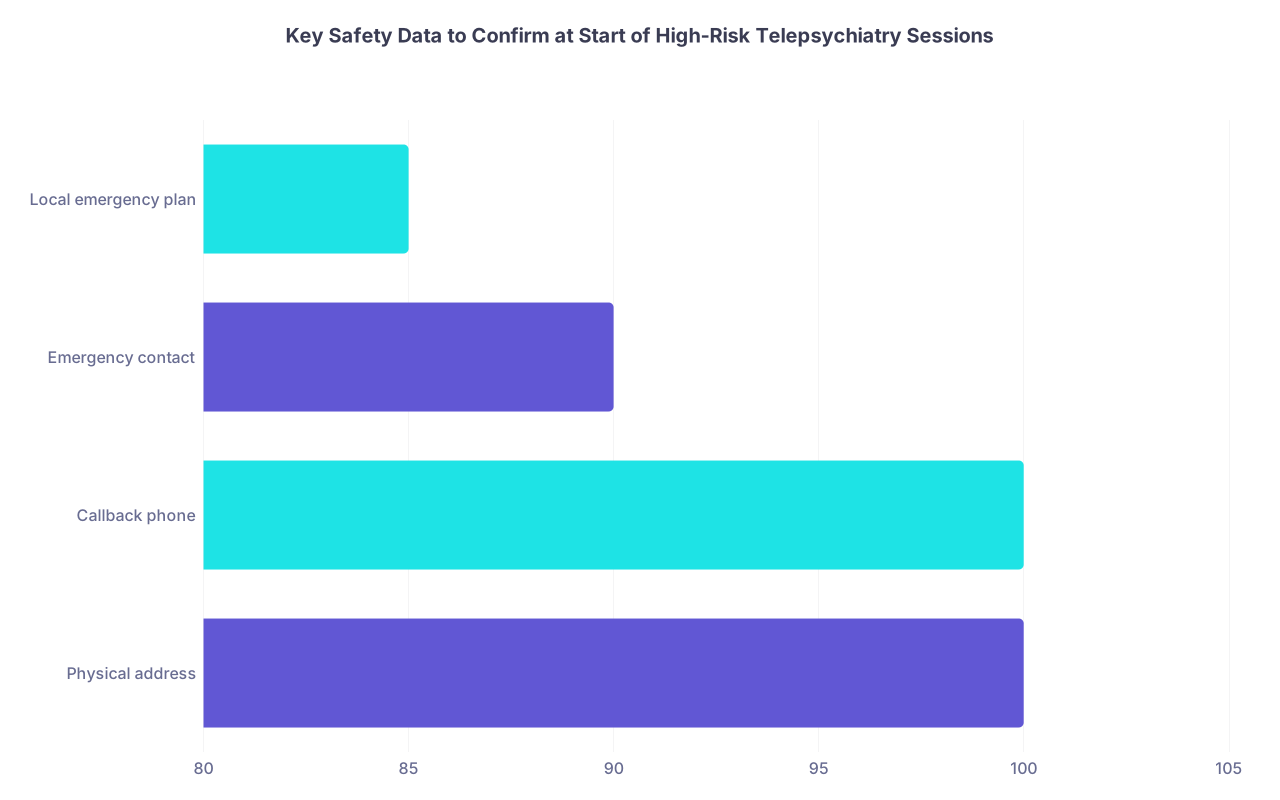
| Category | Value |
|---|---|
| Physical address | 100 |
| Callback phone | 100 |
| Emergency contact | 90 |
| Local emergency plan | 85 |
During a suicidal assessment via telehealth, you’re doing the same basic clinical work, but with some added steps:
- Explicitly ask if anyone else is in the home and whether they can bring someone in for support if needed.
- Ask about access to means, and you may need to ask them to move the device and show you (e.g., pills, sharps), if appropriate and safe.
- If imminent risk and they refuse a safety plan or voluntary ER visit, you call emergency services to their verified address. Then you document the hell out of it.
Do not minimize severity because they’re on a screen. You will be judged as if you had full authority and full responsibility. Because you do.
6. Workflow and Contingency Planning: When (Not If) Tech Fails
Things will break. Power, internet, platform outages. Pretending they won’t is how you end up with chaos in the middle of a manic crisis evaluation.
Have a backup channel
At a minimum:
- A phone number (ideally clinic line, not your personal cell) that the patient knows you’ll call from if video fails.
- A clear policy: “If the video disconnects, I will call you on the phone number ending in XXXX. If you don’t hear from me within 5 minutes, please call the office at [number].”
Document the backup plan in the chart at least once per patient, preferably every visit, briefly.
Phone follow-up is usually allowed if video fails; check your payer policies for billing adjustments.
Pre-session “tech check” habits
Before starting a telepsych clinic block:
- Restart your computer once each clinic day (wipes leftover memory nonsense).
- Close non-essential apps (Spotify, 20 Chrome tabs, etc.).
- Test your webcam and mic on the platform, not just in your OS settings.
- Check your internet speed once after big changes in your setup.
If you’re switching locations (home vs satellite office), do a quick test call with a coworker or test link.

| Step | Description |
|---|---|
| Step 1 | Start Telepsych Session |
| Step 2 | Proceed with Visit |
| Step 3 | Attempt Fix - Reconnect |
| Step 4 | Switch to Phone Call |
| Step 5 | Complete Visit by Phone |
| Step 6 | Reschedule or Refer In Person |
| Step 7 | Video Stable |
| Step 8 | Reconnected |
| Step 9 | Adequate for Care |
7. Documentation, Prescribing, and Controlled Substances
Telepsychiatry does not lower your documentation standard. If anything, in a review, people will scrutinize more.
Note content: extra telepsychiatry elements
In addition to your usual psych note, add:
- Platform used (e.g., “Visit conducted via HIPAA-compliant Zoom”)
- Provider location
- Patient location and verification of identity
- Any limitations to exam due to telehealth (“Unable to perform full neurological exam”)
- Who else was present on either side
- Safety planning / emergency info as covered above
This is one of those areas where smart templates and dot phrases save your sanity.
Prescribing and controlled meds
Rules here are in flux, especially around controlled substances via telemedicine (e.g., stimulants, benzos, buprenorphine). You cannot rely on “I heard the rules are relaxed now.”
You must know:
- Federal rules at this moment (check DEA and applicable temporary telemedicine flexibilities).
- State laws for both your state and the patient’s state.
- Any payer or institutional policies that are stricter than the law.
Risk approach:
- For new starts of controlled meds via telehealth, be conservative. If in doubt, arrange an in-person assessment at least once.
- For ongoing patients moved from in-person to telehealth, document the clinical justification for continuing and why telehealth is appropriate.
If you’re in a large system, get your compliance/legal to send you written guidance. Save it. Follow it.
8. Malpractice, Boundaries, and Your Own Sanity
You’re not just managing tech; you’re managing being at “work” in your home.
Malpractice coverage
Confirm in writing:
- That your malpractice policy explicitly covers telemedicine.
- Which states and settings are covered.
- Whether coverage includes phone-only visits if video fails.
If you’re employed, get a certificate of insurance and the policy summary. If you’re independent, tell your insurer exactly what you plan to do.
Time and boundary management
Telepsychiatry invites boundary creep:
- Patients expect rapid messaging replies because “you’re always near your computer.”
- You’re tempted to squeeze in “just one more” session at 7:30 pm because the computer is right there.
Protect yourself and your license by:
- Setting a clear schedule and sticking to it.
- Using platforms that route messages through proper channels, with expected response times.
- Not using your personal cell for routine patient contact unless you’re intentionally doing concierge-level care and have structured it that way.
It’s very easy, in your first post-residency telepsych job, to try to be infinitely available. That does not end well.

9. Your First Week: Concrete Checklist
Let’s make this painfully practical. Before week one of telepsychiatry:
- Choose your office space, set up the background, fix lighting.
- Get a real webcam, a decent mic/headset, and test them on the actual platform you’ll use.
- Hard-wire your internet if possible; run a speed test.
- Turn on device encryption and auto-lock; update OS and antivirus.
- Confirm you’re covered by a HIPAA-compliant platform and BAA through your employer.
- Build or import telehealth-specific documentation templates and consent language into your EHR.
- Clarify your licensing states and where your patients will be located.
- Create and document your emergency and suicide risk workflow (address, contact, 911 plan).
- Decide your schedule, message-response expectations, and office “closed door” rules at home.
None of this is glamorous. All of it matters.
Core Takeaways
- Treat your telepsychiatry setup like a real clinic: private space, reliable hardware, secure software, and clear workflows.
- Risk management lives in the details: verify patient location, document consent, have an emergency plan, and know your licensing and prescribing rules.
- Protect both your patients and yourself: secure your devices, confirm malpractice and telehealth coverage, set boundaries, and don’t improvise policies—write them down and follow them.