
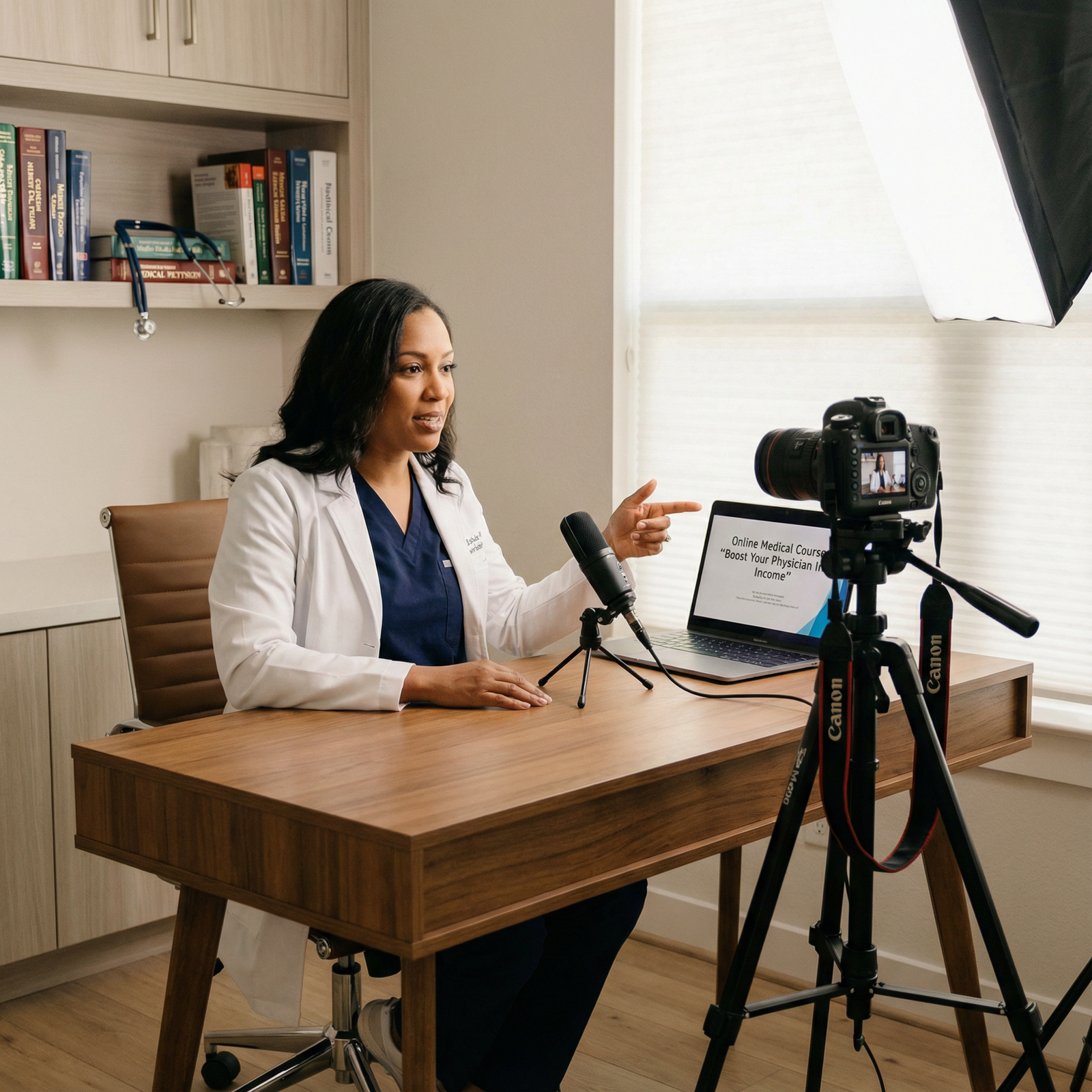
You’re post-call, half-caffeinated, staring at your inbox. Three patients, two med students, and a random cousin have all asked you for basically the same thing this month: “Do you have a good resource on how to ______?”
You Google. It’s either garbage, superficial, or clearly not written by someone who has actually done what you do.
At this point you should be thinking: I could build this. In a way that’s actually accurate. And get paid more than my hourly rate for clinic.
Here’s the 12‑week, physician‑realistic, week‑by‑week plan to build a real course as a side hustle without blowing up your call schedule or your sanity.
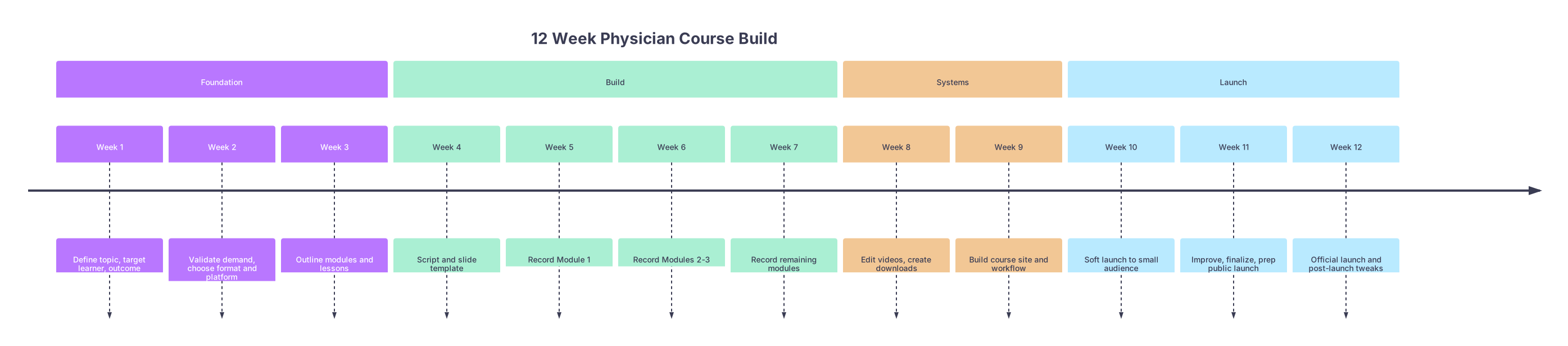
Big Picture: Your 12-Week Course Build Timeline
| Period | Event |
|---|---|
| Foundation - Week 1 | Define topic, target learner, outcome |
| Foundation - Week 2 | Validate demand, choose format and platform |
| Foundation - Week 3 | Outline modules and lessons |
| Build - Week 4 | Script and slide template |
| Build - Week 5 | Record Module 1 |
| Build - Week 6 | Record Modules 2-3 |
| Build - Week 7 | Record remaining modules |
| Systems - Week 8 | Edit videos, create downloads |
| Systems - Week 9 | Build course site and workflow |
| Launch - Week 10 | Soft launch to small audience |
| Launch - Week 11 | Improve, finalize, prep public launch |
| Launch - Week 12 | Official launch and post-launch tweaks |
You’re going to move through four phases:
- Weeks 1–3: Foundation (zero recording, all thinking and validating)
- Weeks 4–7: Build (content creation, recording)
- Weeks 8–9: Systems (editing, course platform, basic funnel)
- Weeks 10–12: Launch (soft launch, refine, real launch)
Target workload: 4–6 hours/week. Doable for a full‑time attending or resident with a bit of discipline.
Weeks 1–3: Foundation – Don’t Record Anything Yet
At this point you should be spending zero time in front of a camera and 100% time making sure you’re not building a course no one wants.
Week 1 – Pick a Topic That Actually Sells
Goal: One clearly defined course idea + specific learner + specific outcome.
Step 1: Choose a narrow topic
Bad: “Critical care for internists.”
Good: “First 30 minutes of the crashing ICU patient for new hospitalists.”
You want:
- One primary learner type:
- New hospitalists, PGY-2 IM residents, NP/PA in EM, IMG starting residency, etc.
- One primary outcome:
- “Handle new ICU admissions without panic.”
- “Build a private practice waitlist in 90 days.”
- “Read knee MRIs confidently as a generalist.”
Ask yourself:
- What do people already ping you about constantly?
- What do you teach residents/fellows over and over on the wards?
- Where do you see colleagues screwing up in predictable ways?
Step 2: Define your “transformational promise”
Write one sentence:
“By the end of this course, you will be able to ______ without ______.”
Example:
“By the end of this course, you will be able to admit and stabilize a crashing ICU patient without needing to page the intensivist for every decision.”
That sentence will drive everything. Content, marketing, pricing.
Step 3: Quick sanity check with actual humans
Spend 30–60 minutes:
- Text/email 5–10 people in your target audience:
- “Thinking of making a short online course on X that helps you Y. Would this be genuinely useful to you right now? What would you want it to cover?”
- Capture language they use. Not your polished academic speech; their messy, real words.
If nobody cares, pivot now. Not week 9.
Week 2 – Validate Demand and Choose Format
At this point you should be confirming that your idea has legs and deciding how “heavy” this course will be.
Step 1: Demand check (2–3 quick signals)
You’re not doing a randomized trial here. You just need non-delusional confirmation:
- Post a short poll on:
- Your professional Twitter/LinkedIn
- Alumni or specialty Facebook groups
- WhatsApp group of co-residents or APPs
Ask something like:
“If there were a concise, step‑by‑step course that helped you [outcome] in 4 weeks, would you:
A) Buy it now
B) Save for later
C) Not interested”
If you can’t get even 10 people to respond to a poll, your current audience is too cold or too small. That doesn’t kill the idea, but you should plan for a modest launch.
Step 2: Decide depth and format
Choose your course tier:
| Type | Total Length | Ideal Price Range | Build Difficulty |
|---|---|---|---|
| Mini-course | 60–90 min | $49–$149 | Low |
| Flagship course | 3–6 hours | $197–$597 | Medium |
| Cohort program | 4–8 weeks | $500–$2000 | High |
For your first build, I strongly recommend either:
- Mini-course if you’re test-driving the idea.
- Small flagship if you already have demand (e.g., large following, popular lecture you give every year).
Choose core format:
- Asynchronous video + slides (default, easiest to scale)
- Optional live Q&A sessions (monthly or at launch)
- Short PDFs/cheat sheets rather than long, polished workbooks
Step 3: Pick a platform (don’t overthink this)
Pick one from this list and commit for this build:
- Simple: Teachable, Thinkific, Podia
- “Already exists” option: Kajabi (if you’re planning a more serious business)
- Shoestring: Gumroad + unlisted Vimeo/YouTube links
Stop reading 20 comparison blogs. Pick, move on.
Week 3 – Outline the Entire Course
At this point you should have a complete, rough outline before recording a single word.
Step 1: Reverse engineer from outcome
Work backward:
- What must they absolutely be able to do by the end?
- What 3–6 milestones get them there?
- For each milestone, what 3–5 short lessons are required?
Example structure (ICU crash course):
- Module 1: Mindset and Approach
- Lesson 1: Your role in first 30 minutes
- Lesson 2: Priorities: Airway, Breathing, Circulation
- Module 2: Airway and Breathing
- Lesson 1: When to intubate
- Lesson 2: Vent basics for non-intensivists
- Etc.
Each lesson: 7–15 minutes video. No 55‑minute monologues.
Step 2: Add action to every module
Each module should have:
- 1 action item / checklist
- 1 simple tool:
- PDF checklist
- One-page algorithm
- Template note (e.g., new ICU admit note)
Step 3: Lock the scope
You’re a physician. You’re used to overstuffed grand rounds. Don’t do that.
Rule: If a lesson doesn’t directly move them toward the promised outcome, it’s gone.
Create a parking lot doc for “future v2 modules” instead of shoving everything into v1.
Weeks 4–7: Build – Scripts, Slides, and Recording
This is the part everyone obsesses over and then burns out on. We’re going to pace it.
Week 4 – Scripting and Slide System
At this point you should be writing short, focused scripts and building one slide template you’ll reuse.
Step 1: Build your slide template
One simple template:
- Title slide
- Content slide with:
- 1 key statement
- 2–4 bullets max
- Case slide (for clinical stuff)
- Summary slide
Use Keynote, PowerPoint, or Google Slides. White background, large fonts, no clipart. Think “Steve Jobs, not 1990s pharma talk.”
Step 2: Script (or at least outline) your first 3–4 lessons
Don’t write academic prose. Write the way you’d explain it to a sharp PGY-1 on a busy night:
- Start with: “Here’s the situation you’re in.”
- Then: “Here’s what people normally do wrong.”
- Then: “Here’s the step‑by‑step that actually works.”
Aim for:
- 1-page bullet outline per lesson
- Or a loose script that you’re comfortable deviating from
Step 3: Block your recording windows
Look at your calendar. Pick:
- 1–2 blocks per week, 2–3 hours each, for the next 4 weeks
- Same time/day if possible (e.g., Sunday 8–11am)
Put it in the calendar like a real commitment. Because if you don’t, work and charting will eat that time alive.
Week 5 – Record Your First Module
At this point you should be actually producing content, not still “thinking about it.”
Step 1: Set up simple gear
You do not need a full YouTube studio.
- Camera: Your laptop webcam or a recent phone.
- Audio: This matters more. Buy a $50–$150 USB mic (Samson Q2U, Blue Yeti, etc.).
- Lighting: Sit facing a window or use a cheap ring light.
- Recording software:
- Loom, ScreenFlow, Camtasia, or just Zoom recording with screen share.
Step 2: Record 2–4 lessons (Module 1)
Process:
- Do a quick 30‑second test recording to check audio and slide visibility.
- Record one lesson at a time, no perfectionism:
- If you stumble on a word, keep going.
- If you truly blow it, pause 5 seconds and repeat the sentence. Easy to cut later.
- Aim for 60–90 minutes of raw footage total this week.
Step 3: Jot problems in real time
You’ll notice:
- Slides too text-heavy?
- Explaining too much pathophys that doesn’t affect decisions?
- Going off on tangents?
Write it down. Fix in the next module, not by re-recording everything. That’s how you lose 3 weeks.
Week 6 – Record Modules 2–3
At this point you should have momentum. Now you stack content.
Step 1: Tighten your teaching rhythm
Before recording this week:
- Re‑watch one of last week’s lessons at 1.5x speed.
- Ask: Where did I ramble? Where did I get to the point?
Adjust:
- Start each lesson with: “In this lesson you’ll learn…”
- End each lesson with: “Here’s your one thing to do/remember.”
Step 2: Record 3–5 more lessons
Target: Finish at least one full module and start the next.
Timebox:
- 45–60 minutes: quick script/outline refresh
- 2 hours: record 3–5 short lessons
If you’re exhausted after a 24‑hour call, don’t record. Move your block. Tired, mumbled content won’t convert or help learners.
Week 7 – Finish Recording Core Content
At this point you should be closing the recording loop, not inventing new modules.
Step 1: Record remaining core modules
Goal for end of week 7:
- 80–100% of core video content recorded
- Total raw footage: maybe 3–7 hours, depending on course size
If you’re behind:
- Cut nonessential lessons. You can always add “bonus content” later.
- Prioritize the lessons that directly support your main promise.
Step 2: Decide on bonuses, not bloat
Nice add‑ons that don’t require tons of time:
- Downloadable checklists
- A couple of case walk‑throughs
- 1 recorded Q&A or “office hours” style video (you can record solo, answering FAQ)
Skip:
- Fancy huge workbook (time sink)
- Complex quizzes for every lesson (not needed unless this is CME/CE)
Weeks 8–9: Systems – Editing, Assets, and Course Build
Now you switch from “creator brain” to “system brain.”
Week 8 – Edit and Create Downloadables
At this point you should be cleaning up what you already recorded, not re-recording from scratch.
Step 1: Light editing, not Hollywood
Goal: Usable, clear, professional enough. Not Netflix.
Options:
- DIY in ScreenFlow, Camtasia, Descript, or iMovie:
- Trim obvious mistakes and long silences
- Add simple title card and lesson numbering
- Or hire a freelancer (Fiverr/Upwork) with clear specs:
- “Cut major mistakes, add intro card, normalize audio, export at 1080p.”
Do not add animation, background music, or complicated transitions. Your learners don’t care.
Step 2: Build your PDFs and checklists
For each module, create 1–2 assets:
- Checklist: “Steps to admit a crashing ICU patient”
- Flowchart: “Vent setting adjustments cheat sheet”
- Template: sample note, email script, consent script, etc.
Use Canva, Google Docs, or PowerPoint exported as PDF. Clean, readable, nothing fancy.
Step 3: Organize your content files
Create a simple folder structure:
- /Course Name
- /Raw Videos
- /Edited Videos
- /Slides (PPT/Keynote)
- /PDFs
- /Marketing (images, copy)
You’ll thank yourself later.
Week 9 – Build the Course in Your Platform
At this point you should be inside Teachable/Thinkific/etc., not in your head.
Step 1: Set up course skeleton
In your platform:
- Create course
- Create modules/sections
- Create lessons inside each module with titles
Then:
- Upload edited videos to each lesson
- Attach PDFs/checklists to relevant lessons
Step 2: Basic course page and copy
You need one decent sales page. Nothing insane.
Include:
- Clear title: “The First 30 Minutes: ICU Admissions for New Hospitalists”
- Who it’s for / not for
- What they’ll be able to do when they’re done (bulleted outcomes)
- What’s included:
- X modules, Y lessons
- PDFs, templates, etc.
- Price (just pick something and move on)
- A simple guarantee (7–14 days refund is standard)
| Category | Value |
|---|---|
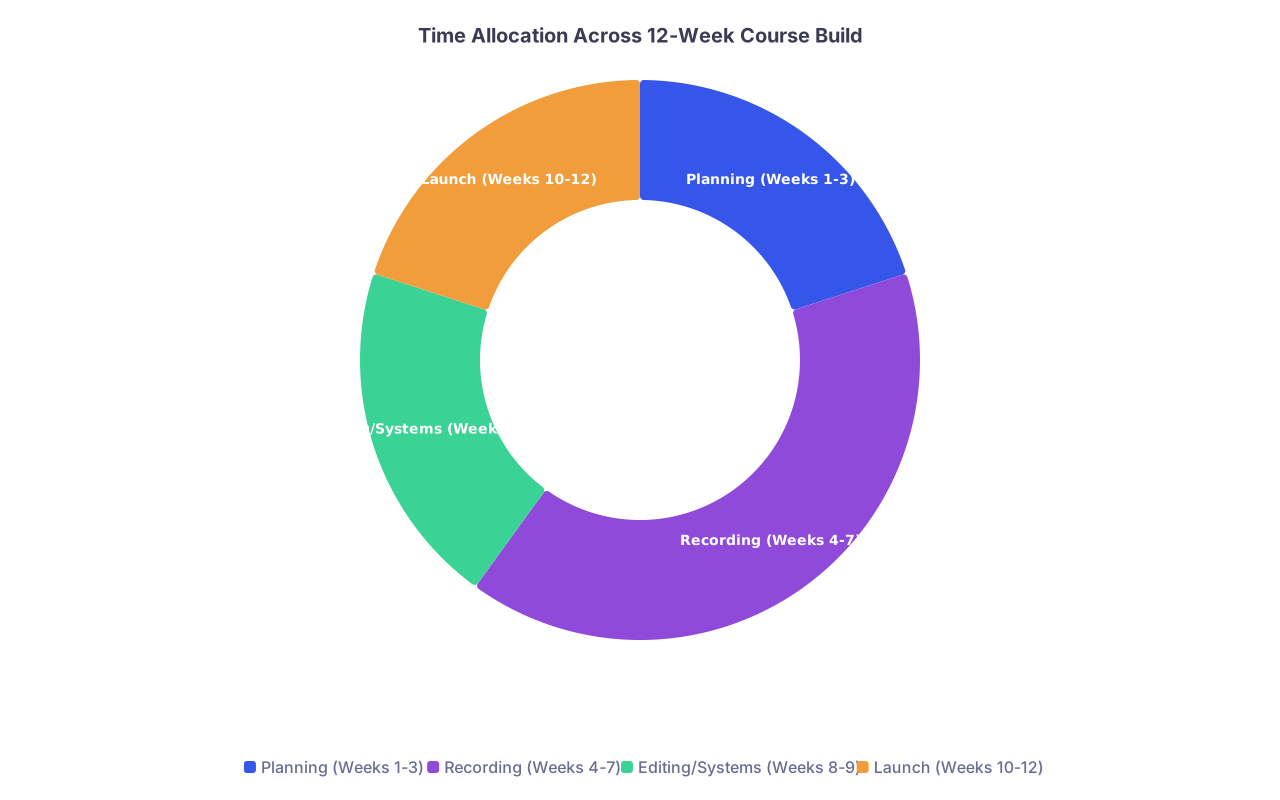
| Planning (Weeks 1-3) | 20 |
| Recording (Weeks 4-7) | 40 |
| Editing/Systems (Weeks 8-9) | 20 |
| Launch (Weeks 10-12) | 20 |
Step 3: Payment and access settings
Set:
- One-time payment (keep it simple for your first launch)
- Drip or full access? For an async course, I’d give full access.
- Welcome email with:
- Login instructions
- Suggested pace (e.g., 1 module/week)
- How to ask questions
Run a full test:
- Use a test student account
- “Buy” your own course with a 100% off coupon
- Make sure video plays, PDFs download, emails send
Weeks 10–12: Launch – From Soft Launch to Real Students
Stop thinking “launch = giant social media blitz.” Launch, as a physician with a side hustle, is sequenced and small at first.
Week 10 – Soft Launch to a Tiny Audience
At this point you should be getting real humans into the course in the least stressful way possible.
Step 1: Pick your “inner circle”
Target 5–20 people:
- Former residents/fellows
- Colleagues who’ve asked you about this topic
- People who responded positively in Week 2
Offer:
- Early access at a reduced price
- In exchange for:
- Honest feedback
- A testimonial if they found it helpful
Step 2: Send direct invites
Not a mass email. Direct, personal messages:
“Hey [Name], you mentioned a while back that starting in the ICU felt overwhelming. I built a short, step‑by‑step course exactly for that. I’m doing an early access launch for a small group at [$X]. You’d get lifetime access, and in exchange I’d ask for honest feedback so I can improve it. Want the details?”
You’ll quickly see:
- Who actually pays
- What confuses them in the interface
- Which lessons they rave about vs. skip
Step 3: Collect feedback while they go
Create:
- A simple Google Form linked in the course: “Got feedback?”
- Or just ask them to email you thoughts after each module
Don’t react to every single suggestion. Look for patterns.
Week 11 – Refine and Prep Public Launch
At this point you should be tightening based on real data, not imaginary future students.
Step 1: Fix the top 3 friction points
From Week 10 feedback, you might see:
- “Wasn’t sure where to start” → Add a “Start here” lesson at top.
- “Wanted more examples” → Add 1–2 short case videos.
- “Didn’t know how to apply this on nights” → Add a 5‑minute “night shift adaptation” bonus.
Do not re-record entire modules unless there’s a truly serious flaw. Patch, don’t rebuild.
Step 2: Lock price and simple launch plan
Choose:
- Public price (not your soft launch discount)
- Launch window: 7–14 days where you’re actually talking about it
Decide where you’ll talk about it:
- Email list (if you have even 50–100 people)
- LinkedIn or Twitter thread
- Specialty Slack/WhatsApp groups
- Talk at noon conference then send link
| Day Range | Action Focus |
|---|---|
| Day 1–2 | Announce + story email |
| Day 3–5 | Share 1–2 lessons as teasers |
| Day 6–7 | Reminders + last call |
Create 3–5 short messages, not 20‑email sequences.
Week 12 – Official Launch and Post-Launch Clean-Up
At this point you should be putting the course in front of more eyes and doing just enough follow‑up.
Step 1: Launch week communication
Across your chosen channels:
- Announce: why you built it, who it’s for, what problem it solves
- Share 1 mini teaching tip publicly → link to full course
- Share 1–2 testimonials from early users (screenshot with permission or anonymized)
You are not spamming. You’re offering a focused, practical solution to a problem your peers and trainees actually have.
Step 2: Track basic metrics
Keep it simple:
- Number of buyers
- Conversion rate from people you directly messaged
- Revenue from this first launch
| Category | Value |
|---|---|
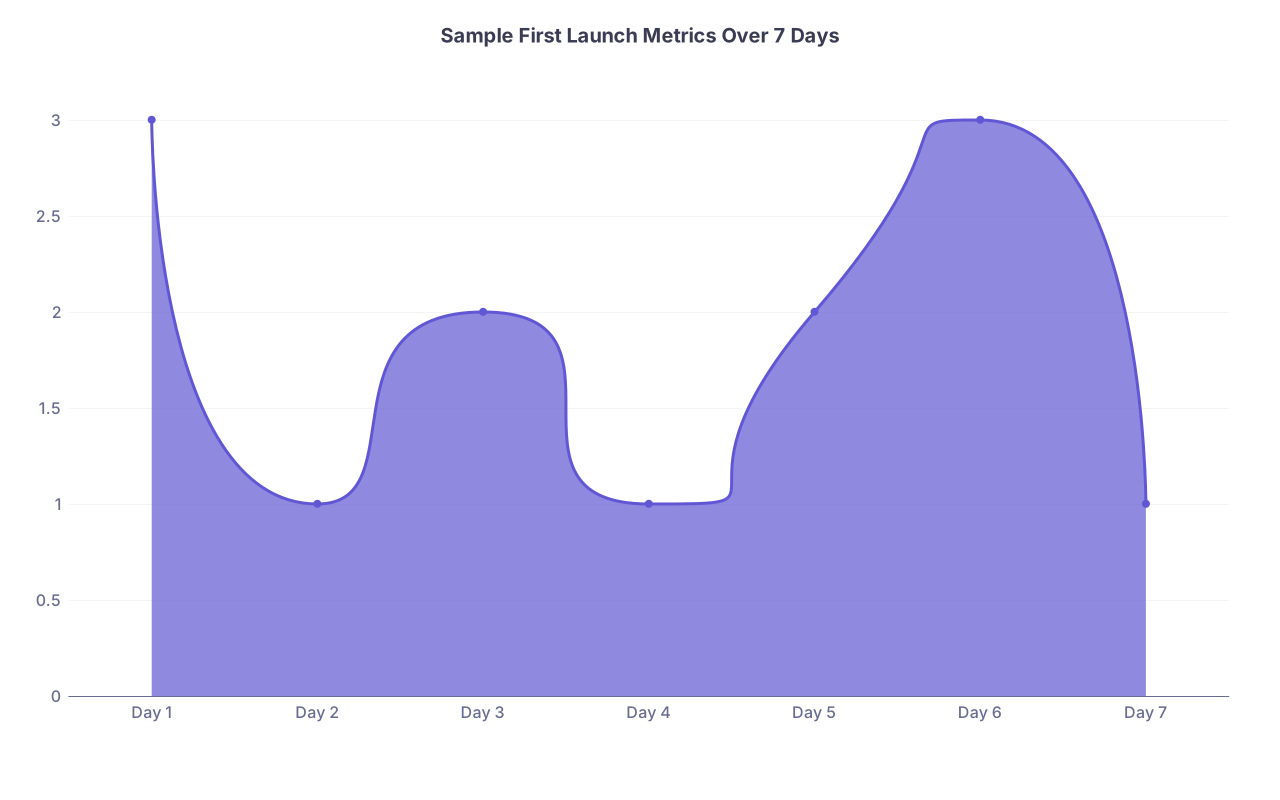
| Day 1 | 3 |
| Day 2 | 1 |
| Day 3 | 2 |
| Day 4 | 1 |
| Day 5 | 2 |
| Day 6 | 3 |
| Day 7 | 1 |
Look for:
- Which channels drove real purchases
- Whether your price felt obviously too low (sold immediately, people said “this is cheap for what it is”) or too high (tons of interest, few buyers)
Step 3: Turn launch into evergreen
After Week 12:
- Update your email signature: “I teach [Course Title] – link”
- Add course link to:
- Your LinkedIn
- Your professional website or Doximity profile
- Slide decks when you give talks
Decide on a maintenance plan:
- Quarterly:
- Review lessons for guideline changes
- Add a short “What’s new in 20XX” bonus lesson if needed
Day‑to‑Day Reality Check (What a Week Might Actually Look Like)
You’re not a full‑time creator. You’re a physician with a side hustle. So here’s what a realistic week (say, Week 5) might look like:
- Monday night (30 min): Adjust scripts for 2 lessons.
- Wednesday post‑clinic (45 min): Build slides for those lessons.
- Saturday morning (2 hours): Record 3–4 lessons in one batch.
- Sunday night (30 min): Upload raw videos, jot notes for editing.
Total: ~3–4 hours. You do not need a full day off to make progress.
Final Takeaways
- Front‑load thinking, not recording. The first 3 weeks deciding what not to include will save you from a bloated, unfocused course no one finishes.
- Timebox and lower the bar. Short lessons, simple slides, light editing. Done and slightly imperfect beats “perfect in your head” every single time.
- Soft launch first, then scale. Get 5–20 real learners through your course, fix what breaks, and only then worry about growing. The second course you build will be twice as fast because you actually finished the first.


