
It’s late October. You just finished a 3-interview week: a big-name university program, your home program, and a solid mid-tier safety. Your email inbox is a mess, your suitcase is still half-packed, and somewhere in there you’re “supposed” to be sending thank-you notes.
You remember someone on Reddit saying, “Programs don’t care about thank-yous.” Another chief told you, “I remember who followed up. It mattered.” Meanwhile, you’re staring at 9 attendings, 3 residents, 2 coordinators… and no system.
This is where people screw it up. Not the content of the thank-you. The workflow.
Let’s build you a real thank-you workflow—spreadsheets, deadlines, and tracking—so that by the time rank lists lock, you’re not wondering who you forgot or whether that PD ever got your email.
Big Picture: Your Thank-You Workflow Timeline
Here’s the basic arc from “first interview invite” to “rank list submitted.”
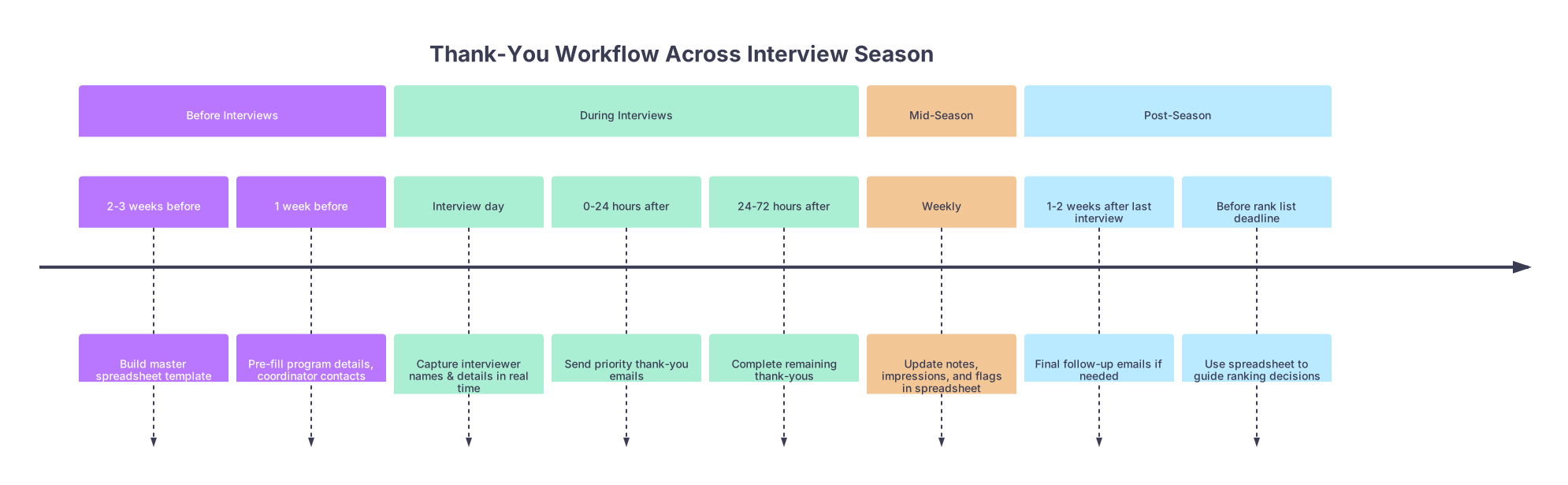
| Period | Event |
|---|---|
| Before Interviews - 2-3 weeks before | Build master spreadsheet template |
| Before Interviews - 1 week before | Pre-fill program details, coordinator contacts |
| During Interviews - Interview day | Capture interviewer names & details in real time |
| During Interviews - 0-24 hours after | Send priority thank-you emails |
| During Interviews - 24-72 hours after | Complete remaining thank-yous |
| Mid-Season - Weekly | Update notes, impressions, and flags in spreadsheet |
| Post-Season - 1-2 weeks after last interview | Final follow-up emails if needed |
| Post-Season - Before rank list deadline | Use spreadsheet to guide ranking decisions |
At each point, you should know:
- Who you met
- Who you’ve already thanked
- Who still needs a follow-up
- What you actually talked about (so your emails don’t sound generic)
We’ll go chronologically and build the system around that.
Step 1: Before Interviews – Build Your Master Spreadsheet
At this point (2–3 weeks before your first interview), you should not be writing thank-you emails. You should be building infrastructure.
Open Excel, Google Sheets, Notion, Airtable—whatever you’ll actually use when you’re tired at 11:30 p.m. I don’t care about the platform. I care that it’s simple and consistently updated.
Core structure
Your master sheet needs two levels:
- Program-level tab – one row per program
- Interviewer-level tab – one row per person you might thank
Here’s what the columns should look like.
| Tab / Level | Column Name |
|---|---|
| Program-level | Program Name |
| Program-level | City / State |
| Program-level | Specialty / Track |
| Program-level | Interview Date |
| Program-level | Coordinator Name |
| Program-level | Coordinator Email |
| Program-level | PD Name |
| Program-level | PD Email |
| Program-level | Thank-Yous Complete? (Y/N) |
| Interviewer-level | Program Name |
| Interviewer-level | Interviewer Name |
| Interviewer-level | Role (PD/APD/Faculty/Resident) |
| Interviewer-level | Email Address |
| Interviewer-level | Interview Date |
| Interviewer-level | Thank-You Sent? (Y/N) |
| Interviewer-level | Date Sent |
| Interviewer-level | Method (Email/Portal/Handwritten) |
Then add a few high-yield optional columns:
- “Key Topics Discussed” – bullet words only: “NICU research, global health, dual-physician spouse.”
- “Program Impression (1–10)” – your gut score
- “Strengths / Concerns” – short phrases, not essays
- “Follow-Up Needed?” – for when you promised to send a paper, CV, or answer a question
You’ll thank yourself in January when everything blurs together.
Step 2: Program Setup – 1 Week Before Each Interview
About a week before each scheduled interview, you should:
- Create/verify program row on your program tab.
- Pre-fill known details:
- Program name
- City/state
- Specialty/track
- Interview date
- Coordinator name and email (from ERAS email or program website)
- Make a placeholder on the interviewer tab:
- Program name + “TBD 1, TBD 2, TBD 3” for interviewers if you don’t know them yet
Why? Because on interview day, you’ll be rushed and tired. If there’s already a structure, you just plug in names instead of reinventing columns when you’re on hotel Wi-Fi.
Drop a column for “Thank-You Deadline.” I’d recommend:
- Standard: Within 48 hours of interview date
- High-priority (top-choice / dream programs): Within 24 hours
Then set conditional formatting on that column so anything overdue turns red. Yes, be that person.
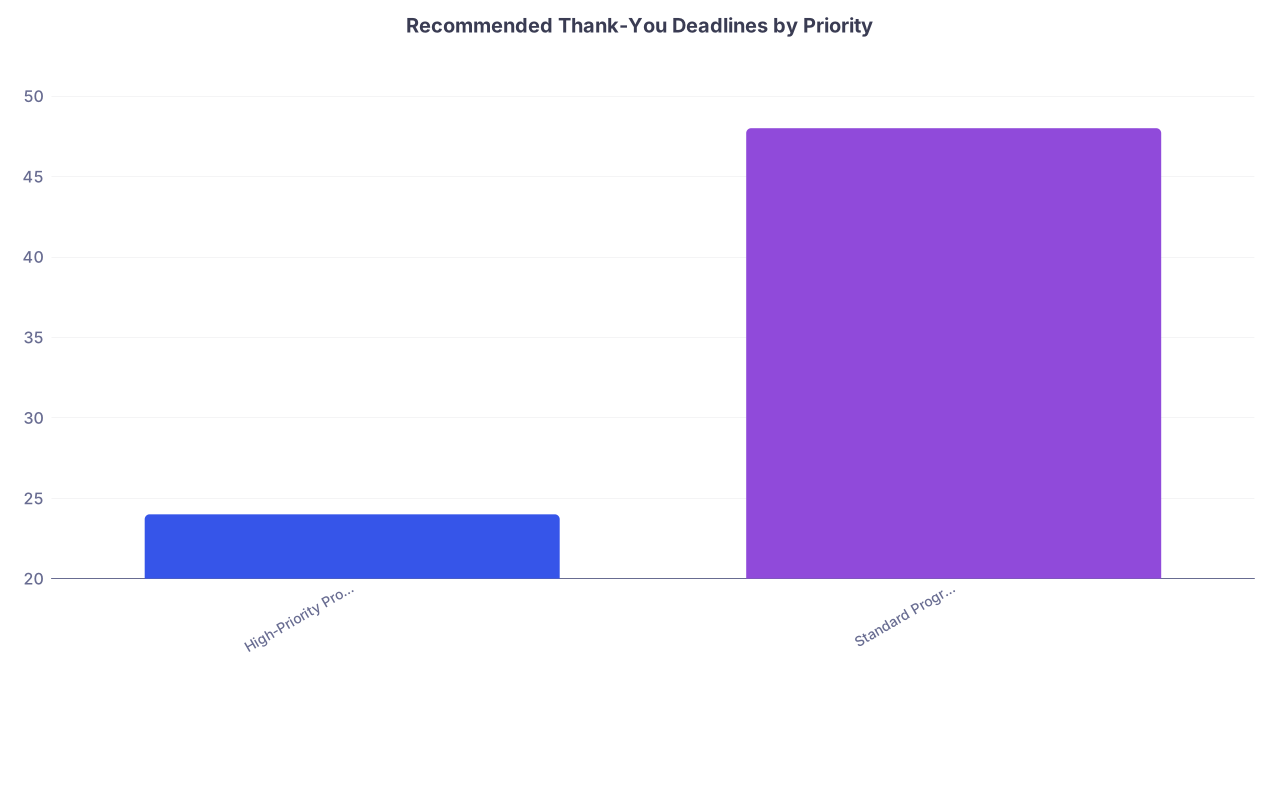
| Category | Value |
|---|---|
| High-Priority Programs | 24 |
| Standard Programs | 48 |
Step 3: Interview Day – Capture Information in Real Time
On the interview day itself, your only job (besides not saying anything weird) is to capture details you’ll need later.
At this point in the day, you should:
Before interviews start (check-in / intro session)
Open your spreadsheet on your laptop OR have a printed template with blanks for:
- Interviewer name
- Role
- Email (if given)
- Key points
Start the interviewer tab entries:
- Program Name: “UW IM Categorical”
- Interview Date: auto from program tab
- Fill in placeholders as the schedule appears
During each interview
Right after each Zoom room / in-person interview, quickly jot:
- Exact spelling of name (if not sure, ask or grab from schedule PDF)
- Role: “APD, Hospitalist, Research Director, PGY-3”
- 2–3 anchor phrases:
- “Talked about QI project on sepsis bundles”
- “She trained at my med school”
- “Interested in rural practice – Montana rotations”
Drop those into the “Key Topics Discussed” column. Don’t write novels. Just breadcrumbs for later.
If they mention something specific:
- “Send me your poster” → mark “Follow-Up Needed? = Yes”
- “Check out our ICU curriculum PDF” → note it; good to mention in follow-up
If you never get email addresses (happens often):
- Put “Unknown (ask coordinator)” in the email column for now
- You’ll circle back in the next step
Step 4: 0–24 Hours After the Interview – Priority Thank-Yous
The interview is done. You’re exhausted, maybe traveling. This is the window where disciplined people separate themselves.
At this point (same day to next morning), you should:
Decide priority level for this program
- High-priority: top ~5–8 programs
- Standard: everyone else
Check your spreadsheet’s “Thank-You Deadline”
- High-priority: aim for same day or next morning
- Standard: within 48–72 hours
Resolve missing emails
- If no email for PD/APD/faculty:
- Search program website
- Check ERAS materials / PDF schedules
- If still no luck, email the coordinator:
- “Thank you for a great interview day… may I please have contact info for Dr. ___ so I can send a brief thank-you?”
- If no email for PD/APD/faculty:
Who should definitely get a thank-you?
My take, based on what actually matters:
- Program Director – always
- Associate Program Director(s) who interviewed you – always
- Faculty interviewers – usually yes, especially if you had a real conversation
- Residents – yes for:
- Your assigned resident interviewer
- Any who went above and beyond (long 1:1, career-aligned, advocated for you)
Generic “to all the residents we met” emails are useless. Either individual or none.
Step 5: 24–72 Hours After – Finish the Batch and Track It
By 72 hours post-interview, you should have:
- Written and sent all planned thank-you emails
- Updated your spreadsheet for each message
On the interviewer-level tab, update:
- “Thank-You Sent?” → Y
- “Date Sent” → actual date
- “Method” → Email (or “Through portal” if the program forces it)
Here’s what an actual row might look like after you’re done:
| Program Name | Interviewer Name | Role | Interview Date | Thank-You Sent? | Date Sent | Method | |
|---|---|---|---|---|---|---|---|
| Mayo Clinic IM | Dr. Sarah Lewis | APD | [email protected] | 2025-11-03 | Y | 2025-11-04 |
This seems tedious until the first week of January, when you suddenly need to know:
“Did I ever thank that PD who loved my QI project?” You’ll have the answer in 10 seconds.
Content Strategy by Timeline (Very Short)
I’m not going to write 10 templates for you. But timing changes how much you should say.
Same-day or next-morning emails
Keep them tight:
- 3–6 sentences
- Mention:
- Specific thing you discussed
- One concrete reason the program fits you
- Optional: single-line follow-up (“I’ll send you that QI abstract separately.”)
48–72 hours later
Slightly more reflective is fine:
- 5–8 sentences
- Add 1–2 details from the day:
- “Hearing about the night float system from Dr. ___”
- “The resident panel’s comments about autonomy as PGY-3s”
The spreadsheet’s “Key Topics Discussed” column exists specifically so you don’t write, “Thank you for taking the time to speak with me” to 20 different people in the exact same words.
Step 6: Weekly Check-Ins – Control the Chaos Mid-Season
By mid-interview season (late November through January), interviews start to blend together. This is where most people’s “system” collapses.
Once a week—pick a stable day (Sunday evening, for example)—you should:
Sort your program-level tab by Interview Date
- Identify:
- Programs you interviewed at this week
- Programs coming up next week
- Identify:
For last week’s programs:
- Confirm “Thank-Yous Complete? = Y”
- If not, drill down into interviewer tab and finish anything outstanding
- Fix any missing info (roles, correct spelling, emails)
For upcoming programs:
- Make sure:
- Coordinator and PD emails are entered
- Interview date is correct
- “Thank-You Deadline” is realistic (set earlier for travel-heavy weeks)
- Make sure:
Use the sheet to track impressions too
While you’re there, add or adjust:
- “Program Impression (1–10)” – right after each interview week, before memory fades
- “Strengths / Concerns” – short bullets:
- Strengths: “Great ICU exposure, strong mentorship, family-friendly city”
- Concerns: “Heavy scut, vague about fellow selection, feels malignant”
This isn’t just for thank-yous. This is for rankings later. You will not remember whether it was the Ohio or the Michigan program where residents looked half-dead on Zoom. Your notes will.
Step 7: Late-Season – Strategic Follow-Up (Not Just Thank-Yous)
By late January or early February, you’re mostly done interviewing. At this point, your thank-you workflow shifts from “don’t forget anyone” to “strategic communication.”
Use the spreadsheet to identify:
Top tier (your likely top 5–8 programs)
- Filter by:
- High program impression
- Strong fit
- Cross-check:
- Did you already send personalized thank-yous to PD/APD/faculty?
- Any “Follow-Up Needed? = Yes” left unresolved?
- Filter by:
Programs where something felt off or incomplete
- Maybe there was a confusing answer, or you never got clarity on a track.
- Use your notes:
- “Didn’t get to ask about research for hospitalist careers.”
- Consider a focused, short follow-up to APD or coordinator with 1–2 specific questions.
- Log it in the sheet: new column “Post-Interview Contact (Y/N)” and “Date.”
At this point, you’re not spamming PDs with “I will rank you highly.” You’re closing loops. Your sheet tells you what’s still open.
Step 8: Before Rank List Deadline – Use the Data You Collected
The week before your rank list is due, your spreadsheet finally pays off fully.
At this point, you should:
- Sort programs by “Program Impression (1–10)”
- Read your “Strengths / Concerns” for each program
- Glance at follow-up history:
- Who you connected with
- Where you felt most seen/valued based on your notes
- Where the communication died or felt transactional
None of this replaces your actual gut. But it keeps you from anchoring only on the last two interviews you did. The spreadsheet acts as a memory prosthetic:
- “Right, this was the program where the PD knew my research topic before I logged in.”
- “This is the one where a resident emailed me after the day to share their experience.”
Those small things, captured and tracked, actually help ranking. Because programs that run respectful, responsive processes before you start usually keep doing that afterward.
Practical Tips to Keep the Workflow Alive
A few hard-won lessons I’ve seen over and over:
Do not let emails live only in your inbox.
If you thank someone, mark it in the sheet the same day. Otherwise you’ll be scrolling through sent mail at 1 a.m. in February.Use filters aggressively.
Filter “Thank-You Sent? = N” to see who’s left. Filter by “Interview Date = last 7 days” to do your weekly review.Make the sheet mobile-friendly.
If you’re on the road a lot, use Google Sheets so you can:- Add a new interviewer row on your phone after each Zoom block
- Check who’s left to thank while you’re at the airport
Have one master template; don’t spin up a new system mid-season.
Changing tools halfway through (from Excel to Notion, for example) is how data gets lost and people get forgotten.
Quick Example: Minimal but Effective Sheet
Here’s a stripped-down version if you hate complexity. Two tabs, core columns only.
| Tab | Essential Columns |
|---|---|
| Programs | Program, City, Specialty, Interview Date, Coordinator Email, PD Email, Thank-Yous Complete (Y/N) |
| Interviewers | Program, Name, Role, Email, Interview Date, Thank-You Sent (Y/N), Date Sent, Key Topics |
You can absolutely match successfully with just that—if you actually fill it out.
Visual: How Reminder Volume Peaks Across Season
Just to give you a sense of when your system will be most stressed:
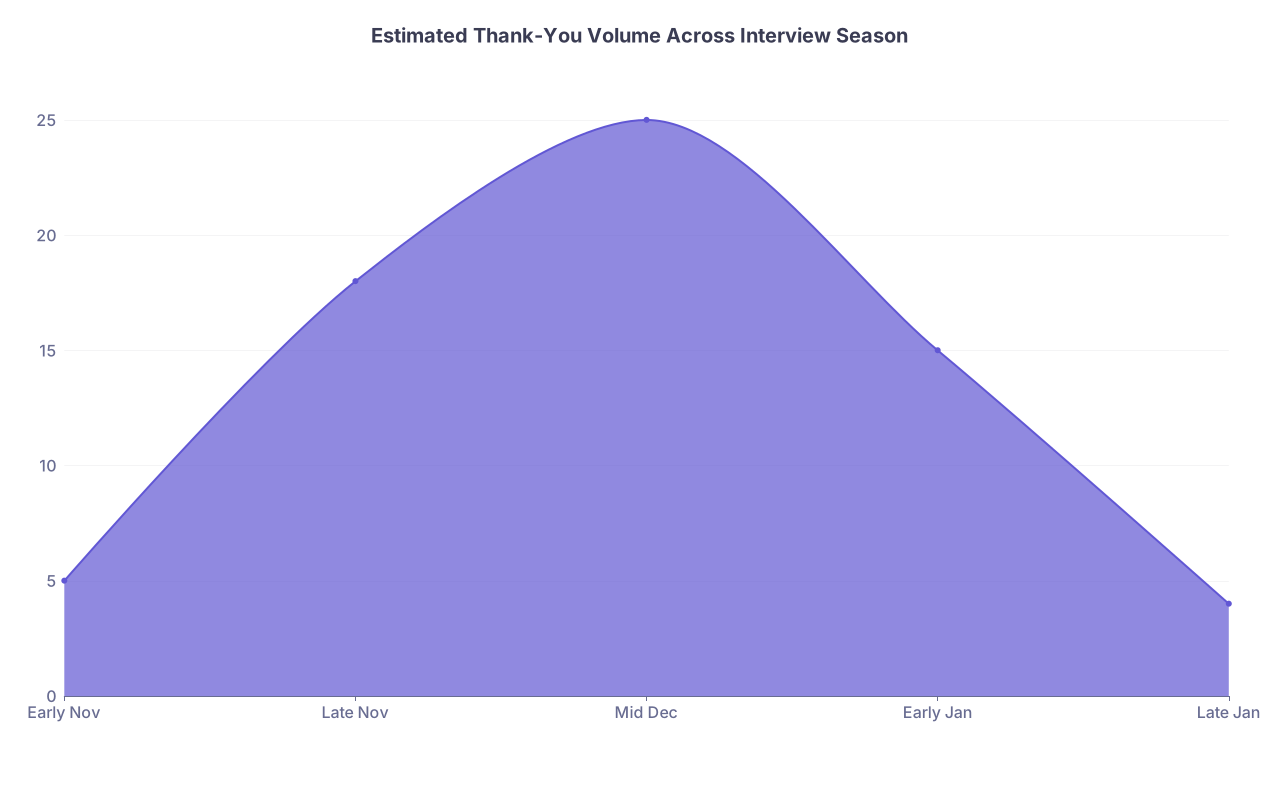
| Category | Value |
|---|---|
| Early Nov | 5 |
| Late Nov | 18 |
| Mid Dec | 25 |
| Early Jan | 15 |
| Late Jan | 4 |
That mid-December / early-January peak? That’s when candidates without a workflow start missing people. You won’t.
What You Should Be Doing Right Now
Depending on where you are in the cycle:
Haven’t started interviews yet?
Build the spreadsheet tonight. Set up columns, formatting, and a weekly review block on your calendar.Middle of interview season and already behind?
Don’t try to reconstruct every conversation. Start from last week:- Enter those programs and interviewers
- Log whatever you remember
- Going forward, be strict about updating within 24 hours
Finished interviews, rank list looming?
Use what you have:- Add/improve “Program Impression” and “Strengths/Concerns”
- Double-check your top programs for completed thank-yous and follow-ups
- Let the spreadsheet sanity-check your instincts
Key Takeaways
- The value isn’t the thank-you itself; it’s the system. A clean spreadsheet with deadlines and tracking prevents missed follow-ups and fuzzy ranking decisions.
- Timing matters. High-priority programs get thank-yous within 24 hours; everyone else within 48–72 hours, logged the same day.
- Use the workflow beyond etiquette. Your notes on people, conversations, and impressions become a powerful tool when you’re building your rank list and trying to remember which place actually felt right.