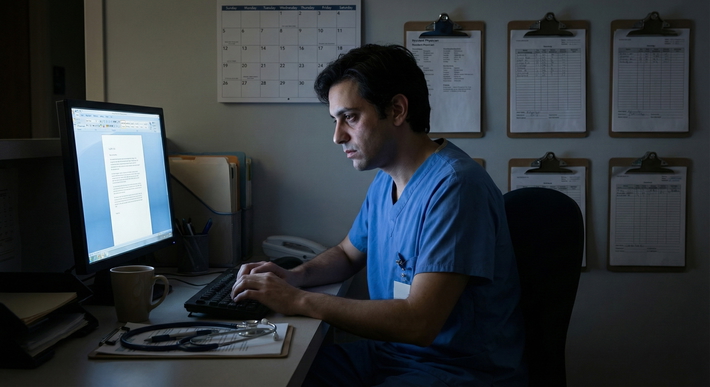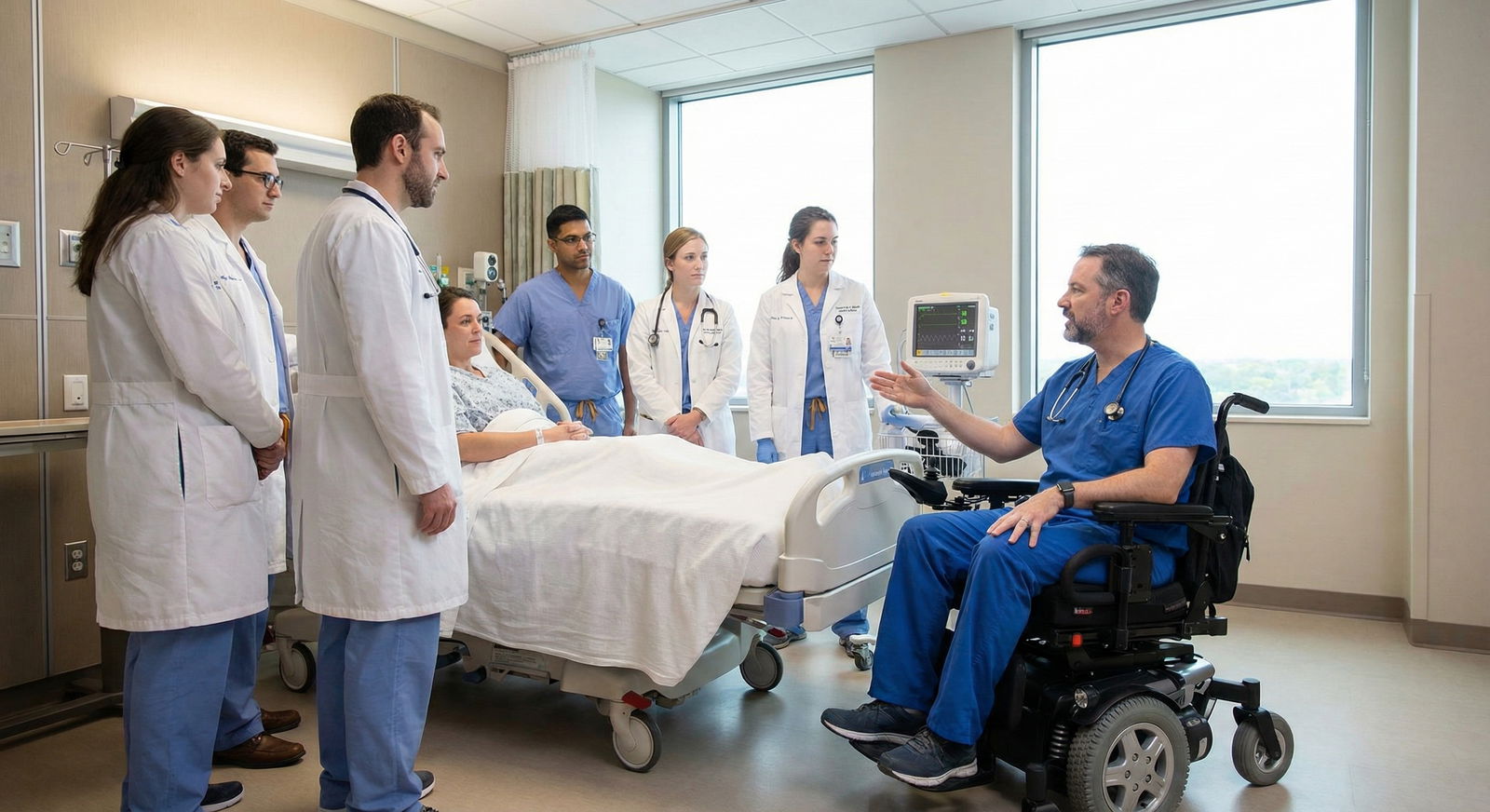
The default workflow in residency quietly assumes you can walk fast, stand forever, and squeeze into every cramped supply room. That assumption is wrong. And if you have mobility limitations and try to work inside that unmodified system, you will burn out or break down.
You do not need more “grit.” You need a different workflow.
This is not a feel‑good piece about resilience. This is a playbook: concrete changes you, your chiefs, and your GME office can make so you can function at full capacity without destroying your body in the process.
1. Start With One Ruthless Question: Where Is the Friction?
Before talking gadgets or accommodation letters, you need a brutally honest map of where the day falls apart for your body.
Take 3–5 days and track:
- When pain or fatigue spikes
- Where you lose time because of distance or layout
- Tasks others assume you can do that actually cost you disproportionately
- How you feel at:
- 06:00 (pre‑rounds)
- 12:00 (mid‑day)
- 17:00 (sign out)
- Post‑call
Do this like you would a QI project: specific, not vibe-based.
Build a “Friction Inventory”
Make a simple table. Example for an internal medicine resident who uses a cane and has limited stamina:
| Time/Context | Task | Friction Source | Impact |
|---|---|---|---|
| Morning pre-rounds | Checking vital trends | Computers spread across unit | Extra walking, pain |
| Rounds | Walking room-to-room | Long hallways, no seating | Pain spike, slower pace |
| Midday | Scut (forms, calling families) | Running between printer, fax | Lost time, fatigue |
| Procedures | Bedside paracentesis etc. | Standing, awkward positions | Pain and unsafe posture |
| Night float | ED consults far from unit | Long travel distance | Exhaustion, delayed care |
This becomes your negotiation and design document. You are not asking for vague “help.” You are changing specific parts of the system that are objectively inefficient for you.
2. Rebuild Your Physical Workflow Around Zones and Anchors
Hospital layouts punish people with mobility limitations. The fix is not “walk faster.” It is re‑engineering where work happens and what must be done in person.
A. Create Work “Zones” Instead of Ping‑Ponging
Goal: Minimize unnecessary trips. Protect your limited walking/standing capacity for patient care that truly requires you.
Define your core zone
Where can you be most of the time and still be functional?- For inpatient: a single pod of rooms, one workroom, one supply area.
- For clinic: one exam hallway, one workroom seat, nearest restroom.
Cluster tasks by zone
When you enter a zone, you do everything you can while you are there:- On entering a patient room area:
- See ALL your patients in that section.
- Place orders in the same batch from a central workstation.
- Talk to nurses while you are physically nearby, not via repeated trips.
- On entering the workroom:
- Write all notes for that block of patients.
- Return pages, call consults, send messages in one batch.
- On entering a patient room area:
Reduce “single‑reason trips”
If you need to walk somewhere, make the trip count:- Do not walk solely to pick up a piece of paper.
- Ask colleagues to hold items for you until you are already heading that way.
- Use unit clerks or med students strategically: “Can you grab the printouts when you go by the printer?”
The key principle: Every step must earn its keep.
B. Lock In a Fixed Workstation and Accessible Equipment
Random workstations are a problem if you use a wheelchair, walker, or cane. You need predictable, ergonomic anchors.
Negotiate a “home base” workstation
- Request one adjustable‑height desk or COW (computer on wheels) that:
- Has enough clearance for your mobility device.
- Is located close to your main patient area.
- Is not in a high‑traffic pinch point.
- Get explicit buy‑in from your PD/chief that this is “Dr. X’s workstation.” People will respect it if the culture is set.
- Request one adjustable‑height desk or COW (computer on wheels) that:
Standardize your personal equipment Keep a consistent kit you do not have to chase all over the hospital:
- Stethoscope with an easily accessible holder on your mobility device.
- Small backpack or bag fixed to your wheelchair/walker with:
- Clipboard or tablet
- Portable phone charger
- Pen, pocket notebook
- Alcohol swabs, small flashlight, tape
- Script line you can use: “I keep my supplies on me so I can minimize unnecessary walking—that is part of my accommodation.”
Use technology like it is 2026, not 1996
- Get access to:
- Remote desktop or mobile EHR so you can place orders, review labs without walking back and forth.
- Secure messaging instead of physical hunts for consult teams.
- Push back on paper‑based or physically centralized tasks when they are optional.
- Get access to:
3. Redesign Rounds: Format, Roles, and Pacing
Rounds are where many residents with mobility limitations hit the wall. Endless walking, standing in cramped rooms, no chance to sit. You need structural changes, not just more Advil.
A. Change the Default: Sit When Possible
You should not have to justify sitting.
- Pre‑rounding:
- Do as much as you can from a workstation before seeing patients.
- For stable patients, consider shorter, targeted in‑person checks and use more chart review / nursing input.
- Table rounds or computer rounds:
- Advocate for:
- Starting with “table rounds” to discuss plans, then splitting into mini‑teams for physical exams.
- Or alternating: every other day bedside; intervening days mostly table rounds with focused bedside exams.
- Advocate for:
Use a script:
“Because of my mobility limitations, I am going to sit during rounds and cluster my walking so I can be fully functional the whole day. It will not reduce my clinical availability, but it will reduce unnecessary movement.”
B. Assign Roles That Match Your Strengths, Not Your Gait Speed
If your program is even minimally thoughtful, they want you to succeed. Give them a clear way to do that.
On ward rounds, you can:
- Be the primary plan synthesizer:
- You run the list, present, integrate overnight events, labs, imaging.
- Take the EHR/documentation lead:
- Enter orders in real time while the team discusses.
- Start skeleton notes during rounds, so you are not stuck hours later.
- Lead family communication and coordination:
- You call families from your workstation.
- You coordinate with PT/OT, social work, case management.
In exchange, someone else:
- Handles the back‑and‑forth run to radiology for films.
- Walks to distant consult areas.
- Does hallway “scut” that is purely distance‑based.
This is not you “opting out” of hard work. It is redistributing physical tasks so the overall team output stays high while your body is not sacrificed.
C. Use Micro‑Breaks Intentionally
Three 3‑minute breaks to sit or stretch can be the difference between functioning at 17:00 and crawling.
Examples:
- Between blocks of 3–4 rooms, say:
“I am going to sit for 2 minutes and enter some orders so we stay efficient.” - After a long walk from ICU to floor:
“I am going to grab a chair here and reconcile meds while you do that quick room check.”
If anyone rolls their eyes, that is not your problem; that is a culture problem. Your PD and GME office should have your back on this.
4. Shift What Gets Done Remotely vs In‑Person
Mobility limitations force a hard but healthy question: what genuinely requires physical presence, and what does not?
A. Telework Elements Inside a Traditional Rotation
There are multiple tasks you can perform without physically bouncing around the hospital:
- Chart review
- Imaging review and over‑reads with radiology via screen share
- Calling families
- Pre‑charting clinic patients
- Writing consult notes
- Answering patient portal messages (where applicable)
On heavy inpatient months, ask your program to:
- Build half‑days of remote work into your schedule, especially post‑call or during your most physically demanding stretch.
- Use you as the “remote support resident”:
- You handle documentation, order sets, and calls for a team while they do higher‑movement tasks.
Programs already do this for residents on light‑duty after surgery or illness. It is not new. It just needs to be formalized for disability accommodations instead of ad hoc.
B. Telehealth-Heavy Clinic Days
For outpatient blocks:
- Negotiate at least 1–2 clinic sessions per week as telehealth sessions from:
- A physically accessible telehealth room in the hospital, or
- A secure remote location, if your institution allows.
- Use telehealth for:
- Chronic disease follow‑ups
- Results discussions
- Medication management
- Pre‑op/post‑op check‑ins that do not require a physical exam
You will still see patients in person. But you are not wasting your limited mobility capacity on routine visits that do not truly need it.
5. Tuning Call, Nights, and Emergency Coverage
This is usually where accommodations go to die, because everyone defaults to “Call is hard for everyone.” True, but your constraints are different. You need structure and predictability.
A. Adjust Call Structure Instead of Opting Out Entirely
Options that have worked in real programs:
- Shorter but more frequent call shifts
- Instead of 28‑hour, maybe 16‑hour with clear handoff.
- You still hit the educational requirements but with less physical collapse.
- Defined “no stairs” or “no distant code” rules
- You respond to codes in your zone; a designated colleague covers outlying areas.
- You participate via phone / video for codes elsewhere when appropriate (for example, tele-ICU style backup).
- **Protected rest windows** actually enforced:
- Not theoretical. Written into your accommodation letter and call expectations.
If your PD says “we cannot change call,” that is usually code for “we have not bothered to think creatively.” Get GME and, if needed, disability services involved.
B. Redesign ED and Consult Coverage
If you cover the ED or far‑flung consults:
- Ask for a geographically restricted coverage pattern:
- You cover specific units or areas closest to your base.
- Co‑resident or advanced practice provider covers the most distant zone.
- Use technology for consults:
- Initial chart review and phone conversation with the primary team before you decide if a physical visit is absolutely necessary.
- Some follow‑up consults can be done via chart and phone with clear documentation.
Again: this is not less work. It is different work distribution with the same clinical responsibility.
6. Documented Accommodations: Get It in Writing or It Will Drift
Verbal agreements disappear the minute leadership turns over. You need formal disability accommodations tied to concrete workflow changes.
A. Convert Your Friction Inventory Into Specific Requests
Go back to your friction table and translate each major problem into a request like this:
- Problem: Long hallway rounds with no seating →
Request: Permission to sit during rounds and option to conduct part of rounds seated at workstation as “table rounds” at least X days per week. - Problem: Long travel to distant units on call →
Request: Geographic call assignment with coverage limited to [specific units], with co‑resident covering farthest units. - Problem: Physically inaccessible workstations →
Request: Dedicated adjustable workstation in [location] with priority access as part of ADA accommodation.
Avoid vague language like “as needed.” Spell out structures.
B. Typical Accommodation Elements for Mobility Limitations
Most institutions have already done some version of this for other residents. You are not inventing from scratch.
Common, reasonable accommodations:
- Priority parking near your main work site
- Dedicated adjustable-height desk and/or accessible workstation
- Permission to sit during rounds and procedures when safe
- Modified call:
- Reduced frequency or length, with educational equivalence via other rotations
- Protected rest periods and clear coverage expectations
- Reassigned high‑mobility tasks:
- Routine transport tasks not assigned to you
- No expectation for running between distant sites when alternatives exist
- Telehealth and remote work:
- Set number of telehealth clinic sessions
- Remote documentation half‑days on heavy inpatient blocks
Get these written into an official accommodation letter from disability services or GME, not just a friendly email from your chief.
7. Smart Use of Tools: Wheelchairs, Scooters, and Mobility Tech in the Hospital
Some residents quietly avoid using mobility aids at work because they “do not want to look weak.” That is how you end up with permanent damage.
If a wheelchair, scooter, or other aid would let you work smarter, use it. But integrate it with intention.
A. Decide Your Primary Mode for Work
Many residents with partial mobility do better with a hybrid pattern:
- Wheelchair or scooter for:
- Long distances
- Rounds and travel between floors or buildings
- Walking with cane/crutches for:
- Short distances in patient rooms
- Examining patients when space is tight
The question to ask: Where does walking add value, and where is it just waste? Anything in the “waste” category should default to wheeled transport.
B. Configure Your Mobility Aid as a Mobile Workstation
Do not treat your chair or scooter as “just for transport.” Turn it into your mobile command center:
- Clip‑on or attached:
- Small writing surface or tablet mount
- Bag with essentials (stethoscope, gloves, flashlight, notebook)
- Phone holder if allowed
- Make sure brakes are functional and easy to use during patient exams.
- Work with PT/OT and facilities to:
- Identify accessible routes that are actually efficient.
- Flag doors that are consistently problematic and get automatic openers considered.
C. Anticipate Space and Perception Issues
Nursing stations, cramped rooms, line‑of‑sight for monitors—these get messy fast with a wheelchair in the mix.
Tactics:
- During your first days on a new unit, literally walk/roll the unit with charge nurses:
- “Where can I safely park my chair during codes?”
- “Which rooms are easiest for me to access?”
- Use simple, non‑apologetic language with staff:
- “I use this chair so I can be fully functional the whole day. I will position myself where I am not in the way—tell me if there is a better spot.”
People follow your lead. If you present your mobility aid as a normal, professional tool, most will adapt quickly.
8. Protecting Your Energy: Pacing, Not Heroics
You are not just managing distance. You are managing fatigue, pain, and recovery.
A. Build a Daily Energy Budget
You already know that a “10,000 step” day is not the same for you as for someone else. Treat your physical output as a limited budget, like hours in duty logs.
Pick a simple personal model:
- Example:
- You function well with:
- 2–3 hours of cumulative standing/walking
- 8–10 sit‑down documentation blocks of 15–20 minutes each
- Beyond that, pain spikes and cognition drops.
- You function well with:
Use that to:
- Decide when to insist on sitting instead of standing around during prolonged discussions.
- Say “I need 5 minutes to sit and finish these orders, then I will come to the bedside.”
B. Weekly Recovery Planning
On stretches with heavy workloads:
- Front‑load physically lighter tasks to later in the week when you know fatigue accumulates.
- For example:
- Early week: More bedside teaching, procedures that require standing.
- Late week: Telehealth, documentation‑heavy duties, case reviews.
Coordinate schedule with your chiefs:
- “By Friday I am reliably more symptomatic. Can we plan my Friday afternoon as desk‑based tasks for the team?”
That is not weakness. That is high‑level self‑management.
9. The Future: Why Your Workflow Tweaks Are a Prototype, Not a Favor
Here is the twist: the workflow you are building for yourself is what modern medicine will need anyway.
Your adaptations line up with:
- Telehealth expansion
- Team‑based care, where not everyone does every task the same way
- Digital‑first documentation and remote reviewing
- A workforce that will include more clinicians with disabilities, not fewer
Residency programs that learn how to accommodate your mobility limitations now are future‑proofing themselves.
You are not asking for “special treatment.” You are forcing the system to evolve where it should have gone years ago.
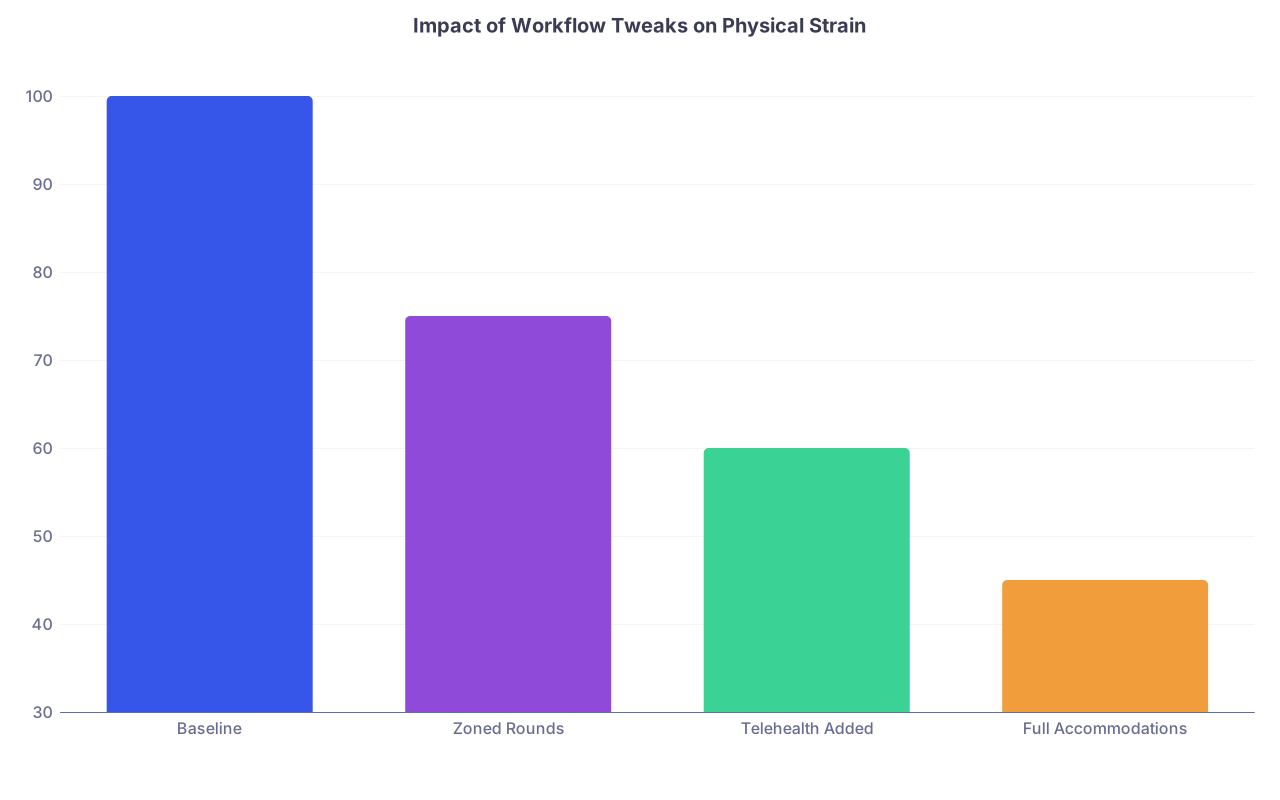
| Category | Value |
|---|---|
| Baseline | 100 |
| Zoned Rounds | 75 |
| Telehealth Added | 60 |
| Full Accommodations | 45 |

| Step | Description |
|---|---|
| Step 1 | Track Friction for 1 Week |
| Step 2 | Create Friction Inventory |
| Step 3 | Draft Specific Accommodation Requests |
| Step 4 | Meet Disability Office and GME |
| Step 5 | Get Formal Letter |
| Step 6 | Meet PD and Chiefs |
| Step 7 | Implement on First Rotation |
| Step 8 | Evaluate After 2 Weeks |
| Step 9 | Standardize Across Rotations |
| Step 10 | Adjust Tasks and Zones |
| Step 11 | Working Well |
FAQs
1. How do I bring this up with my program without being labeled “difficult”?
Go in with data, not vibes. Bring a one‑page friction inventory and 4–6 specific, clearly reasonable accommodation requests. Frame it as: “Here is what lets me function at full capacity while staying safe.” Most program directors respond much better to concrete, operational proposals than to general complaints. If you hit resistance, loop in GME and the institutional disability office early; this is not a personal favor, it is a legal and educational issue.
2. What if co‑residents think I am getting out of work?
You counter that by being very clear on the work you are doing. Take visible ownership of cognitively heavy tasks: running the list, complex family meetings, detailed notes, follow‑up calls, coordination with consultants. When people see that you are carrying weight, just in a different configuration, most of the “unfair” grumbling dies down. If it does not, that is a leadership problem, not a you problem—your chiefs and PD should reinforce that accommodations are non‑negotiable.
3. Can these kinds of workflow changes jeopardize my ability to graduate or board certify?
They should not, if structured correctly. ACGME and boards care about competencies and case exposure, not whether you walked ten miles a day. Keep a running log of your clinical experiences and procedures, and work with your PD to ensure your rotation mix still meets requirements. Many accommodations involve how you do the work, not whether you do it. When in doubt, document agreements in writing and review requirements annually with your PD so you can adjust early, not at the end of residency.
Key points to keep in focus:
- You are not the problem. The default workflow is.
- Treat your mobility limitations as a design constraint and rebuild your day around zones, anchors, and documented accommodations.
- The goal is not doing less; it is shifting how and where you work so you can deliver high‑quality care without destroying your body to prove a point.