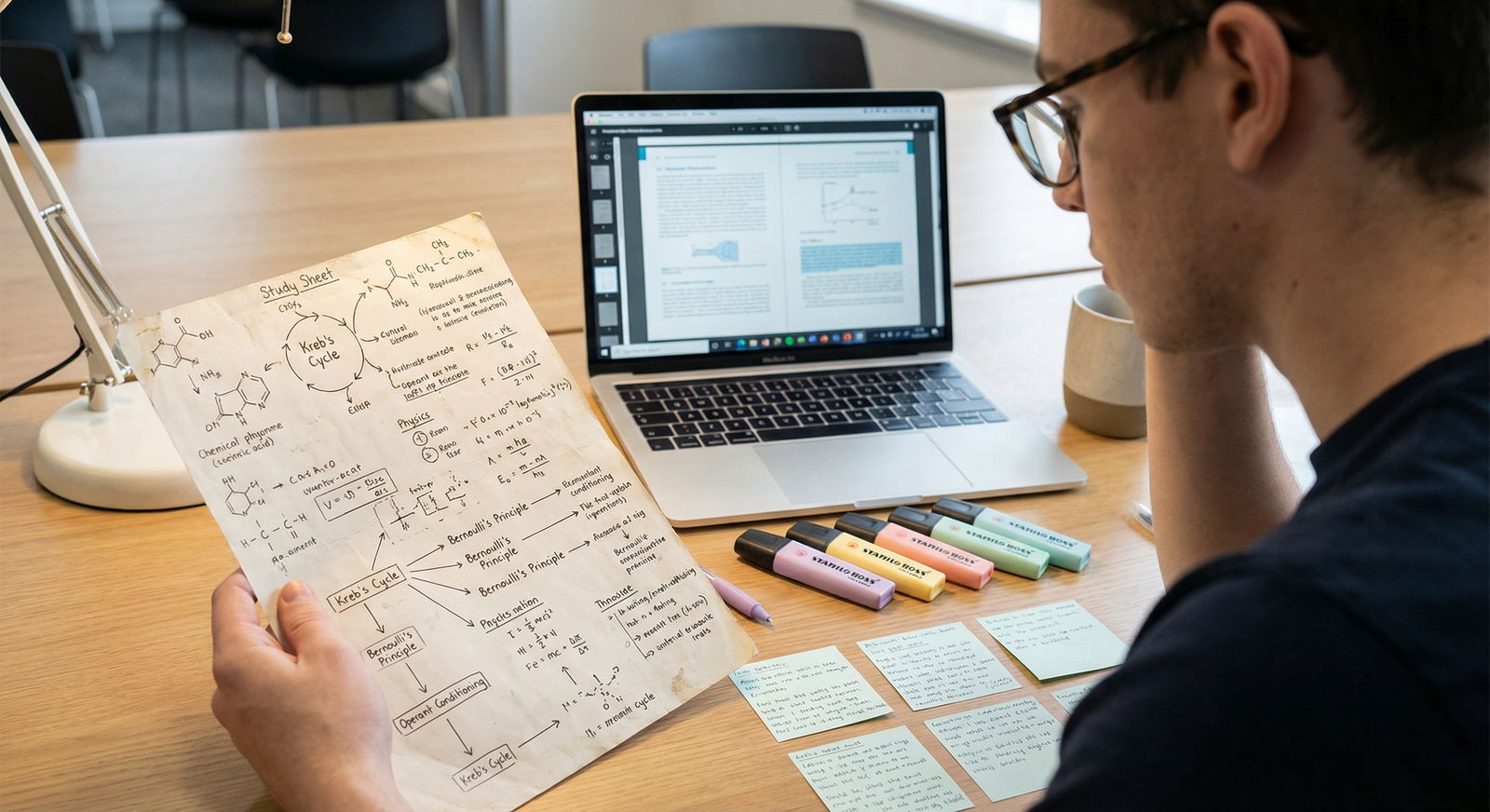
What if your MCAT score is being capped not by how much you know, but by how you’re taking notes?
Let me skip the fluff: neither paper nor digital is “universally best.” But for MCAT prep, with 7+ hours of testing, massive content, and brutal time pressure, some methods clearly work better for certain tasks. Use the wrong one for the wrong task, and you waste hours and lose points.
Here’s the answer you’re looking for:
You should not be “paper or digital.” You should be paper AND digital, on purpose, with rules.
I’ll walk you through exactly when to use each, where people screw this up, and how to build a system that actually survives 3–4 months of serious MCAT prep.
The Real Question: What Are You Trying To Optimize?
“Paper vs digital” is the wrong first question. The right one is:
Do you want better retention, faster review, or long-term organization?
Because different formats win in different categories.
Here’s the blunt breakdown:
- Best for deep processing and memory: Paper (handwritten notes, sketching pathways, drawing mechanisms)
- Best for speed and volume: Digital (Anki, typed outlines, searchable docs)
- Best for organizing huge content over time: Digital
- Best for understanding hard concepts right now: Usually paper + pen, then digitize the essentials
If you try to force everything into one system (only paper or only digital), you’re making MCAT prep harder than it needs to be.
Cognitive Science: Why Handwriting Still Beats Typing (Sometimes)
There’s a reason so many high-scoring students still keep a physical notebook.
Handwriting forces slowing down and summarizing. You physically cannot transcribe every word, so you’re pushed into selecting, condensing, and rephrasing—the exact mental work that builds memory.
For MCAT-specific tasks, paper shines in a few areas:
Complex Biochem & Physiology Pathways
Drawing glycolysis, TCA, nephron function, cardiac cycle, endocrine feedback loops.
I’ve seen students stare at a digital diagram for hours and still freeze on test day. The ones who actually drew the pathway 5–10 times? Different story. They could reconstruct it under pressure.Mechanisms & Visuals (Orgo, Physics setups)
Arrow pushing, SN1 vs SN2 decision trees, free-body diagrams, circuits.
These are spatial. Your brain likes space, arrows, shapes—not cramped text in a note app.Error Logging After Full-Lengths
After FL exams, the best students build an “error notebook” (physical or hybrid) where they handwrite:- the question pattern,
- the trap they fell for,
- and the correction rule.
The act of writing “If I see ______, I must check ______” is what sticks.
But paper has two huge weaknesses:
- It’s terrible for searching and reorganizing at scale.
- It becomes a graveyard of good intentions if you don’t review it systematically.
So if you go “all-paper,” your initial learning might be great, but your long-term review and retrieval can be a mess.
Digital Notes: Where They Clearly Win
Digital dominates on three MCAT realities:
Volume and Repetition
The MCAT is not just “understand once.” It’s “recall under stress after 2–3 months.”
That means:- Thousands of repetitions of high-yield facts and relationships
- Spaced repetition (SR) is non-negotiable if you’re aiming 515+
And no, a pile of index cards almost never survives 3 months. Anki or similar tools do.
Searchability and Linking Concepts
You forget something about aldosterone? Ctrl+F your notes.
On paper, you’re flipping through three notebooks and a binder.Portability and Backup
Google Docs, Notion, Obsidian, OneNote, Anki—sync across devices.
Lose a notebook vs lose a laptop file? One of those hurts more.
Digital is unbeatable for:
- Flashcards (facts, equations, definitions, discrete recall)
- Condensed review sheets or “final pass” outlines
- Tracking what you’ve done (FL scores, question banks, weak topic lists)
- Searchable concept banks (“all endocrine questions I missed”)
But digital alone has a big trap:
It makes it too easy to mindlessly type or copy. You feel productive. You’re not actually learning.
So the trick is:
Use paper for thinking, then convert only the final distilled pieces into a digital system for efficient review.
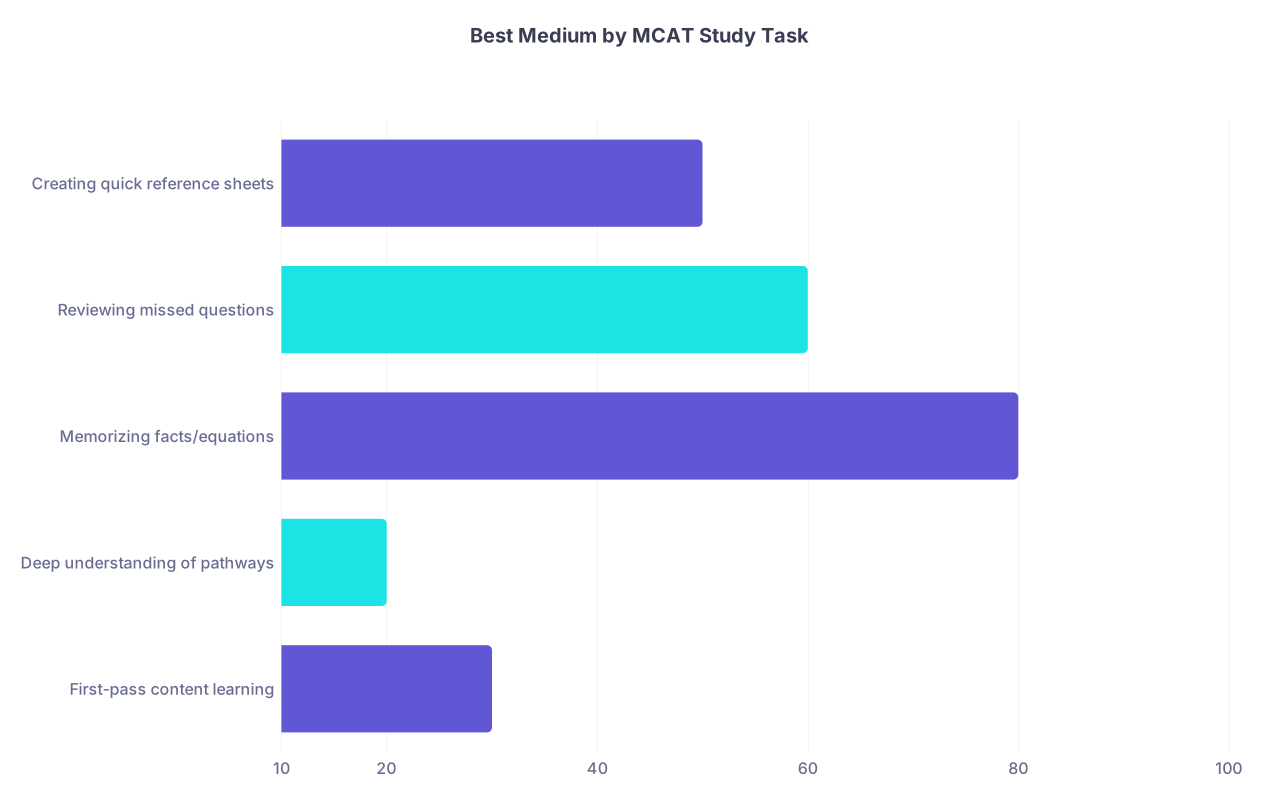
| Category | Value |
|---|---|
| First-pass content learning | 30 |
| Deep understanding of pathways | 20 |
| Memorizing facts/equations | 80 |
| Reviewing missed questions | 60 |
| Creating quick reference sheets | 50 |
(Higher values = digital advantage; lower = paper advantage. Rough guide, not exact math.)
A Practical Hybrid System That Actually Works
Here’s the part you actually need: a simple, repeatable paper–digital workflow tailored to MCAT prep.
Step 1: First-pass Learning → Mostly Paper
When you’re going through content (books, videos like Kaplan, Princeton Review, Khan Academy, Jack Westin, etc.):
Use paper for:
- Sketching diagrams (heart, kidney, endocrine axes, metabolic pathways)
- Working through physics problems and drawing FBDs
- Writing short summaries in your own words per subtopic:
- “Insulin: secreted by β-cells in response to high glucose; increases glucose uptake, glycogenesis, lipogenesis; decreases gluconeogenesis.”
Guidelines:
- One notebook or legal pad per broad area (e.g., “Chem/Phys + Orgo,” “Bio/Biochem,” “Psych/Soc”).
- Each page titled and dated: “Respiratory Physiology – Ventilation/Perfusion – 3/5/25”.
- Leave margins for “Anki?” marks to tag what needs to become flashcards.
Step 2: Distill → Move Only What Matters to Digital
Within 24–48 hours, take only the highest-yield points and move them to digital tools.
How?
- Convert key facts and relationships into Anki flashcards:
- Front: “Hormone that increases water reabsorption in collecting duct via aquaporins?”
Back: “ADH (vasopressin) – from posterior pituitary, acts on V2 receptors.”
- Front: “Hormone that increases water reabsorption in collecting duct via aquaporins?”
- Create quick topic summaries in a doc or note app:
- 1 page per topic: “Cardiac cycle,” “Glycolysis,” “Operant conditioning.”
This step is where most people get lazy. They take notes but never curate. That’s how you end up with 3 fat notebooks and a mediocre score.
Rule of thumb:
If you’re not willing to review it, don’t write it. Anything that deserves long-term memory should eventually live in Anki or a searchable digital summary.
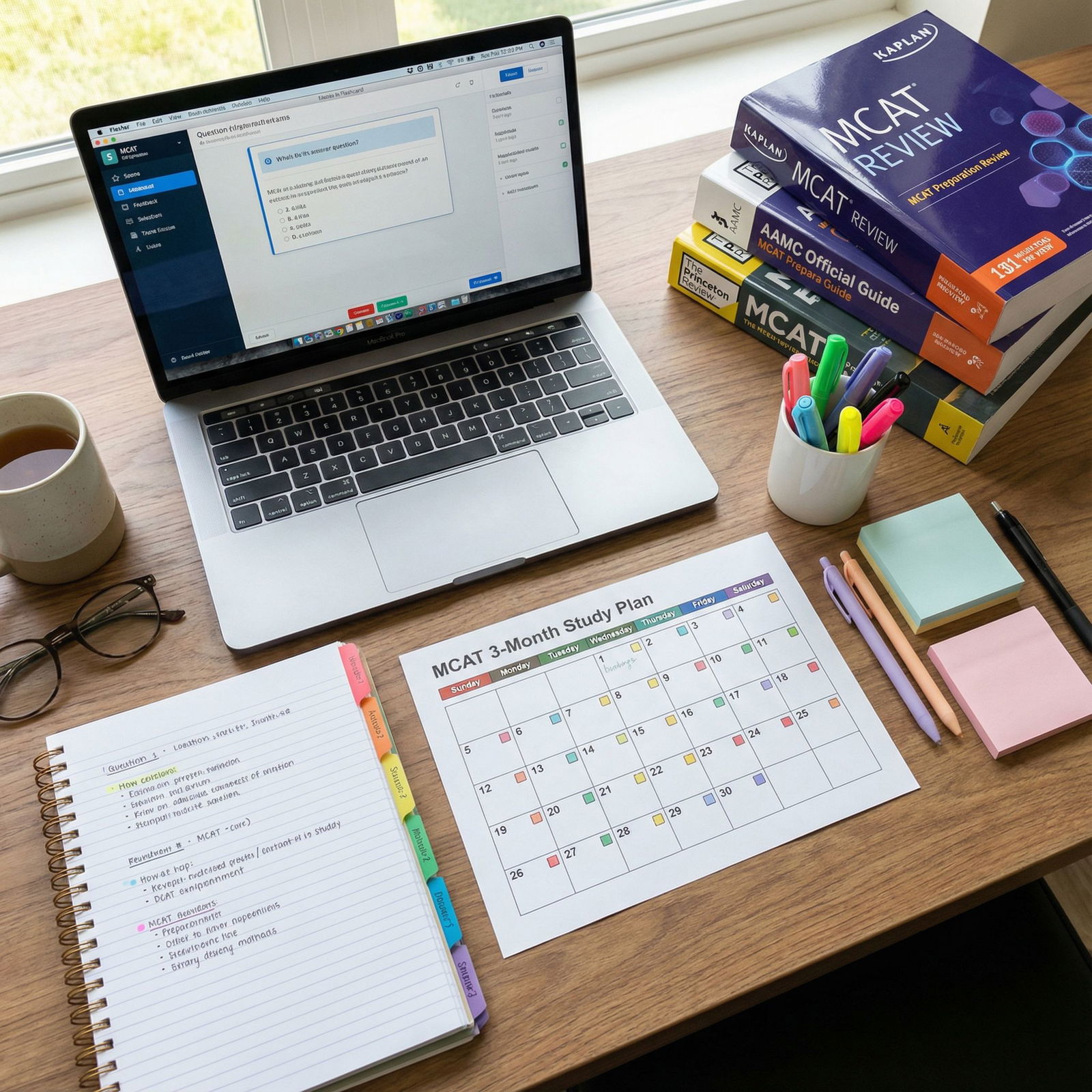
Full-Length Exams and QBank Review: Paper vs Digital
This is where most people’s systems fall apart, and it’s why their scores plateau.
During Full-Lengths and Practice Sets
You’ll obviously take the FLs digitally, but you should absolutely have scratch paper (or whiteboard) to:
- Draw complex passages (experimental setups, circuits, graphs)
- Track tricky variables in C/P and B/B sections
- Map relationships in dense P/S passages
Think of that paper as your temporary processing space.
After the Exam: Error Review System
Here’s the winning setup:
Use digital for:
- A spreadsheet or note database of your errors:
- Columns: Section, Topic, Subtopic, Error type (content vs reasoning vs rushing), Brief note
- Tag questions into patterns:
- “Algebra mistakes,” “Graph interpretation,” “Experimental design,” “Amino acids,” “Endocrine,” etc.
Use paper for:
- Writing out 1–2 crucial examples of how you got tricked:
- Recreate the passage or key part of the question.
- Write the wrong thought process you had.
- Underneath, write the new rule:
- “If passage gives me new enzyme data, ignore my memorized version and use passage values only.”
- “If a graph confuses me, rewrite axes and restate trend in words before answering.”
Then, convert distilled “rules” into:
- Anki cards for patterns (“When X, always check Y”).
- Or a single digital “Test-Taking Errors” doc you read before each FL.
This is where hybrid absolutely crushes pure digital or pure paper.
Subject-by-Subject: What To Use Where
To make this concrete, here’s how I’d split it by section.
| MCAT Section | Mostly Paper For | Mostly Digital For |
|---|---|---|
| Chem/Phys | Derivations, diagrams, problem setups | Formula cards, equation recall, quick summaries |
| CARS | Passage annotation (practice), structure notes | Strategy notes, error logs, question pattern cards |
| Bio/Biochem | Pathways, cycles, organ diagrams | Amino acids, enzymes, pathways details, Anki |
| Psych/Soc | Concept maps, linking ideas | Definitions, examples, flashcards (heavy SR) |
| Overall | FL scratch work, error notebook | Score tracking, master review sheets, QBank logs |
When Paper Is Hurting You
Signs you’re overdoing paper:
- You have 3+ full notebooks and cannot quickly find, say, “endocrine hormones” in under 30 seconds.
- You rewrite the same thing across multiple pages because you forgot you already wrote it.
- Your review time is mostly “paging through notes,” not active recall.
- Your Anki deck is tiny relative to how many hours you’ve “studied.”
If this is you, you’re using paper as a comfort blanket, not a tool. Start forcing every study block to produce digital, reviewable outputs: cards, summary pages, logged weaknesses.
When Digital Is Hurting You
On the other hand, pure digital can wreck your understanding if:
- You type notes word-for-word from videos or books.
- Your “notes” are just screenshots and copied explanations.
- You struggle on conceptual questions even though your Anki reviews are green.
- You feel lost in passages that require mental models (nephron function, enzyme kinetics graphs, circuits).
That usually means you skipped the thinking and drawing phase. Add 30–60 minutes of pure paper each day for the hardest topics—just you, a pen, and blank pages rebuilding the concepts from memory.

| Step | Description |
|---|---|
| Step 1 | Content Study |
| Step 2 | Paper Notes & Diagrams |
| Step 3 | Identify High-Yield Points |
| Step 4 | Create Digital Flashcards |
| Step 5 | Create Digital Summaries |
| Step 6 | Full-Length Exam |
| Step 7 | Digital Score & Error Log |
| Step 8 | Paper Error Notebook |
| Step 9 | Convert Rules to Anki & Strategy Doc |
| Step 10 | Daily Spaced Repetition |
My Verdict: Which Method “Wins”?
If you force me to pick one for MCAT-only, digital barely wins—but only if you’re disciplined about deep thinking somewhere in your process.
However, the highest scorers I’ve seen almost all land on some version of this:
- Paper:
- First-pass learning of complex topics
- Diagrams, pathways, processes
- Error notebooks (short, specific, curated)
- Digital:
- Everything you must recall on demand (Anki, quiz apps)
- Organized summaries for final 2–3 week review
- All scores, trends, and error categories
So the real answer:
Use paper for building understanding.
Use digital for maintaining and retrieving it.
If your current system doesn’t match that, fix the mismatch before you throw more hours at content.
FAQ: Paper Notes vs Digital for MCAT Study
1. Should I handwrite or type my MCAT notes?
Handwrite when you’re first learning complex, conceptual material—biochem pathways, physiology feedback loops, physics setups, orgo mechanisms. Typing is fine for final summaries and organized review sheets. The best approach is to handwrite to understand, then type or digitize only the key takeaways you intend to review multiple times.
2. Are physical flashcards worse than Anki for MCAT?
For almost everyone, yes, Anki or another spaced repetition app is better. Physical cards almost always die out after a few weeks because they’re hard to organize and schedule. Anki automates spacing, tracks what you forget, and scales to thousands of cards. If you love writing by hand, you can draft card ideas on paper, then build them in Anki.
3. How many paper notebooks should I use for MCAT prep?
Keep it lean. Usually 2–3 is enough:
- One for Chem/Phys + Orgo work and formulas
- One for Bio/Biochem diagrams and pathways
- One small notebook or section for error logs and strategy notes
If you need a fourth, it can be for Psych/Soc concept mapping, but most students can handle P/S mostly digital with a few mind maps on paper.
4. What’s the best way to review handwritten notes efficiently?
Don’t reread everything. That’s a trap. Instead:
- Skim a page and highlight or star only what’s “exam-worthy.”
- Turn those starred items into Anki cards or a concise digital review sheet.
- After that, use the notebook only as a backup reference. Your real review happens in Anki and your condensed digital summaries.
5. I already have tons of digital notes. Is it worth switching to paper now?
You don’t need a full switch. Keep your digital base, but add targeted paper sessions for topics you still do not truly understand—metabolism, renal, cardio, circuits, optics, etc. Spend 20–30 minutes with just pen and paper: redraw, explain to yourself, derive relationships. Then plug new insights back into your existing digital system.
6. How do I know if my note system is actually working for MCAT?
Two criteria:
- Your full-length scores are steadily rising (not just bouncing randomly).
- When you miss questions, you can trace them back to specific gaps in your notes or cards—then fix them.
If you feel “I studied this” but still miss related questions, your system is failing at either understanding (need more paper work) or retrieval (need more digital SR). Adjust based on which part is breaking.
Open your current MCAT materials right now and ask: What is on paper that should live in Anki, and what is in Anki that I never truly understood on paper? Fix one of those mismatches today.