
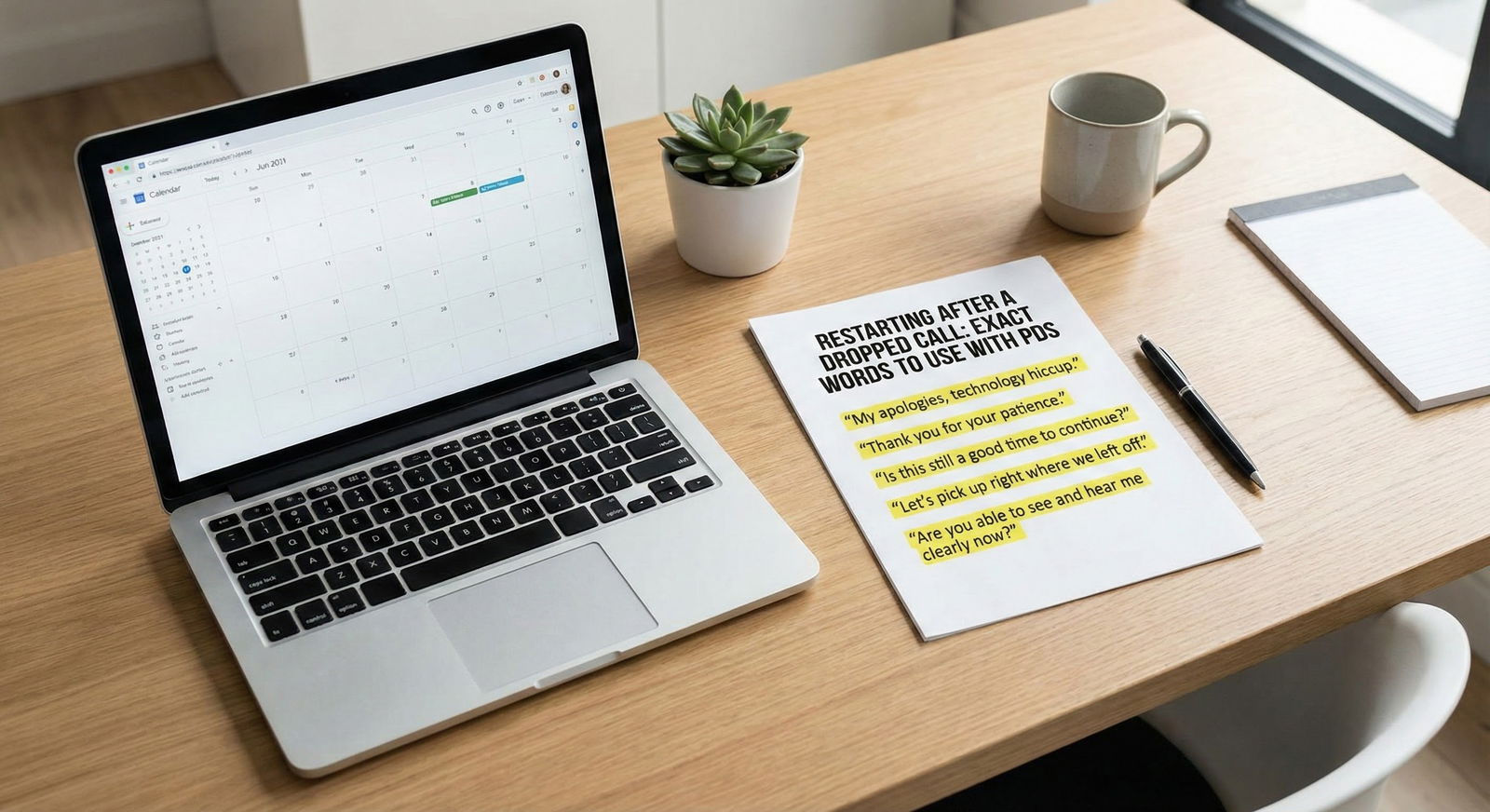
Awkward interviewers do not ruin your chances; how you handle them does.
You are not judged on whether the interviewer is polished, warm, or technically competent. You are judged on how you respond when things are weird, unfair, or uncomfortable. That is exactly what residency is like. Programs want to see if you can stay composed, kind, and clear when the situation is not ideal.
So you need a script. Not vague “be professional” advice. Actual lines you can say, in order, when:
- The interviewer is stone-faced or unresponsive
- They ask inappropriate or illegal questions
- The technology is a mess
- They interrupt constantly or talk over you
- They clearly have not read your file and seem disengaged
I am going to walk you through specific, word-for-word examples and a structure you can memorize. You adapt the details; the framework stays the same.
Core Principles Before You Script Anything
You need three rules burned into your brain before the interview starts:
You control your tone, not theirs.
You do not mirror their awkwardness. You anchor the energy: calm, respectful, engaged.You buy time with questions.
When things go off the rails, you ask a short, structured question. That gives you a reset and shifts the dynamic.You protect yourself without being dramatic.
For inappropriate or illegal questions (marital status, pregnancy, plans for children, religion, disability), you answer in a boundary-respecting way and pivot back to professional content.
These three principles shape every script below.
Scenario 1: The Silent, Stone-Faced Virtual Interviewer
This is the classic: they ask a question, you answer thoughtfully, and they stare back with no reaction. No smiles, no “thank you,” just…nothing.
Most applicants start spiraling internally. “They hate me.” “I am bombing.” That anxiety then wrecks their next answer.
Here is the step-by-step protocol.
Step 1: Assume nothing and stick to your structure
Your internal script:
- “They might just be tired, introverted, or bad at Zoom.”
- “My job is to deliver clear, concise, organized answers. That is it.”
Step 2: Add a short check-in after a longer answer
After a 1–2 minute response, you can gently invite micro-feedback.
Script:
- “I hope that gives a clear picture of how I handled that situation. I am happy to clarify any part of it.”
- “That is the overview of my experience with that project. Would you like me to go into more detail on any specific piece?”
If they still give nothing, fine. You did your part.
Step 3: Use micro-pauses and transitions
When they do not jump in after a question, do not start rambling to fill the silence. Deliver your answer, pause 1–2 seconds, then close the loop:
Script:
- “So in summary, that experience really shaped my approach to [team communication / patient safety / time management].”
- Small nod. Stop talking.
If they still stare, let them own the next move. Silence is their problem, not yours.
Step 4: Re-center with a re-engagement question
If the entire conversation feels flat and one-sided, you can nudge:
Script:
- “I am curious from your perspective, how does your program typically support residents when they are dealing with [thing you just mentioned: difficult patients, heavy services, new interns]?”
This does two things:
- Shifts them into talking mode
- Shows you are thoughtful and program-focused
You look engaged. Not needy.
Scenario 2: The Over-Talker Who Constantly Interrupts You
Some interviewers talk more than you. Some interrupt halfway through every answer. Annoying, yes. But this is common in fellowship interviews, busy surgeons, PDs between pages, etc.
Your job: protect one or two key points per answer, then gracefully yield.
Step 1: Start answers with a headline
You get interrupted less if you front-load your main point.
Instead of:
“I guess one example that really stands out was during my third-year rotation where there was this patient who—”
Use:
“One experience that really shaped how I handle difficult conversations was a third-year case with an older patient who refused dialysis.”
Now if they interrupt, at least your main theme is out.
Step 2: If interrupted mid-example, close the loop quickly
When they cut in, do not fight them. But if you were mid-critical point, you can do a very short reclaim:
Script:
- “Sure—and just to complete that thought in 10 seconds: what I took from that situation was [specific lesson]. It really changed how I [communicate / prioritize / escalate].”
Then stop. You “closed your file” and let them move on.
Step 3: Use “permission phrases” to buy space
If you keep getting cut off before you can show insight, use a polite boundary:
Script:
- “I can give a very brief example, if that would be helpful?”
- “I can keep it to about 30 seconds, but there is one example that illustrates that well.”
People almost always say, “Go ahead.” Now if they interrupt, it is more obviously on them, not you.
Step 4: Anchor with one strong closing line
If you never get full airtime, you still want them to remember your key trait.
End a truncated answer with:
- “So overall, that is where I developed my habit of [calling for help early / double-checking high-risk orders / debriefing after critical cases].”
Short. Memorable. Does not sound desperate.
Scenario 3: The Inappropriate or Illegal Question
This is where people freeze. Virtual setting. One attending. You. Suddenly:
- “Are you planning to have kids during residency?”
- “Are you married? Your partner moving here with you?”
- “What is your religion?”
- “Any health issues that might affect your work?”
These questions are not just awkward. They are inappropriate from an HR standpoint. But your response needs to be strategic, not theatrical.
You have three options, in increasing levels of directness.
Option A: Generalize and Pivot (most commonly used)
You answer in a vague, professional way and steer back to program fit.
Kids / family planning:
- “My personal life is stable and I have a strong support system. I am fully committed to the demands of residency. What really matters to me is being in a program that values [education / teamwork / wellness] and I see that here in [feature you noticed].”
Marital status / partner:
- “I do have support in place, and we have talked through the schedule and demands of residency. I am very comfortable with the workload. What attracts me to this program is [specific].”
Religion / identity questions:
- “My background and beliefs are important to me, but professionally my focus is on taking excellent care of patients and contributing to a strong team. I am especially interested in how your program works with [diverse populations / underserved communities / specific patient group].”
You do not reward the bad question with detailed personal info. You answer on your own terms, then pivot to something clinical or program-based.
Option B: Gentle Boundary + Pivot
If you want to push back slightly while staying safe:
Script:
- “That is a bit personal, but I can say that I have a reliable support system and I am prepared for the time demands of residency. What I am really focused on is finding a program where I can grow in [interest area]. Can you tell me more about how residents are supported during particularly heavy rotations?”
Notice the structure:
- Name the boundary softly (“a bit personal”)
- Reassure them you can do the job
- Redirect to a safe, program-relevant topic
Option C: Firm Boundary (use sparingly, but sometimes necessary)
If the question is obviously inappropriate and repeated, you can draw a harder line:
Script:
- “I prefer to keep my personal life separate from the interview process, but I can reassure you I am fully able to meet the responsibilities of residency. I am very interested in understanding more about [program feature].”
If they keep pressing after that, you document the interaction and seriously reconsider that program.
Scenario 4: The Technical Disaster Interview
Camera does not work. Audio cuts in and out. Lag. Echo. They cannot hear you. You cannot hear them. Awkward chaos.
You are not being judged on flawless Zoom skills. You are being judged on how you handle minor crisis.
Step 1: Acknowledge clearly and take control
Script (when audio distorts or freezes):
- “I think the audio cut out for a moment there. Would you like me to repeat that last part?”
If it continues:
- “It seems like we are having some connectivity issues. Would it be okay if we turn off video for a minute and focus on audio to see if that helps?”
You show problem-solving. Calm. Collaborative.
Step 2: Offer a backup plan in one sentence
If this is truly unworkable:
Script:
- “If the connection stays unstable, I am happy to switch to a phone call or reschedule a short follow-up time that works best for you.”
Programs know tech fails. They do not penalize reasonable rescheduling. They do penalize visible frustration or fluster.
Step 3: Re-anchor once it stabilizes
After disruption, you need a quick reset:
Script:
- “Thank you for your patience with the tech issues. You had asked about [repeat question]. I will give you a concise example from my [rotation / experience] that illustrates that.”
Then proceed with a tight, well-structured answer. No apologizing ten times. One acknowledgment is enough.

| Step | Description |
|---|---|
| Step 1 | Notice tech problem |
| Step 2 | Briefly acknowledge |
| Step 3 | Try simple fix: mute/video off |
| Step 4 | Proceed with interview |
| Step 5 | Offer phone/reschedule |
| Step 6 | Re-anchor and continue |
| Step 7 | Still bad? |
Scenario 5: The Disengaged or Distracted Interviewer
They are checking email, looking down, typing, half-smiling. Maybe their camera is off. Maybe they clearly have not glanced at your application.
You have to assume good intent. They might be post-call, behind on notes, or covering a sick colleague. Your job is still the same: be clear, engaged, and memorable.
Step 1: Use your strongest opening line for key answers
You cannot rely on their attention to track a long narrative. Condense.
Instead of:
“On my internal medicine rotation I had a case that really taught me a lot about multidisciplinary communication…”
Use:
“One of my most important lessons about team communication came from a patient with septic shock where we almost missed a critical change.”
Stronger hook. Even if they are half-distracted, that sentence cuts through.
Step 2: Periodically link your answer back to their program
This jabs them awake.
Script:
- “That experience is part of why I am so interested in the way your program structures your MICU months, especially with the multidisciplinary rounds you mentioned.”
People listen when it is about them. Programs are no different.
Step 3: Ask targeted questions that require real answers
Avoid vague, generic questions that they can answer on autopilot. Use ones that force them to think.
Examples:
- “What is one change the program has made in the last year based on resident feedback?”
- “If you had to warn an incoming intern about one specific challenge at this program, what would it be?”
- “What makes a resident really thrive here, versus just getting through the years?”
That usually pulls attention back onto the screen. It also signals you are serious and selective.
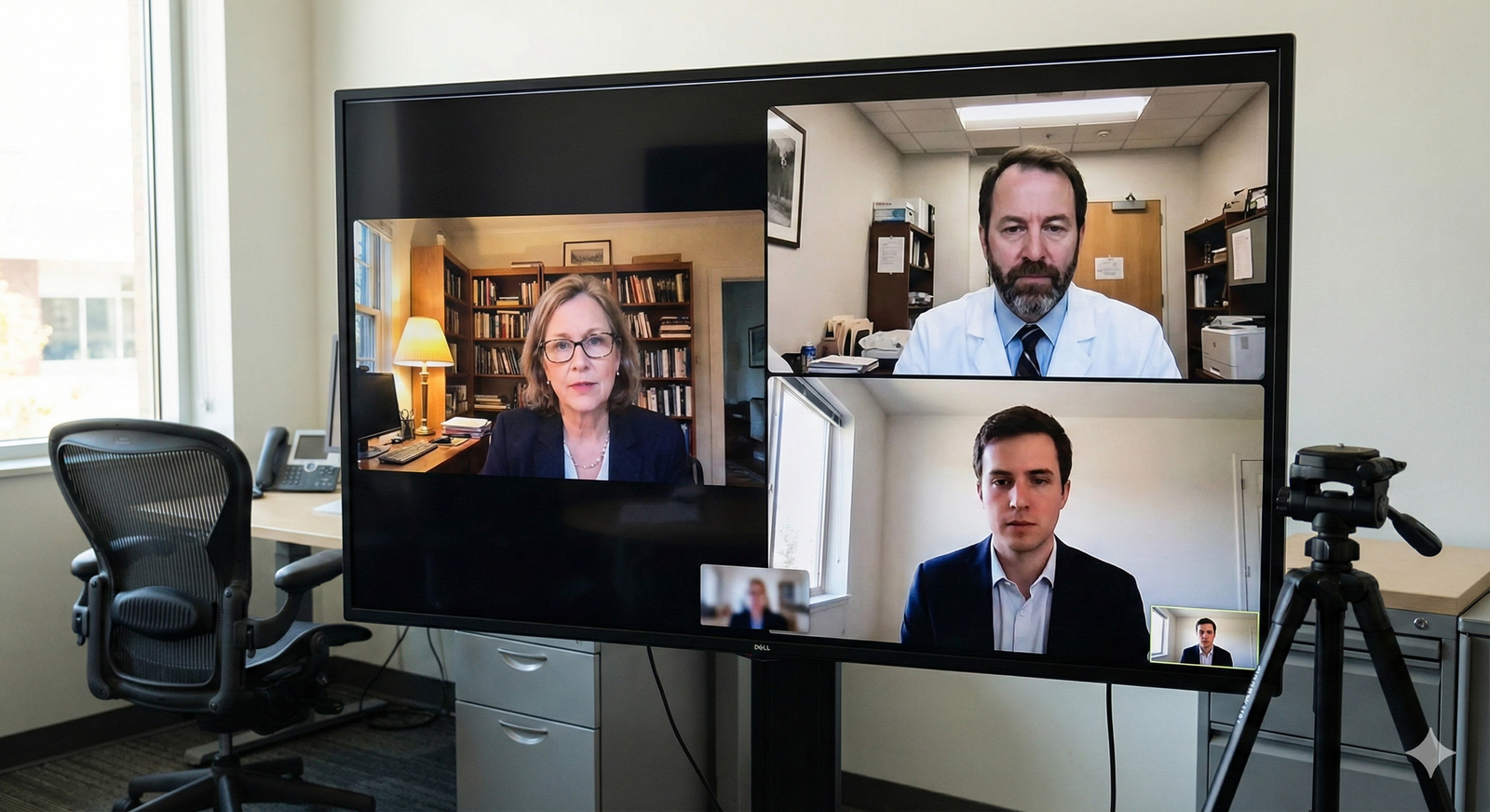
Scenario 6: The Weirdly Personal but Not Illegal Questions
Not technically banned, but off-putting:
- “What would your friends say is your biggest flaw in relationships?”
- “Tell me about your parents’ careers and how they feel about your specialty choice.”
- “Why did you gain or lose weight between your second and fourth year?” (yes, this happens)
You need a filtered, professional version of yourself. Human, but not handing over your diary.
Step 1: Decide your “personal boundary lane” in advance
Before interview day, choose what you are comfortable sharing:
- Family support in general terms?
- Past struggles framed as growth?
- Stress management strategies?
Then anything outside that lane, you gently redirect.
Step 2: Acknowledge, reframe, and respond at surface level
Parents’ careers and feelings:
- “My family has been generally supportive of my path in medicine. What really drove my decision toward [specialty] was my experience with [rotation/patient], where I saw how impactful [field] can be for patients.”
Friends and flaw question:
- “They would probably say I can be a bit hard on myself. I tend to hold a high bar for my own performance. Over the last couple of years I have worked on that by [specific strategy], so it pushes me without becoming counterproductive.”
You answer enough to be human, not enough to feel exposed.
Scenario 7: When You Completely Blank or Misunderstand the Question
Awkwardness is not always the interviewer. Sometimes it is you. Brain fog. Anxiety. Or the question was long and convoluted.
Step 1: Ask for a repeat or clarification without apology
Script:
- “Would you mind repeating or rephrasing that? I want to be sure I address it directly.”
No need for “Sorry, my brain is dead.” You are allowed to get clarity.
Step 2: Summarize the question in your own words
This both buys time and ensures alignment.
Script:
- “So you are asking about a time when I managed a conflict on the team and what I learned from it—is that right?”
They confirm. You answer.
Step 3: Use a simple 3-part structure to regain control
When you feel scrambled, default to:
- Situation – 1–2 sentences for context
- Action – what you did
- Result/Reflection – outcome and what you learned
Example:
- “On my surgery rotation, we had a miscommunication about who was following up on a critical lab. I realized there was confusion, so I [action]. As a result, [outcome]. Since then, I always [habit/lesson].”
Structure calms your brain. It also makes you sound organized even when you are not feeling that way.
Mini-Scripts for Common Awkward Moments
You do not need 50 different comebacks. You need 6–8 short lines you can deploy anywhere.
Here is a quick toolbox.
| Situation | Script |
|---|---|
| Audio/tech issue | "It seems like the audio cut out for a moment. Would you like me to repeat that last part?" |
| Long answer, stone-faced interviewer | "I hope that gives a clear picture. I am happy to clarify any part of it." |
| Interrupted mid-answer | "Absolutely—and just to complete that thought in 10 seconds: what I took from that was…" |
| Inappropriate personal question | "My personal life is stable and I am fully committed to the demands of residency. What I am really focused on is…" |
| Need clarification | "Would you mind rephrasing that? I want to be sure I address your question directly." |
| Disengaged interviewer | "That experience is one reason I am especially interested in how your program handles [specific feature]." |
Memorize a few of these verbatim. Seriously. They will come out automatically when you get flustered.
How to Practice This So It Actually Works on Interview Day
If you only read this and nod, you will not use it under stress. You need light reps.
Step 1: Create a one-page “awkward scenarios” sheet
Divide it into 5 boxes:
- Silent interviewer
- Over-talker
- Inappropriate question
- Tech meltdown
- You blank / need clarification
Under each, write 2 lines you like from this article, in your own words.
Step 2: Do three 10-minute mock sessions
You only need a friend, co-resident, or even a classmate on Zoom.
Tell them:
“Your job is to be a little awkward on purpose: interrupt sometimes, be silent after my answers, ask two slightly too-personal questions, pretend the audio breaks once.”
Your job is to:
- Notice the awkward moment
- Deploy one of your scripts out loud
Ten minutes. That is it. You will be stunned how quickly your brain adapts.
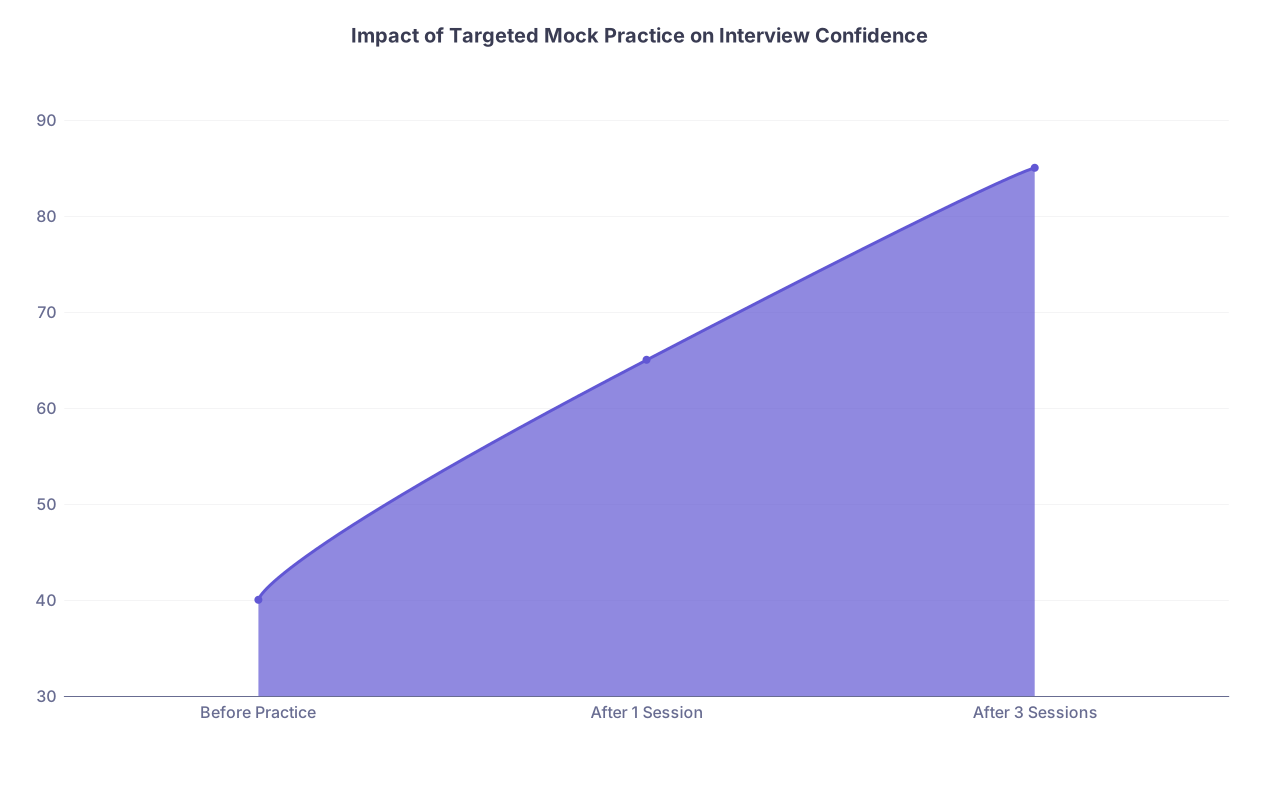
| Category | Value |
|---|---|
| Before Practice | 40 |
| After 1 Session | 65 |
| After 3 Sessions | 85 |
Step 3: Record and watch one session
Yes, it is painful. Do it anyway. You are looking for:
- Rambling vs. concise answers
- Excessive apologizing (“sorry, sorry”)
- Nervous laughter after every sentence
- Talking over the interviewer
Then pick two things to adjust. Not ten. Just two.

Final Point: Programs Are Watching Your Composure, Not Your Perfection
Residency is full of awkwardness:
- Attending contradicts you in front of the team
- Family member asks aggressive questions in the hallway
- Consultant is rude on the phone
- A co-resident snaps at you post-call
Program directors want residents who do not crumble, retaliate, or shut down. They want people who:
- Stay calm under social pressure
- Speak professionally even when others do not
- Redirect conversations back to patient care and teamwork
Your virtual interview is a stress test for that.
Your Next Step Today
Right now, open a blank document and create your 5-box “awkward interviewer” cheat sheet:
- Silent
- Over-talker
- Inappropriate question
- Tech issues
- You blank
Under each, write two exact sentences you will use.
Then schedule a 10-minute mock Zoom with a friend this week and tell them to make it awkward on purpose.
If you can handle them, you can handle anyone a program throws at you.


