
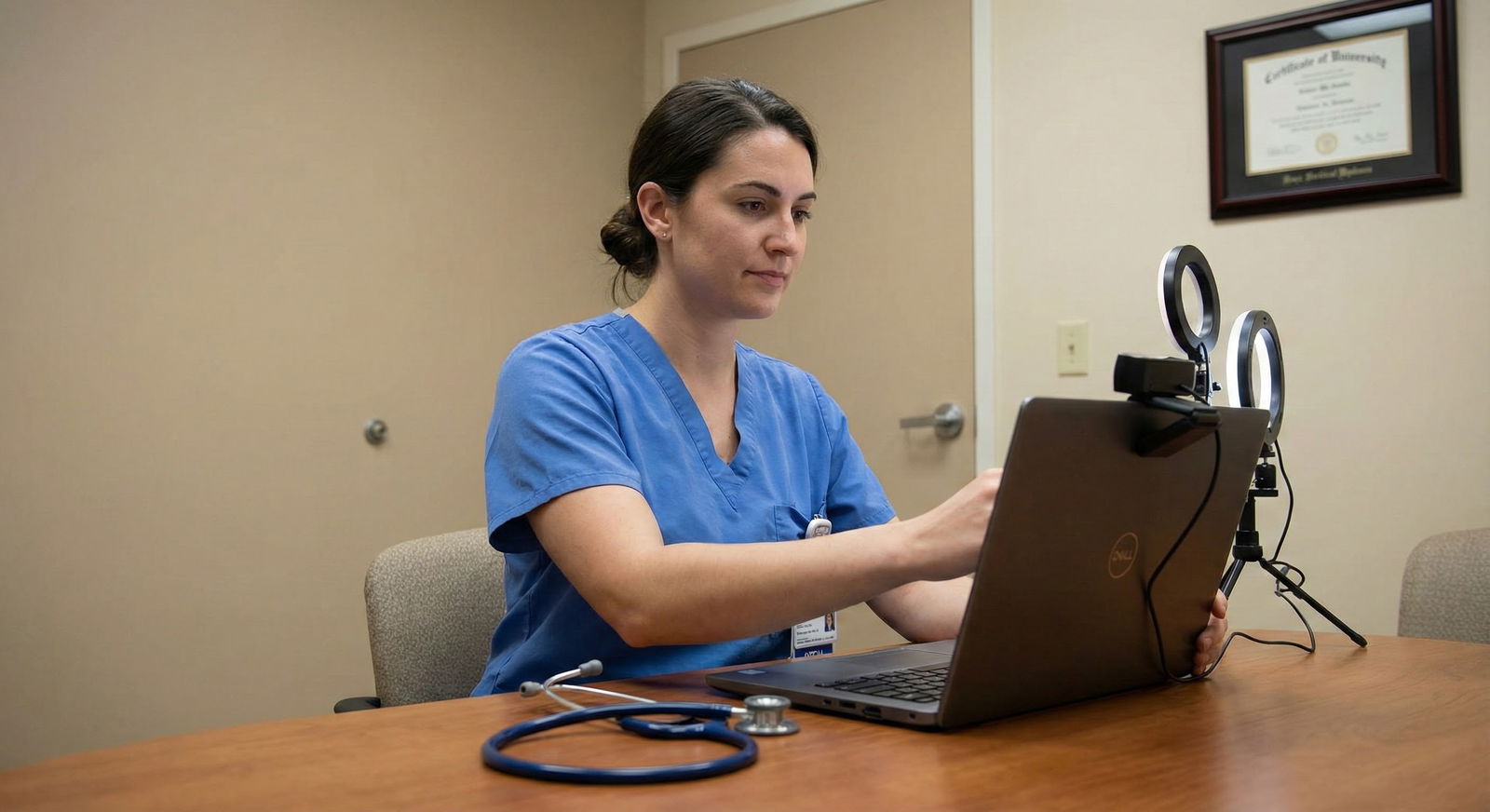
Last cycle, a PGY-1 I know tried to sneak his fellowship Zoom interview into an empty workroom between rounds. Fifteen minutes in, a consultant burst in, hit the light, and started dictating loudly. The recording caught everything. He did not match there.
If you’re thinking about using a hospital call room or office for a Zoom interview, you’re not wrong to consider it. But if you treat it casually, the hospital will remind you very quickly that you’re on their turf, on their time. Let’s keep that from happening.
Step 1: Decide If You Should Use the Hospital at All
Before you get into how, you need to decide whether you actually should interview from the hospital. Sometimes the answer is no.
Here’s when using the hospital makes sense:
- You’re on an in-house rotation (ICU, nights, ED, OB) and can’t realistically go home.
- You live far from the hospital and would lose 1–2 hours commuting.
- Your home environment is genuinely bad for interviews: shared room, major noise, unreliable internet.
- You’re on a 28‑hour call but have a guaranteed window (e.g., protected noon conference time or a light post-call afternoon).
Here’s when it’s a bad idea:
- You’re on a normal day shift and could easily take PTO or a half day for the interview from home.
- Your program explicitly told you “no interviews during shifts.”
- You’re on a high-acuity service where “protected time” is a myth (busy MICU, trauma nights, solo coverage).
Be honest with yourself: is this about necessity, or convenience?
If it’s convenience, figure out how to do it from home or a non-hospital coworking space. Programs can smell divided attention and chaos through the screen.
If it is necessity, then you treat this like a mini-operation: advance planning, backup plans, and risk control.
Step 2: Get Explicit Permission (and Document It)
Don’t be the person “just borrowing the call room” who ends up on the chief’s radar because someone needed that room for an actual call nap.
You need two kinds of permission:
- Duty-hour / schedule permission – to be off the floor.
- Space permission – to use a specific room.
At minimum, talk to:
- Your chief residents: “I’ve got a Zoom interview for [specialty] fellowship on [date/time]. Can I be protected for [X] minutes? What’s the best way to schedule that so the team isn’t short?”
- Your attending (a few days before): keep it simple and professional:
“I have a residency/fellowship interview by Zoom on Wednesday from 12:30–1:30 PM. Chiefs are aware. I’ll pre-round earlier and make sure my work is covered. Is that okay with you?”
Then, for space:
- Ask chiefs or program coordinator: “Is there a call room / administrative office / conference room where I can do this Zoom, with a door and stable internet?”
- Get a specific room and (if needed) a key or code ahead of time.
And do this on email or text (not just hallway verbal). You want proof that:
- You didn’t abandon your duties.
- You used the room with permission.
If your program’s culture is tense about interviews during shifts, don’t play games. Either:
- Use PTO and mark yourself off the schedule for that block, or
- Swap shifts so you’re off, or
- Ask for half day and actually leave the service.
Step 3: Pick the Right Room – And Test It
Not all “empty” rooms are created equal. I’ve seen people try to interview from:
- The ED “quiet room” (it’s not quiet).
- A shared workroom with five other residents charting.
- A hallway consult room with glass walls where everyone can see and hear you.
You’re looking for:
- A door that fully closes and latches.
- No shared computer that many people need during the day.
- No patient-care going on within earshot.
- Decent acoustics (not giant echo-y conference halls).
Common good options:
- Call rooms with desks.
- Program coordinator’s office (if offered).
- Unused small conference room with a real door, not a sliding partition.
- Administrative offices after-hours (with permission).
The week before an interview, walk to that room with:
- Your laptop
- Your headphones
- Your phone (as backup hotspot)
Do a 5–10 minute test Zoom:
- Check Wi-Fi signal.
- Check your video background.
- Check sound (echo, noise).
If Wi-Fi is trash or the sound is terrible, don’t assume it’ll magically improve that day. Find another room.
Step 4: Build a Quick-Deploy Setup for Hospital Spaces
You don’t have time to haul your whole home office to the hospital. You need a portable kit that lives in your bag.
Bare minimum hospital interview kit:
- Laptop + charger
- Wired earbuds with mic (AirPods sometimes fail with Zoom or pick up too much noise)
- Small laptop stand or a thick stack of paper/chart binders to raise the camera to eye level
- A compact USB ring light or small desk lamp if lighting is poor
- A printed copy of your CV and program notes (paper doesn’t crash)
Optional but helpful:
- Ethernet adapter and cable if your room has an Ethernet port (lots of older hospitals do)
- Phone tripod or stand (if you suddenly have to use your phone camera)
- A sticky note to cover patient info on whiteboards behind you
Don’t rely on “I’ll just improvise with what’s in the room.” That’s how you end up interviewing with the camera looking up your nose and fluorescent lights flickering behind you.
Step 5: Protect Privacy and Professionalism (HIPAA Is Still a Thing)
Hospitals are dangerous places—for privacy. The last thing you want is PHI in your video frame.
Before you join the Zoom:
- Look behind you. If there’s a whiteboard with names, MRNs, or diagnoses, erase or cover it. A blank wall is your best friend.
- Ensure no patient charts, labels, or radiology images are visible on screens or counters.
- Check what’s reflected in glass surfaces (windows, framed pictures).
Then think about sound:
Never take the interview in a hallway, nurses’ station, or any area where patient or staff conversations could be overheard on your microphone.
Shut the door. If it doesn’t close fully, wedge it or use a makeshift stopper.
Put a sign on the door. Something like:
“Interview in progress
Please knock only if urgent
[Time]-[Time] – [Your Name], [Service]”
Do not:
- Discuss any patients during your interview. Even as examples. You can anonymize heavily if needed, but avoid specifics that could identify your institution or a case.
- Show badges with hospital logos front and center on camera if your own institution is not supposed to be identified (for certain situations). Safer to keep your badge but let it hang lower, not in the frame.
If an interviewer hears “Room 402 needs Ativan” in the background, it screams: not fully available, privacy hazard, poor judgment.
Step 6: Manage Noise and Interruptions
This is the piece that usually breaks people.
People will assume a call room or office is fair game unless you give them a reason not to.
Do three layers of protection:
1. Pre-warning
- Morning of the interview, tell your team: “I’ll be in [room] from [time] to [time] for a Zoom interview. I’ll have my pager/phone with me. Please text only for urgent issues; I’ll check between segments.”
- If your hospital uses a group chat (WhatsApp, Slack, GroupMe), drop a note there too.
2. Physical signage
- That door sign we mentioned is not optional. Nurses and other residents are not reading your mind.
3. Digital boundaries
- Silence non-essential notifications on your laptop and phone.
- Set pager/phone to vibrate and place it where you can see it but not on the table next to the mic.
Then, have scripts ready for if you do get interrupted:
If someone walks in (and you can’t stop them):
- Turn slightly away from the camera, mute your mic, and say quietly:
“I’m in an interview. Can this wait 30 minutes? If not, I’ll step out now.”
If you must step out because it’s actually urgent:
Tell the interviewer, briefly and calmly:
“I apologize. I’m on an in-house rotation and just got an urgent page. I need 2–3 minutes to address it; I’ll be right back.”
Then move fast, fix what’s needed, and return once. Not three times. If your service is likely to have multiple true emergencies in that hour, that’s a sign you shouldn’t be interviewing during that shift at all.
Step 7: Tech Reliability in Hospital Networks
Hospital Wi-Fi is notoriously moody. Firewalls, random Zoom disconnects, dead zones—seen it all.
You want redundancy.
First choice:
- Hospital wired network via Ethernet if accessible. This is the steadiest.
Second choice:
- Hospital secure Wi-Fi (not the public guest Wi-Fi if you can avoid it; guest can be weaker).
Backup choices:
- Your phone’s hotspot with a solid LTE/5G signal in that room.
- Another device ready to join the meeting if your laptop dies.
Here’s a simple comparison of setups that actually work in hospitals:
| Setup | Reliability |
|---|---|
| Laptop on Ethernet | High |
| Laptop on secure hospital Wi-Fi | Medium |
| Laptop on phone hotspot | Medium |
| Phone Zoom app on LTE/5G | Medium |
| Laptop on public guest Wi-Fi | Low |
Don’t ignore software:
- Log in to Zoom on that device before interview day. Update it.
- Turn off automatic Windows/macOS updates in the hour before the interview.
- Close all non-essential apps (EMR, browsers with 20 tabs, Spotify).
Have your Zoom link:
- Saved in calendar.
- Emailed to yourself.
- Screenshotted on your phone.
If your laptop suddenly refuses to connect, you join from your phone within 60 seconds and say:
“Apologies, our hospital network is being finicky. I joined from my phone so we can stay on time.”
Then breathe. Programs care more that you handled it calmly than that your camera is 5% less sharp.
Step 8: Scheduling Around Rounds, Calls, and Fatigue
The hidden risk of hospital interviews isn’t the room. It’s you being exhausted, rushed, or mentally still on the wards.
If you’re post-call:
- Don’t schedule an 8 AM interview after a 28‑hour shift. You’ll look and sound wrecked.
- Aim for later morning or early afternoon. Sleep for a few hours beforehand. Tell your chiefs you’re leaving as soon as sign-out finishes.
If you’re mid-rotation day:
- Avoid interview times within 1 hour of rounds starting or ending. Everything runs late.
- Noon interviews are safer if your team actually respects noon conferences. If they don’t, don’t lie to yourself that they’ll respect your Zoom.
If you’re on nights:
- Try to flip your sleep temporarily or schedule interviews on your “off” day, even if that means being mildly tired. That’s still better than logging in right after a 12‑hour night shift.
Visual fatigue matters. Zoom is unforgiving to people who look chronically sleep-deprived and frazzled. The content of your answers is important, but so is how awake and engaged you appear.
Step 9: Layout, Lighting, and Background in a Hospital Room
You’ve probably seen terrifying Zoom screenshots from hospital workrooms: harsh fluorescent lights, green walls, random supplies in the background.
You can improve 80% of this with 10 minutes of setup:
- Position yourself with a solid, light-colored wall behind you. If the wall is terrible, a closed closet door is fine.
- Put the main light source in front of you, slightly above eye level. That could be:
- A desk lamp behind your laptop.
- A small ring light clipped to your screen.
- Ceiling lights plus a lamp to fill shadows.
Avoid:
- Sitting directly under a bright overhead light that blows out your forehead and leaves eye shadows.
- Windows behind you. Backlighting will make you a silhouette.
Camera height:
- Raise your laptop so the camera is at or slightly above eye level. In hospitals I’ve seen residents stack: up-to-date guidelines, drug handbooks, and a couple of binders. Use whatever is there.
Clutter:
- Clear the visible surfaces. No food containers, open charts, or random meds. If your stethoscope is in the background, that’s fine. A little clinical context is okay; chaos is not.
Here’s a simple mental checklist before you hit “Join”:
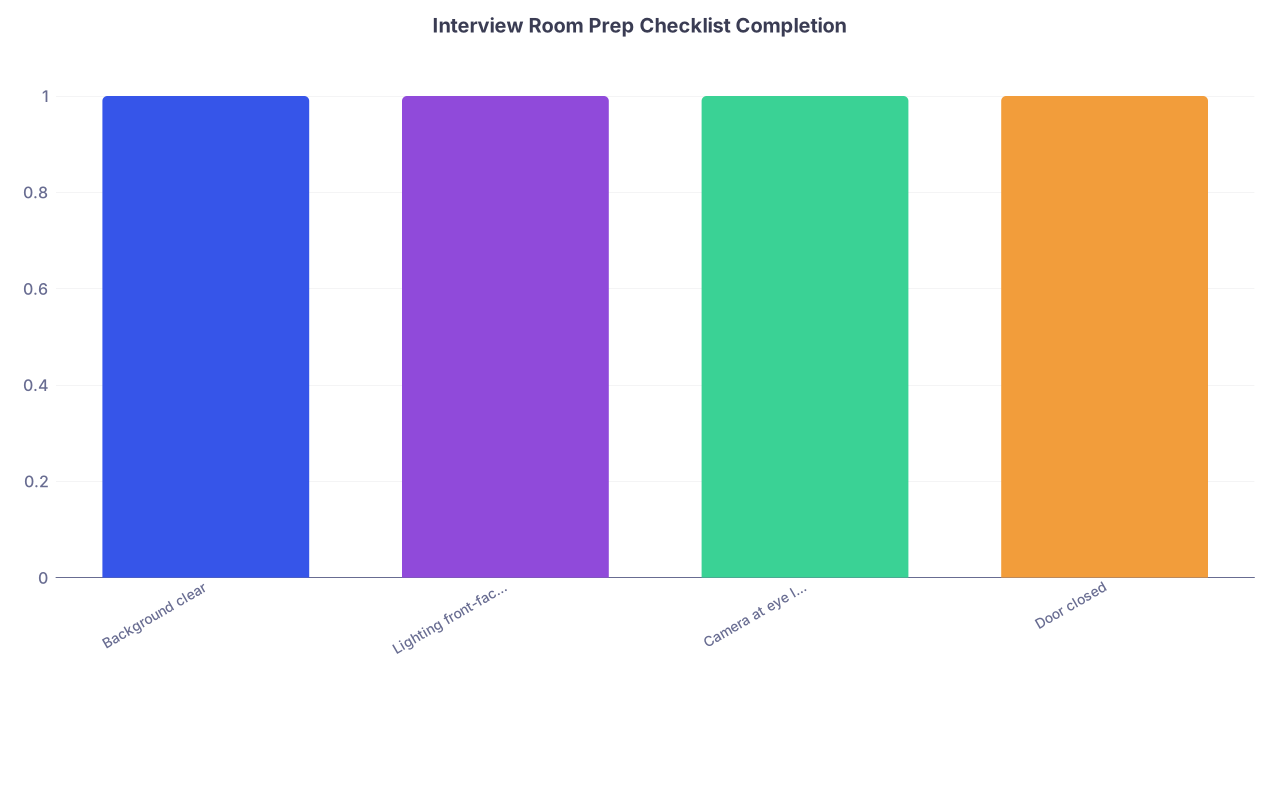
| Category | Value |
|---|---|
| Background clear | 1 |
| Lighting front-facing | 1 |
| Camera at eye level | 1 |
| Door closed | 1 |
Everything should be a yes before you click.
Step 10: Handling Multiple Interviews on a Single Call Day
Some programs cluster interviews: 3–5 sessions in one morning, with breaks in between. Doing that from the hospital is risky but sometimes unavoidable.
If that’s you:
- Treat that entire block as off service. Not “I’ll write a quick note between interviews.” Truly off.
- Arrange explicit cross-coverage for those hours. Text the covering resident when you start and when you’re back.
- Stay in the same physical room for the whole block if you can. Less tech failure, less hauling gear.
Between interviews:
- Stand up. Shake out your shoulders. Get water.
- Check your pager/phone quickly. Address any non-urgent messages with “I’m in interviews until [time]; I’ll handle this after.”
- Don’t open the EMR “just to finish that note.” Bad idea. You’ll get pulled in.
If your hospital or program can’t or won’t give you that uninterrupted block, that’s a sign to stack your interviews on days you’re off or on lighter rotations instead.
Example: A Safe Plan vs. A Messy Plan
Let me show you two real-world style scenarios.
Messy plan (what I’ve actually seen):
- Resident on busy MICU day shift.
- Schedules interview at 1 PM, right after noon rounds “should be done.”
- No one on the team knows exactly when they’ll disappear.
- At 12:45, rounds are still going. Resident leaves anyway.
- Parks in a shared workroom; team keeps coming in and out.
- Pagers going off; charge nurse knocks twice for orders.
- Interviewers see a distracted, stressed applicant who keeps apologizing.
Safe plan for same person (what you should do):
- Swaps MICU day to clinic day or takes PTO for the interview day.
- Emails chiefs and PD in advance: “I will be unavailable from 8–1 for interviews.”
- Reserves program coordinator’s office with door and wired internet.
- Arrives 45 minutes early. Tests Zoom, lighting, background.
- Puts sign on door, silences everything but urgent pages.
- Does back-to-back sessions without interruptions, checks clinical stuff afterward.
Same person. Same hospital. Totally different impression.
A Quick Visual Checklist: Process From Start to Finish
Here’s a simple flow of how this should work in your head:

| Step | Description |
|---|---|
| Step 1 | Interview Invite |
| Step 2 | Decide: Home vs Hospital |
| Step 3 | Set up at home |
| Step 4 | Get schedule permission |
| Step 5 | Reserve specific room |
| Step 6 | Test Wi-Fi, lighting, background |
| Step 7 | Prepare interview kit |
| Step 8 | Notify team & post door sign |
| Step 9 | Join early & confirm tech |
| Step 10 | Handle rare interruptions calmly |
| Step 11 | Log off, return to clinical work |
Run that mental flow a week ahead, not the morning of.
Final Points
Using a hospital call room or office for Zoom interviews can work very well, but only if you treat it as a high-risk environment and control what you can.
Remember these:
- Get explicit permission for both time and space, and pick a real room with a door, not a corner of a workroom.
- Protect privacy and professionalism: no PHI in view, no audible patient care, and a clean, calm background.
- Build redundancy into your plan—backup internet, backup device, and a clear coverage plan so you’re not running out mid-question.
Do those three things, and the program will see you as what you are: someone juggling real clinical responsibilities who still shows up prepared and composed. That’s the impression you want.



