
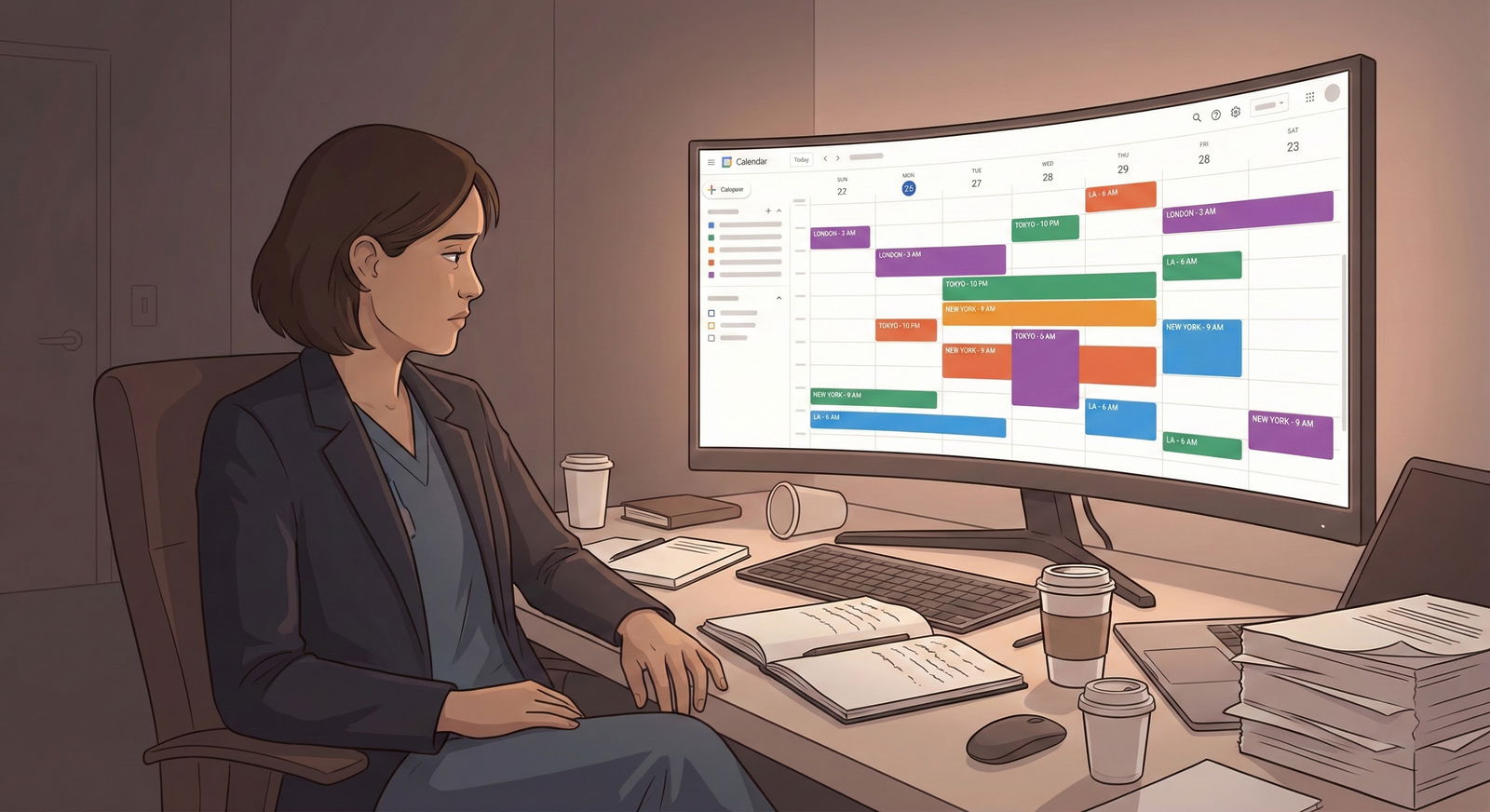
What actually happens in a residency interview when your virtual background glitches and half your head disappears during your answer about professionalism?
Let me be direct: for most applicants, a virtual background is a risk, not an advantage. But there are situations where it’s absolutely the right move—if you do it correctly.
This is your guide to deciding which camp you’re in.
Short Answer: Should You Use a Virtual Background?
If you have a clean, neutral, well-lit real space: do not use a virtual background.
If your only options are:
- messy bedroom you cannot fix
- shared space with people walking behind you
- posters, political stuff, or anything unprofessional on the walls
- cluttered, distracting environment
…then you should use a virtual background—but a specific type of background, set up properly, tested in advance.
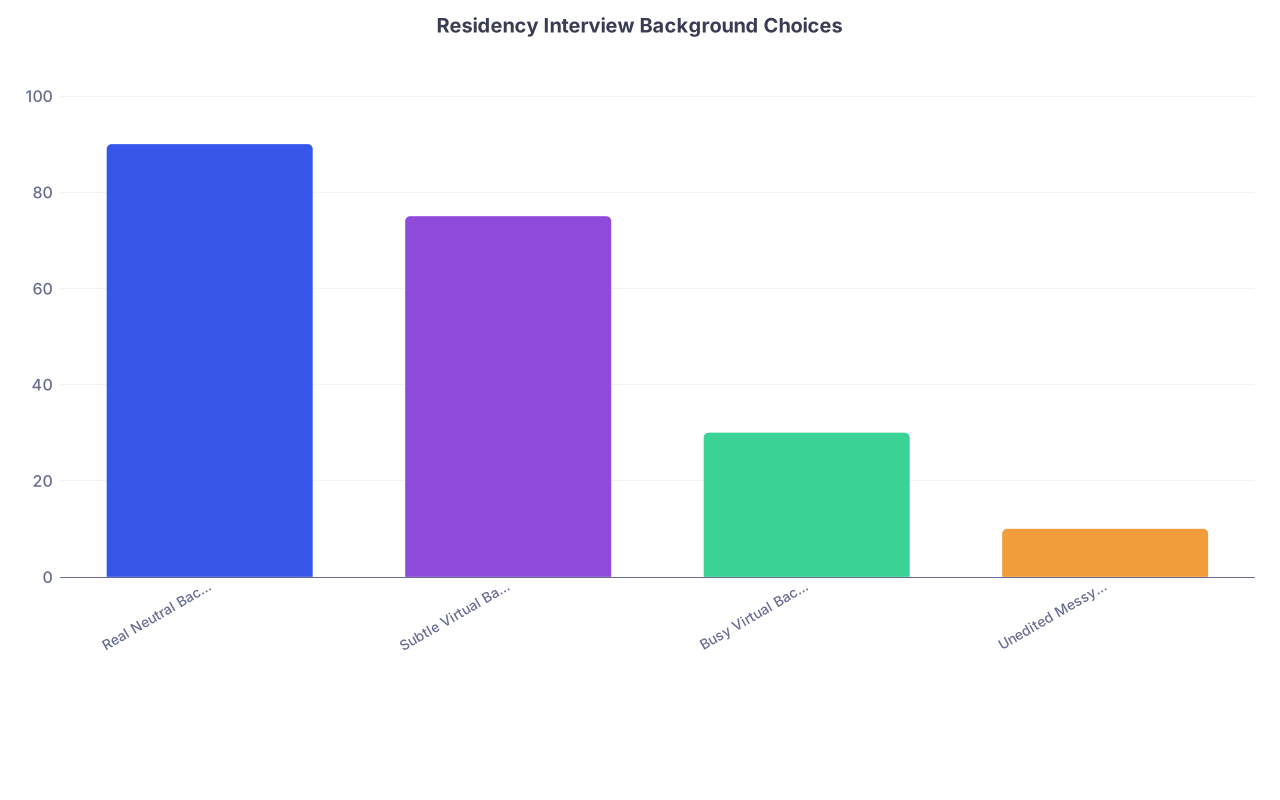
Here’s the decision in one chart:
| Category | Value |
|---|---|
| Real Neutral Background | 90 |
| Subtle Virtual Background | 75 |
| Busy Virtual Background | 30 |
| Unedited Messy Room | 10 |
Think of those numbers as “how good this looks to most interviewers” on a 0–100 scale from what I’ve seen and heard. A real, professional-looking background still wins most of the time.
What Program Directors Actually Care About
No program director is ranking you on “background aesthetics.” They care about:
- Professionalism
- Judgment
- Ability to prepare
- Distraction level during the interview
Your background is just a signal. It tells them:
- Did you think about how you appear on screen?
- Are you able to set up a basic professional environment?
- Are you making it easy or hard for them to focus on you?
Nobody’s saying this out loud in an info session, but I’ve heard plenty of post-interview comments like:
- “The background was so distracting I lost parts of their answer.”
- “They were in what looked like a bedroom with laundry—kind of odd they didn’t move or blur it.”
- “The virtual background kept glitching; honestly it was annoying.”
So you’re not being judged on fancy. You’re being judged on not making it weird.
Your goal: background so boring they forget it exists.
Option 1: Real Background (Preferred When Possible)
If you can create a decent real background, do that. It’s the safest, cleanest option.
What works well:
- Plain wall (white, light gray, or other neutral)
- A simple bookcase with a few books, plant, or neutral decor
- Office space or study area with nothing personal or controversial
- A small amount of medical-related items is fine (textbooks, normal decor), but don’t turn it into a flex wall
What to avoid:
- Bed clearly visible behind you (especially unmade)
- Posters (bands, movies, quotes, etc.)
- Political, religious, or controversial items
- Busy gallery walls, cluttered shelves, stacks of boxes
- Anything that looks like a dorm room first-week-of-college
If all you do is:
- Face a blank wall
- Move clutter out of frame
- Sit 2–3 feet away from the wall
- Use decent lighting
…that’s better than 90% of what I’ve seen on Zoom interviews.
Option 2: Virtual Background (When You Should Use It)
Use a virtual background if:
- You’re in a shared space with no privacy or control
- You physically cannot remove clutter or distractions
- You’re stuck with a bed, kitchen, or hallway directly behind you
- Your real background reveals too much personal info (family photos, location identifiers)
In those situations, a carefully chosen virtual background is more professional than reality.
What Type of Virtual Background Is Acceptable?
You want something that looks like:
- A simple office
- A neutral room with minimal furniture
- A plain gradient or slightly textured color
- A very subtle “blur” of your real background
What to avoid (and yes, I’ve seen all of these in interviews):
- Beach scenes, skylines, outer space
- Hospital/OR stock photos (screams “trying too hard”)
- Branded school backgrounds with huge logos behind your head
- Cartoonish, artsy, or highly stylized images
- Anything animated or moving
Think “boring corporate Zoom meeting,” not “Zoom happy hour 2020.”
If your platform has a background blur option, that’s often the best compromise: your real environment, but softened and less distracting.
Technical Risks of Virtual Backgrounds (And How to Minimize Them)
Here’s why many advisors tell you to avoid virtual backgrounds: the tech often backfires.
Common problems:
- Your hair or glasses glitch in and out
- Your shoulders disappear when you move
- Parts of your chair vanish
- Fast hand gestures smear or cut through the virtual background
On the interviewer’s side, this reads as:
- Distracting
- Low tech-prep
- Slightly unprofessional
You can reduce this, but not fully eliminate it.
How to Set Up a Virtual Background Correctly
If you must use one, do it like this:
Wear solid clothing
- Avoid green, bright white, or colors close to your wall
- No busy patterns—solid navy, gray, or similar is best
Improve lighting
- Light source in front of you (window, ring light, lamp)
- Avoid strong light from behind (windows behind you are terrible)
- The software tracks edges better when your face is clearly lit
Pick a simple, high-quality image
- Horizontal aspect ratio
- Bright but not harsh
- No text or logos if possible
Control your movement
- Do not swivel in your chair
- Keep gestures close to your body
- Avoid leaning in and out of frame
Test with the exact platform
- If interviews are on Zoom, test in Zoom
- If they’re on Thalamus, Webex, Microsoft Teams—test there
- Don’t assume “it looked fine in FaceTime” means anything
Do this before interview season:

| Step | Description |
|---|---|
| Step 1 | Choose Location |
| Step 2 | Declutter & Frame Shot |
| Step 3 | Select Virtual or Blur |
| Step 4 | Set Up Lighting |
| Step 5 | Test Camera & Audio |
| Step 6 | Record Mock Interview |
| Step 7 | Adjust Until Non-Distracting |
| Step 8 | Real Background OK? |
If you can get to “I completely forgot about my background while watching the recording,” you’re good.
Visual Examples: Good vs Bad Choices
Let’s compare how interviewers generally perceive different setups:
| Background Type | Impression |
|---|---|
| Neutral real wall/office | Professional, safe |
| Real background + slight blur | Modern, polished |
| Simple virtual office image | Acceptable, fine |
| Branded school logo wall | Okay but a bit loud |
| Busy home / bedroom visible | Distracting, lower effort |
| Gimmicky virtual (beach, etc.) | Unprofessional |
Quick reality check: nobody is ranking you higher because you had a nice fake office behind you. At best, they don’t notice it. That’s your goal.
Common Scenarios and What You Should Do
Scenario 1: You Live in a Small Shared Apartment
You share the living room. Your bedroom has a bed behind you and limited space.
What I’d do:Set up at a desk or table facing a wall
Use background blur if available
If blur looks bad, use a subtle office-style virtual background
Ask roommates to stay off camera and keep noise down during your schedule
Scenario 2: You Have a Home Office, But It’s Busy
Bookshelves, papers, decor, maybe a printer and random stuff behind you.
- First, see if you can declutter the visible area
- Then test the shot: is it visually noisy?
- If it still feels too busy, try a slight blur, not a full virtual background
Scenario 3: You Can Use a Quiet Clinic or School Space
This is often the best move. Many schools provide:
- Study rooms
- Conference rooms
- Sim lab offices
If it’s:
- Quiet
- Private
- Neutral walls or professional furniture
Use the real background. Do not cover a perfectly good hospital/office setting with a fake virtual office.
Platform-Specific Nuances
Programs use different platforms: Zoom, Thalamus, Webex, Teams, proprietary systems.
They’re not all equally good at virtual backgrounds.
For example:
- Zoom: usually handles virtual backgrounds okay if lighting is good
- Webex/Teams: decent, but can be glitchy on older laptops
- Browser-based systems: often worse with CPU-intensive features like backgrounds
So if your laptop is older or your internet is marginal, virtual backgrounds become more risky. They eat processing power. That’s when you see lag and freezing.
If your machine struggles during testing, drop the virtual background and use real + blur (if it performs better) or real only.
How Interviewers Actually Talk About This
I’ve heard variations of the same three comments from faculty after virtual interview days:
- “I really liked when their setup looked like a real office or study space.”
- “The ones with very fake or distracting backgrounds were harder to focus on.”
- “Honestly, I don’t care what’s behind them as long as it’s not messy or glitchy.”
Nobody cares if you’re in a fancy space. They do notice if:
- There’s a pile of laundry behind you
- A roommate walks through in pajamas
- Your head keeps disappearing into a fake mountain view
So you’re not trying to impress them with your environment. You’re trying not to give them any reason to remember it.
How to Decide in Under 5 Minutes
Ask yourself:
- Can I create a real, clean, neutral background with some basic rearranging?
- If yes → use real, maybe slight blur.
- If no, does a virtual or blurred background look stable and non-distracting in test recordings?
- If yes → use that.
- If virtual background looks glitchy no matter what:
- Simplify your real environment as much as possible.
- Sit close to a blank wall, crop tight, and rely on professionalism, not decor.
If you’re still unsure, record two 1-minute clips:
- Clip A: Real background or blur
- Clip B: Virtual background
Send both to someone blunt—an attending, a resident, a classmate who will actually tell you the truth. Ask one question:
“Which one would you forget five minutes after the interview?”
Pick that one.

FAQs: Virtual Backgrounds for Residency Interviews
1. Do programs judge you negatively just for having a virtual background?
Not automatically. You are judged on whether the total experience is professional and distraction-free. A subtle, stable virtual background is fine. A glitchy, cheesy, or overly branded one can create a mild negative impression. The background itself isn’t the problem; how it functions is.
2. Is a blurred real background better than a full virtual background?
Usually yes. Blur keeps the authenticity of a real space while removing visual noise. Most platforms handle blur more smoothly than full image replacement, so you get fewer weird edges and glitches. If blur looks clean in your testing, use that over a fully artificial environment.
3. Can I use my medical school’s logo or branded background?
You can, but keep it understated. A huge logo behind your head can feel like a billboard. Some faculty don’t mind; some quietly roll their eyes. If the branded background is subtle and not too busy, it’s acceptable. If it looks like you’re broadcasting from a press conference, pick something simpler.
4. What if my only option is a bedroom with a visible bed?
Then you either:
- Reposition so the bed is out of frame, or
- Use a background blur, or
- Use a plain virtual background that looks like a simple office or room
Out of those, I’d try: real + reposition → real + blur → virtual background, in that order. Don’t show an obvious bed if you can possibly avoid it. It’s not “wrong,” but it reads more casual than you want.
5. How far away should I sit from the wall or background?
Aim for 2–3 feet from the wall if you can. Too close and you look like you’re pinned to a backdrop. Too far and you might bring more clutter into frame. Frame yourself with a bit of space above your head and upper chest visible. Test it on the same device you’ll use for interviews; what looks fine on a phone can look odd on a laptop.
6. Will a virtual background hide bad lighting or poor video quality?
No. That’s a common mistake. Virtual backgrounds often look worse with bad lighting or low-resolution cameras because the software can’t detect your edges well. Fix lighting first: light in front of you, reduce backlighting, adjust brightness. Only then decide on real vs virtual background.
Key points to walk away with:
- If you can make a clean, neutral real background: do that. It’s the safest option.
- If your real space is genuinely unprofessional or uncontrollable, a simple, well-tested virtual or blurred background is better than chaos.
- Whatever you choose, your background should be so boring they forget it existed—and remember you instead.



